
You do not need a Cox username, a password, or a registered MyAccount profile to pay your Cox bill. Cox runs a one-time payment path that only asks for the 10-digit phone number on the account, plus a card or bank account to pay with. That is the fastest route when you are locked out, when the bill belongs to a relative, or when you simply never set up online access and do not want to start now. This guide walks through every login-free way to pay a Cox bill, from the website chat to the automated phone line to the in-store kiosk. It then does the thing most bill guides skip: it shows you how to make the bill itself smaller. A large slice of a typical Cox charge is a rented Panoramic WiFi gateway at around fourteen dollars a month, and on most Cox plans you are allowed to drop it and use your own equipment instead. Paying the bill is step one. Cutting it is step two.
Cox lets you pay without signing in. Use the one-time payment on cox.com, the automated line at 1-800-234-3993, or an in-store kiosk, with only your phone or account number needed. Cox rents the Panoramic WiFi gateway at about fourteen dollars a month, and on most plans you can buy your own certified cable modem to remove that fee entirely.
Key Takeaways
- Cox accepts a one-time payment with no login, using only the 10-digit phone number tied to the account plus a card or bank account.
- The automated phone line at 1-800-234-3993 takes payments 24/7, and in-store kiosks accept cash, card, check, or money order without any account setup.
- The Panoramic WiFi gateway is a rental that adds roughly fourteen dollars a month to the bill, which is about one hundred and sixty-eight dollars a year.
- On most Cox internet plans you can return the gateway and use your own Cox-certified cable modem to remove the equipment fee for good.
- Cox Voice home-phone customers and some prepaid plans are the exceptions, so confirm your plan allows your own modem before you buy one.
The fastest login-free way to pay is the one-time payment on cox.com
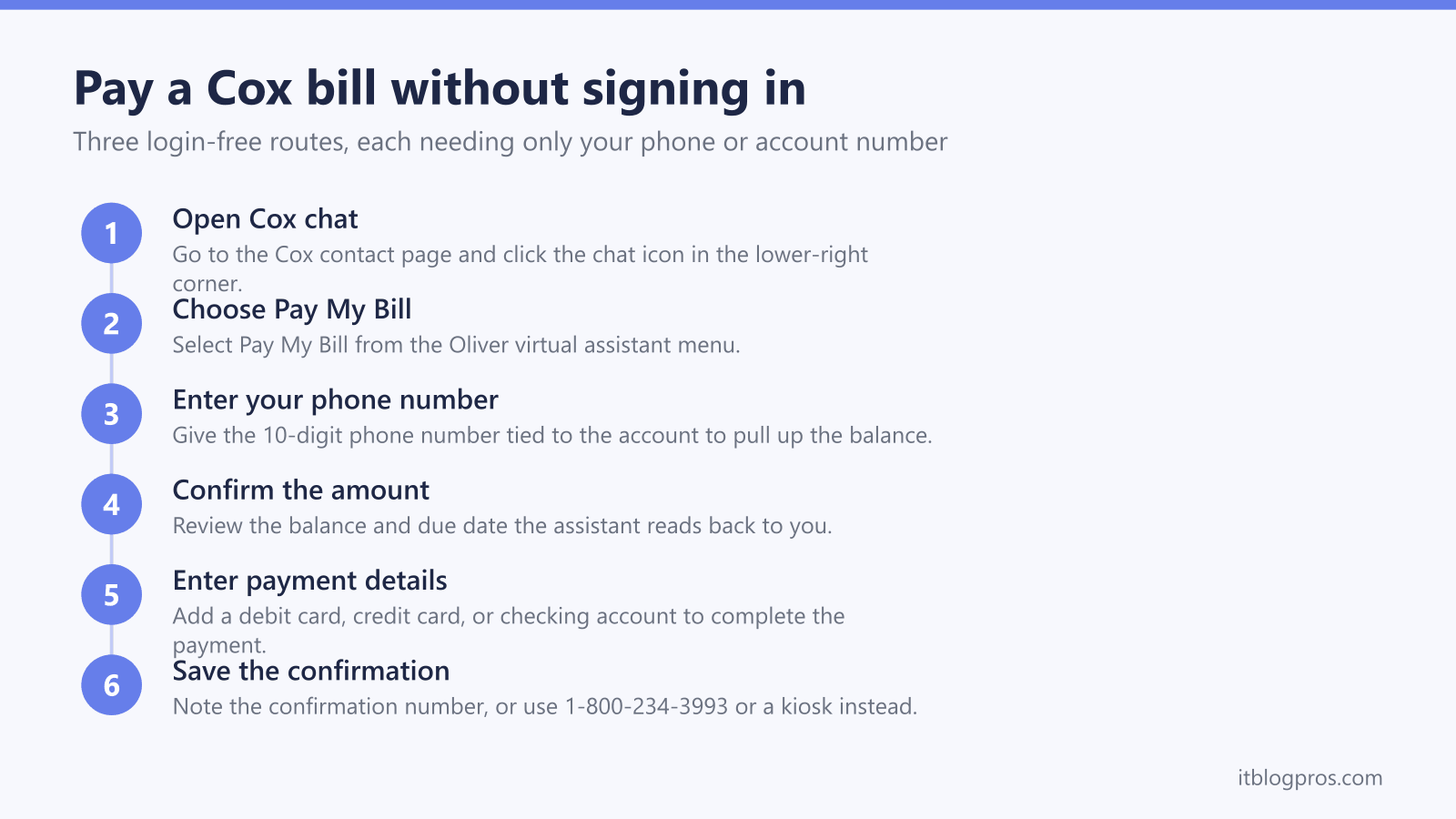
Cox publishes a one-time payment path that does not require you to register or sign in to MyAccount. The most reliable route is the website chat handled by the Cox virtual assistant, Oliver. Open the Cox contact page in a browser, click the chat icon in the lower-right corner, and choose Pay My Bill. The assistant asks for the 10-digit phone number associated with the account, confirms the balance and due date, and then takes a card or bank account to complete the payment. There is no queue and no human agent involved, so it usually takes under two minutes. Cox also hosts a dedicated Making a One-Time Payment Online support page that describes the same flow. Keep your latest bill or account number handy in case the assistant asks you to confirm the account beyond the phone number.
The automated phone line takes payments around the clock
If you would rather not use a browser, Cox runs an automated pay-by-phone line at 1-800-234-3993. The system is available 24/7 and walks you through the payment with voice prompts. You identify the account with either the account number from your bill or the phone number on the account, the system reads back what you owe and the due date, and you enter a checking account, debit card, or credit card to pay. Because it is automated, you do not have to reach a live agent or wait for business hours. This is the option most people fall back on when they are away from a computer or when the website is not cooperating.
In-store kiosks and third-party locations take cash without any account
Cox retail stores and self-service kiosks let you pay in person with no online account at all. At a kiosk you enter the account or phone number, insert cash or swipe a card, and it prints a receipt on the spot, with no staff interaction needed. Cox stores also accept cash, check, card, or money order at the counter. If a Cox store is not close, several third-party payment agents accept Cox payments, including CheckFreePay desks inside many Walmart stores, plus Western Union, MoneyGram, and Fidelity Express. Third-party payments can take a few business days to post, so use a kiosk or the phone line if your due date is tight. Use the Cox store locator to find the nearest branch.
Pay by mail works if the due date is not close
Mailing a check or money order is still an option for anyone who prefers paper. Send it to Cox Communications, Inc., P.O. Box 53249, Phoenix, AZ 85072-3249, and include the payment coupon from your bill or write your Cox account number on the check so the payment is matched to your account. Mail is the slowest method, so allow at least a week of transit and processing time before the due date. If you are close to a shut-off or a late fee, use the one-time online payment or the automated phone line instead, since both post far faster than a mailed check.
Cut this bill by dropping the rented Panoramic WiFi gateway
Once the bill is paid, look at what is inside it. If your Cox service includes the Panoramic WiFi gateway, you are renting Cox equipment, and on most plans that rental runs about fourteen dollars a month. Over a year that is roughly one hundred and sixty-eight dollars, and it never stops. Cox is a cable network, so the gateway is a combined DOCSIS cable modem and WiFi router. On most standard internet plans Cox lets you return that gateway and use your own equipment instead, which removes the fee entirely. The clean way to do it is to buy a Cox-certified cable modem and pair it with your own router or mesh system. A DOCSIS 3.1 cable modem such as the Motorola MB8611 or the ARRIS SURFboard S33 covers the common Cox speed tiers and is on the certified list, so Cox will activate it. For WiFi you add a router or mesh system, and an eero Pro 6E or a TP-Link Deco X55 gives whole-home coverage that usually beats the single gateway. The modem pays for itself in under a year, and everything after that is money off the bill. The one wrinkle: the top 2 Gbps Go Beyond Fast tier needs a modem with a 2.5 Gbps Ethernet port, so match the modem to your plan. The best modem for Cox guide names the certified picks by speed tier, and the full swap logic is laid out in how to stop renting your gateway and buy your own modem.
Know the exceptions before you buy your own equipment
The equipment saving is real on most Cox internet plans, but there are cases where it does not apply, and it is worth checking before you spend anything. If you have Cox Voice home-phone service, the phone modem must come from Cox, and retail modems with phone ports will not activate for Cox Voice, so keep the Cox equipment in that situation. Cox prepaid StraightUp Internet and the low-income Connect2Compete plan bundle the equipment differently, so there is no separate rental fee to remove there. On everything else, a Cox-certified cable modem is the path to a smaller bill. Before you buy, open the Cox certified cable modems support page, confirm the exact model is listed for your plan speed, and only then order it. Buying off the certified list avoids the one common mistake, which is a modem Cox refuses to activate. If your gateway lights are misbehaving rather than costing you money, the separate guide on Cox Panoramic gateway light colours explains what each blink means.
Check the Motorola MB8611 price on Amazon →
Check the ARRIS SURFboard S33 price on Amazon →
Check the eero Pro 6E mesh price on Amazon →
Check the TP-Link Deco X55 mesh price on Amazon →
More no-login bill-pay guides
The same guest-payment approach works across the other major US providers:
- Pay your AT&T bill without signing in (FastPay)
- Pay your Xfinity bill without signing in
- Pay your Verizon bill without signing in
- Pay your T-Mobile bill without signing in
- Pay your DirecTV bill without signing in
- Pay your Spectrum bill without signing in
- Pay your CenturyLink bill without signing in
- Pay your Frontier bill without signing in
- Pay your Optimum bill without signing in
Using any Amazon link on this site supports these free guides at no extra cost to you, whatever you end up buying. Browse current router and modem deals on Amazon.