
Plenty of people search for a way to pay an Xfinity bill in two minutes without hunting for a password. In 2026 the honest answer comes with a twist; Comcast retired residential online no-login payment on or around 6 September 2023, so the old one-time web payment for internet, TV and home phone now requires signing in. The standalone "Quick Pay" feature people remember survives in only one place, and it is not the home-internet service.
Residential customers still have plenty of no-login routes, though. This guide covers the official channels that need no Xfinity ID at all; the automated phone line, the offline options Comcast still accepts, and the one web page (Xfinity Mobile) that genuinely takes a guest payment. It also covers the security habits that keep your card details away from the fake "pay your bill" pages cluttering these search results. The framing throughout is home internet on Comcast's DOCSIS cable network, the service most readers are trying to keep current.
Key Takeaways
- Residential Xfinity no longer offers a no-login web payment; web and app payments for internet, TV and voice require signing in with a Primary or Manager Xfinity ID at xfinity.com/bill-pay, a change Comcast made on or around 6 September 2023.
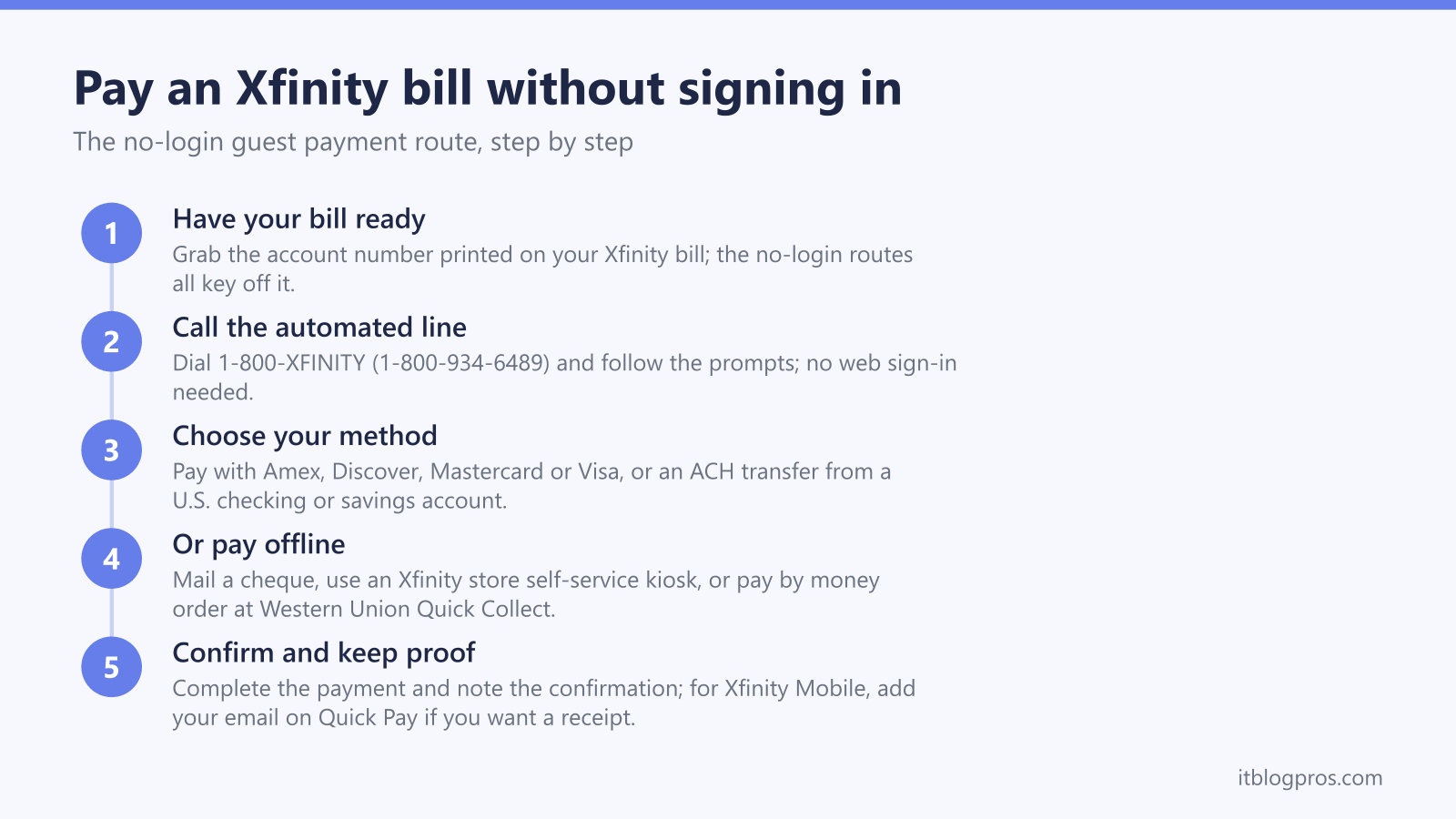
- Anyone can pay without a web login by calling 1-800-XFINITY (1-800-934-6489); the automated line takes American Express, Discover, Mastercard and Visa, plus an ACH transfer from a U.S. checking or savings account.
- The only official Xfinity web page that still accepts a payment with no sign-in is Xfinity Mobile Quick Pay at xfinity.com/mobile/my-account/quickpay/start, which needs the mobile number, the service-address ZIP code and a credit or debit card.
- Residential no-login alternatives also include mailing a cheque, paying at an Xfinity Retail Store self-service kiosk and Western Union Quick Collect by money order, all using the account number printed on your bill.
- Xfinity discloses no convenience fee for the phone line, the Mobile page or mailed payments; some local markets do charge a store-kiosk fee, and the real financial risk here is a fake payment site, so only ever type xfinity.com directly into the address bar.
What "without signing in" means at Xfinity now
The naming causes most of the confusion. For years, residential Xfinity customers could make a one-time web payment without signing in. Comcast retired that on or around 6 September 2023, "in order to further protect your account and information", a change confirmed by an Official Employee post on the Xfinity forums in October 2023. Residential web and app payments now require signing in and validating your credentials first.
So for a home internet, TV or voice account, paying "without signing in" no longer happens on the main website at all. It happens over the phone, through the post, or in person. The good news is that those channels are official, free of any Xfinity convenience fee in most cases, and need nothing more than the account number printed on your bill.
The "Quick Pay" name does live on in one place: Xfinity Mobile. That page is a separate web payment that still needs no login, and it is useful when a family member or friend wants to settle a mobile bill on someone's behalf without holding the account password. Comcast Business runs its own separate Quick Pay at business.comcast.com/payment/quickpay for business accounts only. Other carriers still run full guest-payment portals for every account type; that is the same approach AT&T offers with FastPay, which we cover in our AT&T FastPay guide.
What you need before you pay
For the residential no-login routes, gather one thing above all: the Xfinity account number printed on your bill. The automated phone line, a mailed cheque, a store kiosk and Western Union Quick Collect all key off that number, so have the bill in front of you.
For Xfinity Mobile Quick Pay, gather three things instead:
- The Xfinity Mobile phone number on the account
- The ZIP code of the service address
- A credit or debit card
You do not need to enter an email address to complete a mobile payment; the page only asks for one if you want a receipt emailed to you.
Method 1: Pay any Xfinity bill through the automated phone line
This is the route to recommend for residential customers who want to skip the website entirely. Call 1-800-XFINITY (1-800-934-6489) and follow the automated prompts. The system accepts American Express, Discover, Mastercard and Visa credit or debit cards, or an ACH transfer from a valid U.S. checking or savings account, with no web sign-in needed.
Have the account number from your bill ready before you dial. Xfinity discloses no convenience fee for the automated system on its official pages. Dial the number from your bill or from official Xfinity pages only, never from a search result or an unsolicited caller.
Method 2: Pay an Xfinity Mobile bill online with Quick Pay
This is the one official web route that still works with no login, and it works for Xfinity Mobile accounts only:
- Go to the Quick Pay page at xfinity.com/mobile/my-account/quickpay/start. Type the address yourself rather than clicking a search result; the security section below explains why.
- Enter the Xfinity Mobile phone number on the account and the service-address ZIP code, then continue.
- Enter the payment amount.
- Enter the credit or debit card details.
- If you want a receipt emailed to you, add your email address, then submit the payment.
Xfinity discloses no convenience fee for this page. Residential internet, TV or voice accounts cannot use it; there is no online guest pay for residential Xfinity, so sign in at xfinity.com/bill-pay with the Primary or Manager Xfinity ID, or use one of the no-login options here.
Method 3: Offline no-login options for residential accounts
Comcast keeps several payment channels open that involve no website or app at all, each using the account number from your bill:
- Mail a cheque. Send a personal cheque drawn on a U.S. bank, or a cashier's cheque from a U.S. bank, using the payment insert in your Xfinity bill. Never mail cash.
- Xfinity Retail Store self-service kiosk. Kiosks accept the same card and ACH methods as the phone line, plus cash and traveller's cheques. Note that some local markets charge a fee for kiosk payments while others do not, so check before you rely on it.
- Western Union Quick Collect. Pay at an agent location by money order with your Xfinity account number. Western Union is a third party, and Xfinity's pages do not state whether the agent charges its own fee.
Xfinity is explicit on this point: "These are the only payment methods we accept. We don't accept any other payment methods." Anyone steering you towards gift cards, cryptocurrency or a wire transfer to a named individual is not Comcast.
The app and the signed-in site need an Xfinity ID
The Xfinity app requires signing in with a Primary or Manager Xfinity ID and password before it will take a payment, so there is no app equivalent of a guest pay. Once signed in, the app does accept Apple Pay. X1 TV customers can also say "Pay my bill" into the Xfinity Voice Remote, but that operates within the account holder's own account rather than as a guest option.
If you pay the same residential bill every month, the signed-in web and app flows at xfinity.com/bill-pay are quicker than wrestling with the no-login routes. For the common case of paying a loved one's residential bill, Xfinity officially suggests two cleaner arrangements. The account holder can add you as a Manager on the account, giving you legitimate payment access under your own credentials. Alternatively, you can add the Xfinity account as a bill-pay payee at your own bank, so your bank posts the payment each month without anyone sharing a password.
Troubleshooting the most common payment problems
- The Mobile phone number is not recognised. Double-check the digits and the ZIP code before retrying. Retries are limited, so slow down rather than hammering the form.
- A "no payment needed" message appears. The account has no balance due; nothing is wrong.
- The payment errors out online. Xfinity's official guidance for residential accounts is to sign in at xfinity.com/bill-pay and retry the payment while logged in.
- The Mobile page refuses to load. Quick Pay sits behind aggressive bot protection, so open it in a normal desktop or mobile browser rather than an in-app browser or an automation tool.
- You have a residential account and want no login. The main website will not take it; use the phone line on 1-800-934-6489 or one of the offline options instead.
Local network trouble can also masquerade as a broken payment page; if every site is struggling, our guide to resetting an Xfinity router covers the quick fixes.
Spotting fake Xfinity payment sites and phone numbers
This section comes from a network-security background; the author holds CompTIA Security+, and bill-payment searches are among the most heavily targeted phishing lures around. Queries like "pay Xfinity bill without signing in" attract scam PDFs, lookalike domains and fake support numbers because the searcher is holding a payment card and in a hurry.
Treat every payment journey that starts from a search result as untrusted, and follow these rules:
- Type the domain yourself. Enter xfinity.com (or business.comcast.com for business accounts) directly into the address bar. Never click a sponsored search ad to reach a payment page, and never open a PDF that promises a bill-payment link; documents hosted on unrelated domains that rank for payment keywords are a classic credential-harvesting pattern.
- Verify HTTPS and the exact domain spelling. The padlock proves the connection is encrypted, not that the site is genuine, so read the domain character by character. xfinity.com is legitimate; lookalikes with extra words, hyphens or swapped letters are not.
- Know what a real payment page never asks for. A genuine Xfinity payment wants the account number or the mobile number plus the card details, nothing more. A "guest payment" page demanding your Xfinity password, Social Security number or full date of birth is fake.
- Never pay an unsolicited caller. Caller ID is trivially spoofed. If someone rings claiming your service will be cut off unless you pay immediately, hang up and dial 1-800-934-6489 from the bill yourself.
- Remember the accepted methods. Xfinity takes cards, ACH, cheques, cash at kiosks and Western Union Quick Collect, and nothing else. Gift cards and person-to-person wires are scams, every time.
Stop renting the Xfinity gateway while you are at it
While the bill is open in front of you, check for a monthly equipment rental charge. Xfinity runs on DOCSIS cable, so you can buy an approved modem once and stop paying rent on the gateway for good; the hardware usually pays for itself within the first year or two. These two DOCSIS 3.1 modems are proven performers on Comcast's network, and the best modem for Xfinity guide matches each one to your speed tier with the full payback math.
Check the ARRIS S33 price on Amazon →
Check the Motorola MB8611 price on Amazon →
Paying without a password is still perfectly possible
The residential website now wants a sign-in, but between the 1-800-XFINITY automated line, the offline channels and the Xfinity Mobile page, nobody needs to share a password to keep an Xfinity account current. Bookmark the official URL, save the official number in your contacts, and treat every other "pay your Xfinity bill" link on the internet with healthy suspicion.
More no-login bill-pay guides
The same guest-payment approach works across the other major US providers:
- Pay your AT&T bill without signing in (FastPay)
- Pay your Verizon bill without signing in
- Pay your T-Mobile bill without signing in
- Pay your DirecTV bill without signing in
- Pay your Spectrum bill without signing in
- Pay your Cox bill without signing in
- Pay your CenturyLink bill without signing in
- Pay your Frontier bill without signing in
- Pay your Optimum bill without signing in
Using any Amazon link on this site supports these free guides at no extra cost to you, whatever you end up buying. Browse current router and modem deals on Amazon.