
Xfinity rents its xFi gateway for roughly $15 a month, about $180 a year, for hardware that never becomes yours. Check the bill before assuming it applies: Xfinity states that its latest internet plans include the gateway at no extra cost, so the saving below is real for anyone being charged the rental and nil for anyone who is not. Comcast lets you swap that rented gateway for a modem you own outright, and the moment the approved modem is on your account the rental line drops off the bill for good. This guide names the two Xfinity-certified DOCSIS 3.1 modems worth buying, matches them to the gigabit and 2 Gig speed tiers, and pairs them with a router or mesh for the Wi-Fi the bare modem cannot provide. Every model here is confirmed against Xfinity's own approved-device list, because an unapproved modem simply will not provision on the network no matter how fast it is.
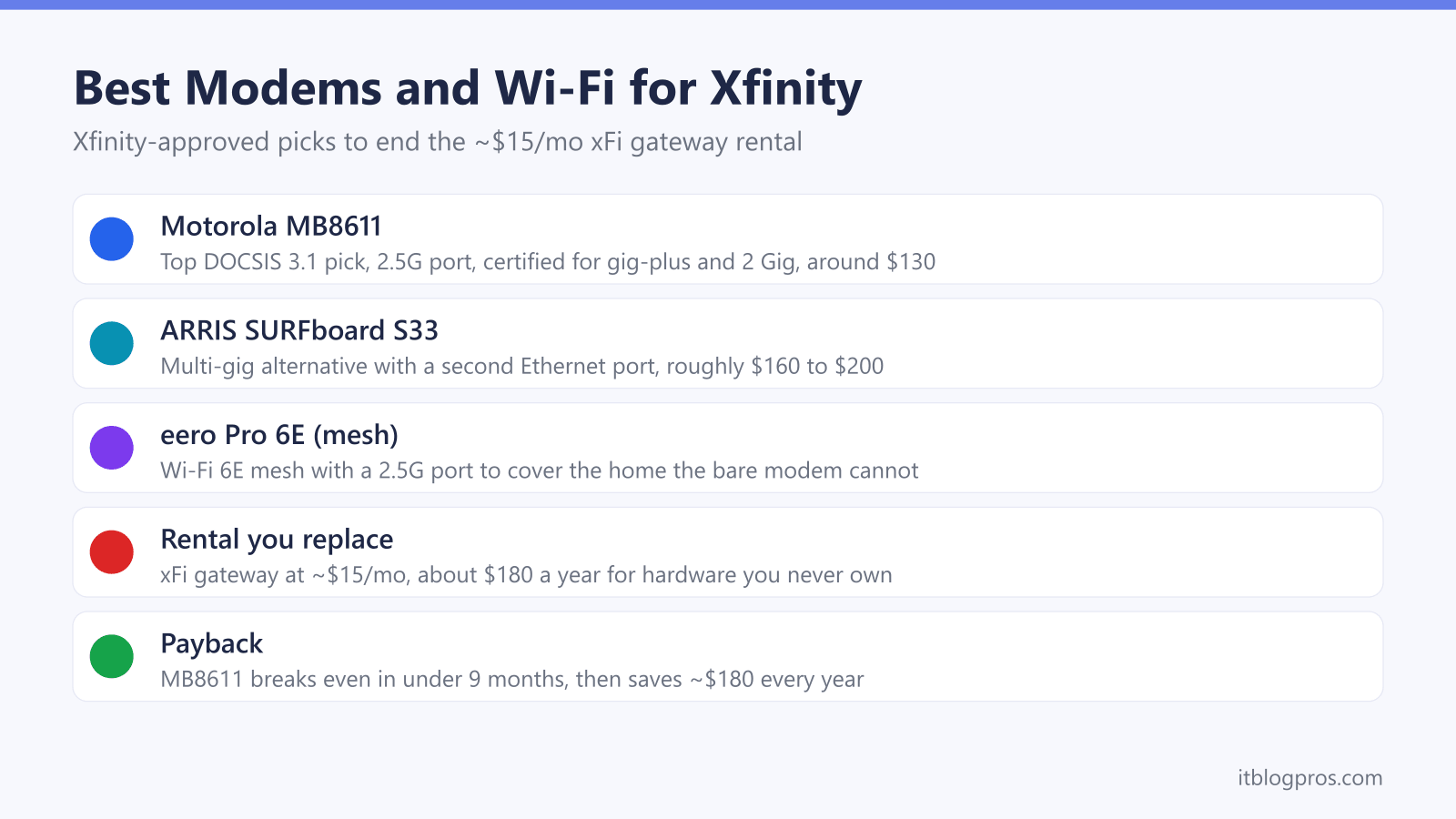
Renting the Xfinity xFi gateway costs about $15 a month, roughly $180 a year, for hardware you never own. The Motorola MB8611 is the best Xfinity-approved DOCSIS 3.1 modem to replace it, with a 2.5 Gbps port for the gig-plus and 2 Gig tiers. It pays for itself in under a year, then a router or mesh handles the Wi-Fi.
Key Takeaways
- The Xfinity xFi gateway rental runs about $15 a month, roughly $180 a year, and buying an approved modem removes that charge permanently.
- The Motorola MB8611 is the top Xfinity-certified DOCSIS 3.1 pick at around $130, with a 2.5 Gbps port that carries the Gigabit and 2 Gig tiers uncapped.
- The ARRIS SURFboard S33 is the multi-gig alternative, adding a second Ethernet port for wiring a fast router directly, at roughly $160 to $200.
- A bare modem broadcasts no Wi-Fi, so pair it with a router or mesh such as the eero Pro 6E, and put any leftover gateway in bridge mode.
- Any replacement must be on Xfinity's approved list and be DOCSIS 3.1, since Comcast will not provision unapproved or retired DOCSIS 3.0 hardware.
The xFi gateway rental costs about $180 a year for hardware you never own
The xFi gateway rental fee is roughly $15 per month. On one statement it looks minor, but it is a recurring charge for equipment that stays Comcast property no matter how long the rental is paid. Over three years that is about $540 on borrowed hardware.
The fee is separate from the internet plan price, and separate again from xFi Complete, the roughly $25 per month bundle that folds the gateway rental in with unlimited data, gateway Advanced Security and automatic upgrades. Either way, the rental portion is money spent renting a modem and router you could own outright for a one-time cost.
Buying an Xfinity-approved modem ends that line item the moment the new device is provisioned and the old gateway is returned. Unlike Spectrum, which includes the modem and instead charges a Wi-Fi service fee, Xfinity charges rent on the gateway itself, so a customer-owned modem is a genuine, dollar-for-dollar saving here. The full cost breakdown and return steps live in the companion guide on how to stop renting the Xfinity gateway and buy your own modem.
Match the modem to your Xfinity speed tier and buy DOCSIS 3.1
Buying any modem is not enough. Xfinity only provisions hardware on its approved list, and it must be DOCSIS 3.1. Comcast retired a large batch of older DOCSIS 3.0 models in 2026, so several once-popular budget modems no longer connect at all.
Speed-tier matching is the other half of the decision, and it now cuts two ways. Download speed decides the Ethernet port; the network your street sits on decides the upload speed, and that second half is where an owned modem can quietly fall short. Xfinity advertises 1 Gig, 1.2 Gig and 2 Gig plans, and sells a separate symmetrical X-Class range branded X-300, X-500, X-Gig and X-2Gig.
| Xfinity tier | DOCSIS generation | Port the modem needs | Motorola MB8611 | ARRIS S33 |
|---|---|---|---|---|
| Plans up to about 800 Mbps | DOCSIS 3.1 | Gigabit Ethernet is enough | Covered | Covered |
| 1.2 Gig | DOCSIS 3.1 | 2.5 Gbps Ethernet | Covered | Covered |
| 2 Gig, billed by Xfinity as Gigabit x2 (2000 Mbps) | DOCSIS 3.1 | 2.5 Gbps Ethernet | Covered | Covered |
| Enhanced-speed markets, uploads of 75 to 200 Mbps | DOCSIS 3.1 certified for enhanced speeds | 2.5 Gbps Ethernet | Download only, no enhanced-upload rating | Download only, no enhanced-upload rating |
| X-Class: X-300, X-500, X-Gig, X-2Gig | Rented Xfinity gateway only | Not applicable | Not eligible | Not eligible |
Two things fall out of that. Above a gig, a single gigabit Ethernet port caps a 1.2 Gbps or 2 Gbps plan, so the 2.5 Gbps port on both picks is what carries those tiers without throttling. Upload is the newer catch: Xfinity has been converting markets to enhanced upload speeds since 2022, and it says an owned device that is not certified for those speeds will still run at the tier speeds available before the upgrade rather than the faster new ones. X-Class is stricter again, because customer-owned modems are not currently compatible with X-Class speeds at all, so a household on X-Gig or X-2Gig cannot buy its way off the rental. Ignore any pop-up or ad phone number claiming to vet modems, as Comcast never does that by phone.
Xfinity's My Device Info list decides whether a modem activates at all
Xfinity keeps one authoritative record of the modems, eMTAs and gateways it will provision, published as the My Device Info tool at xfinity.com/support/internet/customerowned. The older mydeviceinfo.xfinity.com address still works and redirects to the same tool. Xfinity's own instruction is to check it before buying anything: sign in for results matched to the account, or enter a street address to see what is compatible there.
Buying off that list is what avoids an activation refusal. Xfinity says a device that is not supported will not work with Xfinity, and that the remedy is to rent an Xfinity gateway or buy a supported device instead. DOCSIS 3.1 capability on the box is no substitute for being on the list, which is why the retailer's spec sheet is the wrong place to settle this.
Both picks on this page are on the current list. Taken from the live entries rather than from packaging:
- Motorola MB8611. Listed as a retail Cable Modem, certified, DOCSIS 3.1 at 32 channels down by 8 up, rated around 2.3 Gbps downstream, with no Wi-Fi and no voice. It is not flagged end-of-life.
- ARRIS SURFboard S33. Also listed as a retail Cable Modem, certified, DOCSIS 3.1 at 32 down by 8 up, rated around 2.3 Gbps downstream, no Wi-Fi and no voice, and not end-of-life. The S33 name covers three separate entries, S33, S33v2 and S33v3, so the revision printed on the box is worth checking.
Two honest caveats come from that same list. Neither modem carries Xfinity's Recommended marker: the S33 is marked as not recommended, and the MB8611 is simply unrated. The devices Xfinity does mark recommended are a different set, including the ARRIS S34, the Hitron CODA56, the Netgear CM2500 and CM3000 and the Ubiquiti UCI, and every one of them carries a mid-split rating for the faster uploads in enhanced markets. Some non-recommended devices carry that rating too, so a mid-split rating alone is not the same as being recommended. Neither pick here has that rating, so on an upgraded street both hold their download tier while the enhanced upload stays with a rented gateway or one of those certified models. Anyone whose priority is upload speed should buy from the recommended set rather than from this page.
The last gap is telephone service. Both picks are recorded on the list as data-only with no voice capability, and Xfinity Voice requires a compatible embedded Multimedia Terminal Adapter, an eMTA. Xfinity also states that it does not guarantee compatibility with customer-supplied eMTAs. Keeping an Xfinity phone line therefore means renting the eMTA Xfinity supplies or buying a listed voice device, because a bare modem will not carry the line.
The picks at a glance
| Product | Best for | Key specs | Price |
|---|---|---|---|
| Motorola MB8611 Top pick | The cleanest default for almost every Xfinity home, carrying the Gigabit and 2 Gig tiers without capping | DOCSIS 3.1 (32x8), single 2.5 Gbps Ethernet port | Check price → |
| ARRIS SURFboard S33 Multi-gig alternative | An extra wired device straight into the modem, or the fastest 2 Gig tier | DOCSIS 3.1, one 2.5 Gbps and one 1 Gbps Ethernet port | Check price → |
| eero Pro 6E | Adding the Wi-Fi neither modem provides, wired to the modem's 2.5 Gbps port | Tri-band Wi-Fi 6E mesh, 2.5 Gbps Ethernet port on each unit | Check price → |
Top modem pick: the Motorola MB8611
The Motorola MB8611 is the cleanest default for almost every Xfinity home. It is a 32x8 DOCSIS 3.1 modem with a single 2.5 Gbps Ethernet port, and it is certified by Comcast Xfinity for the multi-gig tiers, so it carries Gigabit and 2 Gig plans without capping. Active Queue Management keeps latency low for gaming and video calls. After setup, the Motorola modem lights guide explains its front panel, where solid blue arrows mean the channels have bonded.
At around $130 it is the fastest to pay back the rental fee: against the roughly $180-a-year rental it breaks even in under nine months, then saves about $180 every year afterward. It has no Wi-Fi of its own, so plan to connect a router or mesh to that 2.5 Gbps port. For the vast majority of Xfinity households this is the modem to buy.
Check the Motorola MB8611 price on Amazon →
Alternative modem: the ARRIS SURFboard S33
The ARRIS SURFboard S33 is the multi-gig alternative, and also confirmed Xfinity-approved. It is a DOCSIS 3.1 modem rated for cable plans up to 2.5 Gbps, and its advantage over the Motorola is a second port: one 2.5 Gbps Ethernet plus one 1 Gbps Ethernet. That lets you wire a multi-gig router to the fast port and a wired device, such as a games console or NAS, straight into the modem.
It typically costs a little more, roughly $160 to $200, so it breaks even against the rental in about eleven to fourteen months. Choose it if you want that extra wired port or are on the fastest 2 Gig tier. Like the Motorola it broadcasts no Wi-Fi, so it still needs a router or mesh alongside it.
Check the ARRIS SURFboard S33 price on Amazon →
Add a router or mesh for the Wi-Fi: the eero Pro 6E
Neither modem provides Wi-Fi on its own, so a router or mesh system does the coverage half of the job. The eero Pro 6E is a strong match: a tri-band Wi-Fi 6E mesh with a 2.5 Gbps Ethernet port on each unit, so it will not bottleneck a gigabit or 2 Gig plan when wired to the modem's 2.5 Gbps port. The three-pack covers up to about 6,000 square feet and replaces the whole-home coverage that xFi Pods used to add.
Connect the eero directly to the new modem and it runs the network cleanly. If you are keeping the old Xfinity gateway around for any reason instead of a bare modem, put it into Xfinity bridge mode first so the eero handles routing and you avoid a double-NAT. A good mesh brings its own app, parental controls and security, so the gateway extras are easily matched or beaten.
Check the eero Pro 6E mesh price on Amazon →
The honest savings math and payback period
The payback case is a one-time modem purchase against an endless monthly fee. Against the roughly $180-a-year rental:
| Option | Up-front cost | Break-even vs $15/mo | 3-year total |
|---|---|---|---|
| Keep renting the gateway | $0 | n/a | ~$540 |
| Buy Motorola MB8611 | ~$130 | under 9 months | ~$130 |
| Buy ARRIS SURFboard S33 | ~$160 to $200 | ~11 to 14 months | ~$160 to $200 |
After break-even the modem keeps working at no further cost, so the saving compounds and the modem can move to a new address or be sold on later. Adding the eero Pro 6E is a separate coverage upgrade rather than part of the rental saving, since a router replaces the Wi-Fi the gateway used to broadcast.
One step locks the saving in: return the rented gateway within 30 days of self-activating the new modem, keeping the receipt or tracking as proof. Xfinity keeps charging the ~$15 monthly rental until the old gateway is physically returned, and can add an unreturned-equipment fee on top. Handle the account side, including any final balance, on the Xfinity bill-pay page.