
The Xfinity gateway rental fee is one of the most quietly expensive lines on a Comcast bill. At roughly $15 a month it adds about $180 a year, every year, for hardware that never becomes yours. A one-time purchase of an approved DOCSIS 3.1 modem ends that charge for good and usually pays for itself in well under a year.
This guide covers the real savings math, the Xfinity approved-modem requirement, exactly what features change when the rented gateway leaves the house, and which two modems make the strongest picks. It is the commercial companion to the wider US gateway-lights cluster, so it links up to the by-ISP pillar and across to the Xfinity light-fix spokes for anyone troubleshooting a current gateway before deciding to replace it.
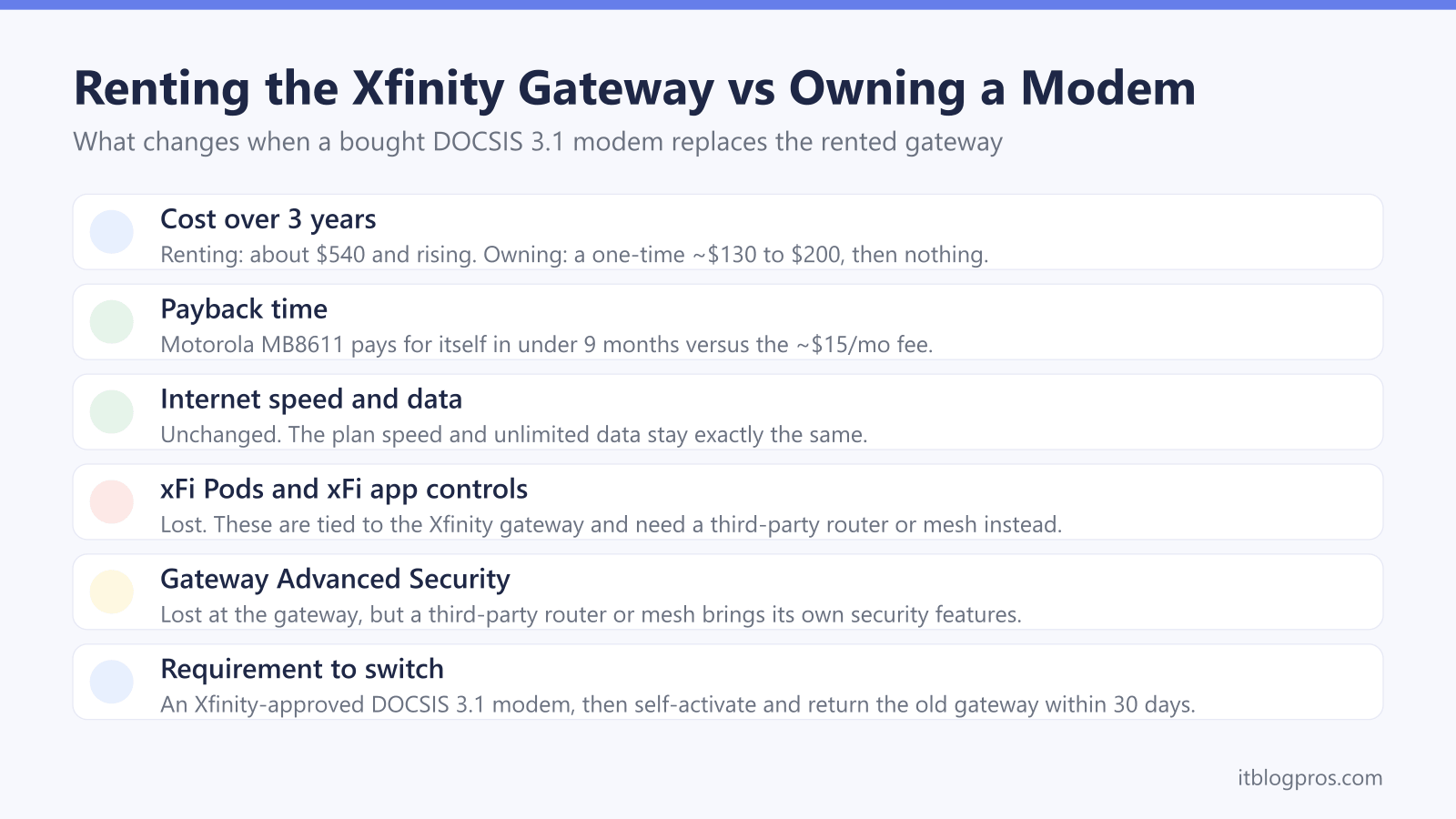
Renting the Xfinity gateway costs about $15 a month, roughly $180 a year, for equipment that is never owned. Buying an Xfinity-approved DOCSIS 3.1 modem such as the Motorola MB8611 ends that fee and typically pays for itself in under nine months. The trade-off is losing gateway-only extras like xFi Pods and gateway Advanced Security, while internet speed and unlimited data stay exactly the same.
Key Takeaways
- The Xfinity gateway rental fee runs about $15 a month, which is roughly $180 a year for hardware that is never owned.
- An Xfinity-approved DOCSIS 3.1 modem such as the Motorola MB8611 (about $130) pays for itself in well under a year and then saves $180 every year after.
- Any replacement modem must be on the Xfinity approved list and support DOCSIS 3.1, since Comcast removed older DOCSIS 3.0 models in 2026 and will not provision unapproved hardware.
- Switching means giving up gateway-only extras such as xFi Pods, the xFi app network controls and gateway Advanced Security, but the internet plan speed and unlimited data are unaffected.
- Return the rented gateway within 30 days of self-activating the new modem, or Xfinity keeps charging the monthly rental and can bill an unreturned-equipment fee.
The Xfinity gateway rental quietly costs about $180 a year
The Xfinity gateway rental fee is roughly $15 per month. That looks small on a single statement, but it is a recurring charge for equipment that never becomes property no matter how long it is paid.
Over time the maths is stark:
| Time renting | Total paid at ~$15/mo |
|---|---|
| 1 year | ~$180 |
| 2 years | ~$360 |
| 3 years | ~$540 |
| 5 years | ~$900 |
The fee is separate from the internet plan price. It is also separate from xFi Complete, the roughly $25 per month bundle that folds gateway rental together with unlimited data, gateway Advanced Security and automatic hardware upgrades. Either way, the rental portion is money spent on borrowed hardware. Buying an approved modem once removes that line from the bill permanently.
A bought modem pays for itself in under a year
The payback case is simple: a one-time modem purchase versus an endless monthly fee. Against the ~$180-a-year rental, an approved DOCSIS 3.1 modem clears its own cost quickly and then saves money every year afterwards.
| Option | Up-front cost | Months to break even vs $15/mo | 3-year total cost |
|---|---|---|---|
| Keep renting gateway | $0 | n/a | ~$540 |
| Buy Motorola MB8611 | ~$130 | under 9 months | ~$130 |
| Buy ARRIS SURFboard S33 | ~$160 to $200 | ~11 to 14 months | ~$160 to $200 |
After the break-even point the modem keeps working at no further cost, so the saving compounds. Over three years a bought modem is hundreds of dollars cheaper than renting, and it can usually be carried to a new address or sold on if Xfinity service ever ends. Prices shift over time, so the exact payback month depends on the price paid on the day.
The modem must be Xfinity-approved and DOCSIS 3.1
Buying any modem is not enough. Xfinity will only provision hardware on its approved list, and an unapproved modem simply will not connect no matter how capable it is.
Two rules matter most in 2026:
- DOCSIS 3.1 is the standard to buy. Comcast removed a large batch of older DOCSIS 3.0 modems from its network in 2026, so several once-popular budget models no longer work. A new DOCSIS 3.1 modem avoids that dead end and is futureproof for higher tiers.
- The modem must match or exceed the plan speed. A gigabit or multi-gig plan needs a DOCSIS 3.1 modem with a 2.5 Gbps Ethernet port, not an older gigabit-only unit.
The authoritative source is Xfinity's own approved-modem list at xfinity.com/support/articles/list-of-approved-cable-modems. Checking the exact model there before buying is the single best way to avoid an activation that refuses to complete.
A quick safety note: the search results for "Xfinity approved modems" are crowded with affiliate pages and a few sketchy "support" numbers. Comcast does not vet modems by phone, and any caller or pop-up claiming "your modem is compromised, call this number" is a scam. Verify approval only on xfinity.com, never via a phone number found in search ads.
Owning a modem changes the extras, not the internet
Dropping the rented gateway changes a few Xfinity convenience features, but it does not touch the actual internet service. It helps to separate what is lost from what stays the same.
What is lost (these are tied to the Xfinity gateway):
- xFi Pods mesh extenders, which only pair with a compatible Xfinity gateway.
- The xFi app network controls, including device profiles, pause/bedtime and per-device management.
- xFi Advanced Security, the gateway-level threat blocking that comes with xFi Complete.
What stays exactly the same:
- The internet plan, its rated speed and unlimited data (if subscribed) are unaffected.
- The Xfinity app still works for account, billing and plan management.
- Whole-home coverage is fully replaceable with a third-party router or mesh system such as Eero, TP-Link Deco, ASUS AiMesh, Netgear Orbi or Google Nest Wifi, which bring their own apps, parental controls and security features.
For most households the gateway extras are easily matched, or beaten, by a good standalone router or mesh kit bought alongside the modem. Just remember a bare modem provides no Wi-Fi on its own, so a router is needed unless one is already owned.
The two modems worth buying for Xfinity
Both picks below are DOCSIS 3.1, Xfinity-approved and carry a 2.5 Gbps Ethernet port, so they handle current gigabit plans and leave headroom for multi-gig tiers.
Main pick: Motorola MB8611 (B08DDFKXKC). A DOCSIS 3.1 modem with a single 2.5 Gbps Ethernet port, approved for Comcast Xfinity, Cox and Spectrum. At around $130 it is the cleanest value: it pays back the rental fee fastest, supports Xfinity's multi-gig tiers and uses Active Queue Management to keep latency low for gaming and video calls. It is the right default for the vast majority of Xfinity homes.
Multi-gig alternative: ARRIS SURFboard S33 (B08FMSC5WZ). Also DOCSIS 3.1 and Xfinity-approved, the S33 adds a second Ethernet port (one 2.5 Gbps plus one 1 Gbps) for wiring a multi-gig router and a secondary device directly. It typically costs a little more, around $160 to $200, so it suits the fastest plans or anyone who wants the extra wired port. Pair either modem with a router or mesh system and self-activate.
Neither of these is a gateway, so neither broadcasts Wi-Fi by itself. Plan to connect a router or mesh unit to the 2.5 Gbps port.
How to switch and return the gateway without a fee
Switching is a short, self-service job. The whole activation usually takes about 20 minutes.
- Confirm the model is approved. Check the exact modem on the Xfinity approved list before buying.
- Connect the new modem. Screw the coax to the same wall outlet the gateway used, add power and connect a router (or mesh) to the 2.5 Gbps Ethernet port.
- Self-activate. Open the Xfinity app, go to Account, then "Set up equipment or devices", choose Modem, and follow the prompts. The browser route is xfinity.com/activate signed in with the Xfinity ID.
- Return the rented gateway within 30 days. Drop it at an Xfinity retail store or use a prepaid return kit, and keep the receipt or tracking as proof.
That last step matters. Xfinity keeps charging the ~$15 monthly rental until the gateway is physically returned, and an unreturned device can trigger a separate unreturned-equipment fee. Returning promptly is what locks in the saving.
If the old gateway is misbehaving and the goal is just to fix it rather than replace it, the troubleshooting spokes in this cluster cover the common light faults first.