
Every Xfinity xFi gateway keeps its built-in control panel at the same private address, 10.0.0.1, and reaching it trips people up far more often than it should. Comcast now ships the local admin tool switched off, the admin password is created in the app when that access is switched on rather than read off the box, and half the settings that used to live in the browser tool now sit in the Xfinity app instead. This guide covers the exact login steps, the app toggle that unlocks the page, what the admin tool still controls, where the bridge mode switch hides, and the full fix ladder for a 10.0.0.1 page that refuses to load.
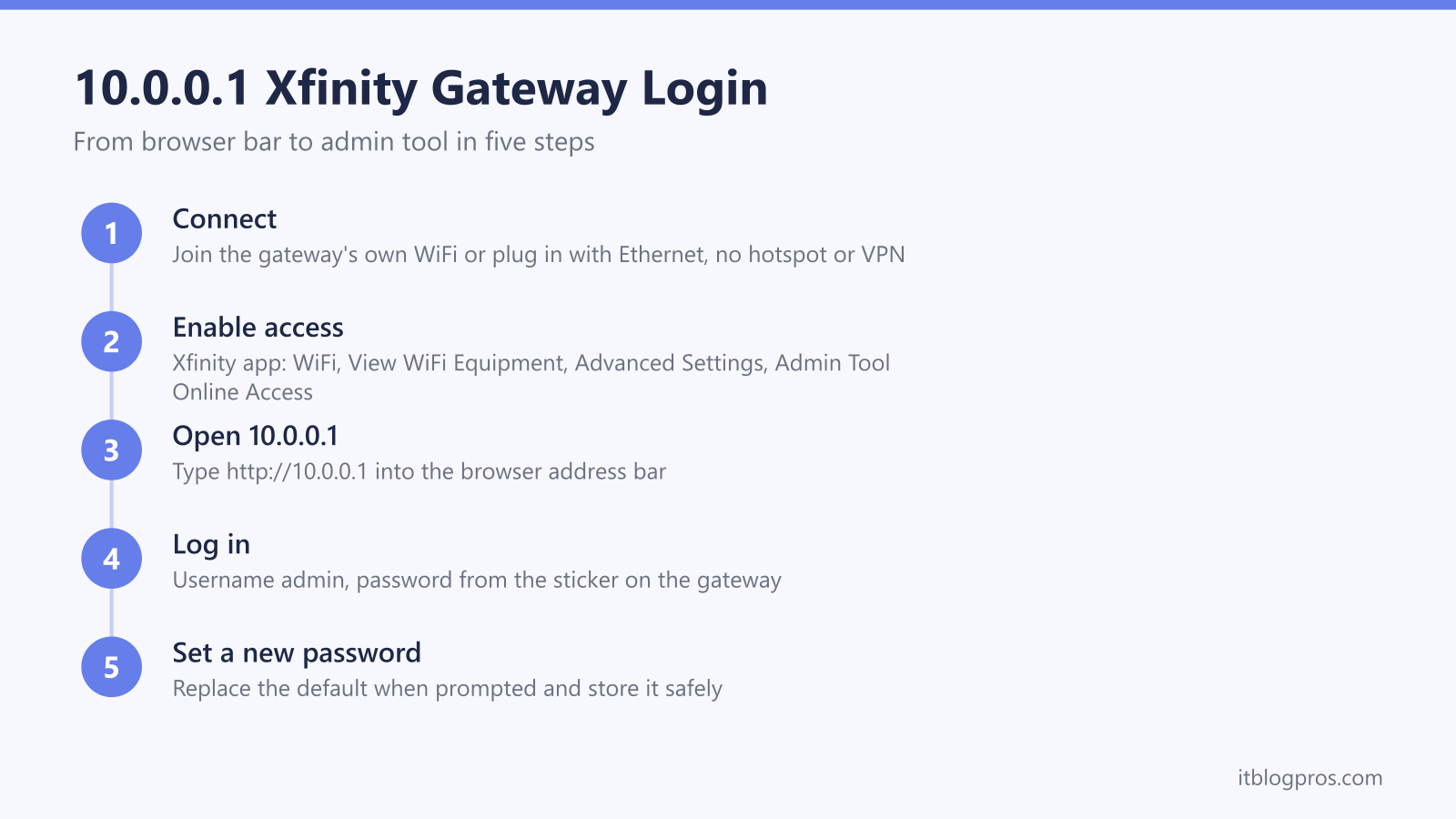
Type http://10.0.0.1 into any browser on a device connected to the Xfinity gateway and sign in with the username admin. Current firmware ships the local admin tool switched off, so enable Admin Tool Online Access in the Xfinity app first, and Xfinity's article says that first enabling opens a screen to create the admin password. That created password is the one 10.0.0.1 accepts. Only accounts that enabled access before February 2026 still use the password printed on the gateway sticker.
Key Takeaways
- The Xfinity gateway admin tool opens at http://10.0.0.1 from any browser on the gateway's own network, and the address is identical on the XB6, XB7 and XB8.
- The username is admin, and Xfinity's article says enabling admin access for the first time opens a screen to create the admin password, so a newly enabled gateway has no printed default to look up.
- Current firmware ships the local admin tool switched off, so it is enabled first in the Xfinity app under WiFi, View WiFi Equipment, Advanced Settings, Admin Tool Online Access.
- The admin tool keeps the bridge mode switch, firewall levels and LAN settings, while WiFi names, port forwarding and parental controls have moved to the Xfinity app.
- A page that will not load usually means the wrong network, admin access still disabled, a bridged gateway, or a Comcast Business gateway that answers at 10.1.10.1 instead.
10.0.0.1 opens the Xfinity gateway admin tool
Every Xfinity xFi gateway answers on the same private address. Typing http://10.0.0.1 into the address bar of any browser on a device connected to the gateway brings up the Gateway Admin Tool, the control panel that runs on the hardware itself rather than on Comcast's servers. The address is the same across the current lineup, including the XB6, the XB7 (sold as the Technicolor CGM4331COM and the Arris TG4482A) and the WiFi 6E XB8 (Technicolor CGM4981COM). The admin tool is separate from the Xfinity app and from the xfinity.com account site, and it needs no Xfinity ID, only the local admin credentials. It also works exclusively from inside the home network, so nothing at 10.0.0.1 is reachable from the wider internet. That local-only design is exactly why the page refuses to load from a phone on cellular data, a laptop connected to the xfinitywifi public hotspot, or any device routing its traffic through a VPN.
Admin Tool access stays switched off until the Xfinity app enables it
The single biggest change to the 10.0.0.1 login is that current Xfinity firmware ships the local admin tool disabled by default. Most customers never touch it, so Comcast turned it off to shrink the attack surface, and a fresh or recently replaced gateway simply times out at 10.0.0.1 until the toggle is flipped. The switch lives in the Xfinity app, not the browser. Open the app and sign in with the Xfinity ID on the account, go to the WiFi tab, select View WiFi Equipment, open Advanced Settings, choose Admin Tool Online Access and slide the toggle to allow access, then save. The browser page at 10.0.0.1 loads normally after that. Accounts that enabled admin access under older firmware generally keep it on, which is why some households never see the lockout at all. Turning the toggle back off after finishing a settings change puts the gateway back in its hardened state.
The admin password is one you create, not one printed on the gateway
At the sign-in screen the username is admin, and it stays admin because the tool does not offer a different account name. The password is the part most write-ups have backwards, including an earlier version of this page. Xfinity's own Admin Tool access article puts the password step inside the app rather than the browser: if you are enabling access for the first time, you are taken to a screen to set up a new password to access the admin tool, and you enter that new password and save. So on a gateway enabled today there is no printed default to hunt for, because the password is the one created during that enabling step. The sticker survives only as a legacy exception, and Xfinity words it narrowly, saying users who enabled access prior to February 2026 may still use the default password found on the sticker on the bottom of the gateway. Older gateways and firmware used the word password, which the tool now flags as a known leaked credential and pushes to replace. If that label has worn away on a pre-February-2026 gateway, the sticker-first approach in our guide to finding the router admin password works on any make of gateway.
Store whichever password applies somewhere safe, because the cure for a forgotten one is a factory reset, and that is a heavier step than it sounds. Xfinity's only reset article is titled Factory reset an Xfinity Gateway (XB2 or XB3), and its instruction to hold a paperclip in the pinhole on the back for 30 seconds covers those two models alone. For the newer gateways Xfinity publishes nothing. A Comcast employee answering on Xfinity's forum says the XB6 resets through its pinhole and the XB7 from the WPS button held 15 seconds or more, and forum answers describe the XB8 as having no reset hole at all, which leaves WPS as the only control on it. Because a reset wipes every custom setting on the gateway, work through the password you created during the app step before reaching for the hardware.
The admin tool now controls less than the Xfinity app
Comcast has steadily moved everyday settings out of the browser tool and into the Xfinity app, so knowing which door leads to which setting saves a wasted login. The admin tool still owns the deep network controls: the bridge mode switch under Gateway, At a Glance, the firewall security levels for IPv4 and IPv6 under Gateway, Firewall (Maximum, Typical, Minimum or Custom), the local IP and DHCP ranges, DMZ and DNS entries under the advanced settings, and the admin password itself. The app owns almost everything households change routinely. Port forwarding on xFi gateways is app-only, and the old admin tool page for it now redirects to the app. WiFi name and password editing moves to the app once WiFi Intelligence is active on the gateway, which is why those fields appear locked in the browser tool on newer units. Parental controls, device pauses and user profiles are also app-side. Billing lives in neither place, and a bill can be settled in about two minutes without any login at all through the route in the guide to paying an Xfinity bill without signing in.
Bridge mode hides under Gateway, At a Glance
The bridge mode switch is the main reason technically minded users still visit 10.0.0.1, because it never moved to the app. After signing in, select Gateway in the left-hand menu, then At a Glance, find the Bridge Mode field and click Enable. A warning explains that bridge mode disables the gateway's router functions and turns off the private WiFi network; confirming it reboots the gateway into modem-only mode so a personal router or mesh system can run the network without double NAT. Reversing the change has a catch: Comcast's guidance says the device disabling bridge mode must be connected to the gateway by Ethernet cable, and a bridged gateway often stops serving the admin page cleanly, in which case a factory reset restores router mode, using whichever control that model has. The full walkthrough, including what breaks in the xFi app once the gateway is bridged, is in the dedicated Xfinity bridge mode guide.
The fix ladder for a 10.0.0.1 page that refuses to load
Work down this ladder in order, because the causes are listed from most to least common.
- Check the network first. The device must be on the gateway's own WiFi or plugged into one of its Ethernet ports. The xfinitywifi public hotspot, a phone's cellular connection and any active VPN all put the device outside the gateway's local network, and the page will never load from there.
- Enable Admin Tool Online Access in the Xfinity app under WiFi, View WiFi Equipment, Advanced Settings. On current firmware this toggle ships off, and a disabled admin tool is the top cause of a timeout on a brand-new or swapped gateway.
- Type the address exactly as http://10.0.0.1 in the address bar. Some browsers treat a bare 10.0.0.1 as a search term or force an HTTPS upgrade the gateway cannot answer.
- Confirm the gateway really uses 10.0.0.1. On Windows, run ipconfig and read the Default Gateway line; on a phone, check the router address in the WiFi details. A personal router running behind a bridged gateway usually hands out 192.168.x.x addresses, and in that setup the personal router's own admin page is the one to open.
- Comcast Business gateways use a different address entirely. They answer at 10.1.10.1 with the username cusadmin and a default password of highspeed on most units, with some newer business models shipping a different documented default.
- A gateway already in bridge mode does not serve the admin tool normally. Connect by Ethernet, and if the page still fails, a factory reset takes the unit out of bridge mode. Use the control your model has: the pinhole held for 30 seconds on the XB2 and XB3 that Xfinity's reset article covers, or the WPS button on the XB7 and XB8, which comes from a Comcast employee's forum answer rather than from Xfinity.
- If the page loads but crawls, reboot the gateway. A known firmware quirk can slow the admin page to minutes per click until a restart clears it.
Replacing the gateway beats fighting the login for some households
Frequent trips to 10.0.0.1 usually mean the household wants more control than a rented gateway offers, and it is worth being honest about the ceiling here. Even with the admin tool unlocked, an xFi gateway keeps port forwarding in the app, locks WiFi fields once WiFi Intelligence is on, and adds a monthly rental fee for the privilege. Swapping to a customer-owned modem and router removes the fee and replaces the locked-down admin tool with a full router control panel, though it also gives up xFi app management, gateway-level Advanced Security and the built-in hotspot, and the new modem still has to be a Comcast-approved model activated on the account. The rental fee math, the activation steps and the trade-offs are laid out in the stop-renting guide, and the current approved hardware picks are compared in the best modem for Xfinity roundup.