
Paying a CenturyLink bill does not require a My CenturyLink login. The company runs a public Quick Bill Pay tool that takes a one-time payment from anyone who has the account number, or the billing phone number and ZIP code, on hand. That matters when the password is lost, when a family member is covering the bill, or when the account holder simply wants the payment done in under two minutes without resetting anything. This guide walks through the login-free Quick Bill Pay page, the automated phone line, and the mail and in-person options, then covers the fees that apply to each so there are no surprises. It also does the thing most bill guides skip: it shows the cost-conscious CenturyLink customer how to stop paying a recurring equipment rental fee where that fee is real, and where it genuinely is not.
CenturyLink and Brightspeed both offer Quick Bill Pay, a login-free page that accepts a one-time payment from anyone holding the account number or the billing phone number and ZIP code. Bank payments are free; card payments carry a small convenience fee. Automated phone, mail, and in-person options exist too. DSL customers renting a modem can cut that fee by buying their own approved modem.
Key Takeaways
- Quick Bill Pay at the official CenturyLink site accepts a one-time payment with no login, using either the account number or the billing phone number plus ZIP code.
- Paying from a bank account is free, while a credit or debit card adds a convenience fee of around $3.50 on the automated systems.
- Brightspeed now runs the former CenturyLink DSL accounts in 20 states, and its Quick Bill Pay works the same way at the Brightspeed site.
- CenturyLink DSL customers renting a modem for about $15 a month can buy their own approved DSL modem and eliminate that fee, which pays for itself in roughly 16 months.
- Quantum Fiber customers get an ONT that is mandatory and a 360 WiFi gateway that is included at no monthly charge, so there is no modem rental fee to cut on fiber.
Quick Bill Pay is the login-free way to pay a CenturyLink bill
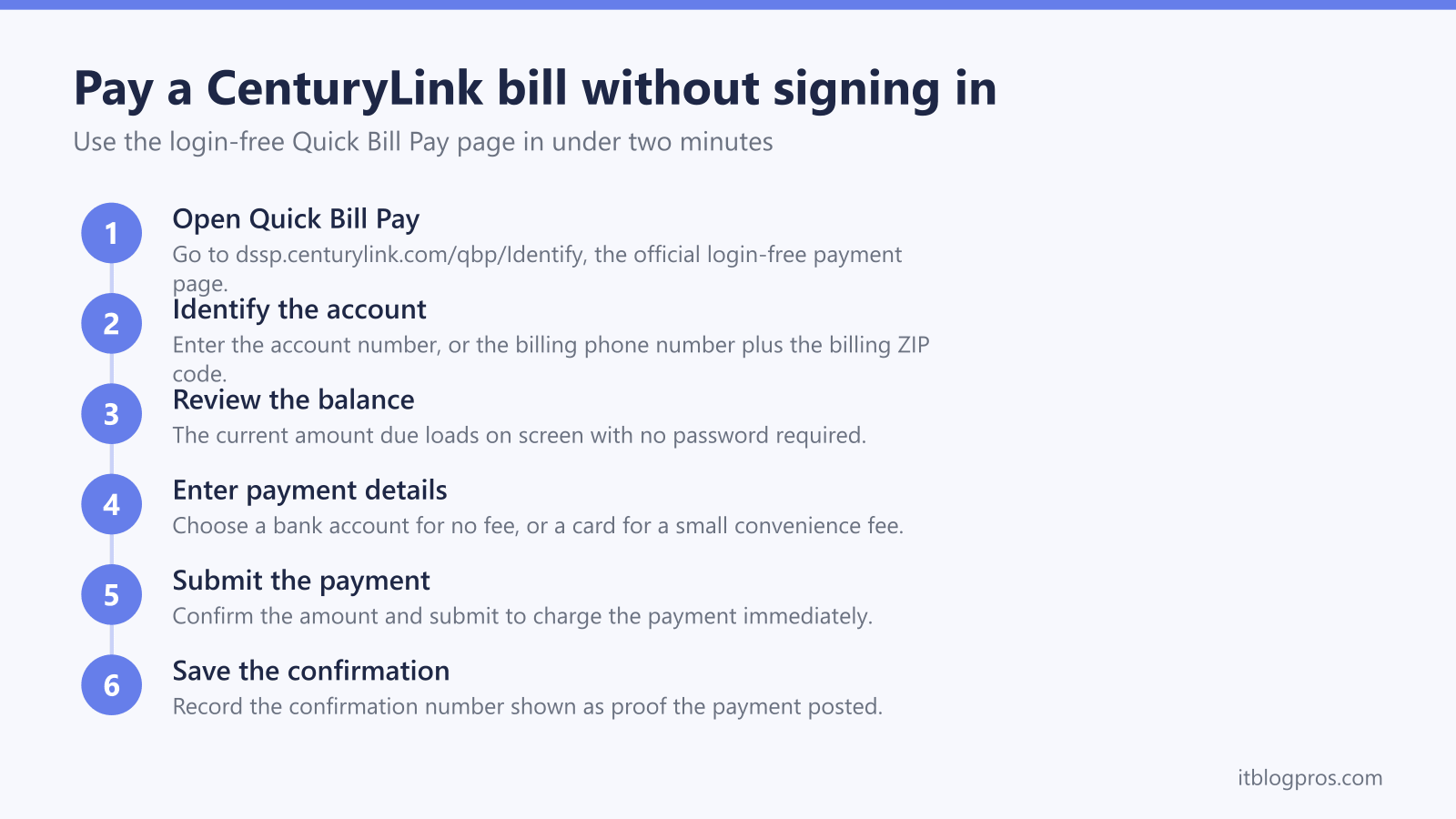
CenturyLink runs a public payment tool called Quick Bill Pay that lives at dssp.centurylink.com/qbp/Identify. It is built precisely for the moment when signing in is not an option. The page asks for one of two things to find the account: the CenturyLink account number, which sits in the upper-right corner of any bill, or the billing phone number combined with the billing ZIP code. Either path pulls up the current balance without a password, a security question, or a My CenturyLink profile.
Once the account loads, the balance appears and the payment can be entered from a checking account, savings account, debit card, or major credit card. In some areas an ATM card or money market account also works. A confirmation number is issued at the end, which is worth saving as proof the payment went through. Because nothing is stored behind a login, this same tool is what CenturyLink points to when someone other than the account holder needs to cover the bill.
Brightspeed handles the former CenturyLink DSL accounts in 20 states
Anyone searching for a CenturyLink login-free payment should first confirm which company now bills them. In October 2022, Lumen sold its local network operations across 20 states to Apollo Global Management, and those operations were rebranded as Brightspeed. Former CenturyLink DSL customers in that footprint became Brightspeed customers on that date, so their bill now says Brightspeed even though the wiring in the wall did not change.
The good news is that Brightspeed copied the same login-free approach. Its Quick Bill Pay page sits at myaccount.brightspeed.com/non-auth-quick-bill-pay and accepts either the account number or the phone number and ZIP code, exactly like CenturyLink. Payment methods are the same too, with bank account, debit, and credit accepted and a small convenience fee on card payments. If the bill reads Brightspeed, use the Brightspeed page; if it reads CenturyLink or Quantum Fiber, use the CenturyLink page.
The automated phone line pays the bill by voice with no account login
For people who would rather not touch a website, CenturyLink accepts payment through an automated phone system that needs no online sign-in. The main number for most customers is 800-201-4099, with 800-244-1111 serving some regions. The system prompts for the account details, takes the payment, and reads back a confirmation number at the end of the call.
One detail matters for cost. The automated line adds a convenience fee of around $3.50 when the payment is made by credit or debit card. Paying from a bank account through the same automated line avoids that fee. If a live agent is asked to process the payment instead, the fee jumps significantly, so the automated self-service route is the cheaper phone option. Enrolling in AutoPay from a bank account later removes per-payment fees entirely for those who want to stop thinking about it.
Mail and in-person payments cover the offline cases
Not every payment happens online. A paper check or money order can still be mailed to the remittance address printed on the paper bill. That address varies by region, so the copy on the bill is the one to trust rather than any address found elsewhere. Mailed payments take longer to post, so allowing five to seven business days before the due date avoids a late mark.
In-person payment is also possible at authorized payment locations in some areas. These are third-party agents rather than CenturyLink stores, and they may add their own service fee, so it is worth asking about that fee before handing over cash. For most people the login-free Quick Bill Pay page or the automated phone line will be faster and cheaper, but the mail and walk-in routes remain useful when a bank account or card is not available.
Know the convenience fees before choosing a payment method
The cheapest way to pay a CenturyLink or Brightspeed bill is from a bank account, whether through Quick Bill Pay online or the automated phone line. Bank payments carry no convenience fee. A credit or debit card, by contrast, adds a fee of roughly $3.50 on the automated systems, and having a live agent take the payment costs considerably more per transaction.
That pattern is common across US internet providers, and it is the same logic covered in the guides for paying a Verizon bill without signing in and paying an Xfinity bill without signing in. The practical rule is simple: if the goal is to pay fast and cheap without a login, use Quick Bill Pay with a bank account. Reserve card payments for the times when the cash flow genuinely needs the extra float, and treat the fee as the price of that flexibility.
Cut this bill by owning your equipment where the rental fee is real
Anyone paying a CenturyLink bill by hand each month is exactly the person who should check what that bill contains. The single most common piece of avoidable cost is an equipment rental line, but whether it applies depends entirely on the type of service.
CenturyLink DSL customers commonly rent a modem or modem-router gateway for about $15 a month, which is roughly $180 a year for hardware that is often years old. That fee is real and it is avoidable. CenturyLink publishes a list of approved DSL modems that a customer can buy outright and self-install, common models being the Zyxel C3000Z and the Wi-Fi 6 GreenWave C4000LG. A purchased modem costs somewhere around $100 to $200, so it pays for itself in roughly 16 months and saves money every month after that. The reasoning is the same buy-your-own-hardware logic laid out in the guide on how to stop renting an Xfinity gateway and buy your own modem, with one crucial difference: CenturyLink DSL runs over a phone line, so the replacement has to be a DSL modem, not a cable modem. A DOCSIS cable modem sold for a cable provider will not work on a CenturyLink DSL line.
Quantum Fiber customers are in a different position, and honesty demands stating it plainly. Fiber service uses an ONT, an optical network terminal, which is mandatory and owned by the provider. On top of that, the 360 WiFi gateway is currently included with the plan at no separate monthly charge. That means there is no modem rental fee to cut on Quantum Fiber, so buying a cable modem would save nothing and would not even connect. The only equipment a fiber customer might add is a personal mesh system purely for better coverage in a large home, which is a comfort upgrade rather than a saving. Before buying anything, read the actual bill, confirm whether an equipment or gateway rental line is present, and only replace hardware where a real recurring fee is listed. For readers who want to be sure their existing gateway is healthy first, the US router and gateway lights guide explains what each status light means by ISP.
More no-login bill-pay guides
The same guest-payment approach works across the other major US providers:
- Pay your AT&T bill without signing in (FastPay)
- Pay your Xfinity bill without signing in
- Pay your Verizon bill without signing in
- Pay your T-Mobile bill without signing in
- Pay your DirecTV bill without signing in
- Pay your Spectrum bill without signing in
- Pay your Cox bill without signing in
- Pay your Frontier bill without signing in
- Pay your Optimum bill without signing in
Using any Amazon link on this site supports these free guides at no extra cost to you, whatever you end up buying. Browse current router and modem deals on Amazon.