
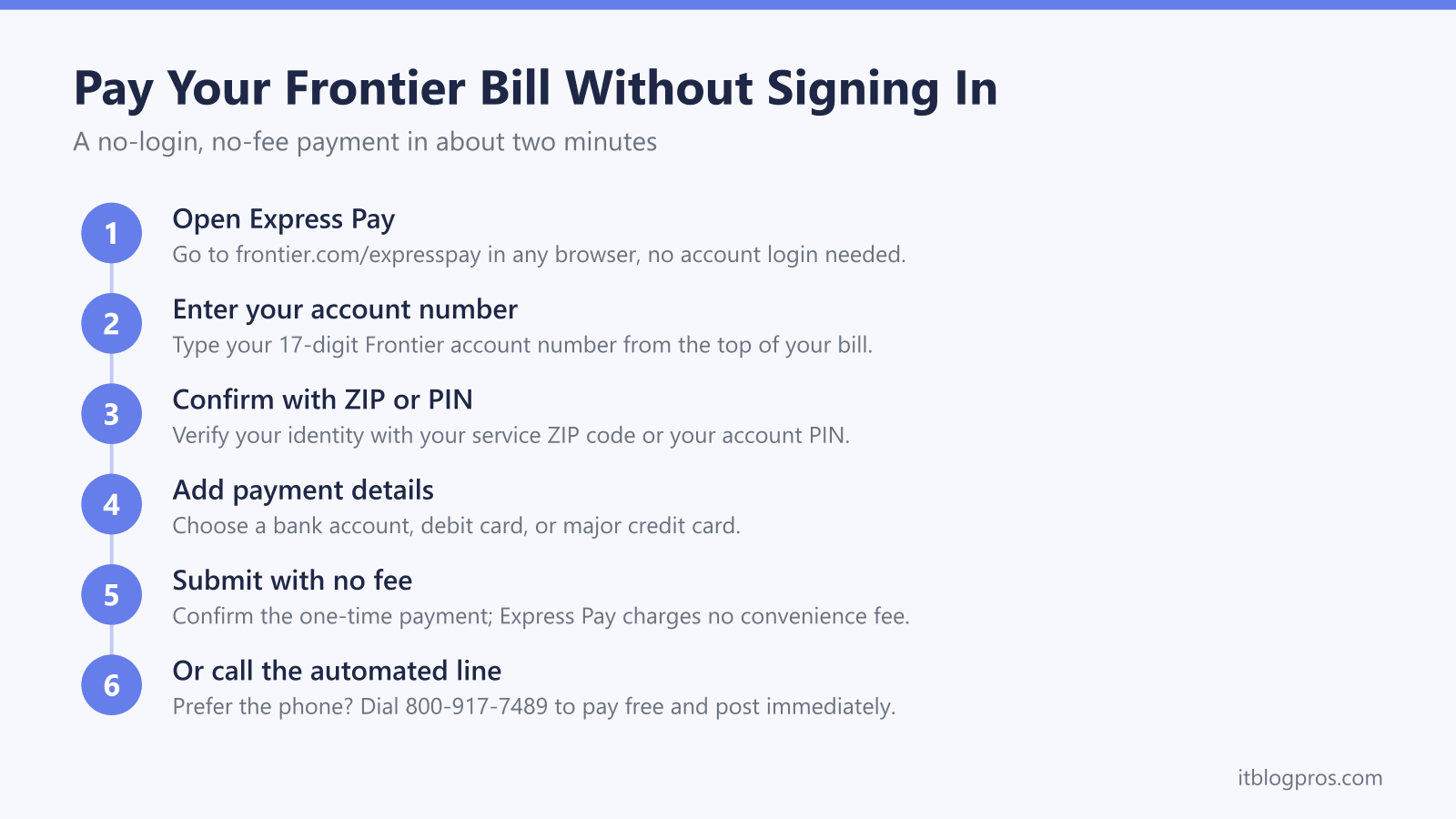
You do not need to remember your Frontier username or reset a password to pay your internet bill. Frontier runs a no-login tool called Express Pay that takes a one-time payment using just your 17-digit account number and your ZIP code, and there is a free automated phone line if you would rather not touch a website at all. This guide walks the exact login-free payment steps, then does the thing most bill guides skip: it shows you where Frontier hides an optional monthly fee you may be paying without realizing it, and how buying one piece of your own gear can make that line item disappear for good. Everything here is checked against Frontier's own help center so you can act on it today.
Frontier lets you pay without signing in through Express Pay at frontier.com/expresspay using your 17-digit account number plus ZIP code or PIN, with no convenience fee. The automated phone line at 800-917-7489 works the same way. Frontier Fiber includes your Wi-Fi router at no cost, so the real saving is dropping the optional $10 per month Whole-Home Wi-Fi add-on.
Key Takeaways
- Frontier Express Pay at frontier.com/expresspay takes a one-time payment with no sign-in, using your 17-digit account number plus your ZIP code or PIN.
- Express Pay and the automated phone line at 800-917-7489 both charge no convenience fee, and phone payments post to your account immediately.
- Online payments made before 5:30 p.m. post the same day, so time a due-date payment before that cutoff to stay clear of a late fee.
- Frontier Fiber includes your Wi-Fi router at zero cost, so there is no modem or router rental fee to eliminate on a standard fiber plan.
- The one equipment charge worth cutting is the optional $10 per month Whole-Home Wi-Fi add-on, which your own mesh system can replace outright.
Express Pay is the login-free way to pay Frontier
Frontier built Express Pay specifically for people who want to pay once and leave without creating or logging into an account. You reach it at frontier.com/expresspay. The tool asks for your 17-digit account number, which is printed at the top of your paper bill and inside any billing email, then confirms your identity with either your service ZIP code or your account PIN. From there you enter a bank account, debit card, or major credit card and submit. There is no convenience fee for using Express Pay, and it accepts a one-time payment without ever asking you to remember a username. This is the method to use when the password reset email never arrives or you are paying on behalf of a parent or tenant whose login you do not have.
Where to find your 17-digit account number
Every Express Pay attempt starts with the account number, so locate it before you begin. On a paper or PDF bill it sits near the top of the first page, usually labeled Account Number, and it is a long string of digits rather than a short customer ID. If you get email billing, the number appears in the body of the statement email. If you can still log in on another device, it shows on the account dashboard. Pair it with the ZIP code for the service address, and that combination alone is enough to authenticate a one-time Express Pay payment. Keep the number handy, because the automated phone line asks for the same thing.
Pay by phone with no fee on the automated line
If you would rather not use a browser, Frontier runs a free automated payment line at 800-917-7489. It is available around the clock, walks you through entering your account number, and accepts a bank account, debit card, or major credit card. Frontier charges no fee for payments made through this automated system, and it posts the payment to your account immediately rather than waiting for an overnight batch. That immediate posting makes the phone line the safest choice when the due date is today and you cannot risk a payment sitting unprocessed. Have your account number and payment card ready before you dial so the call takes about two minutes.
Time your payment to dodge a late fee
Frontier applies late fees under the One-Time Charges section of your bill when a payment lands after the due date, so timing matters. Online payments made before 5:30 p.m. post the same day, while a payment made after that cutoff posts the following day. Phone payments through the automated line post immediately, which is why the phone route is the reliable option on the actual due date. If you consistently forget the date, Frontier lets you enroll in Auto Pay from inside your account or the MyFrontier app, which draws the balance automatically and removes late-fee risk entirely. Auto Pay does require a login to set up, but once it is on you never have to think about the monthly payment again.
The honest truth about Frontier equipment fees
Here is where most bill-cutting advice gets Frontier wrong. On cable providers you can buy your own modem to kill a rental fee, but Frontier Fiber already includes your Wi-Fi router at zero cost. Frontier ships an Amazon eero router with fiber plans and charges nothing to rent it, so there is no modem or router rental line item to eliminate on a standard fiber plan. Buying a cable modem would not help you at all, because fiber runs to an optical unit rather than a coax modem. If you are on a legacy DSL copper line instead of fiber, a modem rental fee can apply, but Frontier is steering nearly everyone onto fiber where the router is free. Do not let a generic buy-your-own-modem guide talk you into hardware that saves a Frontier fiber customer nothing.
Cut this bill by dropping the optional Whole-Home Wi-Fi add-on
There is one Frontier charge genuinely worth cutting, and it is easy to miss on the statement. Frontier sells an optional Whole-Home Wi-Fi add-on at $10 per month, which supplies up to two eero mesh units to extend coverage, with each additional extender adding $5 per month on top. That is up to $120 or more a year for equipment you can own outright. If your bill shows a Whole-Home Wi-Fi or expanded coverage line, or if your included router simply does not reach the far bedroom, buying your own mesh system replaces that add-on and pays for itself inside a year or two. A three-piece kit like the TP-Link Deco X55 covers a typical home for a one-time cost, while the eero Pro 6E delivers more headroom for a larger house, though eero lists wired speeds up to a gigabit for it. Because Frontier already ships eero on fiber, an eero mesh you buy slots into the same app and setup you may already know. If you only want to understand whether mesh is worth it on your Frontier line before spending anything, the mesh explainer linked below covers that decision honestly. Skip the add-on, keep the free included router as your gateway, and let your own mesh handle the coverage.
Check the eero Pro 6E mesh price on Amazon →
Check the TP-Link Deco X55 mesh price on Amazon →
More no-login bill-pay guides
The same guest-payment approach works across the other major US providers:
- Pay your AT&T bill without signing in (FastPay)
- Pay your Xfinity bill without signing in
- Pay your Verizon bill without signing in
- Pay your T-Mobile bill without signing in
- Pay your DirecTV bill without signing in
- Pay your Spectrum bill without signing in
- Pay your Cox bill without signing in
- Pay your CenturyLink bill without signing in
- Pay your Optimum bill without signing in
Using any Amazon link on this site supports these free guides at no extra cost to you, whatever you end up buying. Browse current router and modem deals on Amazon.