
Buffering on NOW has a short list of causes, and working through them in the right order saves an evening of frustration. The service runs happily on a modest connection, needing just 2.5Mbps for its standard streams, so a spinning wheel mid-match usually points at a weak WiFi signal in the TV room, a congested home network, or a fault in the app or the ageing Smart Stick rather than a slow broadband package. The fixes below are split the way NOW itself splits them: general steps that apply everywhere, fixes for the NOW app on smart TVs and streaming devices, and fixes for the discontinued NOW Smart Stick and Box, which hide two service menus most owners never find.
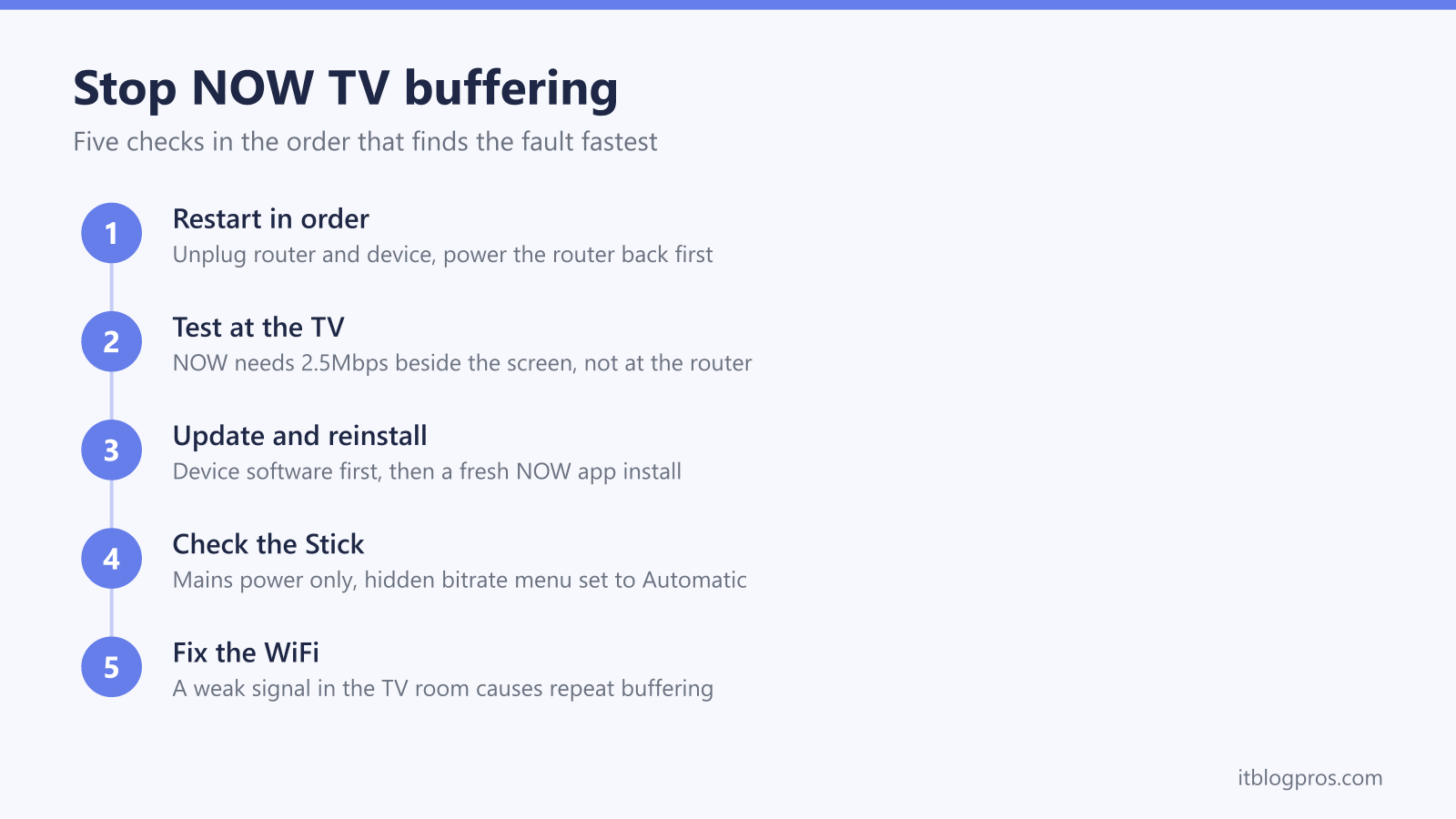
NOW TV buffering almost always traces back to a weak WiFi signal or a congested connection rather than a NOW outage. Restart in the right order: unplug the router and the streaming device, wait a few minutes, power the router first, then the device. NOW needs at least 2.5Mbps, and on a Smart Stick the hidden bitrate menu (Home x5, Rewind x3, Fast Forward x2) set to Automatic stops constant stutter.
Key Takeaways
- NOW needs at least 2.5Mbps over WiFi or broadband, so buffering on a normal UK connection usually means the signal reaching the TV room is weak, not that the package is too slow.
- Restart order matters: unplug both the router and the NOW device, wait a few minutes, then power the router back on first and the NOW device second.
- The NOW Smart Stick must run from the mains using its supplied power lead; powering it from a TV USB port causes the instability and crashing that shows up as buffering and freezes.
- The Smart Stick and Box hide two service menus: Home x5, Rewind x3, Fast Forward x2 opens bitrate options where Automatic is the correct setting, and Home x5, Fast Forward x3, Rewind x2 forces a software update.
- Standard NOW memberships play one 720p stream at a time; Boost allows two streams in Full HD and Ultra Boost three, so shared households hit stream limits that look like playback faults.
The restart that clears most NOW buffering
NOW's own support steps start with a full restart of both the network and the streaming device, and the order is the part most people get wrong. Unplug the router from the mains and unplug the NOW device, whether that is a Smart Stick, a NOW Box or the TV running the app. Wait a few minutes rather than a few seconds, because routers need time to fully release their state. Plug the router back in first and let it finish booting until its lights settle. Only then power the NOW device back on and return to the main menu.
Restarting in this order forces the streaming device to request a fresh connection from a router that is already stable, which clears the half-broken sessions that cause endless spinning wheels. For smart TVs, hold the power button or unplug the set for a minute rather than tapping standby; standby keeps apps suspended in memory, and a suspended NOW app carries its faults straight back to the next viewing session. If buffering returns within minutes of a clean restart, the problem lies further down this page: the connection speed, the app installation, the Stick's hardware, or the WiFi signal itself.
NOW minimum speeds and the numbers that matter
NOW publishes clear minimums: at least 2.5Mbps for streaming over WiFi or broadband, and at least 450Kbps on a 3G or 4G mobile connection. Almost every fixed line in the UK clears that bar with room to spare, which is exactly why buffering rarely means the broadband package is too slow.
The quality tier changes how much headroom is sensible. Standard NOW memberships stream at 720p with stereo sound. Boost raises that to Full HD 1080p with Dolby Digital 5.1, including 50 frames per second on Sky Sports channels, and Ultra Boost reaches up to 4K Ultra HD HDR on selected content. Higher resolutions pull more data every second, so a connection that just scrapes past the minimum will struggle the moment the picture sharpens.
The test that actually diagnoses the fault is a speed test run on a phone standing next to the TV, not next to the router. NOW suggests checking with a service such as Speedtest.net. A line delivering 60Mbps at the router but 3Mbps beside the television is not a broadband problem, it is a WiFi coverage problem. Also check what else the connection is doing: NOW warns that online gaming, large downloads and uploads running at the same time as a stream are a common buffering trigger, and disconnecting unused devices from the network frees up bandwidth immediately.
The app and the Smart Stick fail in different ways
NOW reaches most living rooms in one of two ways, and the distinction decides which fixes apply. The NOW app runs on other companies' hardware: Samsung smart TVs (though not the Serif range), LG TVs where it usually comes preinstalled (older NetCast models are no longer supported), Apple TV from the 4th generation onwards, Amazon Fire TV sticks and tablets, Roku players, PlayStation and Xbox consoles, Hisense TVs on VIDAA 6.0 or later, plus phones, tablets and web browsers.
The NOW Smart Stick and NOW Box are NOW's own devices. NOW stopped selling all of its own hardware in late 2021 to concentrate on the app, so every Stick and Box still in use is several years old, and NOW no longer accepts returns or offers replacements for them. They keep working, but their age makes them a suspect in their own right.
A quick fork narrows the diagnosis. Play something in another app on the same device, such as BBC iPlayer or Netflix. If everything stutters, the network is the fault and the speed and WiFi sections of this guide apply. If only NOW misbehaves, the fault sits in the app installation or, on NOW's own hardware, in the Stick's settings and power supply.
Fixes for the NOW app on smart TVs and streaming devices
When the NOW app buffers while other apps run smoothly, NOW's help pages give a two-step remedy that resolves the bulk of cases.
First, update the device software. An outdated TV or streaming stick firmware frequently breaks individual apps while leaving others untouched. Check the device's own settings for a pending system update, install it, then reopen NOW.
Second, delete the NOW app entirely and reinstall it from the device's app store, then sign back in. A reinstall clears corrupted caches and forces the freshest app version, which matters because NOW retires support for older app builds over time. On LG TVs the app lives in the premium section and is normally preinstalled; on Samsung sets it comes from the app store, remembering that the Serif range is not supported at all.
Where the streaming device has an Ethernet port, NOW recommends a wired connection to the router as both a fix and a diagnostic. If playback improves the moment a cable is involved, the router's wireless output is the weak link, and the WiFi sections further down explain what to do about it. Games consoles, Apple TV boxes and most full-size streaming boxes have the port; sticks generally do not.
Fixes for the NOW Smart Stick and NOW Box
The Smart Stick has one notorious cause of instability that NOW calls out explicitly: powering it from the TV's USB port. The socket on most televisions cannot supply steady current, and NOW warns this causes instability and crashing, which viewers experience as freezing, restarts and stubborn buffering. Plug the Stick into a mains socket using the power lead supplied in the box.
Both the Stick and the Box hide service menus behind remote-button sequences that NOW documents on its official troubleshooting page. Pressing Home five times, Rewind three times, then Fast Forward twice opens the bitrate options; select Automatic so the device matches stream quality to the connection instead of demanding more data than the WiFi can deliver. Pressing Home five times, Fast Forward three times, then Rewind twice opens a menu where selecting Update Software and pressing OK forces the latest firmware.
Position matters too. The Stick sits behind the TV by design, which is one of the worst places for WiFi reception, shielded by the panel and its electronics. NOW suggests moving the device closer to the router where possible, and an HDMI extender lets the Stick sit clear of the TV's body. The honest caveat: the Smart Stick has no Ethernet port, so WiFi quality is everything, and because NOW discontinued its hardware in 2021 there are no replacements or repairs. A Stick that crashes even on flawless WiFi and mains power has reached the end of the road, and the practical move is switching to the NOW app on the TV itself or on a current streaming device.
Account stream limits look like playback faults
Some interruptions have nothing to do with bandwidth. A standard NOW membership plays on one device at a time. Boost, currently £6 a month extra, allows two people to stream at once, and Ultra Boost, currently £9 a month extra, allows three. In a shared household, someone starting an episode upstairs can knock the living-room stream off mid-scene, and the resulting stop-start viewing gets blamed on buffering.
Checking is straightforward: when playback halts, ask whether anyone else on the account pressed play at the same time. If stream clashes keep happening, the account may also be signed in somewhere it should not be. NOW does not let you remove one specific device from the account; the supported route is resetting the account password, then going to Account & Billing, opening Devices, and selecting Sign out all. Every device except the one in hand is signed out at once, and anyone borrowing the login is gone until they are given the new password.
Worth knowing before paying for an upgrade: Boost fixes stream-limit clashes and lifts picture quality, but it does not fix buffering. The opposite is closer to the truth, because Full HD 1080p streams need more bandwidth than the standard 720p ones, so weak WiFi struggles harder after the upgrade, not less.
Weak WiFi is the usual culprit behind repeat buffering
When NOW buffers night after night, in the same room, worst in the evening, the pattern points at wireless coverage rather than anything NOW controls. The streaming device only ever sees the bandwidth that survives the journey from the router, through walls, floors and interference, to the back of the TV.
NOW's own guidance covers the basics: keep the router off the floor, out from behind the television, and away from other wireless devices such as baby monitors. Reduce the number of devices connected at once, and pause heavy downloads or gaming during viewing. Each of those buys back some stability.
The decisive check takes thirty seconds: stand at the TV with a phone and look at the WiFi indicator. Two bars or fewer in the viewing room means every stream starts life handicapped, and the full diagnosis and fix routine is covered in the guide to WiFi only showing 2 bars. Moving the router, changing channels and clearing obstructions are all free and worth exhausting before spending anything.
When replacing the WiFi beats fixing the stream
Two situations justify new hardware, and neither involves buying anything with the NOW logo on it, since NOW no longer sells devices anyway.
Be honest about the first fork: if only NOW stutters while iPlayer and Netflix run clean on the same device, no router or mesh purchase will help, because the fault is the app or an elderly Smart Stick. Equally, a dying Stick on perfect WiFi needs retiring, not a network upgrade.
But when every service buffers in the TV room, the phone shows a weak signal by the sofa, and repositioning the router has already been tried, the network itself is the bottleneck, and a mesh system fixes it properly by putting a node in or near the viewing room. The recommendations in the guide to the best mesh WiFi for Sky Glass and Sky Stream apply directly here, because NOW runs on the same Sky streaming infrastructure and has exactly the same appetite: a stable, consistent connection in the room where the TV lives. A single well-placed mesh node routinely turns a 720p stream that stalls every few minutes into one that never shows the spinner again.