
Paying your AT&T bill quickly, without creating an account or remembering login credentials, is exactly what AT&T FastPay is for. It allows one-time payments using just your account number and ZIP code, with no signup required.
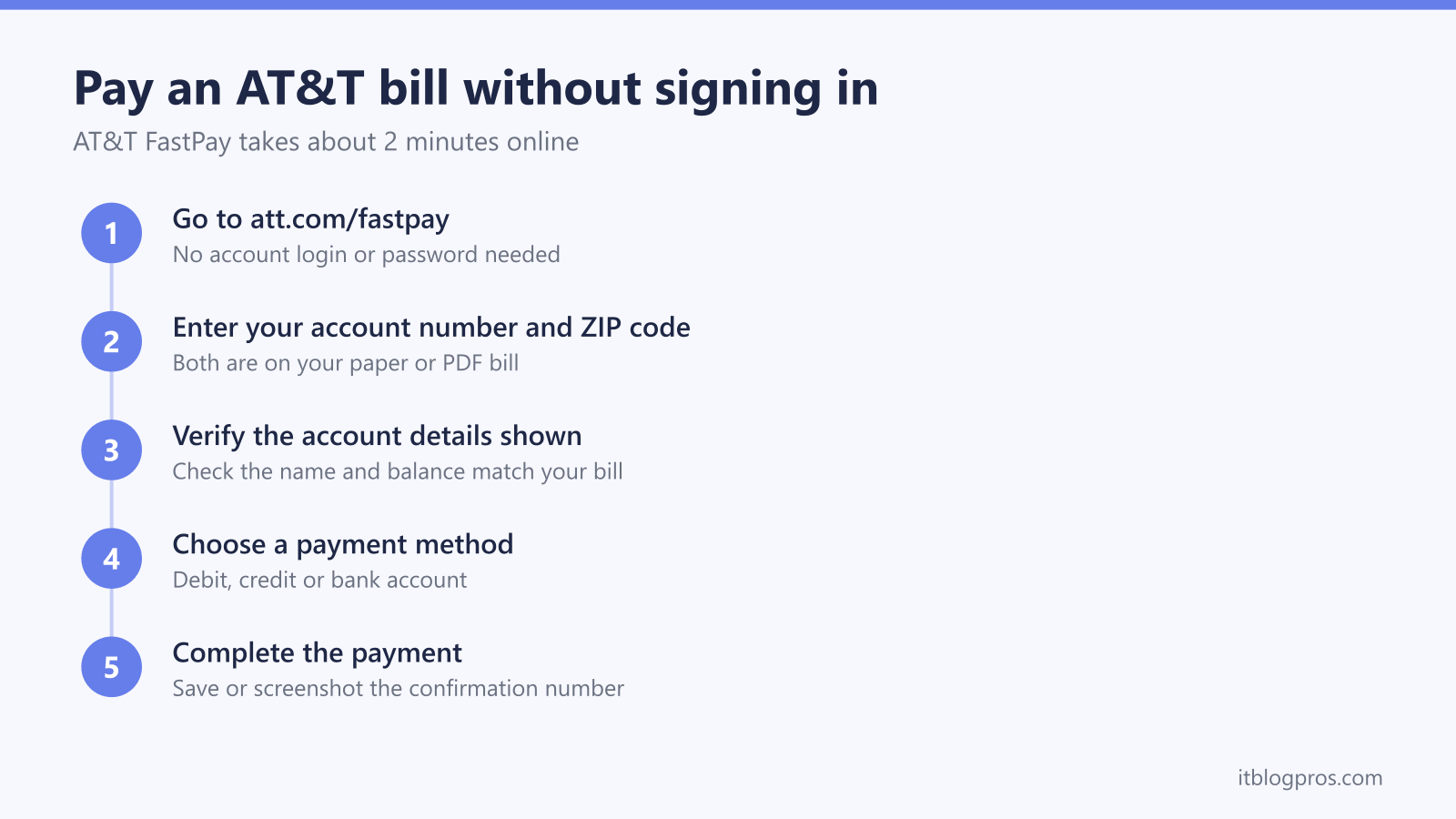
To pay an AT&T bill without signing in, go to att.com/fastpay, enter your account number and billing ZIP code, confirm the details, then choose a payment method; no login or account is needed. FastPay is free and takes about two minutes, and you can also pay as a guest by phone or in the myAT&T app. Save the confirmation number as your receipt.
Key Takeaways
- AT&T FastPay lets you settle a bill as a guest using only your 10-digit account number and billing ZIP code; no signup or login required.
- You'll learn all three FastPay routes; the two-minute website at att.com/fastpay, the 24/7 phone line on 800-288-2020, and the myAT&T app guest option.
- Online FastPay is free, whereas paying by card over the phone may carry a convenience fee; bank payments stay free either way.
- We walk through fixing the common snags, including "Account Not Found" errors, declined payments, and ZIP+4 mismatches.
- For regular customers, an account with AutoPay can save roughly $85 to $220 a year through discounts and avoided late fees, so we show when FastPay is still the better choice.
What AT&T FastPay is
AT&T FastPay is a guest payment system that lets you pay your bill instantly without logging into an account. Perfect for:
- One-time payments
- Emergency bill payments
- Paying someone else's AT&T bill
- Avoiding account creation hassles
What you need:
- AT&T account number (10 digits, found on your bill)
- Billing address ZIP code
- Payment method (credit/debit card or bank account)
Which att.com address to use
AT&T runs several short addresses for bill payment and they do not all land in the same place, which is why searches for "att.com bill pay" turn up conflicting advice:
- att.com/fastpay opens FastPay, the guest payment page this guide covers. No sign-in, just the account number and billing ZIP code.
- att.com/pay also works and redirects into account management on the Make a Payment screen, which does ask you to sign in.
- att.com/paybill is widely typed but does not currently open a payment screen at all, landing on a sign-in error instead. Use one of the two addresses above.
Type whichever address you choose straight into the browser address bar rather than a search box, and check the spelling before entering any card details. The security section below explains why that habit matters on bill-pay pages.
Step-by-Step AT&T FastPay Guide (2026)
Method 1: Online FastPay (Fastest - 2 Minutes)
-
Go to AT&T FastPay Website
- Visit att.com/fastpay
- No account creation or app download needed
-
Enter Account Information
- Account number: 10-digit number from your AT&T bill
- ZIP code: Must match billing address exactly
- Click "Continue"
-
Verify Account Details
- Confirm account holder name matches
- Review current balance and due date
- Select payment amount (minimum, full balance, or custom)
-
Choose Payment Method
- Credit/Debit Cards: Visa, Mastercard, Discover, American Express
- Bank Account: Checking or savings (requires routing number)
- Digital Wallets: Apple Pay, Google Pay, PayPal (where available)
-
Complete Payment
- Review all payment details
- Enter security code if using card
- Submit payment
- Save confirmation number for your records
Processing Time:
- Electronic payments: 1-2 business days
- Bank transfers: 2-3 business days
Method 2: Phone FastPay (24/7 Available)
Call: 800-288-2020
- Follow automated prompts
- Press 2 for FastPay (guest payment option)
- Enter account number using phone keypad
- Enter ZIP code when prompted
- Select payment amount and method
- Complete payment following voice instructions
Phone Payment Fees:
- Credit/Debit card: $3.99
- Bank account: $0 (free)
Method 3: AT&T Mobile App (Guest Payment)
- Download myAT&T app (free from App Store/Google Play)
- Select "Pay Without Signing In" on main screen
- Enter account details (number + ZIP code)
- Choose payment method and amount
- Complete payment through app interface
App Benefits:
- Saves payment methods for future use
- Push notifications for payment confirmations
- Easier than web browser on mobile
AT&T Account Benefits vs FastPay
Reasons to create an AT&T account
AutoPay Discounts Available:
- AT&T Fiber: $10/month discount with AutoPay
- AT&T Internet: $5-10/month discount
- Wireless: $5-15/line discount for multiple lines
Additional Account Benefits:
- Detailed usage and billing history
- Paperless billing options
- Faster customer service (account holders prioritized)
- Manage multiple services from one dashboard
- Set up service alerts and notifications
Annual Savings Calculation:
- FastPay convenience fees: $3.99 × 12 = $47.88/year
- AutoPay discount: $120/year (with $10/month discount)
- Net savings with account: $167.88/year
Troubleshooting AT&T FastPay Issues (2026)
Common Problems and Solutions
"Account Not Found" Error:
- Verify account number has no spaces, dashes, or letters
- Ensure ZIP code matches billing address exactly
- Try ZIP+4 format if standard ZIP doesn't work
- Check if account is current (not suspended)
Payment Declined Issues:
- Verify sufficient funds in account/card
- Check if card allows online payments (call bank)
- Try different payment method
- Clear browser cache and try again
Website Loading Problems:
- Check AT&T service status at downdetector.com
- Try incognito/private browsing mode
- Clear browser cache and cookies
- Use phone payment option as backup
Mobile App Issues:
- Update to latest app version
- Restart app and try again
- Check device internet connection
- Use web browser as alternative
AT&T FastPay vs Competitors (2026)
How AT&T Compares to Other ISPs
Verizon QuickPay:
- Similar guest payment system
- $3.99 convenience fee for phone payments
- No fee for online payments
Xfinity Guest Payment:
- Requires more verification steps
- Limited payment method options
- $4.95 convenience fee
Spectrum Pay My Bill:
- Guest payment available
- $5.00 convenience fee for phone
- No online guest payment fee
AT&T Advantage: Most user-friendly FastPay system with competitive fees
Security and Privacy for FastPay
Protecting Your Information
Safe Payment Practices:
- Only use secure, private internet connections
- Never save payment info on public computers
- Log out completely when finished
- Monitor bank statements for unauthorized charges
AT&T Security Features:
- 256-bit SSL encryption for all transactions
- PCI DSS compliant payment processing
- Fraud monitoring on all payments
- Secure tokenization of payment data
Alternative AT&T Payment Methods (2026)
In-Person Payment Options
AT&T Store Locations:
- No fee for cash or check payments
- Immediate payment processing
- Get receipt instantly
- Store locator: att.com/stores
Authorized Payment Centers:
- Grocery stores, pharmacies, check-cashing stores
- Small convenience fee ($2-5 typically)
- Cash payments accepted
- Instant confirmation
Mail Payments (Traditional Method)
Mailing Address: AT&T P.O. Box 5013 Carol Stream, IL 60197-5013
Important Notes:
- Allow 7-10 business days for processing
- Include account number on check
- Send certified mail for large payments
- Not recommended for last-minute payments
Smart Home Integration for Bill Management
Voice Assistant Bill Reminders
Amazon Alexa Bill Management: "Alexa, remind me to pay my AT&T bill on the 15th"
Google Assistant Integration: "Hey Google, set a monthly reminder for my AT&T bill"
Smart Calendar Integration
Digital Bill Calendar:
- Sync with smartphone calendar
- Set multiple reminder alerts
- Track payment confirmations
- Share with family members for household bill management
Cost Analysis: FastPay vs Account Management
Annual Cost Comparison
FastPay Method (12 monthly payments):
- Online FastPay: $0 × 12 = $0
- Phone FastPay: $3.99 × 12 = $47.88
- Late fee risk: $25-35 potential per incident
AT&T Account with AutoPay:
- Account setup: Free
- AutoPay discount: -$60 to -$120/year
- Avoided late fees: -$25 to -$100/year
- Total annual savings: $85-220
Winner: AT&T Account with AutoPay for regular customers
Getting Whole-Home WiFi From the Bill You Just Paid
AT&T requires its own gateway on fiber and DSL service, so unlike cable internet there is no monthly modem rental to cut by buying your own equipment. Current AT&T Fiber plans generally include the gateway in the advertised price, though equipment policies change, so check your bill. That makes the goal different here: not lowering the bill, but making sure the whole house actually gets the speed the bill pays for.
The gateway's built-in WiFi, even on the current BGW320 models, is the weak link in larger or multi-story homes. The proven fix is a mesh system running behind the gateway: plug the mesh router into one of the gateway's Ethernet ports, switch the gateway's own WiFi off in its settings, and let the mesh handle every wireless device. The AT&T service itself stays untouched.
The TP-Link Deco X55 three-pack covers most homes at a sensible price:
Check the Deco X55 3-pack price on Amazon →
The eero Pro 6E three-pack is the stronger pick for gigabit fiber plans:
See the eero Pro 6E 3-pack on Amazon →
More tested options are on the recommended gear page.
Frequently Asked Questions
The safety of AT&T FastPay. AT&T FastPay uses strong, bank-level encryption. Avoid using public WiFi, and always verify you are on the official AT&T website before entering card details.
Paying a partial amount. You can pay the minimum amount due, the full balance, or a custom payment amount.
How quickly FastPay processes payments. Electronic payments typically process within 1 to 2 business days, and bank transfers may take 2 to 3 days.
FastPay fees. Online FastPay is free; paying by phone through an agent may carry a convenience fee, so the website is the cheaper route.
Getting a receipt. You receive an immediate confirmation number, and you can request an email receipt during the payment process.
If a FastPay payment fails. Check your payment method, verify the account details, and try again. If problems persist, call AT&T customer service on 800-288-2020.
Using FastPay for business accounts. FastPay works for both residential and business AT&T accounts using the same process.
Limits on FastPay payment amounts. Most payment methods have a per-transaction limit, so contact AT&T directly to arrange a larger payment.
Conclusion: Choose the Right Payment Method
AT&T FastPay provides an excellent solution for one-time or emergency bill payments without account hassles. However, if you're a regular AT&T customer, creating an account with AutoPay can save you $85-220 annually through discounts and avoided late fees.
Our Recommendation:
- Use FastPay for: One-time payments, emergencies, paying someone else's bill
- Create an account for: Regular monthly service, multiple AT&T services, cost savings
The bill management tools recommended above can help you stay organized regardless of which payment method you choose, ensuring you never miss a payment deadline.
More no-login bill-pay guides
The same guest-payment approach works across the other major US providers:
- Pay your Xfinity bill without signing in
- Pay your Verizon bill without signing in
- Pay your T-Mobile bill without signing in
- Pay your DirecTV bill without signing in
- Pay your Spectrum bill without signing in
- Pay your Cox bill without signing in
- Pay your CenturyLink bill without signing in
- Pay your Frontier bill without signing in
- Pay your Optimum bill without signing in
Using any Amazon link on this site supports these free guides at no extra cost to you, whatever you end up buying. Browse current router and modem deals on Amazon.