
Broadband Genie's 2026 league table of UK streets puts the slowest at under 1Mb and the fastest at over a gigabit, and the most useful part of it is what sits behind the gap. Two homes a few doors apart can be on completely different kinds of line. Here is what the list shows, why neighbours see such different speeds, and the checks worth running on a slow street, from a wired speed test to the Universal Service Obligation and 4G or 5G.
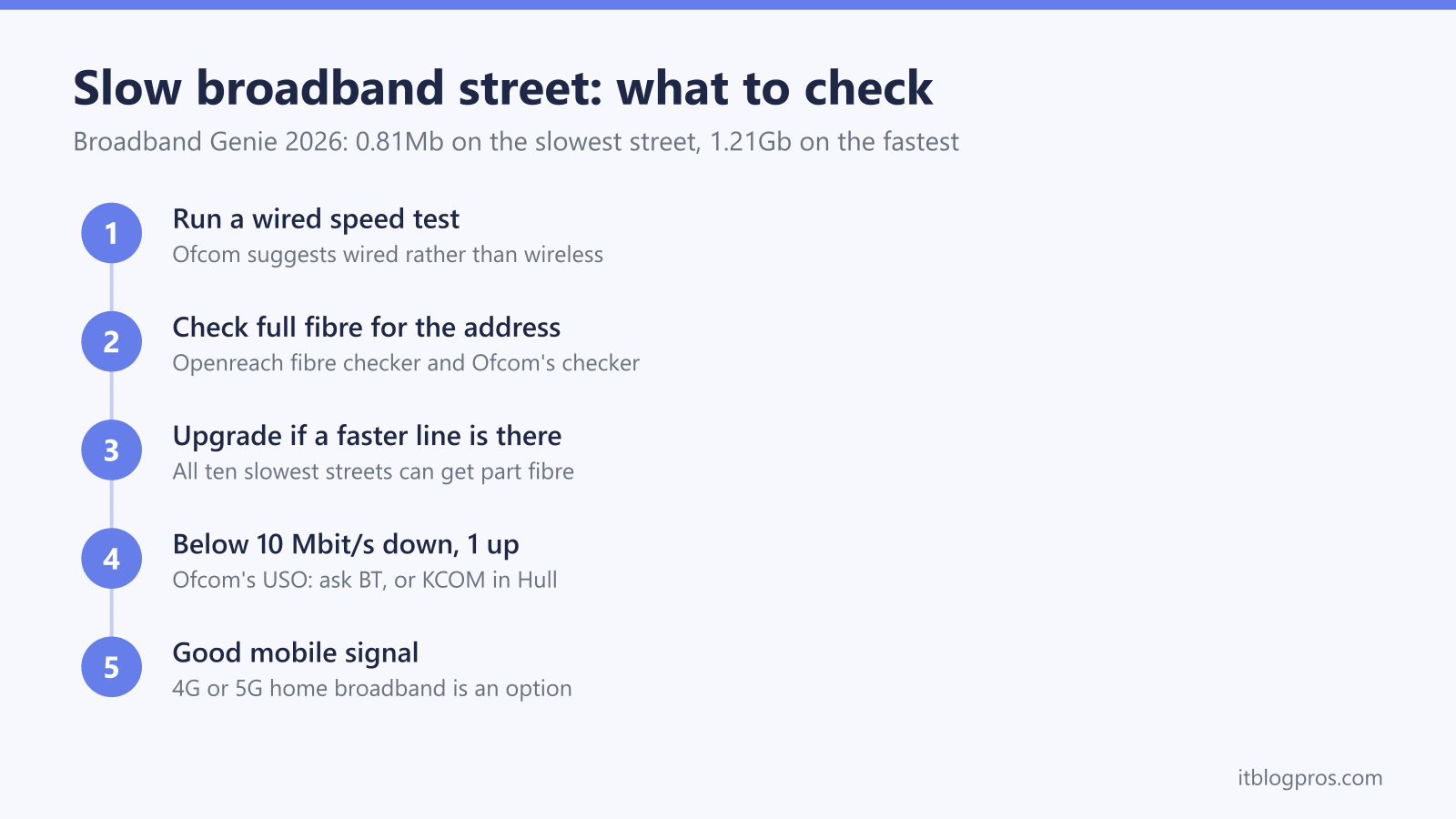
Broadband Genie's 2026 study ranks Heol-Y-Fedw in Cymmer, Port Talbot, slowest at an average 0.81Mb and Inglewood Avenue in Derby fastest at 1.21Gb. Broadband Genie also says all ten slowest streets can already get part fibre, so a slow average often reflects the line households are on. Openreach says part-fibre speeds fall with distance from the street cabinet. Start with a wired speed test, then check full fibre at your address.
Key Takeaways
- Broadband Genie's 2026 list, built from 145,926 speed tests, ranks Heol-Y-Fedw in Cymmer slowest at 0.81Mb and Inglewood Avenue in Derby fastest at 1.21Gb.
- Broadband Genie says all ten slowest streets can get part fibre and four can get full fibre, so the line a home is on matters as much as the street.
- Openreach says part-fibre speeds can drop noticeably beyond around 300 to 400 metres from the street cabinet, while full fibre runs all the way to the home.
- Ofcom's broadband Universal Service Obligation lets a home without 10 Mbit/s down and 1 Mbit/s up request an upgrade from BT, or KCOM in the Hull area, with build costs up to £3,400 free.
- Ofcom advises testing over a wired connection rather than wireless, and a wired result that matches the package points to the home WiFi rather than the street.
Broadband Genie's 2026 Study Averages Speed Tests by Postcode
Broadband Genie, the comparison site, published its slowest-streets study in January 2026, and ISPreview reported it on 6 January. Broadband Genie says it took the average download speed at postcode level from 145,926 speed tests run over a 12-month period in 2024 and 2025, all through its own speed test.
To make the list, Broadband Genie says a postcode needed at least three speed tests from three unique IP addresses, on a fixed-line connection from a commercial ISP, and at least eight residential properties at the postcode.
So these are averages from the people who ran Broadband Genie's test, and as few as three tests can put a postcode on the table. Broadband Genie publishes no per-street test counts and no upload speeds. The averages reflect the packages those households chose, not the fastest line available, and they don't measure every home on the street.
The Ten Slowest Streets All Averaged Below 3Mb
Broadband Genie ranks Heol-Y-Fedw in Cymmer, Port Talbot, as the UK's slowest street, with an average download speed of 0.81Mb. Here is its full top ten, with Broadband Genie's average download figures:
| Rank | Street | Area | Average download |
|---|---|---|---|
| 1 | Heol-Y-Fedw | Cymmer, Port Talbot | 0.81Mb |
| 2 | Turnberry Crescent | Bridge of Don, Aberdeen | 1.06Mb |
| 3 | Wesley Street | Maesteg | 1.45Mb |
| 4 | Occupation Lane | Broadholme, Lincoln | 1.63Mb |
| 5 | Rossiter Road | Wandsworth, London | 1.74Mb |
| 6 | Quarry Close | Handbridge, Chester | 2.23Mb |
| 7 | Langley Street | Langley | 2.23Mb |
| 8 | Jessop Road | Rogerstone, Newport | 2.62Mb |
| 9 | Wakefield Close | Hurley, Atherstone | 2.66Mb |
| 10 | Rheolau Terrace | Pontypridd | 2.80Mb |
Broadband Genie says all ten streets recorded an average download speed below 3Mb.
The Ten Fastest Streets All Averaged Above 900Mb
At the other end, Broadband Genie ranks Inglewood Avenue in Derby fastest at an average 1.21Gb, which it puts at 1,494 times faster than Heol-Y-Fedw. Broadband Genie's fastest ten:
| Rank | Street | Area | Average download |
|---|---|---|---|
| 1 | Inglewood Avenue | Derby | 1.210Gb |
| 2 | Moatview Park | Dundonald, Belfast | 1.146Gb |
| 3 | Reynolds Avenue | Romford | 1.014Gb |
| 4 | Sarum Close | Salisbury | 1.009Gb |
| 5 | Broad Lane | Wolverhampton | 947.1Mb |
| 6 | Limbury Road | Luton | 946.8Mb |
| 7 | Baberton Mains Drive | Edinburgh | 943.2Mb |
| 8 | Park Road | Camberley | 931.3Mb |
| 9 | Bramble Drive | Westbury | 928.4Mb |
| 10 | Powerscourt Road | Portsmouth | 926.3Mb |
Broadband Genie says all ten fastest streets averaged above 900Mb and takes that to mean most occupants are on cable or full fibre. That is an inference from the speeds, not a survey of the lines. A gigabit home that sees far less over WiFi most likely has a home network limit, and the gigabit broadband WiFi bottleneck guide checks the hub, the device and the WiFi in turn.
Every Slow Street on the List Can Already Get Part Fibre
This is the twist in the release. Broadband Genie says all ten slowest streets have access to part fibre at superfast speeds of 30Mb or more, seven can get ultrafast at 100Mb or more, and four of them (Wakefield Close, Rossiter Road, Wesley Street and Turnberry Crescent) can get full fibre. Only Langley Street, Quarry Close and Occupation Lane lack an ultrafast option, according to Broadband Genie, which took the availability from its own postcode checker.
So a street average below 3Mb doesn't mean the street is stuck; it often reflects the line households are on, not the best line the street can get. For anyone in that position the fix is an order rather than a wait, and the switching broadband provider checklist covers contract end dates and exit fees first.
The Line Type and the Distance to the Cabinet Set Each Home's Speed
Ofcom describes three kinds of wired broadband. Full fibre (FTTP) is fibre all the way to the home. Cable usually runs fibre to the local area and coaxial cable the rest of the way. Part fibre (FTTC) runs fibre to a street cabinet, then copper wires carry the signal to the home, Ofcom says, and it advises checking whether a package sold as "fibre" means full fibre or part fibre.
Openreach's network page gives the ceilings on its own lines. Its copper service runs from the exchange through a cabinet over copper phone lines at up to 21Mbps, FTTC reaches up to 76Mbps, and Full Fibre goes up to 1600Mbps, Openreach says. Those are "up to" figures on Openreach's network; other networks and retail packages differ.
Distance is where copper struggles. Openreach says FTTC speed depends on how far the home is from the street cabinet, with closer homes getting faster speeds, and that speeds can start to drop noticeably beyond around 300 to 400 metres. Ofcom adds the distance from the telephone exchange, the time of day, the number of people online at home, the device set-up, line damage and traffic management to the things that slow a connection.
Neither Ofcom nor Openreach documents how much each factor explains the gap between two neighbours. Compare like with like instead: a wired speed test from each home, and the line each is on, from the order details or the Openreach checker.
Full Fibre Still Misses Millions of UK Homes
Ofcom's Connected Nations update for spring 2026 says full fibre was available to 24.9 million of the UK's 30.5 million homes in January 2026, and gigabit-capable broadband to 27.1 million. The gap between those two figures is around 5.6 million homes where full fibre was not yet available.
The same Ofcom update says 39,000 premises can't get decent broadband, which Ofcom defines as 10 Mbit/s down and 1 Mbit/s up, from a fixed line or fixed wireless network, down from 44,000 in July 2025. Once lower-priced satellite services are counted, Ofcom puts the number without affordable decent broadband at 4,000.
Building carries on. Openreach says it plans to connect 25 million homes and businesses by the end of 2026 and is building 62,000 Full Fibre connections every week. Gov.uk describes Project Gigabit as the government's programme to bring gigabit-capable broadband to hard-to-reach communities left out of commercial plans, and says the government expects 99% of premises to have gigabit-capable access by 2032. Gov.uk names no address-level checker for Project Gigabit builds, so ask the local council or Project Gigabit supplier about a specific road.
A Wired Speed Test and Two Address Checkers Come First
Start with the line itself. Ofcom's tips for a slow connection include running a speed test, using a wired connection rather than wireless, and, on broadband that comes through the phone line, plugging the router into the main phone socket. Run the test more than once and at different times of day, since Ofcom lists the time of day among the things that affect speed. The broadband speed test guide covers how to run it and what to do with a result below the speed the provider guaranteed.
Next, check what the address can get. Openreach's fibre checker shows, by address, whether Full Fibre is available to order now, available soon, being built, due within the next year, planned or not yet planned. It covers Openreach's network only, not Virgin Media or other networks, and Openreach says build plans can change. Ofcom's broadband and mobile checker takes a postcode and shows which broadband speeds are available (standard, superfast and ultrafast) along with mobile coverage by provider, also as maps. Ofcom says it can't show maintenance work or reported issues.
Openreach says Full Fibre packages are ordered through a provider rather than from Openreach itself. The full fibre install day guide walks through the engineer's visit, and once the ONT (the fibre box on the wall) is fitted, the Openreach ONT lights guide explains what its lights mean.
The Universal Service Obligation Covers Homes Below 10 Mbit/s
Ofcom's broadband universal service is the safety net. Ofcom says a household that can't get a download speed of at least 10 Mbit/s and an upload speed of at least 1 Mbit/s can request an upgraded connection from BT, or from KCOM in the Hull area, without being an existing customer. Ofcom adds that the home must not already have decent broadband and must not be due to be covered by a public scheme in the next 12 months, and that BT or KCOM have 30 days to confirm eligibility and cost.
The money side is set out by Ofcom too. Ofcom says building costs up to £3,400 are free to the household; above that, the household pays the excess, and BT or KCOM survey and quote within 60 days. Ofcom says the service itself costs no more than £59.60 a month, that most connections arrive within 12 months and that some take up to 24 months. A home whose only decent option costs more than £59.60 a month can also request a USO connection, according to Ofcom.
On Broadband Genie's availability figures, every street in its slowest ten can get superfast part fibre, so the USO is aimed at homes with no such line at all rather than streets where faster lines are already there.
4G, 5G and Mesh Fit Different Slow-Street Problems
Where the wired options are limited, Ofcom says homes could look at 5G mobile broadband or satellite, and warns that speeds and reliability vary depending on where you live. Check mobile coverage at the postcode on Ofcom's checker and on the network's own postcode checker before signing up. For Three's 5G hubs, the Three 5G hub external antenna guide covers which models take an antenna and the placement fixes for a weak indoor signal, and using your own router with Three 5G broadband covers running your own router or mesh alongside the hub.
A slow street isn't always the problem. If the wired speed test matches the package and only some rooms are slow, that is home WiFi. The WiFi speed test checks the speed room by room to find where it drops off, and the mesh, extender or new router decider matches the fix to the fault.
Many households on a slow street don't need to buy anything. If the checkers show a faster line at the address, the fix is an upgrade or a switch, and USO building work is free up to Ofcom's £3,400 cap. Kit only helps in two cases: replacing a slow line with 4G or 5G where the signal is good, or spreading WiFi when the line tests fine.
For the mobile route, TP-Link lists the Archer NX200 for 5G and 4G with WiFi 6 and two external SMA-F antenna interfaces, and the Archer MR500 as a 4G+ router with download up to 300 Mbps and older AC1200 WiFi 5. TP-Link's Deco X50-5G is a 5G router that is itself a Deco mesh unit, so coverage can grow later. For a line that tests fine but doesn't reach the far rooms, TP-Link says its Deco X50 3-pack covers up to 6,500 sq ft.
| Product | Best for | Key specs | Price | |
|---|---|---|---|---|
 | TP-Link Archer NX200 5G Router with SIM Slot (AX1800 WiFi 6) 5G alternative | Homes on a slow street where the 5G mobile signal is good: swaps the phone line for a mobile SIM rather than speeding the line up. Check 5G coverage at the address on the network's own checker first. | 5G and 4G-LTE; TP-Link lists 5G download up to 4.67 Gbps and 4G-LTE up to 1.6 Gbps. AX1800 dual-band WiFi 6 (2.4 GHz and 5 GHz). 1 x gigabit LAN/WAN port plus 2 x gigabit LAN ports. 2 x external SMA-F antenna interfaces. 1 x Nano SIM slot. | Check price → |
 | TP-Link Archer MR500 4G+ Cat6 Router with SIM Slot (AC1200) Budget 4G option | Streets with a strong 4G signal but no 5G yet: a lower-cost mobile alternative to a slow line. It does not change the line speed; it replaces the line with 4G where the signal allows. | 4G+ Cat6; TP-Link lists download up to 300 Mbps. AC1200 dual-band WiFi 5 (300 Mbps at 2.4 GHz, 867 Mbps at 5 GHz). 1 x gigabit LAN/WAN port plus 3 x gigabit LAN ports. 2 detachable external LTE antennas. 1 x Nano SIM slot. | Check price → |
 | TP-Link Deco X50-5G Mesh WiFi 6 5G Router with SIM Slot (1-pack) 5G plus mesh | Bigger homes going 5G where the signal is good: the 5G router is itself a Deco mesh unit, so WiFi coverage can grow later with extra Deco units. | 5G/4G router; TP-Link lists 5G speed up to 3.4 Gbps. AX3000 dual-band WiFi 6 (2402 Mbps at 5 GHz, 574 Mbps at 2.4 GHz). 1 x 2.5 Gigabit port plus 2 x gigabit ports. 2 x external antenna interfaces. Deco mesh. 1-pack. | Check price → |
 | TP-Link Deco X50 AX3000 Mesh WiFi 6 System (3-pack) Line fine, WiFi weak | Homes whose line speed test at the router is fine but rooms far from the router are slow: mesh fixes WiFi coverage, not the line itself. | AX3000 dual-band WiFi 6 (2402 Mbps at 5 GHz, 574 Mbps at 2.4 GHz). 3 x gigabit ports per Deco unit. 3-pack; TP-Link lists coverage up to 6,500 sq ft for the 3-pack. | Check price → |