
Full fibre packages above 1Gbps are spreading across the UK, and households already paying for gigabit are now being offered 1.6Gbps or more. Then comes the speed test on a phone in the lounge, and the number is a fraction of the one on the bill. In most homes the line is doing its job and the bottleneck sits inside the house: the hub's ports, the device's network chip and the walls in between. This guide works through each one in order, so the decision about a faster plan rests on a real measurement.
A WiFi speed test measures the WiFi as much as the broadband line. Sky and EE both measure their advertised speeds to the hub, and a gigabit Ethernet port cannot carry more than 1Gbps. Test on a cable at the router first, then check the hub's ports, the device's port and its WiFi chip. If the wired result already matches the plan, a faster tier changes nothing on the phone.
Key Takeaways
- Sky says its download speeds are measured to the hub and exclude WiFi, and EE guarantees speed to the hub, not to your devices.
- Ofcom advises an Ethernet cable from the computer to the router for the best speeds and the most accurate speed test.
- Virgin Media's spec table lists one 2.5Gbps port on the Hub 5 and one 10Gbps port on the Hub 5x, while BT lists only gigabit ports on the Smart Hub 2 and Smart Hub 3.
- Intel puts a two-stream WiFi 7 device's theoretical maximum at 5.8Gbps, and TP-Link says real transfer speed is typically 40 to 60 per cent of the link speed.
- A home whose wired test already matches its plan, with gigabit-only devices, gains nothing from a 1.2Gbps or 1.8Gbps upgrade.
Faster full fibre tiers are reaching more UK providers
ISPreview reported in November 2026 that BT Wholesale had made 1.8Gbps full fibre available to UK ISPs. That closes a long gap. Andrews & Arnold, a UK ISP, wrote in November 2025 that BT Wholesale did not buy faster-than-1Gb/s services from Openreach, so ISPs using it could not sell them, and that BT Wholesale expected to start offering 1.2Gbps and 1.8Gbps services in 2026.
Openreach itself describes 1.8Gbps as today's top download speed on its Full Fibre network. The providers' own pages quote lower figures for the packages built on it. Sky's Full Fibre 1600 averages 1.6Gbps download and 100Mbps upload on the Openreach network, according to Sky, and comes with its WiFi 7 Gigafast+ hub. EE says it sells Full Fibre at up to 1.6Gbps. Vodafone's July 2024 launch release lists up to 1.6Gbps on Openreach and up to 2.2Gbps on CityFibre.
Away from Openreach, Virgin Media's Gig2 averages 2,000Mbps download and 200Mbps upload in selected areas, and Gig1 averages 1,130Mbps, Virgin says. CityFibre says Sky sells 2.5Gbps and 5Gbps Gigafast+ packages in CityFibre-connected areas. BT's consumer pages don't document a BT package above 1Gbps, so check BT's package list for your postcode, and check your own provider's package page for a 1.2Gbps, 1.6Gbps or 1.8Gbps option. Full fibre hasn't reached every street yet, and the guide to the UK's slowest and fastest broadband streets covers Broadband Genie's 2026 list and how to check what an address can get.
The advertised speed is measured to the hub, not to your phone
Here is the part the speed test on the sofa leaves out. Sky says its download speeds are measured to the hub and exclude WiFi performance, which varies by device and home environment. EE bases its average speeds on the line speed to the hub and guarantees speed to the hub, not to your devices. Virgin Media adds that home environment, device limitations, the number of users and the time of day may affect WiFi performance.
So two different things get measured in a WiFi test: the broadband line, and the wireless hop from the hub to the phone. Ofcom's advice is to use an Ethernet cable to connect your computer directly to the router for the best speeds, instead of WiFi, and to do the same for the most accurate speed test.
That wired result is the number to compare with the bill. The broadband speed test walks through a wired test and what to do with the figure, and the WiFi speed test records a result in each room, so the gap between the line and the WiFi shows up in a table.
A gigabit port caps the connection at 1Gbps
Even on a cable, the port can be the limit. Gigabit Ethernet runs at 1Gb/s, and the IEEE's 802.3bz standard defines 2.5GBASE-T and 5GBASE-T for 2.5Gb/s and 5Gb/s over twisted-pair cabling. A plan above 1Gbps only reaches one wired device when the hub and the device both have a 2.5G or faster port.
Hubs vary a lot here. Virgin Media's spec table lists one 2.5Gbps port and three 1Gbps ports on the Hub 5, one 10Gbps port and three 1Gbps ports on the Hub 5x, and four 1Gbps ports on the Hub 4 and Hub 3. Virgin tells Hub 5 customers to use the red 2.5Gbps port to get Gig1's full 1,130Mbps, and Hub 5x customers to use the red 10Gbps port. The Hub 5 vs Hub 5x guide covers the two in more detail.
EE's hub comparison lists four 2.5Gbps LAN ports and a 2.5Gbps WAN port on the Smart Hub 7 Pro, which EE includes with its 1.6Gbps speeds, and one 2.5Gbps LAN port plus three 1Gbps ports on the Smart Hub 7 Plus. BT lists four gigabit Ethernet ports on both the Smart Hub 2 and the Smart Hub 3, and no BT page names a BT hub with a faster port.
Sky's pages disagree with CityFibre's. CityFibre says the Gigafast+ hub has a 10Gbps WAN port and a 10Gbps LAN port, while Sky's own Gigafast+ page lists "Max ethernet speeds: 1Gbps" for the same hub. Read the labels on the back, plug a laptop with a 2.5G or faster port into the fastest one, and check the link speed the laptop reports.
The box on the wall matters too. Openreach's trade briefing says it installs a 2.5Gb ONT, the fibre box, as standard for orders above 1Gb, but it doesn't say whether an existing gigabit ONT is swapped on an upgrade. Ask the provider whether the upgrade includes an engineer visit to change it. For the leads between the hub and the device, the Cat6 vs Cat8 guide covers which cable category each port speed needs.
WiFi headline speeds are theoretical, and the device sets its own ceiling
The big numbers on router boxes are not what a phone gets. The Wi-Fi Alliance says WiFi 7's 320MHz channels in the 6GHz band give twice the throughput of WiFi 6, enabling multigigabit device speeds, but it gives no Gbps figure for WiFi 6, 6E or 7. Intel does: it puts WiFi 7's theoretical maximum at 46Gbps, and says most gamers will see about 5.8Gbps, the maximum for a two-stream device.
The device's own WiFi chip sets a lower ceiling. Intel lists its WiFi 7 BE200 laptop card as 2x2 with a maximum of 5.8Gbps over a 320MHz channel, and its WiFi 6E AX211 card as 2x2 with a maximum of 2.4Gbps over 160MHz. Apple lists the iPhone 17's WiFi as WiFi 7 with 2x2 MIMO, meaning two spatial streams, but gives no maximum speed.
Those are link rates, not download speeds. TP-Link defines link speed as the maximum speed negotiated between two devices and says actual transmission speed is typically 40 to 60 per cent of it. Vodafone made the same point in its 2024 launch release, saying 2.2Gbps would not be achievable on one device because top-end devices reached 1.3Gbps to 1.8Gbps.
TP-Link's support page gives the steps to read the link speed: on Windows, open ncpa.cpl and the WiFi adapter's Status; on a Mac, Option-click the WiFi icon and read the Tx Rate; on Android, open Settings, then Wi-Fi, then the network. The WiFi 7 vs WiFi 6 guide covers whether a newer standard is worth it, and why WiFi 7 can feel slower than expected covers device compatibility.
Walls, floors and distance cut WiFi speed further
Every wall between the hub and the device costs something. Virgin Media says walls, floors and large objects weaken WiFi, and advises a central, open spot for the hub, off the floor and away from thick walls and electronics. TP-Link advises an elevated, central location and says each wall or ceiling reduces signal strength, particularly those containing metal or dense materials.
Neither firm puts a number on it. No ISP or router maker publishes how much speed is lost at a given distance or through a given wall, so the check is a measurement: run the room-by-room WiFi test on the same device in each room and compare it with the result next to the hub.
When the far rooms fall well short and moving the hub doesn't help, more WiFi points are the fix rather than a faster line. The mesh, extender or new router decider sorts out which suits the house, and Virgin customers can go straight to the mesh guide for the Hub 5.
Five checks before paying for 1.2 or 1.8Gbps
Run these in order, because each one can end the search.
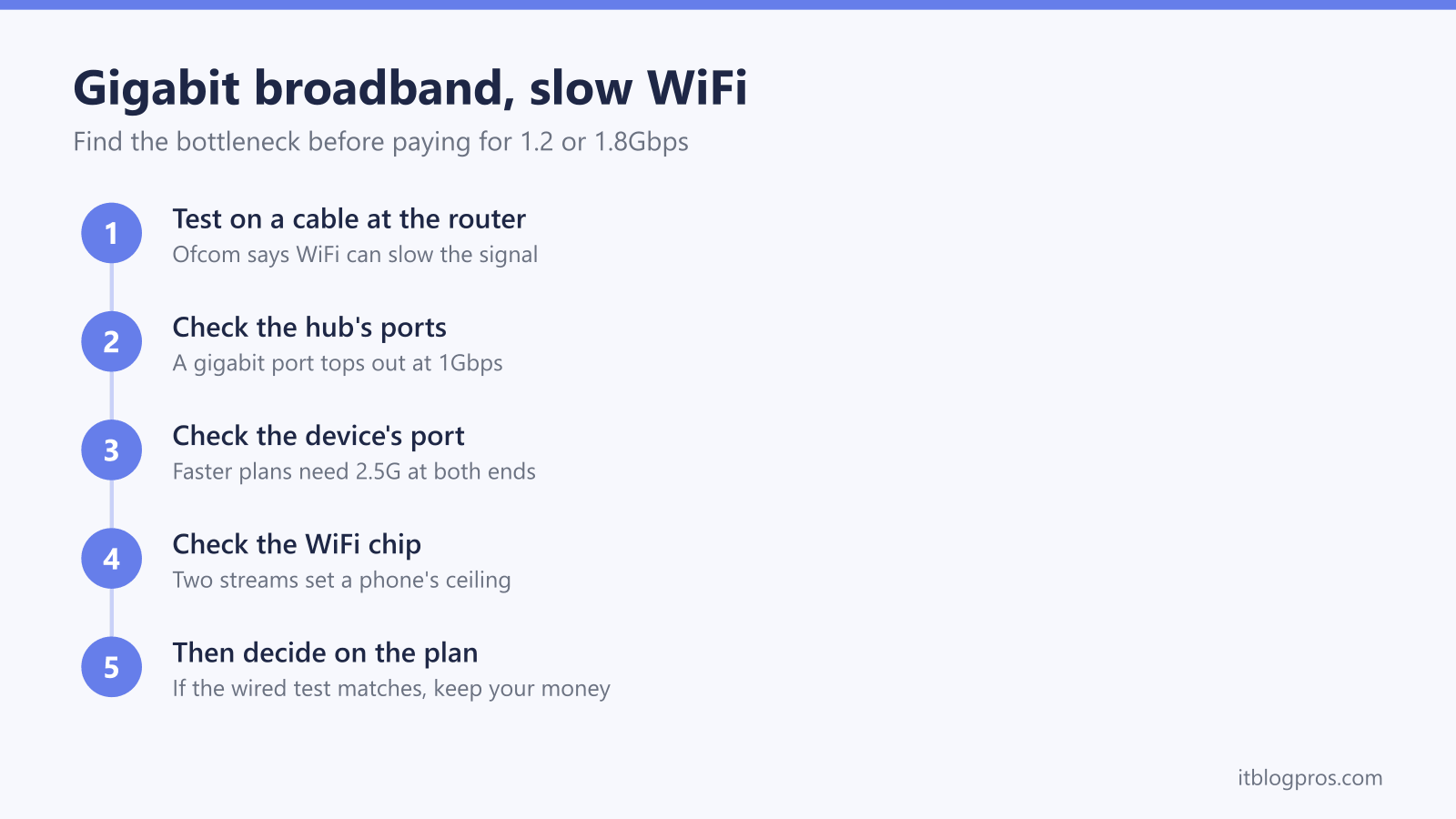
- Test on a cable at the router. Plug a laptop in and run a speed test, as Ofcom advises. If the result is close to the plan, the line is fine.
- Check the hub's ports. Read the labels on the back and the provider's spec page. Gigabit-only ports, as BT lists on the Smart Hub 2 and Smart Hub 3, cap any one wired device at 1Gbps.
- Check the device's port. A laptop with a gigabit adapter, or none, can't show more than 1Gbps on a cable. A 2.5G USB-C adapter solves that for testing.
- Check the device's WiFi standard and link speed. Look up the standard and the number of streams, then read the link speed using TP-Link's steps. Intel lists its two-stream WiFi 6E laptop card at a 2.4Gbps maximum link rate, and the real download speed sits well below the link rate.
- Then decide. Upgrade only when the wired test hits the current plan's ceiling and the hub and devices can use more.
A faster tier also carries its own spring price rise, and the April broadband price rises guide shows how to read it in the contract summary before signing.
Keep your money if the wired test already matches the plan
A home whose wired test already matches the plan, and whose devices are gigabit only, should keep its money. A faster tier, a new router or a mesh kit won't change what those devices show. Openreach says customer speeds depend on suitable customer equipment and router capability, and that cuts both ways: without 2.5G kit at both ends, the extra speed goes nowhere. Virgin customers weighing Gig2 get the same verdict in the Gig1 vs Gig2 guide. Anyone tempted to change provider for a faster sale tier can run through the checks before switching broadband provider first.
Buying makes sense when one of the checks points at the kit. Before replacing a provider's hub, ask whether it can work alongside a separate router. TP-Link lists five 2.5Gbps ports on the Archer BE550, one WAN and four LAN, with tri-band WiFi 7. TP-Link's Archer GE230 is the dual-band option, with a 2.5Gbps WAN port, one 2.5Gbps LAN port and three 1Gbps ports on dual-band WiFi 7, so it has no 6GHz band. For a larger house, TP-Link lists four 2.5Gbps ports on each Deco BE65 unit, with wired and wireless backhaul combined.
For the tests themselves, TP-Link's UE302C turns a USB-C port into a 2.5 Gigabit Ethernet port, and TP-Link says peak performance needs Cat5e or higher cable. TP-Link lists five 2.5Gbps ports on the TL-SG105-M2 switch, which turns a single 2.5G port on a hub or router into several, and Amazon lists its Basics Cat6 leads at up to 10Gbps.
| Product | Best for | Key specs | Price | |
|---|---|---|---|---|
 | TP-Link Archer BE550 Tri-Band BE9300 WiFi 7 Router Our pick | A single replacement router for a gigabit-plus line: every port is 2.5G, so the WAN never caps a faster package and wired devices get past 1G | Tri-Band WiFi 7 (802.11be, 2.4/5/6 GHz), BE9300; 1x 2.5 Gbps WAN + 4x 2.5 Gbps LAN; 1x USB 3.0 | Check price → |
 | TP-Link Deco BE65 (2-pack) BE9300 Tri-Band Mesh WiFi 7 WiFi 7 mesh | Larger or multi-floor homes where one router cannot carry gigabit WiFi to every room, with 2.5G ports on every unit for wired backhaul | Tri-Band WiFi 7 (6 GHz, 5 GHz, 2.4 GHz), BE9300; 4x 2.5 Gbps ports per unit (WAN/LAN auto-sensing, one WAN at a time); 1x USB 3.0; wired and wireless combined backhaul; 2 units in the box | Check price → |
 | TP-Link Archer GE230 Dual Band WiFi 7 Router Budget WiFi 7 | Smaller homes that want WiFi 7 and a 2.5G WAN for a faster line without paying for tri-band, plus one 2.5G LAN port for a PC, console or switch | Dual-band WiFi 7 (802.11be, 2.4/5 GHz), up to 3600 Mbps; 1x 2.5 Gbps WAN + 1x 2.5 Gbps LAN; 3x 1 Gbps LAN | Check price → |
 | TP-Link UE302C USB-C to 2.5 Gigabit Ethernet Adapter Laptop 2.5G | Laptops with no Ethernet port, or only a 1G one, so a speed test can show what the line delivers over a cable | USB 3.0 Type-C in, 2.5 Gigabit RJ45 out; Windows 11/10/8.1/8/7, macOS, iPadOS, ChromeOS, Linux; aluminium housing, foldable design | Check price → |
 | TP-Link TL-SG105-M2 5-Port 2.5G Desktop Switch 2.5G switch | Adding 2.5G wired ports behind a router or mesh unit that has only one or two, for a desk PC, NAS or games console | 5x 100Mbps/1Gbps/2.5Gbps ports, auto-negotiation; plug and play; fanless; metal casing, desktop or wall mount | Check price → |
 | Amazon Basics Cat6 Ethernet Cable, 3 m (5-pack) Cat6 cable | Wiring the router, mesh units and computers at 2.5G or faster | Cat6, RJ45, snagless plugs; 3 m; 5-pack; Amazon lists up to 10 Gbps and 250 MHz bandwidth | Check price → |