
Fixing patchy home WiFi usually means picking one of four paths: optimise the hub you already have, add an extender, add a mesh system, or replace the hub with your own router. Spending on the wrong one is the common mistake, because a mesh will not fix a slow line and an extender will not blanket a large house.
This decider matches the right fix to your actual problem, your ISP hub and your budget in under a minute, then points you at the verified product pick and the full guide for that path.
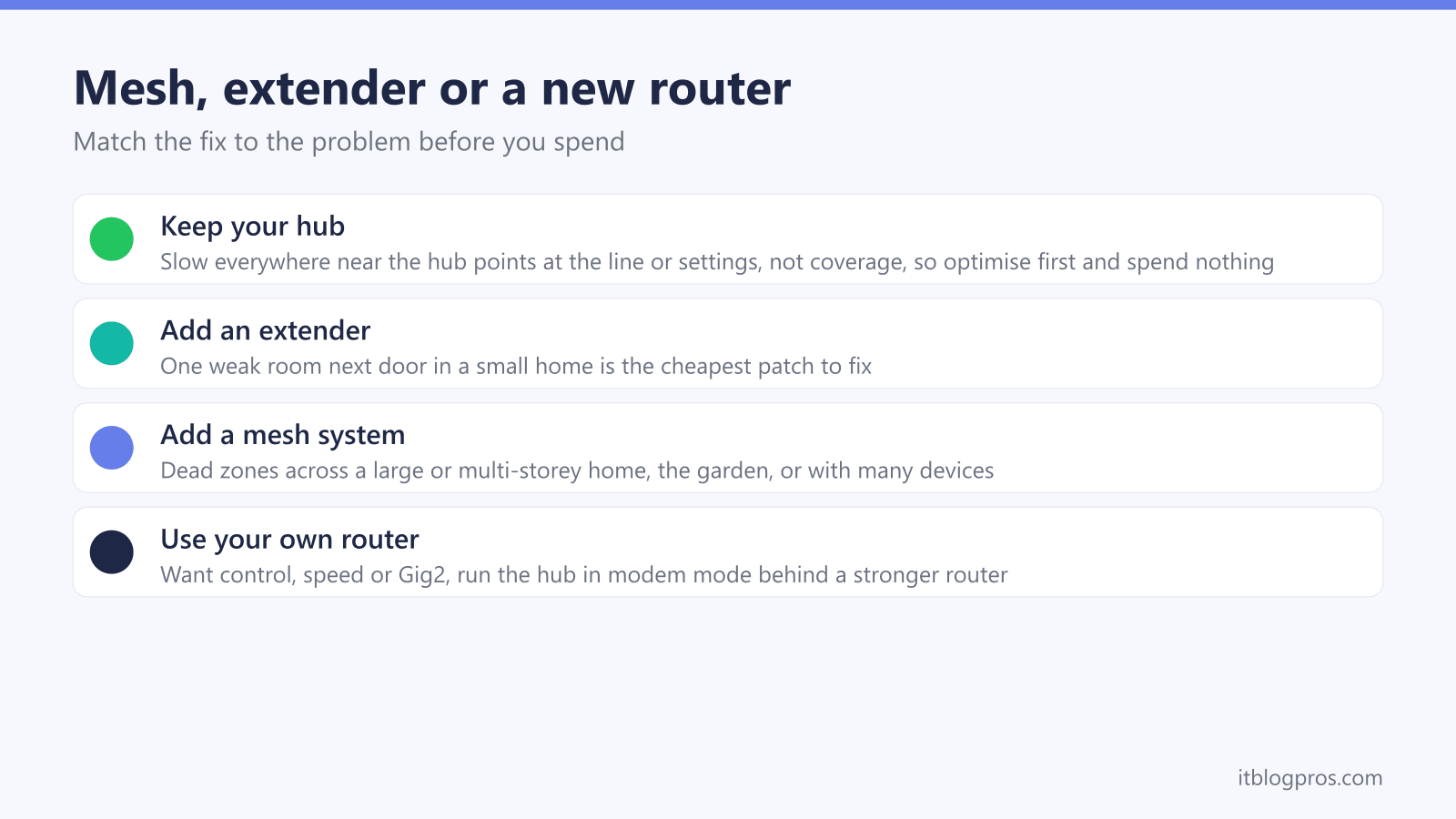
The right fix depends on what is actually wrong: coverage problems in some rooms call for an extender or a mesh, while slowness everywhere points at the line or settings and needs no new hardware at all. Choose an extender for one weak room in a small home, a mesh for dead zones across a large or multi-storey home, or your own router for control, features or speed. The tool below makes the call.
Key Takeaways
- Coverage problems in specific rooms call for an extender or a mesh; slowness that is just as bad next to the hub is a line or settings fault that new hardware will not fix.
- An extender is the cheapest patch for a single weak room next door, while a mesh system is the right call for dead zones across a large or multi-storey home, the garden or many devices.
- Your own router is the answer when you want control, advanced features or full speed, including a 2.5G WAN port, since Virgin's gigabit page gives Gig1 and Gig2 average downloads above 1Gbps.
- Virgin's help page gives modem mode steps for running your own router but says modem mode is not currently available for the Hub 5x, which Virgin Media O2's Gig2 launch release says Gig2 customers receive; on Sky, BT and others, check the provider's help pages first.
- A powerline kit beats WiFi for a garage, garden or outbuilding where no wireless signal will reach reliably.
Start by optimising the hub you already have
The answers point at a line or settings problem rather than coverage, so new hardware is unlikely to help. Power-cycle the hub, check for an outage, run a wired speed test, and work through the signal fixes before spending anything.
Guides: fix weak WiFi and speed up your internet and WiFi not working fixes.
A WiFi extender is the cheapest fix here
One weak room near the router is exactly what an extender is for. The TP-Link RE315 is the value pick; step up to the WiFi 6 RE705X if your devices are newer and you want less speed loss.
Check the TP-Link RE315 price on Amazon UK → Check the WiFi 6 RE705X price on Amazon UK →Full comparison: WiFi extender versus mesh, and which fixes dead zones.
A mesh system is the right call
Dead zones spread across a larger or multi-storey home need mesh, not a single extender. The nodes share one network name and hand your devices over as you move. The TP-Link Deco X50 is the verified all-round pick.
Check the TP-Link Deco X50 price on Amazon UK →Full guides: the best mesh systems ranked and, for Virgin, the best mesh for the Virgin Media Hub 5.
Your own router is the upgrade you want
When the goal is control, features or full speed rather than coverage, a stronger router beats any add-on. TP-Link lists a dedicated 2.5 Gbps WAN port and four 2.5 Gbps LAN ports on the tri-band WiFi 7 Archer BE550, which suits Gig1 and Gig2; the TP-Link Archer AX73 is the value alternative.
Check the TP-Link Archer BE550 price on Amazon UK → Check the value Archer AX73 price on Amazon UK →Full guide: the best routers to replace your Virgin Media Hub.
Wire it with a powerline kit
A garage, garden or outbuilding is usually beyond what any WiFi extender or mesh node can reach reliably. A powerline kit carries the connection over your mains wiring and adds a fresh WiFi point at the far end. The TP-Link TL-WPA7617 kit is the pick.
Check the TP-Link TL-WPA7617 powerline kit on Amazon UK →Full guide: the best powerline adapters.
When each fix is the right one
The decider applies the rules below. They are worth understanding so the recommendation makes sense rather than arriving as a black box.
Keep your hub and optimise first
Slowness that feels the same standing next to the hub as it does across the house is almost never a coverage problem, so a mesh or extender will not touch it. The cause is the line, an outage, or a settings issue. Power-cycle the hub, test a wired device, and rule out throttling before spending. The weak WiFi and speed fixes and the WiFi not working guide cover the full checklist.
A WiFi extender for one weak room
A single room next door to the router, in a flat or small house, is the textbook case for a plug-in extender. It is the cheapest path and takes minutes to set up. The trade-off is that budget single-band units create a second network and roughly halve throughput, so a WiFi 6 extender is worth the step up if your devices are recent. The extender versus mesh comparison explains the limits.
A mesh system for whole-home dead zones
Once the dead zones spread across a large home, multiple floors, or out into the garden, a single extender cannot keep up and a mesh is the right answer. The nodes broadcast one network name and pass devices between them as you move, which an extender cannot do. The mesh systems ranked guide and the Virgin Media Hub 5 mesh guide cover the verified picks and how to run them behind an ISP hub.
Your own router for control and speed
When the goal is control, features or raw speed rather than filling a dead zone, the fix is a stronger router rather than an add-on. A capable router brings a real QoS engine, better parental controls, and a 2.5G WAN port, which matters on Virgin Media Gig1 and Gig2 because Virgin's gigabit page gives both average downloads above 1Gbps. On a Virgin Hub 3, 4 or 5 you can run the Hub in modem mode, but Virgin's help page says modem mode is not currently available for the Hub 5x, which Virgin Media O2's Gig2 launch release says Gig2 customers receive, so on a Hub 5x your router or a mesh goes behind the Hub. On Sky, BT and others, check the provider's help pages for whether your plan allows your own router and the settings it needs before you use your own router: Vodafone's says you must use a Vodafone router on any plan with Digital Voice, and EE's says EE Digital Home Phone needs your EE or BT hub as your main router. The best routers to replace the Virgin Hub guide has the picks, and the double NAT guide explains why modem mode matters.
A powerline kit when WiFi will not reach
A garage, a garden office or a far outbuilding is usually past the point where any wireless signal stays reliable. A powerline kit sends the connection over the mains wiring and adds a fresh WiFi point at the far end, which beats a string of extenders for those cases. The best powerline adapters guide has the verified kit.
The right move is always to match the fix to the problem. Coverage in specific rooms calls for an extender or a mesh, capability calls for your own router, and slowness everywhere calls for troubleshooting rather than new hardware.