
Stone walls, double-brick chimney breasts and the lath-and-plaster of an older UK house eat WiFi for breakfast. A single router in the hallway leaves the far bedroom and the kitchen extension on one bar, and buying the fastest mesh on the shelf will not fix it if the signal cannot punch through the walls in the first place. For thick-walled homes the maths changes: how many nodes you have and how they talk to each other matters far more than the headline gigabit number on the box. This guide sets out the pick that suits older houses, explains why wired backhaul is the real fix for the worst walls, and shows where to place nodes so the mesh actually earns its keep.
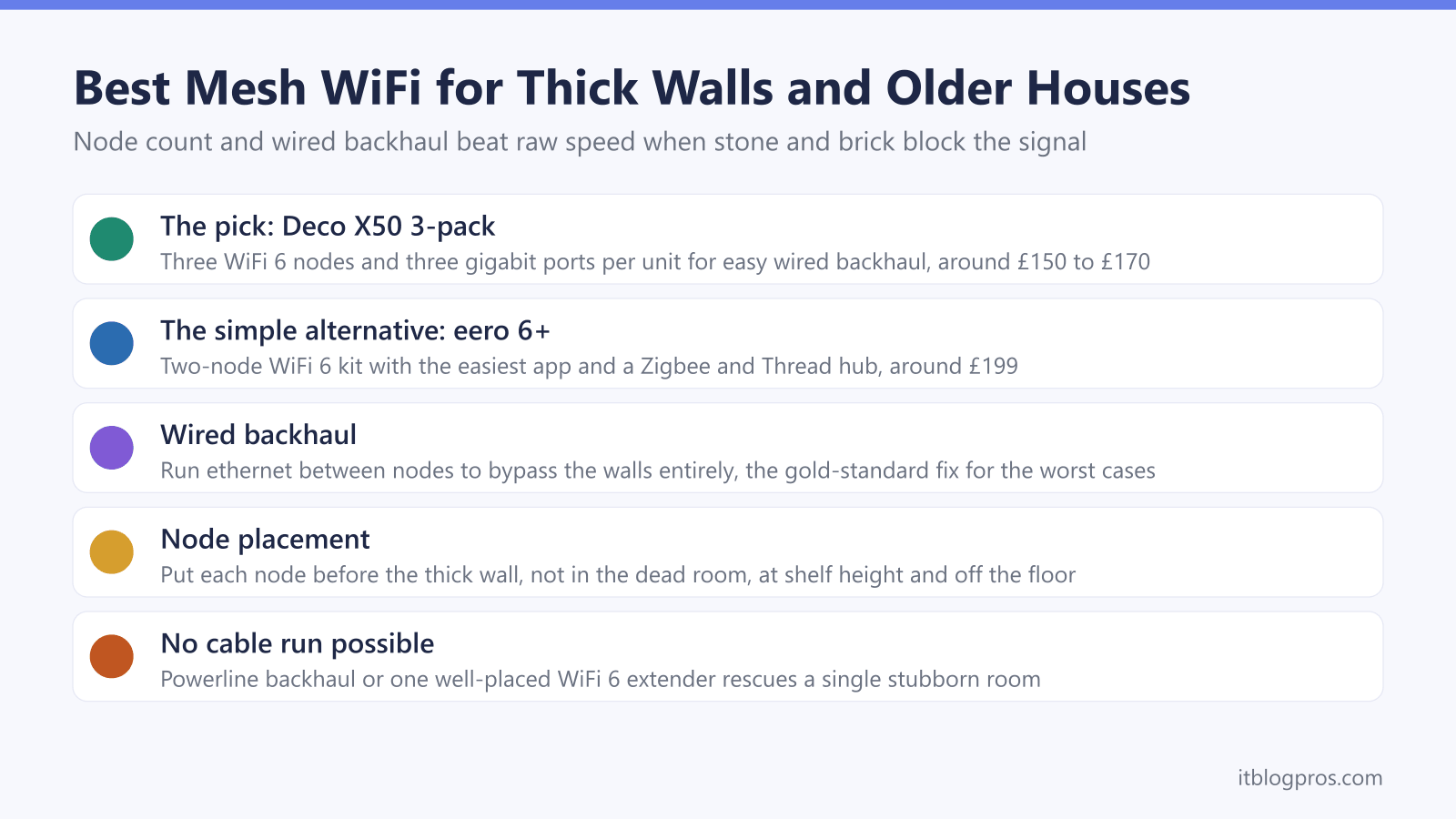
Thick stone and brick walls block WiFi, so node count and backhaul matter more than raw speed. A 3-node TP-Link Deco X50 suits older houses because more nodes and more ethernet ports make wired backhaul easy. The 2-node eero 6+ is the simpler alternative for smaller thick-walled homes. For the worst walls, run ethernet or powerline between nodes.
Key Takeaways
- In thick-walled and older houses, node count and backhaul quality beat raw speed, because signal that cannot cross a stone wall gains nothing from a faster radio.
- A 3-node system suits older houses better than a 2-node kit, since an extra node bridges the wall that a two-piece mesh cannot reach around.
- Wired ethernet backhaul between nodes is the gold-standard fix for the worst walls, turning an unreliable mesh into one that simply works.
- The TP-Link Deco X50 3-pack is the all-round pick for thick walls, with three nodes and three gigabit ports per unit for easy wired backhaul; the eero 6+ 2-pack is the simpler alternative.
- Where ethernet cannot be run, a powerline backhaul or a single well-placed extender can rescue one stubborn room without a full mesh.
Why thick walls beat a fast router, and node count wins instead
WiFi is radio, and radio loses strength every time it crosses a barrier. A modern plasterboard partition costs a signal a few decibels; a solid Victorian brick wall, a stone gable or a chimney breast can halve it or worse, and a foil-backed insulation board or a wall with old pipework behind it can stop it dead. This is why a top-of-the-range router in the hallway still leaves the back bedroom on one bar. The fix is not a faster radio, because a faster radio that cannot reach the room is no use. The fix is getting a broadcasting point on the other side of the wall.
That is what changes the buying decision for older houses. In an open-plan new build, two mesh nodes with a clear line between them cover the whole floor. In a thick-walled house the same two nodes struggle, because the wireless link between them has to cross the very walls that caused the problem. Add a third node and you give the mesh a stepping stone: node one talks to node two through one wall, node two talks to node three through the next, and each hop is short enough to stay strong. Node count, not gigabit rating, is the lever that matters here. For the wider picture on picking a mesh, the best mesh systems ranked guide sets out the full field.
Wired backhaul is the real fix for the worst walls
Every mesh node has to send your traffic back to the main router somehow. By default it does this over WiFi, which is called wireless backhaul, and in a thick-walled house that backhaul link is exactly what the walls degrade. A node three rooms away might show a strong signal on your phone yet crawl, because the node itself is straining to reach the router through two stone walls. That is the single most common reason a mesh disappoints in an older house.
Wired backhaul removes the problem entirely. Run an ethernet cable from the main node to a far node and their conversation no longer touches the airwaves, so the walls stop mattering for the link that counts. The node then broadcasts a full-strength local signal to the rooms around it. If you can run even one cable to the far end of the house, a garden room or a home office, do it. The difference between wireless and wired backhaul in a thick-walled home is the difference between a mesh that is pretty good and one that just works. Where a cable is impossible, a powerline backhaul over the mains is the fallback, covered lower down. If you are still weighing a mesh against a single extender, the extender versus mesh comparison draws the line, and the mesh, extender or new router decider matches the fix to your problem in a minute.
The picks at a glance
| Product | Best for | Key specs | Price | |
|---|---|---|---|---|
 | TP-Link Deco X50 (3-pack) The pick | The all-round choice for an older, thick-walled house | WiFi 6 (AX3000) dual-band, 3 gigabit ports per unit | Check price → |
 | Amazon eero 6+ (2-pack) Simpler alternative | Smaller thick-walled homes where simplicity outranks everything | WiFi 6 (AX3000) dual-band, 2 gigabit ports per unit | Check price → |
 | TP-Link Deco BE65 Value WiFi 7 | Buying anyway and wanting the WiFi 7 headroom | Tri-band WiFi 7 (BE9300) | Check price → |
 | TP-Link Deco BE68 (3-pack) Top WiFi 7 pick | A wired 10G backbone between floors, with a single 10G port on each unit | Tri-band WiFi 7 (BE14000), 10G + 2.5G + 1G ports per unit | Check price → |
 | TP-Link RE705X Single-room fix | One stubborn dead zone behind a thick wall, without a full mesh | WiFi 6 (AX3000) dual-band, gigabit port | Check price → |
TP-Link Deco X50 3-pack is the pick for thick walls
For an older, thick-walled house the TP-Link Deco X50 in the 3-pack is the sensible all-round choice, and the reasons are practical rather than about headline speed. Three nodes give you the stepping-stone coverage described above, so a node can sit on each side of the walls that block the signal. Just as important, every Deco X50 unit carries three gigabit ethernet ports. That matters twice over: it gives you spare ports to wire the backhaul between nodes, and it still leaves ports free to plug in a TV, a games console or a work laptop at each node.
On paper the Deco X50 is a dual-band AX3000 WiFi 6 system, rated for coverage up to around 6,500 square feet across the three units, with WPA3 security and the HomeShield suite for parental controls and basic threat protection. UK pricing sits in the region of £150 to £170 for the 3-pack, which undercuts most three-piece rivals. It is not flawless: the app pushes some of the better security and QoS features behind a paid HomeShield Pro tier, and like any dual-band mesh the wireless backhaul shares the same 5GHz band as your devices, which is precisely why wiring the backhaul pays off in a thick-walled home. Set it up with a wired link to the far node and the Deco X50 is hard to beat at the price. If you later need to read its status lights, the TP-Link Deco light meanings guide decodes them.
eero 6+ 2-pack is the simpler alternative
If your thick-walled home is smaller, or you would rather trade a little coverage for the easiest possible setup, the Amazon eero 6+ in the 2-pack is the alternative. It is also a dual-band AX3000 WiFi 6 system, and its strength is the software: the eero app is the most beginner-friendly in the category, setup takes minutes, and updates arrive quietly in the background. Each unit doubles as a Zigbee and Thread smart-home hub, which is a genuine bonus if you run Alexa or a lot of smart devices.
The honest trade-offs matter for thick walls. First, it is a 2-pack, so you get two broadcasting points rather than three; in a long or awkwardly divided older house that can leave one node doing too much work. A third eero 6+ can be added later, but that pushes the price up. Second, each eero 6+ unit has only two ethernet ports, and on the main unit one of those is taken by the incoming broadband, leaving a single spare. That is tight if you want both wired backhaul and a wired device at a node. Wired backhaul is supported and works well, but the Deco simply gives you more ports to play with. UK pricing for the eero 6+ 2-pack sits around £199, above the Deco 3-pack, so you are paying more for fewer nodes and fewer ports in exchange for the slicker app and the smart-home hub. For a smaller thick-walled home that values simplicity, that can be the right call. The eero light meanings guide covers its status LED if you need it.
Deco X50 versus eero 6+ for thick walls, compared
Both are capable dual-band WiFi 6 systems from trusted names, and neither is a bad buy. For thick-walled and older houses specifically, the comparison comes down to nodes and ports against app simplicity and price.
| Spec | TP-Link Deco X50 (3-pack) | Amazon eero 6+ (2-pack) |
|---|---|---|
| WiFi standard | WiFi 6 (AX3000), dual-band | WiFi 6 (AX3000), dual-band |
| Nodes in the box | 3 | 2 |
| Ethernet ports per unit | 3 gigabit | 2 gigabit |
| Wired backhaul | Yes, ample spare ports | Yes, one spare port on the main unit |
| Rated coverage | Up to ~6,500 sq ft | Up to ~4,500 sq ft |
| Smart-home hub | No | Yes (Zigbee and Thread) |
| App and setup | Good, some features behind paid tier | Excellent, the simplest in the class |
| Approx UK price | £150 to £170 | Around £199 |
The verdict for thick walls is the Deco X50 3-pack. The extra node and the extra ethernet ports are exactly what an older house needs, and it costs less than the two-piece eero. The eero 6+ is the better choice only when the home is smaller, simplicity outranks everything, or the built-in Zigbee and Thread hub genuinely earns its place in your smart-home setup. Speed is close enough between the two that it should not decide the matter; nodes and backhaul should.
WiFi 7 does not punch through thick walls, but its backhaul can help
Not in the way people hope. WiFi 7 does not punch through stone or brick any better than WiFi 6, because range through dense walls is set by physics and node placement, not the standard. What a WiFi 7 Deco does add is stronger backhaul options between nodes, which is the link thick walls actually strain. If you are buying anyway and want the headroom, the TP-Link Deco BE65 is the value WiFi 7 option. Above it sits the TP-Link Deco BE68 three-pack, which TP-Link rates BE14000 against the BE65's BE9300. TP-Link lists wireless and wired combined backhaul on the BE68 and one 10 Gbps, one 2.5 Gbps and one 1 Gbps port on each unit, with only one port able to serve as the WAN at a time, so it suits a wired 10G backbone between floors, bearing in mind each unit has a single 10G port.
Check the TP-Link Deco BE65 WiFi 7 price on Amazon UK →
Check the TP-Link Deco BE68 WiFi 7 price on Amazon UK →
For most thick-walled homes, though, the money is better spent on a third or fourth WiFi 6 node and a wired backhaul run than on a newer standard, because coverage through the walls is the problem WiFi 7 does not solve.
When ethernet cannot be run: powerline backhaul or one good extender
The worst walls are sometimes in the worst places for cabling, where lifting floors or chasing walls for ethernet is not realistic. There are two honest fallbacks. The first is powerline backhaul, which sends the node-to-node link over your existing mains wiring instead of over WiFi or a dedicated cable. Some mesh ranges, including certain Deco models, are built around this, and it can rescue a room that wireless backhaul cannot reach. The caveat is that powerline performance depends heavily on the state and layout of your wiring: old circuits, separate ring mains or a lot of electrical noise can drop it to a fraction of ethernet speed, so treat it as a good-enough fix rather than a guaranteed one.
The second fallback is to accept that you do not have a whole-home problem at all, but one stubborn room. If a single bedroom or office behind a thick wall is the only dead zone, a well-placed WiFi 6 extender such as the TP-Link RE705X can be far cheaper and simpler than a full mesh. It is an AX3000 dual-band unit with a gigabit port, and on an EasyMesh-capable network it can even join a wider mesh later. Place it half-way to the dead room, not inside it, so it still receives a strong signal to rebroadcast. The extender versus mesh comparison explains exactly when this single-room fix beats buying a mesh at all.
Where to place mesh nodes in a thick-walled house
Even the right kit underperforms if the nodes sit in the wrong spots, and thick-walled houses punish poor placement hardest. The main node belongs next to your broadband entry point, plugged into the router or hub. Each further node should sit where it still receives a strong signal from the one before it, which in practice means placing it before the wall, not after it. A node crammed into the dead room itself is a common mistake: it has nothing solid to talk back to, so it repeats a weak signal and helps little.
Keep nodes off the floor and out of cabinets, roughly at chest or shelf height, and away from large metal objects, mirrors and the microwave. In a two-storey older house, a node on the landing often outperforms one tucked in a bedroom, because it can radiate down the stairwell where there is no wall to cross. Above all, if any node can reach a wired backhaul point, prioritise that node for the far end of the house where the walls are thickest. Placement plus backhaul, not the price on the box, is what finally clears the dead zones in a stone or double-brick home.