
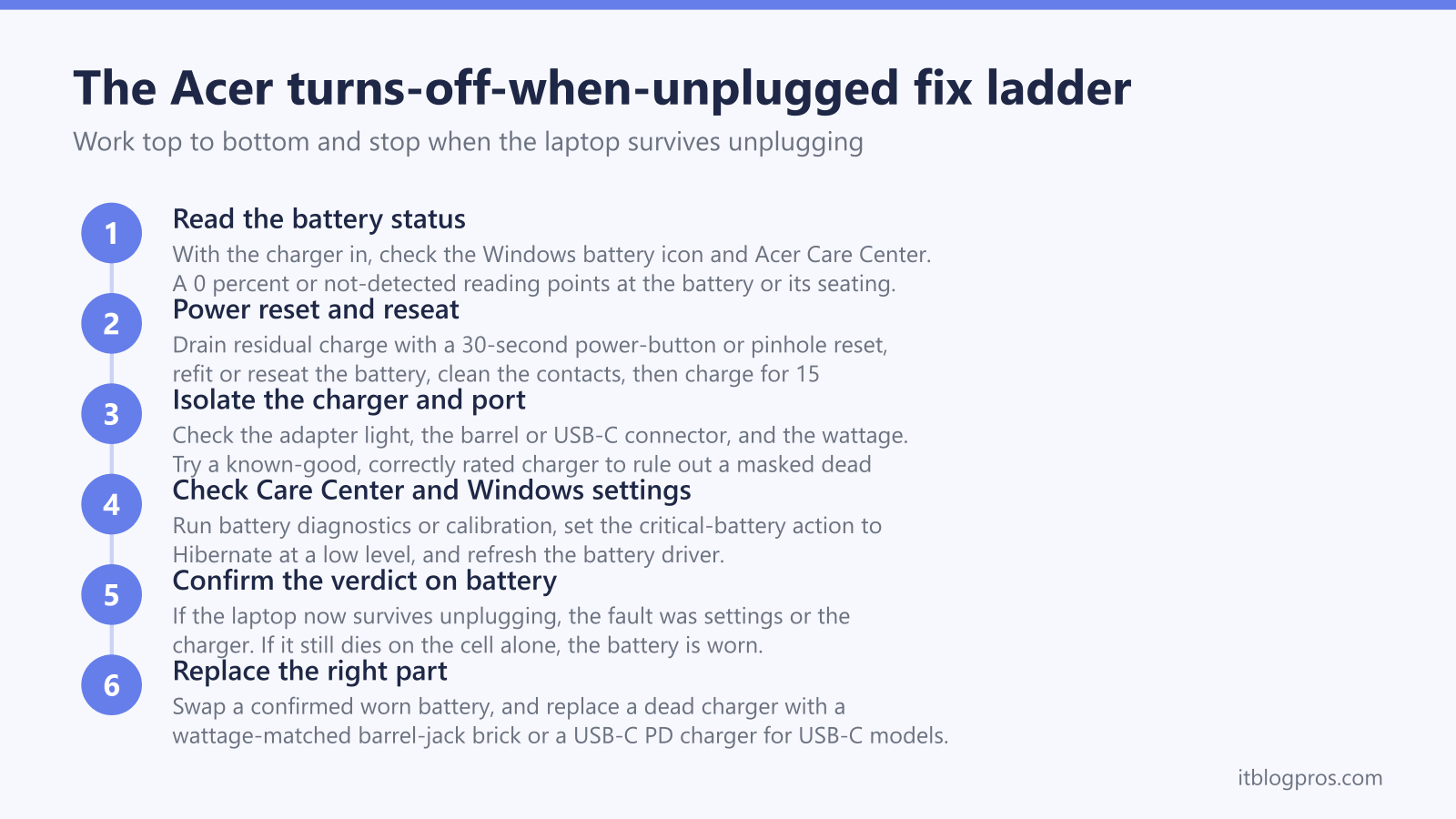
An Acer laptop that runs happily on the mains but dies the second the charger leaves the socket is sending a clear signal: the battery is no longer carrying the load on its own. On the wall adapter the machine is being fed power directly, so it stays alive. Pull the plug and the system has to draw from the cell, and if that cell is flat, worn, not seated, or not even detected, the laptop blacks out instantly with no shutdown sequence. This guide confirms the genuine Acer-specific causes, walks a fault-isolation ladder that tells software faults apart from a dead battery, and explains where the line sits between a cheap fix and a battery replacement. It covers both the barrel-jack Aspire and Nitro models and the USB-C Swift and thin-and-light range, because the charger advice differs between the two.
An Acer laptop that switches off the moment it is unplugged almost always has a flat or failing battery that can no longer power the machine alone. Before buying parts, confirm the battery is detected and seated, rule out the charger and port, check Acer Care Center and Windows power settings, then replace the cell only once the ladder points there.
Key Takeaways
- An Acer that dies instantly on unplugging is showing a battery that cannot carry the system on its own, not a normal low-battery shutdown.
- The fastest confirmation is the Windows battery icon and Acer Care Center: a cell reading 0 percent on mains, or flagged as not detected, points straight at the battery or its seating.
- Charger and port faults can mask a dead battery, so check the adapter light, the barrel or USB-C connector, and the port before condemning the cell.
- Acer Care Center battery diagnostics and calibration, plus the Windows critical-battery action setting, rule out software causes for free.
- Barrel-jack Aspire and Nitro models need a wattage-matched brick, while USB-C Swift and thin models can use a verified high-wattage USB-C PD charger.
The instant shutdown points to a battery that cannot carry the load
When an Acer laptop turns off the very instant the charger is removed, it is not following the normal Windows shutdown or hibernate sequence. It simply loses power, the same way it would if you yanked the cable on a desktop. That behaviour tells you the battery is contributing little or nothing.
On mains power the adapter feeds the system directly and tops up the cell. The moment you unplug, every watt has to come from the battery. A healthy battery hands that over seamlessly. A battery that is flat, badly worn, disconnected internally, or not recognised by the system cannot, so the machine dies with no warning.
The common Acer causes, in rough order of likelihood, are:
- A worn-out or failing battery that no longer holds a usable charge
- A battery that is fine but not seated or not detected by the system
- A charger or port fault that has stopped the battery ever charging, so it sits flat
- Power-management or driver settings that trigger an aggressive shutdown
The ladder below tells these apart so you do not replace a healthy part.
Reading the battery status confirms the prime suspect
Start with the cheapest test of all, which is simply looking at what Windows already reports.
- With the charger plugged in, hover over the battery icon in the system tray. If it reads something like 0 percent available (plugged in, not charging) or the percentage never climbs, the cell is not taking charge and will be empty the moment you unplug.
- Open Acer Care Center (or Acer Quick Access on newer builds) and look at the battery section. A healthy battery shows a sensible charge level and condition. A battery flagged as needing attention, or a percentage stuck at zero, confirms the suspect.
- Watch for a not detected or no battery present state. If Windows cannot see the battery at all, the laptop has no fallback power source and will always die on unplugging, even if the cell itself is fine.
If the battery reads 0 percent on mains or shows as not detected, jump to the seating and reset steps before assuming the cell is dead, because a loose connection mimics a flat battery exactly.
A power reset and reseat clears the cheap causes first
A drained-flat or loosely connected battery can sometimes be revived with a power reset, which costs nothing and rules out a false alarm.
For models with a removable battery:
- Shut the laptop down and unplug the charger.
- Remove the battery, then press and hold the power button for 30 to 40 seconds to drain residual charge from the board.
- Refit the battery, plug the charger back in, and power on. Leave it charging for at least 15 minutes before testing on battery again.
For sealed models with an internal battery (most modern Acer machines), many have a small battery-reset pinhole on the underside:
- Unplug the charger and shut the laptop down.
- With a paperclip, press and hold the reset pinhole for around 30 seconds. Do not press the power button at the same time.
- Leave the charger disconnected for a further 30 minutes, then plug in and charge before testing.
While the battery is out or the machine is open, wipe the metal contacts with a cloth lightly dampened with isopropyl alcohol. A dirty or oxidised contact can stop a perfectly good battery from being seen.
Isolating the charger and port rules out a masked dead battery
A laptop that never charges will always have a flat battery, so a charger or port fault can look exactly like a worn cell. Confirm the supply before condemning the battery.
- Check the adapter light. A lit brick that goes dark when plugged into the laptop suggests a short or a port fault rather than a dead battery.
- Inspect the connector. On barrel-jack Aspire and Nitro models look for a bent or loose centre pin and a wobbly jack. On USB-C Swift and thin models try a different USB-C port and a known-good cable, since a frayed cable or worn port stops Power Delivery negotiating.
- Feel the cable and brick. Heat, tears, or kinks point to a failing adapter.
- Confirm the wattage. An underpowered or generic charger may run the laptop yet never fully charge the battery, leaving it too low to take over when unplugged.
If a known-good, correctly rated charger makes the percentage climb and the laptop then survives unplugging, the original adapter or cable was the fault and the battery is fine.
Acer Care Center and Windows settings rule out software causes
Before spending on hardware, eliminate the settings that can force an early shutdown.
- Run the battery diagnostics in Acer Care Center. Where the model supports it, run a battery calibration, which fully charges then controlled-discharges the cell so Windows relearns its true capacity. A wildly inaccurate gauge can make a half-decent battery report empty and quit.
- Check the Windows critical-battery action. Open Control Panel, Power Options, Change plan settings, Change advanced power settings, then expand Battery. The critical battery action should be Hibernate, not Shut down, and the critical battery level should sit low (around 5 percent). A critical level set far too high makes the machine quit the instant it leaves mains power.
- Update or reinstall the battery driver. In Device Manager, under Batteries, the Microsoft ACPI-Compliant Control Method Battery can be uninstalled and re-detected on reboot to clear a corrupt reading.
- Run the Windows power troubleshooter under Settings, System, Troubleshoot.
If the laptop survives unplugging after a calibration or settings change, the battery was healthy and the gauge or power plan was the real culprit. For a wider look at this pattern across makes, see the all-brands and generic shutdown guides linked below.
Matching a replacement charger to your Acer charging type
If the ladder ends with a confirmed worn battery, replacement is the cure: a removable cell you can often swap yourself, an internal one that usually means an Acer service centre or a competent technician. But many readers arrive here because the original charger has died and the battery only went flat as a result, so the right replacement matters.
Acer splits into two charging camps, and the camp decides the charger:
- USB-C Power Delivery models. Many Swift, thin-and-light, and some Spin and Chromebook models charge over USB-C, typically at 45W or 65W. These can use a quality third-party USB-C PD charger. The verified UGREEN 100W USB-C GaN charger comfortably covers a 45W or 65W USB-C Acer and gives headroom for other devices. Match or exceed the wattage printed on the original brick.
- Barrel-jack models. Most Aspire and many Nitro and Predator gaming machines use a round DC barrel connector, not USB-C. These cannot use a USB-C charger at all. They must use a barrel-jack adapter that matches the voltage and wattage printed on the original brick (gaming models in particular can demand 135W, 180W or more). Buy the official Acer adapter or an exact wattage match.
The quick test: if your charger ends in a slim oval USB-C plug, the USB-C route applies; if it ends in a round pin, you need a wattage-matched barrel-jack brick. Surface-style proprietary connectors do not apply to Acer, but the same principle holds, which is to match the original supply.
