
A broadband speed test shows what your connection delivers right now, and the number only means something once it is set against what your provider promised. The test below measures download, upload, ping and jitter in your browser, then reads the result against your minimum guaranteed speed, Ofcom's rules on slow broadband and the speeds Netflix recommends for streaming.
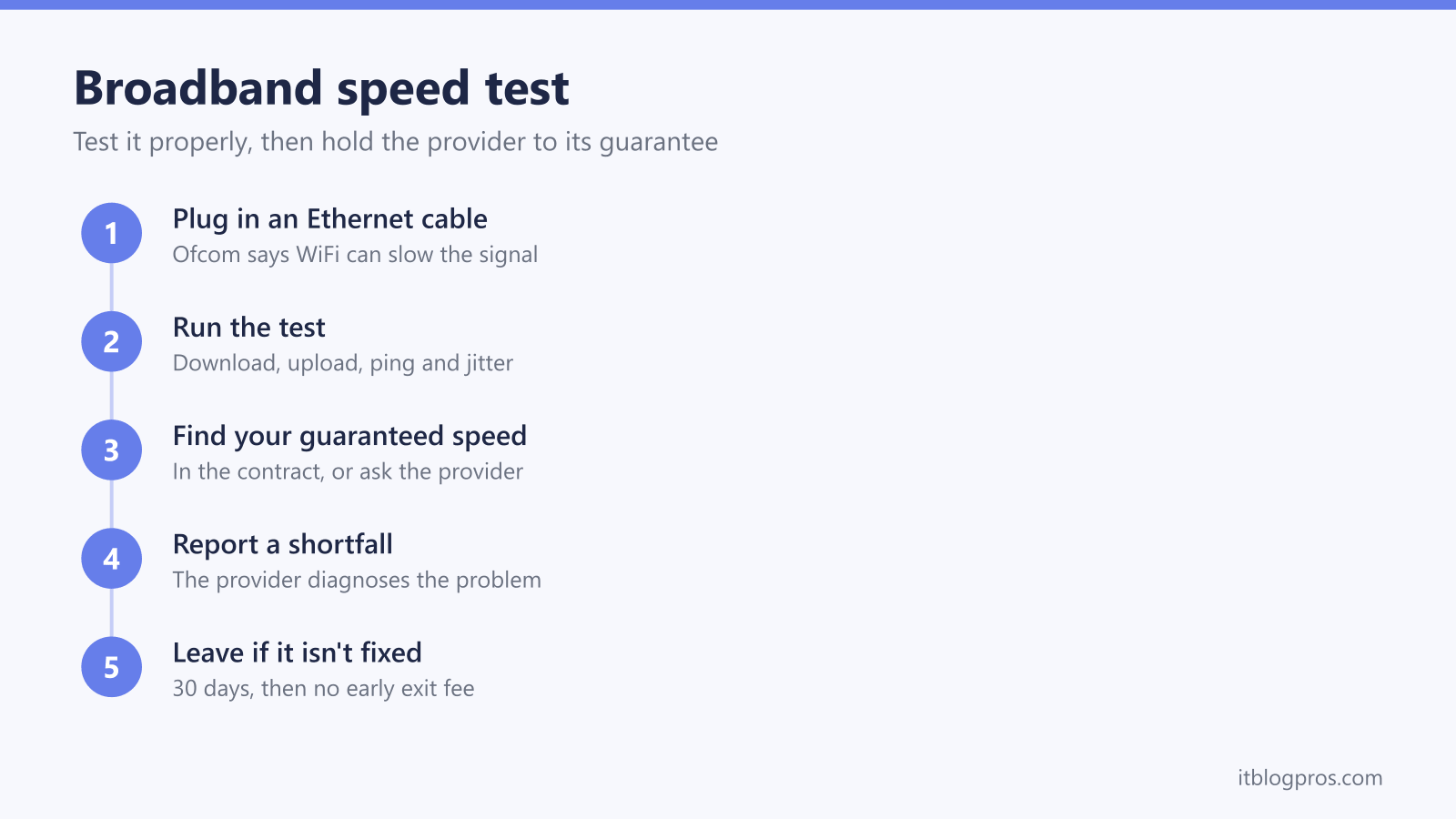
Run the test on a computer plugged into the router with an Ethernet cable, because Ofcom says WiFi can slow down the signal. Compare the download figure with the minimum guaranteed speed in your contract. If a wired result stays below it and the fault is on the provider's network, Ofcom's code gives the provider 30 days to fix it before you can leave without an early exit fee.
Key Takeaways
- The test measures download, upload, ping and jitter against Cloudflare's nearest server, in your browser, and this site stores none of the results.
- Ofcom says the most accurate result comes from a computer or tablet connected to the router with an Ethernet cable, as WiFi can slow down the signal.
- Your provider should give you a minimum guaranteed speed when you buy the service; check your contract or ask the provider for it.
- Under Ofcom's Broadband Speeds Code of Practice, a provider that can't fix a network speed problem within 30 days must let you leave without an early exit fee.
- Netflix recommends 15 Mbps or higher for 4K, and Ofcom defines decent broadband as at least 10 Mbit/s download and 1 Mbit/s upload.
Broadband speed test
Measures download, upload, ping and jitter from this device. It takes about 20 to 40 seconds.
Ready when you are.
The test runs in your browser against Cloudflare's speed test servers, the same ones speed.cloudflare.com uses, and this site stores none of the results. A full run can use up to about 550 MB on a gigabit line and far less on slower ones, so avoid it on a capped mobile data plan.
Run the test on a wired connection for an accurate result
Ofcom's advice on speed checks is direct: for the most accurate test, use a computer or tablet that can be connected to the router with an Ethernet cable, as WiFi can slow down the signal. A WiFi result measures two things at once, the broadband line and the wireless link between the router and the device, so a low WiFi figure on its own doesn't prove the line is slow.
Ofcom also lists the time of day you go online and the number of people in your home using the internet at the same time among the things that slow a connection. Pause big downloads, game updates and streams on other devices before testing, and run the test more than once.
If the wired and WiFi results are far apart, the WiFi is the bottleneck rather than the line, and the WiFi speed test records a result for each room so the weak spots show up. On a package faster than 1Gbps, a wired test can still stop at about 1Gbps when the hub or the laptop has only gigabit ports, and the guide to the gigabit broadband bottleneck checks each one in turn.
The four numbers measure different parts of the connection
- Download is how fast data reaches you, for streaming, web pages and downloads. It is the figure providers advertise and guarantee.
- Upload is how fast data leaves, for video calls, sending large files and cloud backups.
- Ping is the time a tiny request takes to reach the test server and come back, in milliseconds. Lower feels quicker in games and on calls.
- Jitter is how much the ping varies from one request to the next. A steady connection keeps it low.
This test measures against Cloudflare's speed test servers, the same ones speed.cloudflare.com uses. It works on a single connection, starting with small files and moving to larger ones until a transfer takes about a second, and reports the 90th percentile of those transfers as the download and upload speeds.
Compare the download speed with your minimum guaranteed speed
Ofcom says your provider should always give you a minimum guaranteed speed for your broadband service, and for superfast products it is now based on the capability of the line going into your home. When you buy, you should also get the estimated speed at busy times of day, which Ofcom sets as 8 to 10pm for home services.
To find the figure, check your contract or ask your provider. Ofcom says the same information arrives after you sign up, usually by letter, email or in the account area of the provider's website, so it is worth keeping. Type the guaranteed speed into the box above the test and the result says whether this run cleared it.
Advertised speeds work differently. Ofcom notes that the Advertising Standards Authority requires broadband adverts to show the average speed that at least 50% of a provider's customers receive at the busiest time of 8 to 10pm, so your own line can sit above or below the advertised figure.
Ofcom's code gives the provider 30 days, then the right to leave
If you think the broadband is slower than it should be, Ofcom's advice is to contact the provider so it can diagnose the problem. Under the Broadband Speeds Code of Practice, if the problem lies within the provider's network and it can't fix it within 30 days, the provider must offer you the right to exit the contract without being penalised.
- Who it covers. Ofcom lists BT, EE, NOW Broadband, Plusnet, Sky, TalkTalk, Utility Warehouse, Virgin Media and Zen Internet.
- Bundles count. Ofcom says that since 21 December 2022 the right to exit covers any products linked to the broadband financially, contractually or technically, such as a landline or TV package.
- Rolling monthly contracts are different. Ofcom says the process doesn't apply to them, but you can give notice, usually a month, and leave anyway.
Before calling, keep a note of a few wired test results with the date and time of each. It gives the provider concrete evidence to work from and shows whether the drop happens all day or only in the evening. If leaving turns into switching, the checklist for switching broadband provider covers exit fees, email and returning the router. A price rise is a different matter, and the guide to April broadband price rises explains when one gives the same right to leave.
Netflix and Ofcom set the useful speed benchmarks
| Benchmark | Download | Upload | Source |
|---|---|---|---|
| HD streaming (720p) | 3 Mbps or higher | Netflix | |
| Full HD streaming (1080p) | 5 Mbps or higher | Netflix | |
| 4K Ultra HD streaming | 15 Mbps or higher | Netflix | |
| Decent broadband | At least 10 Mbit/s | At least 1 Mbit/s | Ofcom, broadband universal service |
Netflix gives its figures for a stable connection, and every device streaming at the same time shares the line. If a wired test can't reach Ofcom's 10 Mbit/s download and 1 Mbit/s upload, Ofcom says you may be able to request an upgraded connection from BT, or KCOM in the Hull area, under the broadband universal service. You don't need to be an existing BT or KCOM customer to apply.
Different speed tests give different results
Every speed tester measures against its own servers, so two tests run a minute apart can disagree. This one uses Cloudflare's nearest server, while others test against servers inside a provider's own network or elsewhere in the UK. For checking your speed, Ofcom points people to Ofcom-accredited price comparison sites such as Broadband Compared, broadbanddeals.co.uk and broadband.co.uk.
Timing matters as much as the tester. Ofcom's busy period for home broadband is 8 to 10pm, when average speeds are often lower, so a run in the morning and another in the evening give a fairer picture than one result.
Ofcom's checklist for a slow line starts at the router
Beyond running a speed test and talking to your provider, Ofcom's practical tips for improving broadband speed include these:
- Update your web browser.
- Keep electrical devices that can interfere with the router away from it.
- Consider upgrading the router to the latest model.
- Password-protect the broadband so nobody else can use it.
- Use a wired connection rather than wireless.
- On broadband that comes through the phone line, plug the router directly into the home's main phone socket.
When the WiFi is fast next to the router but slow elsewhere, fixing a weak WiFi signal covers placement and settings, and the mesh, extender or new router decider narrows down what, if anything, is worth buying. Virgin Media customers who only see slow speeds in the evening can start with Virgin Media slow at night, and the router's own settings page is covered in router login. When a wired test stays slow whatever the router does, the guide to the UK's slowest broadband streets covers line types, the Openreach and Ofcom address checkers and Ofcom's broadband Universal Service Obligation.