
Broadband arrives at one box, and WiFi has to carry it to every room from there. A speed test run in one spot only describes that spot. The test below keeps a result for each room you test in, on the same device, so the rooms where the WiFi gives out stand out in a table, and the sections after it cover what to change in those rooms.
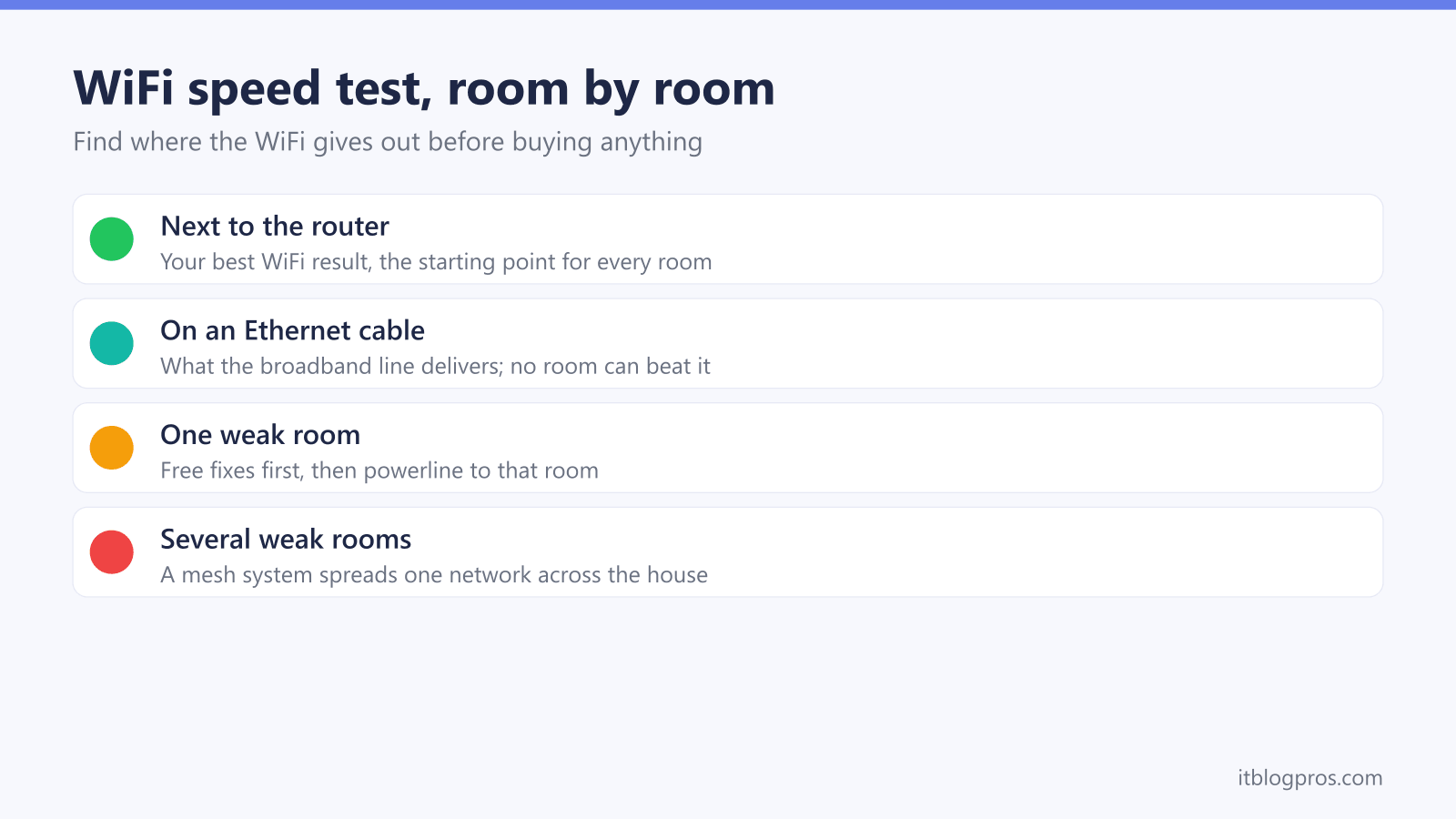
Run the test next to the router, then in each room on the same phone or laptop, and compare the download figures. The broadband line is the same everywhere in the house, so a room far below the result by the router is losing speed over the WiFi. Free changes to the router come first; powerline suits one weak room and a mesh system suits several.
Key Takeaways
- The room-by-room test records download, upload and ping for each room in your browser, and this site stores none of the results.
- The result on an Ethernet cable is the speed the broadband line delivers; Ofcom says WiFi can slow down the signal.
- The broadband line is the same in every room, so a big gap between rooms points at WiFi coverage, not the provider.
- Ofcom's own tips include keeping electrical devices that can interfere away from the router and using a wired connection where you can.
- Powerline carries a wired connection to one room over the mains, and a mesh system spreads one WiFi network across several rooms.
WiFi speed test, room by room
Run it next to the router first, then in each room you use, on the same phone or laptop. The results build into a table so the weak rooms stand out.
Ready when you are.
| Room | Download | Upload | Ping |
|---|
The test runs in your browser against Cloudflare's speed test servers, the same ones speed.cloudflare.com uses, and this site stores none of the results. A full run can use up to about 550 MB on a gigabit line and far less on slower ones, so avoid it on a capped mobile data plan.
Test next to the router first, then room by room
Start in the room with the router, on the phone or laptop you use most, and type the room name before running the test. Then carry the same device to each room that matters, stand or sit where you normally use it, and run the test again with that room's name. Using one device keeps the comparison fair, because a new laptop and an old phone can get very different speeds from the same spot.
Close video calls, streams and downloads on other devices while you test, since they share the same connection. The table under the test fills in as you go, and after the second room the result says how the weakest room compares with the best one.
A wired result shows what the line delivers
Ofcom's advice is that the most accurate speed test uses a computer or tablet connected to the router with an Ethernet cable, as WiFi can slow down the signal. If you can plug a laptop in, run one test that way and choose Ethernet cable in the test. That figure is the ceiling: no WiFi change can push a room above it.
If the wired result is slow too, the problem is the line or the router rather than the WiFi. The broadband speed test checks that result against your minimum guaranteed speed and explains Ofcom's 30-day rule for getting it fixed. On a package faster than 1Gbps, that wired ceiling also depends on 2.5G or faster ports at the hub and the laptop, as the gigabit broadband bottleneck guide explains.
A big gap between rooms points at WiFi coverage
The broadband line is the same in every room, so when one room gets a fraction of the speed found next to the router, the difference comes from the WiFi between the router and the device, or from testing on different devices. Distance, walls and floors all sit in that path.
The pattern in the table points to the fix. Speeds that fall away steadily with distance suggest the router's position or a single weak area. One or two rooms that are far worse than the rest suit a targeted fix in those rooms. Every room slow, including next to the router, points back at the line or the router itself.
Free fixes come before buying anything
- Move the router into the open. Take it out of cupboards and off the floor, and keep it away from electrical devices, which Ofcom says can cause interference to a router.
- Wire what doesn't move. Ofcom recommends wired rather than wireless where possible. A TV box, games console or desktop plugged into the router with an Ethernet cable leaves more WiFi for phones and laptops.
- Password-protect the network. Ofcom lists this among its speed tips, because nobody else should be sharing your connection.
- Check the router's settings. The router login guide covers reaching the settings page, and fixing a weak WiFi signal covers placement and settings in more depth.
Test the weak rooms again after each change, so it is clear which one helped. When a phone or laptop shows only a couple of bars, WiFi only showing 2 bars works through the device side too.
Powerline carries a wired connection to one weak room
Powerline adapters send the broadband connection over the home's electrical wiring. One adapter plugs into a wall socket near the router and connects to it with an Ethernet cable; the other plugs into a socket in the weak room and gives a wired connection there, for a desk, a TV or a WiFi access point. How well it works depends on the home's wiring, so test the room again once it is set up.
TP-Link sells the TL-PA7017P kit as a HomePlug AV2 pair rated up to 1000 Mbps, with a gigabit port and a passthrough socket on each adapter, so the wall socket stays free for something else.

A mesh system covers several weak rooms
A mesh system replaces one router's WiFi with several units that share one network, and devices connect to whichever unit is nearest. It can't raise any room above the wired result, but it brings far rooms much closer to it. The WiFi extender vs mesh guide explains when a cheaper extender is enough instead.
TP-Link lists the Deco X50 three-pack as an AX3000 WiFi 6 mesh system with three gigabit ports on each unit, so a unit in a weak room can also give a TV or desk a wired connection.

For more choice, best mesh WiFi for a large house and best budget mesh WiFi compare the options, Virgin Media customers can start with best mesh for the Virgin Media Hub 5, and the mesh, extender or new router decider narrows it down in a few questions.