
A large house breaks single-router WiFi in a predictable way: the signal is strong by the hub, fades after two walls, and dies in the far bedroom, the loft office or the garden room. One extender rarely fixes it, because a big home has several dead zones at once, not one. The right answer is a mesh sized to the floor area, with enough nodes to hand devices along the whole footprint under a single network name. This guide keeps to what actually decides coverage in a big or multi-floor UK home: how many nodes you need, why WiFi 6 helps a crowded house, and the wired backhaul trick that separates a mesh that just works from one that stutters at the edges. For the full field across every ISP and home type, see the best WiFi mesh systems ranked by real user reviews. If you are not yet sure a mesh is even the right tool, start with whether an extender or a mesh fixes dead zones.
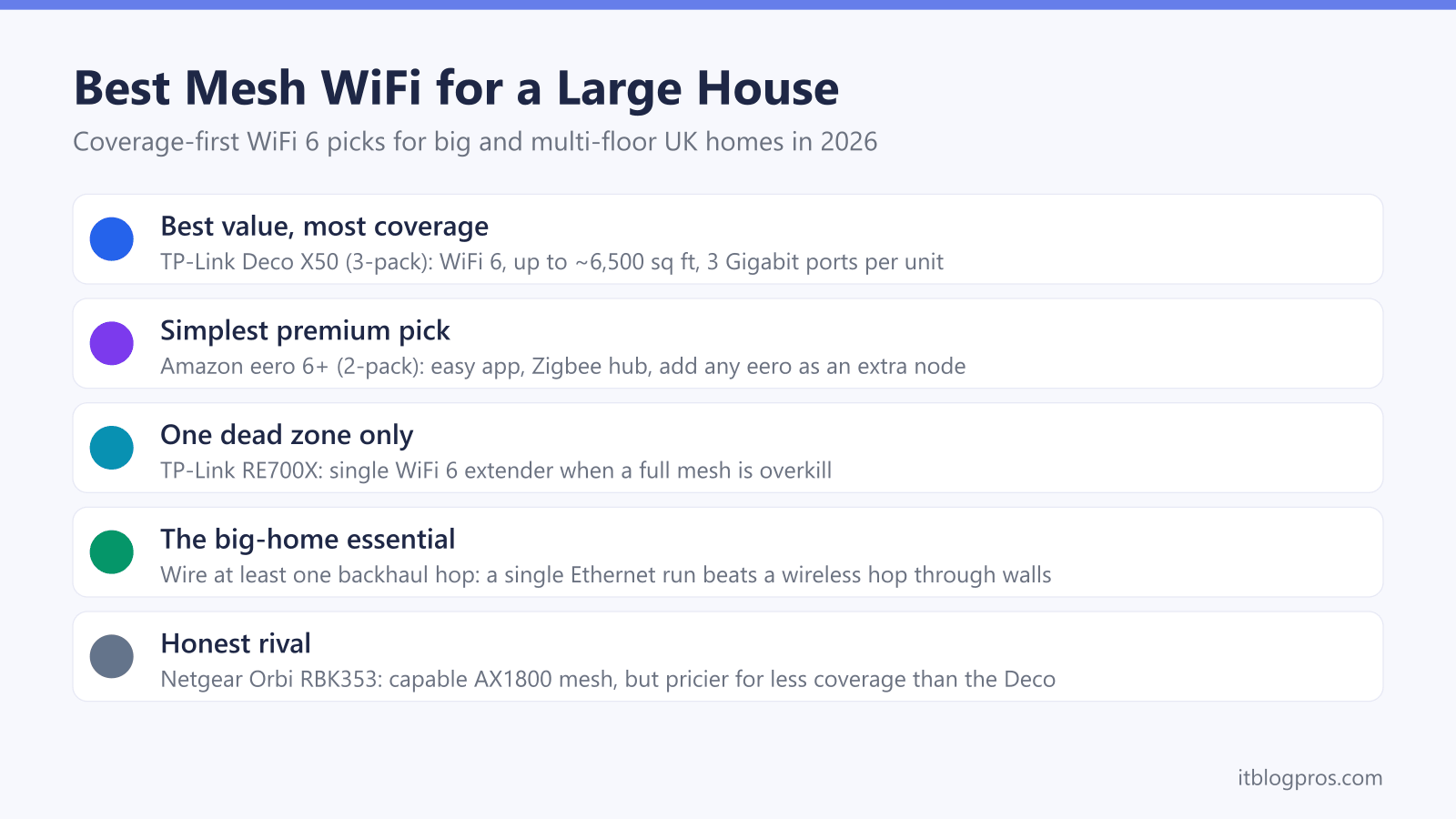
For most large UK homes the TP-Link Deco X50 three-pack is the best value, covering up to roughly 6,500 sq ft with WiFi 6 and Ethernet backhaul on every unit. The Amazon eero 6+ two-pack is the simpler premium pick and expands node by node. In a big or multi-floor house, running at least one hop over a wired backhaul is what keeps the far rooms fast.
Key Takeaways
- Coverage in a large house comes from node count and placement, not the headline speed on the box, so size the pack to your floor area and buy a spare node if in doubt.
- The TP-Link Deco X50 three-pack is the strongest coverage per pound: WiFi 6, three units rated up to about 6,500 sq ft, and three Gigabit ports on every unit for wired backhaul.
- The Amazon eero 6+ two-pack is the simpler premium choice, with an easy app, a built-in Zigbee smart-home hub and the option to add any eero as an extra node later.
- WiFi 6 matters more in a big home than raw speed, because it handles many devices at once far better than older WiFi 5 mesh kits.
- Even a good mesh needs a wired backhaul in the biggest or most solid-walled homes, since a single Ethernet run to a distant node beats any wireless hop through several walls.
How to size a mesh for a large house before you spend a penny
The mistake in big homes is buying by advertised speed instead of by area and node count. A large house needs the signal handed along, room to room, floor to floor, and every hand-off costs a little range. So the first question is not how fast, it is how many nodes and where they sit.
Use floor area as the rough guide. A two-pack typically claims up to around 280 square metres and a three-pack up to roughly 600 square metres, but those numbers assume open, tidy rooms few UK houses have. Thick walls, chimney breasts, foil-backed insulation and multiple storeys all eat into the figure, so treat the box claim as a ceiling and buy one node more than the maths suggests if your home is solid-walled or spread over three floors.
Node placement beats node count. Each unit should sit roughly halfway between the last one and the dead zone, in open sight where possible, not buried in a cupboard. For a three-storey house, one node per floor near the stairwell is the standard pattern. If you are still weighing a mesh against a new router or a single extender, the mesh, extender or new router decider walks through the choice.
The picks at a glance
| Product | Best for | Key specs | Price | |
|---|---|---|---|---|
 | TP-Link Deco X50 (3-pack) Best value | The most coverage per pound for most large UK homes | WiFi 6 (AX3000), 3x Gigabit ports per unit, up to ~6,500 sq ft | Check price → |
 | Amazon eero 6+ (2-pack) Premium pick | The simplest setup and tidiest expansion, with a built-in Zigbee hub | WiFi 6 dual-band with 160MHz, 2x Gigabit ports per unit | Check price → |
 | TP-Link Deco BE65 WiFi 7 value | Future-proofing a large home for the next five years | WiFi 7 tri-band with 6GHz, 2.5G ports across the home | Check price → |
 | TP-Link Deco BE68 (3-pack) Top WiFi 7 pick | A multi-gig line and a wired backbone between floors, with a single 10G port on each unit | Tri-band WiFi 7 (BE14000), 10G + 2.5G + 1G ports per unit, up to 8,100 sq ft (TP-Link) | Check price → |
TP-Link Deco X50 three-pack: the best coverage per pound for a big home
For most large UK houses this is the pick. The Deco X50 is an AX3000 dual-band WiFi 6 system, giving up to 2,402 Mbps on the 5GHz band and 574 Mbps on 2.4GHz, and the three-pack is rated to cover up to around 6,500 sq ft (roughly 600 square metres) while handling up to 150 connected devices. That is enough headroom for a busy family home full of phones, TVs, consoles and smart-home kit.
What makes it the value champion for a big home is the ports. Every unit carries three Gigabit Ethernet ports (one WAN/LAN plus two LAN), so any node can take a wired backhaul or feed wired devices like a desktop, games console or NAS. Ethernet backhaul is supported out of the box and switches on automatically once you cable two units together, which is exactly what a large or multi-floor home wants. Setup runs through the Deco app, HomeShield covers basic security and parental controls, and you can add a fourth Deco later to push coverage further.
Honest limits: it is dual-band, so in a fully wireless layout the nodes share airtime between serving your devices and talking to each other, which trims speed at the far edge. In a big home that is the strongest argument for wiring at least one hop, which the ports make easy. If a Deco is a fit, keep our TP-Link Deco light meanings guide handy for setup and troubleshooting.
UK pricing sits around the £150 to £195 mark for the three-pack depending on retailer and deals, which is strong value for whole-home WiFi 6 coverage in a large house.
Amazon eero 6+ two-pack: the simpler premium pick that grows node by node
If a fuss-free app and clean expansion matter more than squeezing every pound of coverage, the eero 6+ is the easier buy. It is a dual-band WiFi 6 system that supports gigabit speeds and adds 160MHz channel width for more usable bandwidth than the standard eero 6. The two-pack is rated to cover up to 280 square metres and handle 75-plus devices, and each unit has two auto-sensing Gigabit Ethernet ports, so wired backhaul is fully supported.
The eero story in a large house is expansion. There is no practical limit on how many eeros you can run on one network, and any eero model can join as an extra node, so you start with the two-pack and drop in a third or fourth unit exactly where a dead zone appears. Setup is the friendliest in this guide, updates are automatic, and there is a built-in Zigbee smart-home hub if you run Hue bulbs or similar. Our eero light meanings guide covers the status LEDs during setup.
Honest limits: the two-pack covers less area than the Deco three-pack for a similar or higher price, so for a very large footprint you will be buying a third node, which pushes the cost up. Some genuinely useful features (advanced parental controls, content filtering, ad blocking) sit behind the optional eero Plus subscription at around £9.99 a month, whereas the Deco bundles a basic version of these free. Buy eero for the simplest setup and tidiest expansion; buy Deco for more coverage per pound out of the box.
Deco X50 three-pack vs eero 6+ two-pack: the head-to-head
Both are dual-band WiFi 6 systems with wired backhaul, so the decision comes down to coverage per pound versus simplicity and ecosystem.
| Spec | TP-Link Deco X50 (3-pack) | Amazon eero 6+ (2-pack) |
|---|---|---|
| WiFi standard | WiFi 6, dual-band (AX3000) | WiFi 6, dual-band, 160MHz |
| Rated coverage | Up to ~6,500 sq ft (~600 m2) | Up to 280 m2 |
| Nodes in the box | 3 | 2 |
| Ethernet per unit | 3x Gigabit | 2x Gigabit |
| Wired backhaul | Yes, auto-enabled | Yes, auto-sensing |
| Devices supported | Up to 150 | 75+ |
| App and setup | Deco app, easy | eero app, easiest |
| Smart-home hub | No | Built-in Zigbee |
| Subscription | HomeShield basics free | eero Plus optional (~£9.99/mo) |
| Add more nodes | Add another Deco | Add any eero |
| Rough UK price | ~£150-£195 | Two-pack pricing, usually above per-node value |
Verdict: for a large house judged on coverage per pound, the Deco X50 three-pack wins. It puts three nodes and nine Gigabit ports in the box for a keen price, which is exactly what a big or multi-floor home needs. The eero 6+ two-pack is the honest choice if you value the simplest possible setup, a built-in smart-home hub and painless expansion, and you are happy to add a third node for the largest homes. Neither is a wrong answer; the Deco stretches further for the money, the eero is calmer to live with.
Step up to WiFi 7 only if you are future-proofing a large home
The picks above are WiFi 6, which saturates any broadband line up to a gigabit, so for most large homes today they are the right spend. If you are buying for the next five years, or you have a multi-gig line and a house filling up with WiFi 7 phones and laptops, the step-up is a tri-band WiFi 7 Deco. The value option is the TP-Link Deco BE65, a tri-band WiFi 7 system that adds the 6GHz band and 2.5G ports across the home. The top pick is the TP-Link Deco BE68 three-pack, which TP-Link rates BE14000 with eight antennas, against BE9300 and four antennas for the BE65. TP-Link lists a 10 Gbps port on each unit alongside a 2.5G and a gigabit port, notes that only one port can serve as the WAN at a time, and rates the three-pack at up to 8,100 sq ft.
Check the TP-Link Deco BE65 WiFi 7 price on Amazon UK →
Check the TP-Link Deco BE68 WiFi 7 price on Amazon UK →
Be honest with yourself about the line first: on a sub-gigabit connection WiFi 7 changes nothing you can feel, so the money is better spent on an extra WiFi 6 node or a wired backhaul run. Step up only when the faster line and newer devices are genuinely coming.
When even a good mesh needs a wired backhaul
This is the section big homes most need and most guides skip. A mesh normally links its nodes over WiFi, which is fine in a flat or an average house. In a large or solid-walled home, that wireless hop has to punch through several walls or a floor to reach the far node, and each obstacle halves the link. The far rooms then get a slow node fed by a slow backhaul, which is the classic "the mesh went in and it is still not fast upstairs" complaint.
Wired backhaul fixes it. Run a single Ethernet cable from the main unit to a distant node and that node gets a full-speed link regardless of walls, then serves its area properly. You do not have to wire every node; even one wired hop to the hardest-to-reach unit transforms a big-home network. This is why both picks here expose Ethernet ports on every unit and enable wired backhaul automatically.
Practical routes to a cable in an older house: reuse existing coax or phone-line conduits, run a discreet flat cable along skirting, or use a pair of MoM/powerline adapters as a stopgap where a proper cable is not possible. If your home already has Ethernet points, use them; a wired large-house mesh is close to unbeatable. In short, in the biggest homes the honest advice is to plan one wired hop from day one rather than hope the wireless backhaul copes.
When a single extender is enough instead of a whole mesh
Not every large-ish house needs a three-pack. If the layout is mostly fine and there is really only one weak spot, a single WiFi 6 extender can be the cheaper, tidier fix. The TP-Link RE705X is the one to know: an AX3000 dual-band WiFi 6 extender with a Gigabit port and EasyMesh support, so on an EasyMesh router it forms a single network name rather than a clumsy second SSID.
The honest split is this. One clear dead zone off an otherwise strong router, and the rest of the house is fine, points to an extender. Several dead zones, a multi-floor spread, or a router whose WiFi is weak everywhere points to a mesh, because chaining extenders to cover a whole large home ends up slower and messier than a purpose-built mesh. The RE705X also doubles as a wired access point via its Gigabit port, which is a neat way to light up one stubborn far room fed by a cable. For the full reasoning on which tool fits, read extender vs mesh for dead zones.
How Netgear Orbi compares, and why the pick still stands
The Netgear Orbi range is a fair rival worth naming. Netgear's RBK353 datasheet calls it a dual-band WiFi 6 mesh system of three units with speeds up to 1.8Gbps and seven Gigabit Ethernet ports, and rates it for 6 or more rooms, up to 480m2, while the Orbi app makes day-to-day management straightforward. Netgear's reputation in large homes is genuine, and for the tri-band Orbi 760 Netgear's RBK763S page describes a dedicated connection for instant router-satellite communication, without saying which of its two 5GHz radios carries it.
The honest trade-offs for a big UK home: the dual-band RBK353 sits around the £250 mark depending on retailer, more than the Deco X50 three-pack, for less rated coverage than TP-Link's roughly 600 square metres for the Deco three-pack and a slower 1.8Gbps WiFi 6 spec, and Netgear's RBK353 datasheet notes that fees apply for a Smart Parental Controls Premium plan. It is a capable system, but for coverage per pound in a large house it does not beat the Deco, and for calm simplicity the eero is the friendlier ecosystem. If you are running an Orbi already, our Netgear Orbi light meanings guide helps with status LEDs and setup.
For the buyer landing here, the recommendation holds: choose the TP-Link Deco X50 three-pack for the most coverage per pound, or the Amazon eero 6+ two-pack (plus a third node for the very largest homes) for the simplest setup, and wire at least one backhaul hop in a big or multi-floor property.