
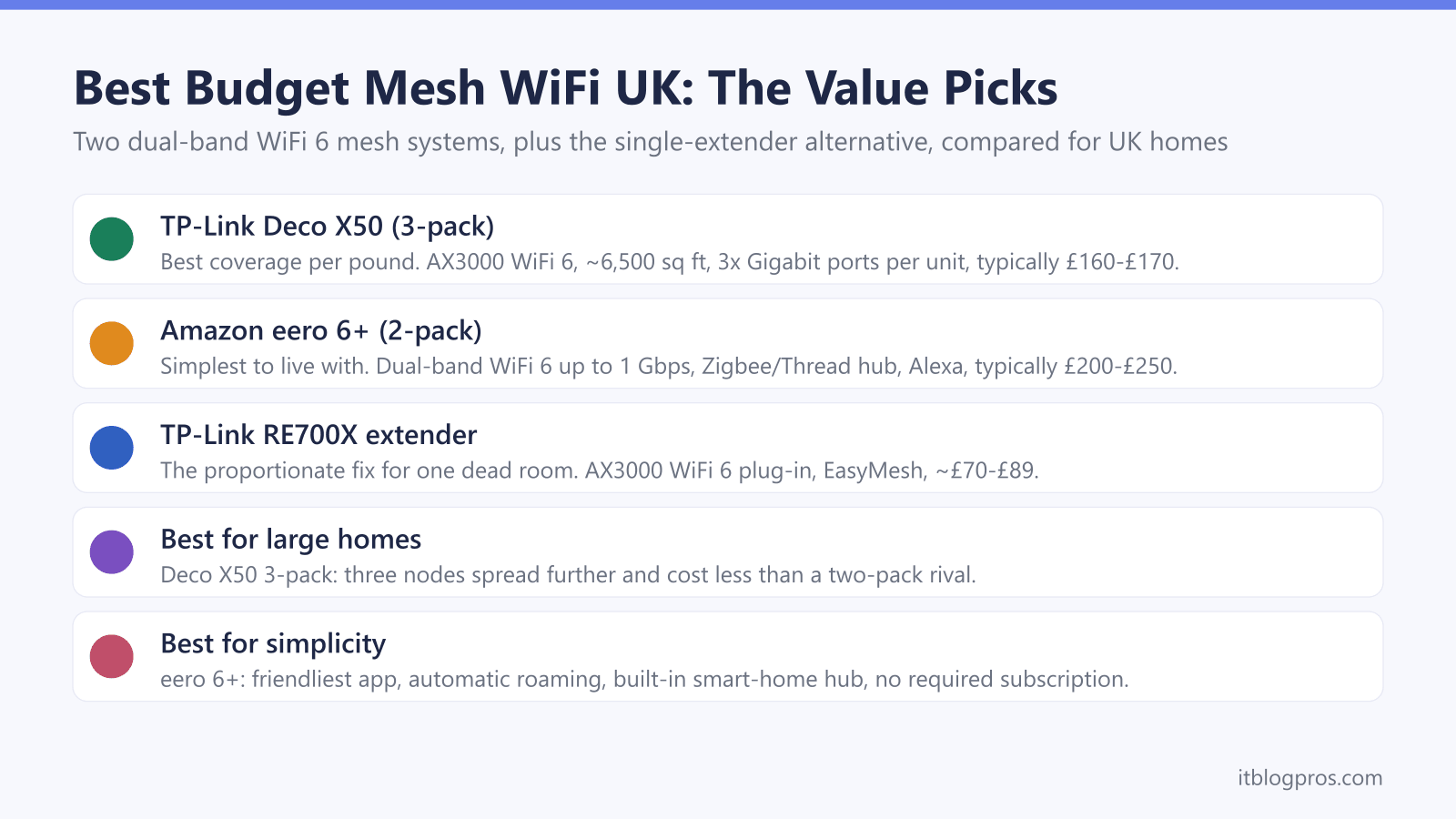
Whole-home mesh WiFi used to mean spending £400 or more, but WiFi 6 has pushed genuinely capable systems down into the £150 to £250 bracket. Two systems dominate that budget tier in the UK: the TP-Link Deco X50, which delivers the most coverage per pound, and the Amazon eero 6+, which is the simplest to live with. Both are honest, dual-band WiFi 6 mesh systems that fix dead zones across a typical three or four-bedroom home without draining the account. This guide sets out exactly what each one is good at, where each falls short, and one point most buying guides skip over: if the problem is a single dead room rather than patchy coverage everywhere, a whole mesh may be the wrong purchase entirely. Every price, spec and feature below has been checked against current UK listings and manufacturer data.
The best budget mesh WiFi in the UK comes down to two dual-band WiFi 6 systems. The TP-Link Deco X50 3-pack gives the most coverage per pound and works out cheapest for large homes. The Amazon eero 6+ 2-pack is the simplest to set up and run, with a built-in smart-home hub. For a single dead zone, one WiFi 6 extender is often the cheaper, more proportionate fix.
Key Takeaways
- The TP-Link Deco X50 3-pack is the best coverage per pound, typically around £160 to £170 in the UK for roughly 6,500 sq ft of claimed coverage across three units.
- The Amazon eero 6+ 2-pack is the simplest budget mesh to set up and manage, with a built-in Zigbee and Thread smart-home hub, usually priced around £200 to £250.
- Both are dual-band AX3000-class WiFi 6 systems, so they suit broadband up to roughly 500 to 900 Mbps rather than full-fat gigabit lines.
- A single TP-Link RE705X WiFi 6 extender at around £70 to £89 is the cheaper, more proportionate fix when only one room has weak signal.
- Neither system locks essential features behind a subscription, though TP-Link and Amazon both sell optional paid tiers for advanced parental controls and security.
What Budget Mesh WiFi Actually Buys You
Budget mesh WiFi in 2025 means dual-band WiFi 6 (802.11ax) hardware in the £150 to £250 bracket, sold as multi-packs of small units that blanket a home in one seamless network. That is a real step up from a single ISP router pushed into a corner of the house. The trade-off against premium mesh is the band count and headline speed. Budget systems like the Deco X50 and eero 6+ are dual-band AX3000-class devices, meaning one 2.4 GHz radio and one 5 GHz radio, with a combined theoretical ceiling around 3 Gbps. They share that 5 GHz band between talking to your devices and talking to each other, so real-world throughput lands well below the number on the box. That is fine for the vast majority of UK homes on broadband up to about 500 to 900 Mbps. Households on a full symmetric gigabit line, or those wanting a dedicated backhaul band, are the ones who should look at pricier tri-band systems. For everyone else, dual-band WiFi 6 mesh is the sensible value sweet spot, and it is what this guide focuses on. One rung cheaper again sits WiFi 5 mesh such as the TP-Link Deco E4, which still clears dead spots on lines up to around 500 Mbps, tested hands-on in the Deco E4 review. For the wider ranked field, see the mesh pillar.
The picks at a glance
| Product | Best for | Key specs | Price | |
|---|---|---|---|---|
 | TP-Link Deco X50 Best coverage | Blanketing a large home for the least money | WiFi 6 (AX3000), 3x Gigabit ports per unit | Check price → |
 | Amazon eero 6+ Best for simplicity | The easiest setup and calmest day-to-day management | Dual-band WiFi 6 up to 1 Gbps, 2x Gigabit ports | Check price → |
 | TP-Link Deco BE65 WiFi 7 pick | Moving to a faster line soon or filling the house with WiFi 7 devices | Tri-band WiFi 7 with 6GHz, 2.5G Ethernet ports | Check price → |
 | TP-Link RE705X Extender pick | When only one room has weak signal | WiFi 6 (AX3000) extender, 1x Gigabit port | Check price → |
TP-Link Deco X50: Best Coverage Per Pound
The TP-Link Deco X50 3-pack is the value coverage champion of the UK budget tier. It is an AX3000 dual-band WiFi 6 system rated at 2402 Mbps on 5 GHz and 574 Mbps on 2.4 GHz, and TP-Link claims coverage up to around 6,500 sq ft across the three cylindrical units. It typically sells for roughly £160 to £170 in the UK, which is the standout figure here: three nodes for less than many rivals charge for two. Each unit carries three Gigabit Ethernet ports, which is generous at this price and makes wired backhaul between nodes straightforward for anyone who can run a cable. The Deco app is clear and beginner-friendly, setup takes minutes, and AI-Driven Mesh tunes the network over time. The honest caveats: the useful parental-control extras such as per-device time limits and scheduling sit behind the paid HomeShield tier, and the ports are plain Gigabit rather than 2.5G, so this is not the system for a multi-gig line. Note also that TP-Link hardware has drawn scrutiny in some markets, though the Deco range remains widely sold and supported in the UK. If your priority is blanketing a large home for the least money, this is the pick. If a unit ever misbehaves, the TP-Link Deco light meanings guide decodes the LED.
Amazon eero 6+: The Simplest To Live With
The Amazon eero 6+ 2-pack is the system to buy if you want mesh WiFi to disappear into the background. It is a dual-band WiFi 6 system rated up to 1 Gbps, with 160 MHz channel support on 5 GHz for a little extra headroom on capable devices, and Amazon claims coverage up to around 280 sq m (roughly 3,000 sq ft) from the two units. UK pricing usually lands around £200 to £250. What sets it apart is the experience: the eero app is the friendliest in the category, TrueMesh handles roaming and node placement automatically, and each unit doubles as a Zigbee and Thread smart-home hub that works with Alexa, which is genuine added value if you own smart bulbs or plugs. Each eero has two Gigabit Ethernet ports. The honest caveats: it is a two-pack against the Deco's three, so it covers less ground for more money, and a handful of the nicer features such as advanced security and content filtering live behind the optional eero Plus subscription. The core network, though, needs no subscription to run. If you value calm and simplicity over squeezing out maximum coverage per pound, the eero 6+ earns its place. The eero light meanings guide explains the status LED.
Deco X50 vs eero 6+: Direct Comparison
Both are honest dual-band WiFi 6 systems, so the choice is about coverage-per-pound versus ease-of-living, not about one being technically far ahead of the other.
| Spec | TP-Link Deco X50 (3-pack) | Amazon eero 6+ (2-pack) |
|---|---|---|
| WiFi standard | WiFi 6 (802.11ax) | WiFi 6 (802.11ax) |
| Bands | Dual-band AX3000 | Dual-band, up to 1 Gbps |
| Rated speed | 2402 + 574 Mbps | Up to 1 Gbps |
| 160 MHz channel | No | Yes (5 GHz) |
| Units in pack | 3 | 2 |
| Claimed coverage | Up to ~6,500 sq ft | Up to ~280 sq m (~3,000 sq ft) |
| Ethernet per unit | 3x Gigabit | 2x Gigabit |
| Smart-home hub | No | Zigbee + Thread, Alexa |
| Typical UK price | ~£160-£170 | ~£200-£250 |
| Subscription | Optional (HomeShield) | Optional (eero Plus) |
Verdict: for the most coverage at the lowest price, especially in a larger or awkwardly shaped home, the Deco X50 wins on hardware value: three nodes and three Gigabit ports each for less money. For the easiest setup, the calmest day-to-day management, and a bonus smart-home hub, the eero 6+ is worth the premium, provided your home fits within a two-pack's reach. Neither is a wrong answer at this budget; pick on whether you are optimising for pounds-per-square-foot or for simplicity.
If you can stretch: the value WiFi 7 pick
If the budget will flex a little and you want to future-proof, the value WiFi 7 pick is the TP-Link Deco BE65, a tri-band WiFi 7 3-pack that adds the 6GHz band and 2.5G Ethernet ports for a few hundred pounds more than the Deco X50. It is genuinely overkill on a sub-gigabit line, where the WiFi 6 Deco X50 is the smarter spend, but it earns its place if you are moving to a faster line soon or filling the house with WiFi 7 devices.
For a true budget build, though, the WiFi 6 picks above are the right call, and the extra spend is better put toward an additional node than a newer standard you cannot yet use.
When One Extender Beats a Whole Mesh
The most honest advice in any budget mesh guide is that plenty of buyers do not need mesh at all. Mesh solves patchy coverage across an entire home. If the WiFi is fine everywhere except one back bedroom, home office or garden room, buying three nodes is over-engineering the problem, and a single WiFi 6 extender is the cheaper, more proportionate fix. The TP-Link RE705X is the pick here. It is an AX3000 dual-band WiFi 6 plug-in extender rated at 2402 + 574 Mbps, with a single Gigabit Ethernet port that can serve a wired device or act as an access point. It typically costs around £70 to £89 in the UK, roughly half the price of the cheapest mesh pack, and TP-Link lists it as EasyMesh-compatible, so it can hand off cleanly with an EasyMesh router rather than creating a clumsy second network. The trade-off is real and worth stating: an extender shares bandwidth with the main router and works best within reach of a strong existing signal, so it will not rescue a genuinely large or thick-walled home the way a proper mesh will. The decider is simple: one weak room means an extender, several weak rooms mean mesh. The extender-versus-mesh and mesh-versus-new-router guides linked below walk through that decision in full.
How To Choose And Set Up For The Best Result
Start by counting the weak spots, not the square footage. One dead room points to the RE705X extender; two or more, or whole-floor patchiness, points to mesh. Between the two mesh systems, size the pack to the home: a two-pack eero 6+ suits a typical two or three-bedroom house or flat, while the three-pack Deco X50 makes more sense for larger or longer layouts, or where walls are thick. Match the system to the line as well; both are dual-band and comfortable up to roughly 500 to 900 Mbps, so neither is the right buy for a full symmetric gigabit connection. On setup, place the main node next to the master socket and wire it to the ISP router, ideally with that router in modem or bridge mode to avoid a double-NAT. Space the satellite nodes so each still sees a solid signal from the last, rather than pushing them out to the very edge of range. Where a cable run is possible between nodes, use wired Ethernet backhaul; on the Deco X50 in particular, this frees up the shared wireless band and delivers a noticeable, free speed uplift. Both apps guide the process, and both take well under fifteen minutes for a two or three-node setup.