
EE supplies its own Smart Hub with every broadband plan, and on a full fibre line that hub is a capable WiFi 7 unit. The trouble is that a single box in one corner of the house cannot beat thick walls, awkward layouts and a long list of connected devices. That is where a better standalone router or a mesh system earns its place. This guide covers the routers worth buying for EE broadband, who each one suits, and the honest reality of running your own router on the EE network. EE genuinely allows third-party routers, but every EE line authenticates over PPPoE, the setup differs between full fibre and part fibre, and bridge mode on the supplied hub depends on which model arrived. The most important point to set straight first: a new router improves coverage, control and reliability, not the headline speed your EE plan actually delivers.
A new router is the right fix for weak EE WiFi, dead spots and an overloaded hub, and EE does allow your own router once PPPoE is set up on it. It improves coverage and control, never the line speed your plan sells. Full fibre setup is simple at the ONT, while FTTC needs a VDSL modem and VLAN 101, and bridge mode on the hub depends on the model.
Key Takeaways
- A new router or mesh fixes EE WiFi coverage, control and reliability, but it never raises the line speed your EE plan delivers to the property.
- EE allows third-party routers, and its guidance requires PPPoE on every broadband type, and the login BT Community threads report for these lines, [email protected] with BT or a blank password.
- On EE full fibre (FTTP) the setup is clean: plug your router's Ethernet WAN port into the ONT with no VLAN needed, and the EE hub becomes optional.
- On EE part fibre (FTTC or SOGEA) your router needs VDSL support plus VLAN ID 101, which rules out many simpler mesh kits.
- Bridge mode depends on the hub: BT Business rules it out on the platform behind the Smart Hub Plus, so running your own router behind that hub means disabling its WiFi rather than truly bypassing it.
The picks at a glance
| Product | Best for | Key specs | Price | |
|---|---|---|---|---|
 | TP-Link Archer BE550 Top pick | Busy homes wanting WiFi 7 and 2.5G wired ports | Tri-band WiFi 7 (BE9300), 2.5G WAN, four 2.5G LAN | Check price → |
 | TP-Link Archer AX73 Value | Most homes, the sensible-money upgrade | WiFi 6 (AX5400), gigabit, six antennas | Check price → |
 | TP-Link Archer BE3600 WiFi 7 value | Future-proofing on a budget | WiFi 7 (BE3600), 2.5G WAN, one 2.5G and three 1G LAN | Check price → |
 | TP-Link Deco X50 Mesh | Large or multi-floor homes with dead zones | WiFi 6 mesh (AX3000), whole-home | Check price → |
 | Amazon eero 6+ Simple mesh | Plug-and-play whole-home coverage | WiFi 6 mesh (AX3000), app-driven | Check price → |
A New Router Fixes Coverage, Not the Speed Your EE Plan Sells
The single most useful thing to understand before spending any money is what a router can and cannot change. Your EE plan delivers a fixed line speed to the property, set by the type of connection and the package you pay for. A brand new router does not unlock more of that speed. What it does change is everything that happens to the signal once it is inside your home. A stronger router with better aerials, newer WiFi standards and smarter band steering pushes a reliable signal further, holds more devices at once without stuttering, and recovers from congestion faster than a single supplied hub in the hallway. Mesh systems go further again by placing several units around the house so the signal does not have to fight through three walls to reach the back bedroom. So if your complaint is buffering in the far room, devices dropping off, or the WiFi grinding when the whole family is online, a better router is the right answer. If your complaint is that the line itself is slow everywhere including next to the hub, the fix is an EE plan upgrade or a line fault report, not new hardware.
The Honest Reality of Using Your Own Router on EE
EE does genuinely allow third-party routers, which is more than some providers offer, but the experience is not as plug-and-play as the marketing of any router box suggests. The first thing to pin down is the connection type, and here EE is refreshingly consistent: its own guidance states that a router must support PPPoE to work on the EE broadband network, and that holds on every EE broadband type rather than only on older lines. The username is [email protected], the password is BT or can be left blank, authentication is CHAP and DNS is left automatic. Anything promising a login-free automatic connection on newer EE lines is wrong, and a router set to plain DHCP will simply sit there failing to come up. On full fibre (FTTP) the physical job is clean. You connect your own router's Ethernet WAN port straight into the ONT on the wall, set PPPoE with those details, and you do not need a VLAN. At that point the EE Smart Hub becomes optional and can be boxed away, unless the house uses EE Digital Home Phone, EE TV, an EE WiFi Extender, Connectivity Backup or WiFi Optimiser, none of which EE supports on a third-party router. On part fibre (FTTC or SOGEA) it is fiddlier: your router needs a built-in VDSL modem and must support VLAN tagging set to VLAN ID 101 with priority 0, which immediately rules out most simple mesh kits. The catch that surprises people most is bridge mode, and the answer depends on the hub. BT Business states that modem-only or bridge mode is not supported on the platform the EE Smart Hub Plus is built on, so behind that hub the realistic approach is to turn off its WiFi and let your router or mesh handle the wireless rather than truly bridging it. One more honest note: EE's own support team will only help with EE or BT equipment and will not troubleshoot a third-party router for you. None of this is a dealbreaker, but it is worth knowing before you buy.
Top Pick: TP-Link Archer BE550 for WiFi 7 and Multi-Gig Ports
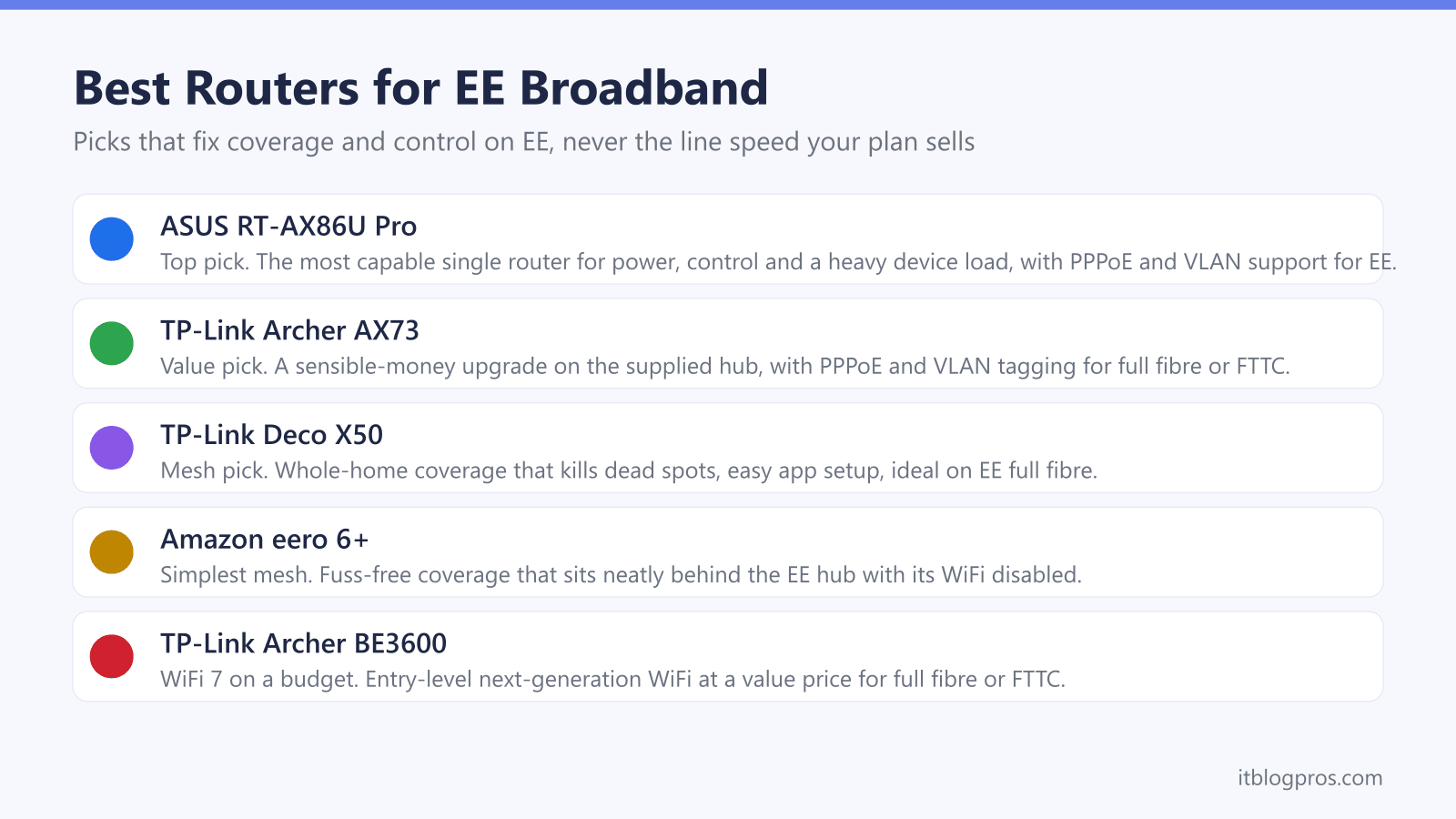
For the person who wants the top single router on this page and is comfortable doing a proper setup, the TP-Link Archer BE550 is the pick on EE. TP-Link rates it as a tri-band WiFi 7 router at BE9300, across the 6GHz, 5GHz and 2.4GHz bands, and lists a dedicated 2.5 Gbps WAN port alongside four 2.5 Gbps LAN ports, so the wired side has room above gigabit. Crucially for EE, TP-Link's specification page lists PPPoE among its WAN types, which every EE line requires, and Tag VLAN, so it connects to the ONT on full fibre with tagging simply left off. Its WAN port is Ethernet rather than a VDSL modem, though, so on a part fibre line it runs behind the EE hub or a separate VDSL modem instead of replacing the hub outright. On the control side, TP-Link lists QoS by Device, which lets a work laptop or a console be prioritised over everything else on the network, plus OpenVPN, PPTP, L2TP and WireGuard VPN clients. Bear in mind that the EE hub on full fibre is already a WiFi 7 unit, so this is the pick for anyone who wants faster wired ports and more control from one box, and who does not mind spending ten minutes in the settings to get there.
Value Pick: TP-Link Archer AX73 for the Sensible Upgrade
Not everyone needs the top-tier router, and the TP-Link Archer AX73 is the sensible-money upgrade that suits most EE homes. It is a meaningful step up from the supplied hub for coverage and for the number of devices it holds steady, while costing far less than the premium options. For EE it ticks the important boxes: TP-Link's UK specification page lists the PPPoE support every EE line needs, and a Gigabit Ethernet WAN port rather than a VDSL modem, so it is at home on full fibre at the ONT, while on an FTTC connection it runs behind the EE hub rather than replacing it. The TP-Link interface is approachable, with straightforward parental controls and a guest network, which makes it a comfortable choice for someone upgrading from a provider hub for the first time. If you want better, more reliable WiFi without paying for the flagship, this is the one to start with. Those wanting the newer standard on a budget can look at the TP-Link Archer BE3600, which brings entry-level WiFi 7 at a similar value-focused price.
Check the TP-Link Archer AX73 price on Amazon UK →
Check the TP-Link Archer BE3600 price on Amazon UK →
Mesh Pick: TP-Link Deco X50 for Whole-Home Coverage
If your real problem is a dead spot at the far end of the house or across an extra floor, no single router solves it as cleanly as a mesh system, and the TP-Link Deco X50 is the value mesh choice for EE. You place two or three units around the home and they hand your devices between them on one seamless network, so the back bedroom and the garden office get a proper signal instead of a faint bar. It is genuinely easy to set up through the app, which makes it a friendly option for non-technical households. The honest EE caveat matters here, though. The Deco X50 works very well on full fibre, where you can plug the main unit into the ONT or run it behind the hub with the hub's WiFi disabled, but a simple mesh like this lacks the VDSL modem and VLAN handling needed to replace the hub on a part fibre line. On FTTC the practical route is to keep the EE hub doing the connection, turn off its WiFi, and let the Deco handle coverage. For a slick, app-driven mesh on a full fibre EE line, this is the pick. Those who want the simplest possible setup can also consider the Amazon eero 6+, which connects neatly behind the EE hub and is about as fuss-free as mesh gets.
Check the TP-Link Deco X50 mesh on Amazon UK →
Check the Amazon eero 6+ mesh price on Amazon UK →
How to Choose the Right Option for Your EE Setup
Picking between these comes down to two questions: your connection type and your house. Start with the connection. If you are on EE full fibre (FTTP), you have the most freedom: any of these picks will work, you can plug straight into the ONT, and you can retire the hub entirely. If you are on part fibre (FTTC or SOGEA), replacing the hub outright needs a router with a built-in VDSL modem and VLAN 101 support. The Archer BE550's WAN port is Ethernet rather than a VDSL modem, so on those lines the practical route is keeping the EE hub for the connection, turning its WiFi off, and running your own router or mesh behind it for coverage. Now the house. For a flat or a smaller home where the issue is an ageing or overloaded hub, a single strong router like the Archer BE550 or the Archer AX73 is the cleaner, cheaper answer. For a larger or multi-floor home with genuine dead spots, a mesh like the Deco X50 or the eero 6+ is the one that actually fixes the problem. Whichever you choose, remember the line speed stays the same; you are buying better, more reliable coverage and proper control over your network. For the step-by-step on running your own router with EE, see how to use any router with EE broadband, and resetting an EE or third-party router if you need to start fresh.