
Sky gives nearly every customer a Sky Hub, and for plenty of homes that hub does the job. The strain shows when the walls are thick, the house is long, or a pile of devices all fight for bandwidth at once. That is the moment a better router pays for itself. This guide covers the routers that genuinely suit a Sky line, sorted into a clear top pick, a value pick and a mesh pick, with each choice justified for the way Sky actually authenticates and delivers broadband. It also gives the honest version of using your own kit on Sky, because Sky does things differently from most providers and the easy path is not always the obvious one. A new router fixes coverage, control and reliability. It does not raise the line speed the plan sells, so set that expectation first.
Sky supplies the Sky Broadband Hub and the WiFi 6 Sky Max Hub, and both are fine for average homes. A third-party router brings stronger coverage and steadier speeds. Sky works differently for your own router though, since it signs in over DHCP rather than PPPoE and documents no bridge mode on any hub. This guide names the routers worth buying and explains the swap honestly.
Key Takeaways
- Sky's current line-up is the Sky Max Hub and the WiFi 7 Gigafast+ Hub, though the older WiFi 5 Sky Broadband Hub is still in plenty of homes.
- A new router fixes coverage, control and reliability, but it cannot raise the speed your Sky plan sells, so judge it on Wi-Fi reach rather than headline figures.
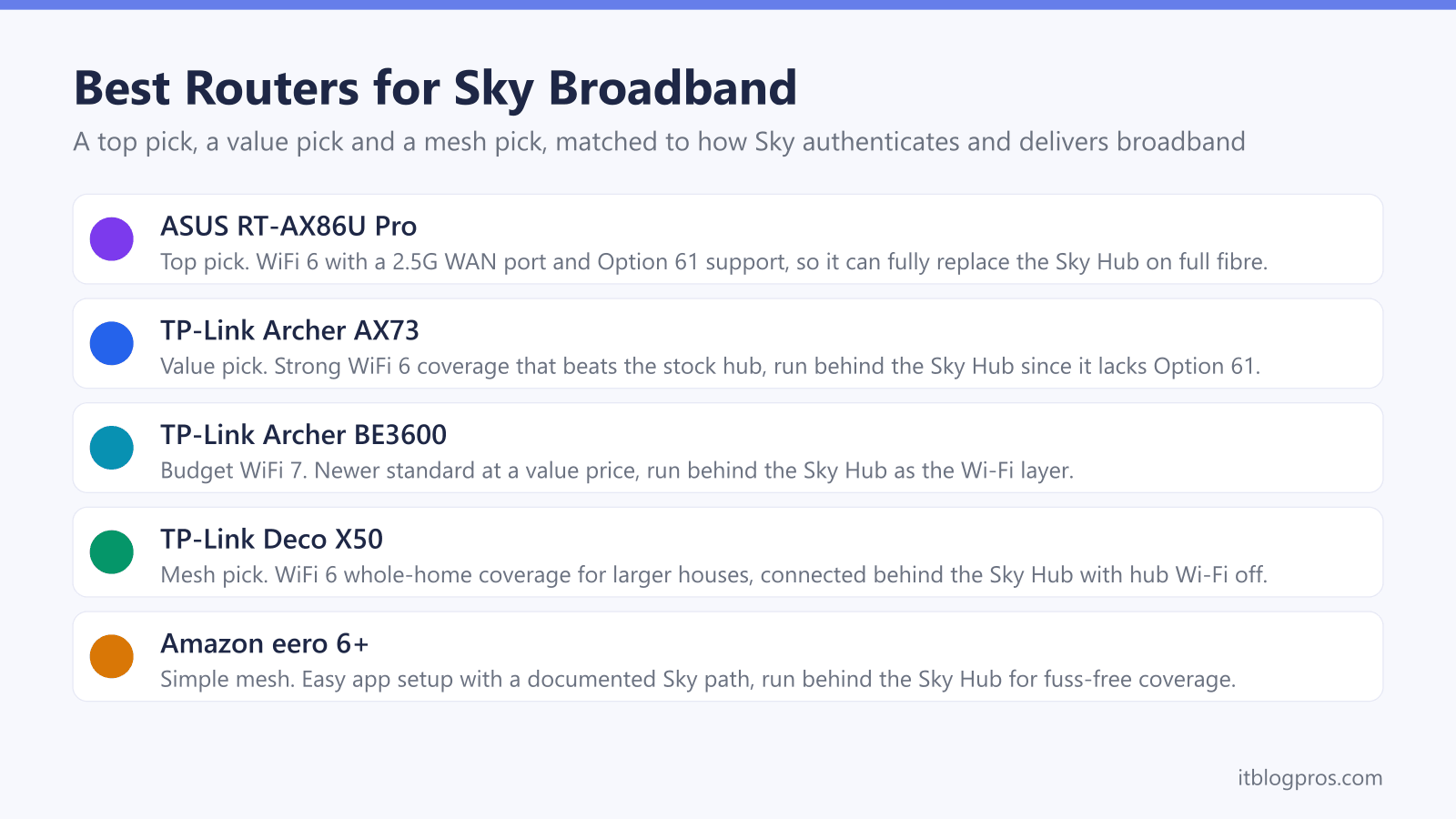
- The tri-band WiFi 7 TP-Link Archer BE550 is the top pick for a busy single-floor home, running behind the Sky Hub, with the TP-Link Archer AX73 as the value choice and the TP-Link Deco X50 or Amazon eero 6+ for whole-home mesh.
- Sky signs the connection in over DHCP rather than PPPoE, so there is no normal username and password, and only some lines want a DHCP Option 61 client ID on top of that.
- Sky documents no bridge mode on any hub, so the simplest route for any router is to run it behind the Sky Hub as the Wi-Fi layer, while a full replacement means wiring straight to the ONT yourself.
The picks at a glance
| Product | Best for | Key specs | Price | |
|---|---|---|---|---|
 | TP-Link Archer BE550 Top pick | Demanding homes, runs behind the Sky hub | Tri-band WiFi 7 (BE9300), 2.5G WAN, four 2.5G LAN | Check price → |
 | TP-Link Archer AX73 Value | Best value, runs behind the Sky hub | WiFi 6 (AX5400), gigabit, six antennas | Check price → |
 | TP-Link Archer BE3600 WiFi 7 value | WiFi 7 on a budget, behind the hub | WiFi 7 (BE3600), 2.5G WAN, one 2.5G and three 1G LAN | Check price → |
 | TP-Link Deco X50 Mesh | Whole-home coverage, behind the hub | WiFi 6 mesh (AX3000), whole-home | Check price → |
 | Amazon eero 6+ Simple mesh | Simplest mesh, behind the hub | WiFi 6 mesh (AX3000), app-driven | Check price → |
How Sky Delivers and Authenticates Broadband Shapes the Router You Need
Picking the right router for Sky starts with two things, how the line reaches the house and how Sky signs the connection in. On the delivery side Sky runs full fibre, branded Sky Full Fibre or FTTP, which brings an Openreach or CityFibre fibre straight to the property and ends in a small box called an ONT. Older Sky Superfast lines are FTTC, where fibre runs to the street cabinet and copper covers the last stretch over a phone line. On full fibre any router with an Ethernet WAN port can take over from the ONT, while FTTC needs a built-in VDSL modem because that modem normally lives inside the Sky Hub.
The authentication side is where Sky differs from almost everyone else. Sky does not use PPPoE on its UK home broadband. It signs the connection in over DHCP, often called IPoE, and there is no conventional username and password to type in. Two paths exist. Some lines come up on plain automatic DHCP with nothing else entered, and there are reports through 2025 and 2026 of Sky full fibre working exactly that way, including one where adding a client ID broke a working connection. Others want a DHCP Option 61 client ID from the router before they will authenticate. Sky publishes nothing about which line uses which, so the practical order is to try plain DHCP first and reach for Option 61 only if the connection refuses to come up. That single quirk is why router choice matters more on Sky than on most providers.
The Sky Hub Line-Up Sets the Baseline
Knowing which hub is in the house frames whether an upgrade is worthwhile. The mainstream router is the Sky Broadband Hub, model SR203, a dual-band WiFi 5 unit shipped with Superfast and many full fibre plans. It is a competent router with decent range for an average home, and for a small flat it may be all that is needed.
Sky's current line-up is the Sky Max Hub, model SR213, and the Gigafast+ Hub. The Max Hub is the WiFi 6 router most Sky full fibre customers now receive, adding extra control through the My Sky app and handling busy households better than the older hub. Above it sits the Gigafast+ Hub, a WiFi 7 router, supplied to customers on multi-gig plans, so most homes will not see it. If the house still runs the WiFi 5 Sky Broadband Hub and suffers dead spots, that is where a new router brings the clearest gain. A home already on the WiFi 6 Max Hub benefits most from mesh rather than a single replacement box.
The Top Pick for a Busy Sky Home
For a single-storey flat or a typical house where most devices sit on one or two floors, a strong standalone router can take over the Wi-Fi from the hub. The TP-Link Archer BE550 is the pick here. TP-Link lists it as a tri-band WiFi 7 router across 2.4GHz, 5GHz and 6GHz, rated BE9300, with a dedicated 2.5 Gbps WAN port, four 2.5 Gbps LAN ports and QoS by Device, which lets a work laptop or a console be prioritised by device.
The honest caveat on Sky is the same one that applies to the value picks below. TP-Link's online firmware emulator for the Archer BE550, a US version 2.0 build, shows no Option 61 field in its Dynamic IP settings, so the BE550 could only take the hub's place on a full fibre line that comes up on plain automatic DHCP. The realistic and reliable setup is to run it behind the Sky Hub with the hub's own Wi-Fi switched off, so the BE550 becomes the Wi-Fi layer without touching how the line signs in. On FTTC the BE550's WAN is an Ethernet port rather than a VDSL modem, so behind the hub is the only setup there. What the extra spend over the BE3600 buys, going by TP-Link's spec pages, is a third radio band where the BE3600 is dual-band, and four 2.5 Gbps LAN ports where the BE3600 has one; it does not change how a Sky line authenticates, and it cannot raise the speed the plan sells.
ASUS documents a DHCP Option 61 field on its routers (ASUS FAQ 1011715), though that FAQ names no specific model, so anyone who already owns an ASUS router can look for the field in its firmware before trying a full replacement on full fibre.
The Value Pick That Still Beats the Hub
Not every home needs a premium router, and the TP-Link Archer AX73 proves a mid-range WiFi 6 box can comfortably out-perform a stock Sky Hub on coverage and steadiness. It offers six antennas, solid range for a flat or a small-to-medium house, and a price that makes the upgrade easy to justify.
One honest caveat applies on Sky. TP-Link does not document an Option 61 client ID field for the AX73, so the AX73 could only take the hub's place on a line that comes up on plain automatic DHCP. The realistic and reliable setup is to run the AX73 behind the existing Sky Hub, with the hub's own Wi-Fi switched off, so the Archer becomes the Wi-Fi layer and lifts coverage without touching how the line signs in. For anyone whose only real gripe is that the hub cannot reach the back bedroom, and who does not want to spend big, this is the sensible buy. Those after WiFi 7 headroom on a budget can look at the TP-Link Archer BE3600 instead, which brings the newer standard at a similar value price and runs behind the Sky Hub the same way.
Check the TP-Link Archer AX73 price on Amazon UK →
Check the TP-Link Archer BE3600 price on Amazon UK →
The Mesh Pick for Whole-Home Coverage
A single router, however good, cannot beat physics. Large houses, homes over three floors, and anywhere with thick stone walls or long extensions need mesh, where several units blanket the property with one seamless network. For Sky lines the TP-Link Deco X50 is the strong all-round choice. It is a WiFi 6 mesh, easy to set up through an app, and a multi-pack covers most family homes without dead spots.
The Amazon eero 6+ is the simplest alternative for anyone who wants mesh with minimal fuss. Neither system is documented as exposing an Option 61 client ID field, so unless the line comes up on plain automatic DHCP both run behind the Sky Hub rather than replacing it. The clean approach is to connect the first mesh unit to the Sky Hub by Ethernet, build the mesh network, then turn off the Sky Hub's Wi-Fi so the two systems do not interfere. A mesh is the right fix when the problem is reach across a whole property rather than raw speed in one room. Where the layout is mostly fine and only one corner drops out, a single extender can be the cheaper, more proportionate answer.
Check the TP-Link Deco X50 mesh on Amazon UK →
Check the Amazon eero 6+ mesh price on Amazon UK →
Using Your Own Router on Sky the Honest Way
Sky does accept third-party routers, but it works differently from most providers and is worth understanding before buying. Sky documents no bridge mode on any of its hubs, so there is no tidy modem-only setting to fall back on. How you proceed depends on the router and the line.
A full replacement starts on full fibre: plug the router into the ONT, set the IPv4 protocol to automatic DHCP, and see whether the line comes up with nothing else entered, because some do. If it does not, the router needs a DHCP Option 61 client ID field. DrayTek's UK guide gives that client ID as the router's MAC address followed by @skydsl, a pipe and eight hex characters, in the form 7c4ca5123456@skydsl|abcd1234, and it enables VLAN tag insertion with tag 101 only on routers carrying a built-in VDSL modem, so a router sitting behind an ONT leaves tagging off. ASUS documents the Option 61 field at brand level (ASUS FAQ 1011715); Netgear lists it for an ageing set of models that includes no WiFi 6E or WiFi 7 unit, so check the specific model rather than the brand. TP-Link's firmware emulators for the Archer BE550, BE3600 and GE230 show no Option 61 field. For those routers, for eero, and for any other router without the field, the realistic route is to keep the Sky Hub doing the authentication and run the new router behind it with the hub's Wi-Fi disabled. Two things are worth stating plainly. Sky will not support a third-party router and will ask you to refit the Sky Hub before troubleshooting, and removing the hub entirely disconnects a Sky Talk landline with Internet Calls, because the phone plugs into the hub itself. All of this describes Sky UK home broadband; Sky Ireland uses PPPoE with VLAN 10. For the easiest life, running the new router behind the Sky Hub avoids all of it and still upgrades the Wi-Fi. The companion guides on whether any router works with Sky and resetting a Sky or third-party router both go deeper on the practical steps.