
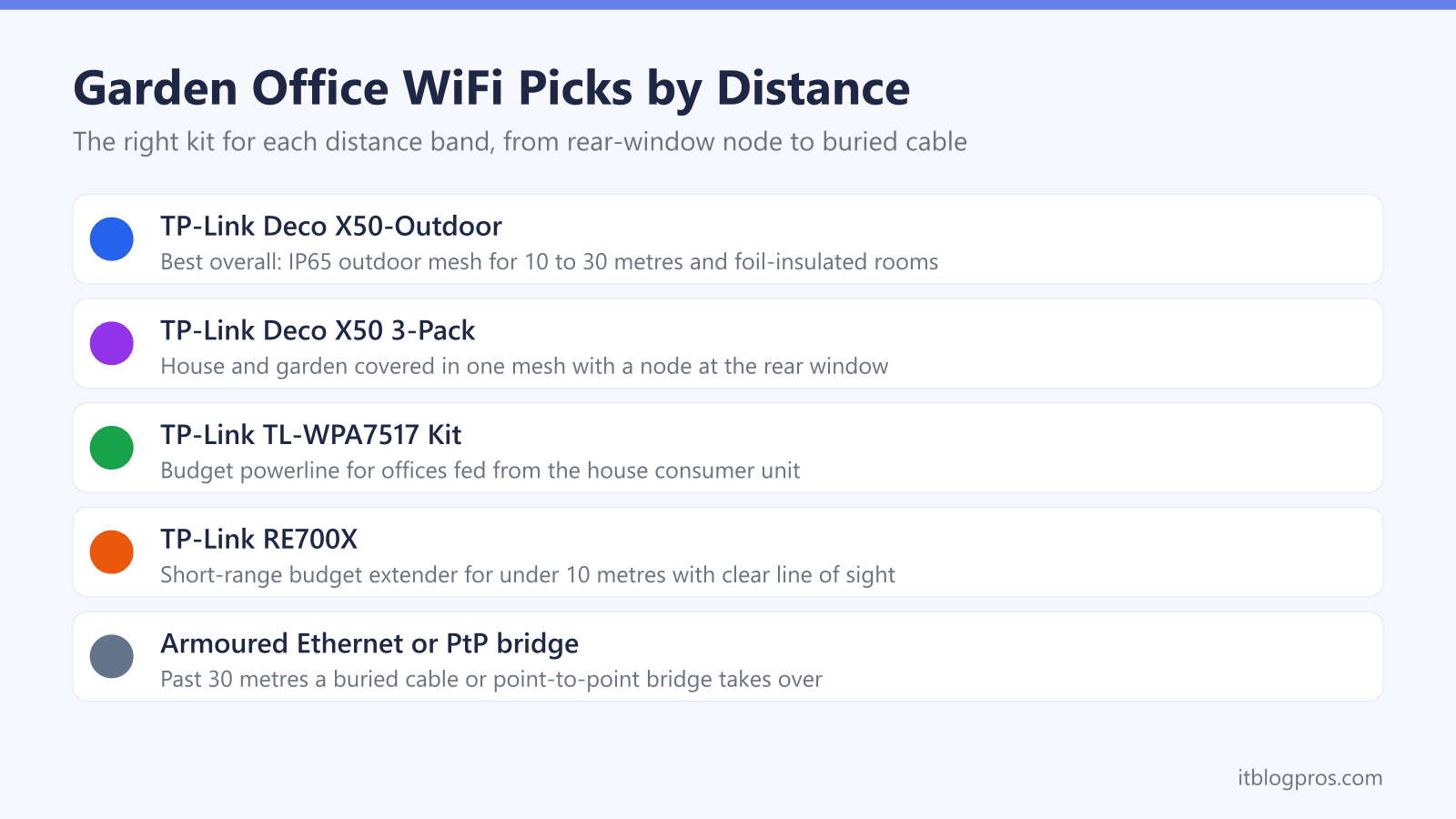
A garden office lives or dies by its internet connection, and the household WiFi that comfortably reaches the patio rarely survives the last few metres into an insulated garden room. Foil-lined walls and coated glazing are the hidden culprits, and the fixes that work at 8 metres fall apart at 25. This guide sorts every serious option by the one measurement that actually matters: the distance from the back of the house to the office door. Under 10 metres with clear line of sight, a well-placed mesh node or extender does the job. Between 10 and 30 metres, or through a foil-insulated build, an outdoor mesh unit takes over. Past 30 metres, a cable or a point-to-point bridge wins outright.
The best way to get WiFi in a UK garden office depends on distance. Under 10 metres with clear line of sight, a mesh node or WiFi 6 extender at the rear of the house works. Between 10 and 30 metres, or through foil-insulated walls, a weatherproof outdoor mesh unit such as the TP-Link Deco X50-Outdoor is the strongest fix. Beyond 30 metres, a wired armoured Ethernet run wins.
Key Takeaways
- Distance decides the right kit: a mesh node or extender covers under 10 metres, an outdoor mesh unit covers 10 to 30 metres, and past 30 metres a cable run or wireless bridge wins.
- Foil-backed SIPs insulation and low-E glazing reflect WiFi signals, so a well-insulated garden room can block a connection even a few metres from the house.
- Powerline only suits offices fed from the house consumer unit; across a separate consumer unit and a long SWA feed the signal degrades or fails, so any kit needs testing within a return window.
- The TP-Link Deco X50-Outdoor is the strongest all-round answer: AX3000 WiFi 6, IP65 weatherproof, powered by 802.3at PoE or mains, and it joins any existing Deco mesh.
- Extenders roughly halve throughput on the repeated hop, which keeps the TP-Link RE705X strictly a short-range budget fix rather than a whole-garden solution.
The picks at a glance
| Product | Best for | Key specs | Price | |
|---|---|---|---|---|
 | TP-Link Deco X50-Outdoor Best overall | 10 to 30 metres, or any foil-insulated garden room at any distance | AX3000 WiFi 6, IP65 weatherproof | Check price → |
 | TP-Link Deco X50 3-Pack House and garden | Patchy house WiFi and an office under 10 metres, solved in one purchase | AX3000 WiFi 6, up to 6,500 square feet of coverage | Check price → |
 | TP-Link TL-WPA7617 Kit Budget pick | Offices fed from a circuit on the house consumer unit | AV1000 powerline, AC1200 dual-band WiFi | Check price → |
 | TP-Link RE705X Short-range fix | Under 10 metres with clear line of sight and no foil-lined walls | AX3000 WiFi 6, gigabit Ethernet port | Check price → |
Garden Rooms Are Built to Block WiFi
Most UK garden offices are sold on their insulation, and that insulation is precisely what ruins the WiFi. Modern garden rooms are typically built from SIPs, structural insulated panels with rigid foam cores faced in aluminium foil, or from timber frames packed with foil-backed PIR boards. That thin metallic layer reflects radio waves, and it wraps the walls, roof and often the floor. The building behaves like a partial Faraday cage. Owners of foil-insulated buildings routinely report a phone or laptop dropping from four bars outside the door to one bar inside it.
The glazing makes it worse rather than better. Modern double glazing almost always carries a low-E coating, a microscopically thin metallic layer of silver or tin that reflects heat back into the room. The same layer reflects radio energy, and measured losses for coated glass typically run from 10 to 25 dB, with multi-layer silver coatings blocking even more. A 25 dB loss removes over 99 percent of the signal power. Stack coated glass on top of foil-lined walls and the router in the living room has almost nothing left to offer by the time the signal reaches a desk in the garden.
The practical conclusion shapes this whole guide: the winning move is never a bigger router shouting from inside the house. It is getting a strong signal to the outside of the garden room, or a cable through its wall, and letting a local access point handle the last few metres.
Distance Decides the Fix: The Three-Band Framework
Before comparing any products, measure the straight-line distance from the rear wall of the house to the garden office, and note what sits in between. That single number sorts almost every UK garden office into one of three bands.
Band one covers offices under roughly 10 metres away with clear line of sight and standard timber construction. Here a mesh node or a WiFi 6 extender placed at the rear of the house, near a window facing the office, usually delivers a stable connection. The signal only has to cross the garden and enter through the office glazing, which most garden rooms helpfully point back at the house.
Band two covers 10 to 30 metres, and it also captures any foil-insulated garden room at any distance, because the building fabric defeats indoor kit regardless of range. The answer here is a weatherproof outdoor mesh unit mounted on the house or office wall, or a powerline kit strictly where the office shares the house consumer unit.
Band three covers anything past 30 metres, and any office where the connection earns money and simply cannot drop. That band belongs to a wired armoured Ethernet run or a point-to-point wireless bridge, covered later in this guide.
The bands overlap deliberately. An office 8 metres away but built from foil-faced SIPs behaves like a band two problem, and a 20 metre office hosting business-critical video calls deserves band three treatment.
The Honest Caveats Come Before Any Purchase
Three realities decide whether the picks below will actually work, and they deserve attention before any money changes hands.
Powerline is the big one. HomePlug adapters send data over the mains wiring, and the signal weakens every time it crosses a joint in the electrical installation. Most UK garden offices are fed by a steel wire armoured (SWA) cable running to a small consumer unit of their own inside the office. Across that separate consumer unit and a long SWA feed, powerline performance degrades badly and frequently fails outright. Manufacturers do not guarantee operation across consumer units for exactly this reason. Some installations work anyway, and the only honest test is to buy a kit from a retailer with easy returns, try it in the actual sockets, and send it back if the speeds disappoint. An office fed from a circuit on the house consumer unit is a far safer powerline candidate, and the powerline versus mesh question gets a fuller treatment in the dedicated comparison guide.
Extenders carry a built-in tax. A single-band hop receives and retransmits on the same radios, so real throughput roughly halves compared with the signal the extender receives. Fine for email, tighter for sustained video calls.
Outdoor units need a power plan. A weatherproof mesh node wants either an outdoor socket or a PoE run, where one Ethernet cable carries both data and power from an injector inside the house. Budget for that cable or socket as part of the purchase, not as an afterthought.
Best Overall for 10 to 30 Metres: TP-Link Deco X50-Outdoor
The TP-Link Deco X50-Outdoor is the pick that solves the widest slice of garden office problems, and it is the hero of this guide. It is an AX3000 dual-band WiFi 6 unit, delivering up to 2402 Mbps on 5 GHz and 574 Mbps on 2.4 GHz, in an IP65-rated enclosure that shrugs off dust and rain. TP-Link quotes coverage of up to around 2,500 square feet per unit, and it carries two gigabit Ethernet ports.
Power is refreshingly flexible. It runs from an 802.3at PoE switch or injector over a single Ethernet cable, or from the included mains supply with its 3 metre cable. Mounting covers wall, pole or tabletop, so it fixes to the rear of the house under the eaves or beside the office's glazed front, the two placements that work best. On the house wall it pushes a clean, uninterrupted signal down the garden. Beside the office glazing it radiates through the glass front rather than fighting the foil-lined walls, then meshes back to a Deco in the house.
The clincher is compatibility: the X50-Outdoor works with every other Deco model, so a home already running any Deco mesh extends into the garden with a single unit, one network name included. It also supports Ethernet backhaul where a cable exists, and it can even serve as the main unit in a new network. The Deco light meanings guide decodes its status LED during setup, and the thick-walls mesh guide covers the indoor units it pairs with.
Check the TP-Link Deco X50-Outdoor price on Amazon UK →
Check the TP-Link Deco X50 mesh on Amazon UK →
Best for House and Garden Together: TP-Link Deco X50 3-Pack
Plenty of garden office owners are really fighting two problems at once: patchy WiFi inside the house and nothing at all outside it. The TP-Link Deco X50 3-pack solves both in one purchase. It is the indoor sibling of the outdoor unit above, an AX3000 WiFi 6 mesh with the same 2402 plus 574 Mbps split, and TP-Link rates the three-pack at up to 6,500 square feet of coverage. Each unit carries three gigabit Ethernet ports, useful for a desktop, a printer or a wired backhaul run.
The garden office play is straightforward. One unit sits at the router, one covers the middle of the house, and the third goes at the rear of the house on a windowsill facing the garden. For a band one office, under roughly 10 metres with clear line of sight and no foil in the walls, that rear node is often all it takes to put a solid signal at the office desk, entering through the glazed doors.
The upgrade path is the quiet strength here. Every Deco model meshes with every other, so an office that later proves stubborn takes an X50-Outdoor bolted to an exterior wall, joining the same network with the same name and the same app. AI-driven mesh steering moves laptops and phones between nodes automatically on the walk down the garden. For homes starting from scratch, this is the tidier buy than piecing together an extender here and a booster there.
Best Budget Pick on a Shared Consumer Unit: TP-Link TL-WPA7617 Powerline Kit
Where the garden office is fed from a circuit on the house consumer unit, rather than a separate consumer unit of its own, powerline becomes the cheapest respectable option, and the TP-Link TL-WPA7617 KIT is the sensible kit to test. It pairs a base adapter, which plugs in near the router, with a TL-WPA7617 WiFi unit for the office end. The powerline link is HomePlug AV2, rated AV1000, up to 1000 Mbps of line rate over as much as 300 metres of cable in ideal conditions. Real-world throughput lands well below the headline figure and falls further with distance, circuit joins and electrical noise, which is normal for the technology rather than a fault of this kit.
At the office end it broadcasts dual-band AC1200 WiFi, which TP-Link rates at 300 Mbps on 2.4 GHz plus 867 Mbps on 5 GHz, and offers a gigabit Ethernet port that is arguably the star feature: a laptop or desktop wired into that port gets the most stable connection powerline can give, which suits video calls. A WiFi clone button copies the house network name and password, and OneMesh support ties it into compatible TP-Link routers as one seamless network.
The rules from the caveats section apply in full. Plug both units straight into wall sockets, never extension leads. Buy from a retailer with painless returns and test at the actual desk within the window. Gamers weighing latency should read the powerline-for-gaming comparison before committing.
Best Short-Range Budget Fix: TP-Link RE705X
For a band one office, under roughly 10 metres with clear line of sight and no foil-lined walls, the TP-Link RE705X is the cheapest fix worth recommending. It is an AX3000 WiFi 6 extender, matching the mesh picks on paper with 2402 Mbps on 5 GHz and 574 Mbps on 2.4 GHz, plus OFDMA and beamforming from the WiFi 6 toolkit. Setup runs through the Tether app, and EasyMesh support means it joins a compatible EasyMesh router under a single network name instead of creating the usual awkward second network.
Placement decides everything. The RE705X belongs in a socket at the rear of the house, near a window that faces the office, so it catches a strong signal from the router and relays it across the garden through glass rather than brick. The halved-throughput caveat applies, since a repeated hop costs roughly half the bandwidth, but WiFi 6 provides enough headroom that half of a strong AX3000 link still handles video calls comfortably at short range.
Two bonuses stretch its value. The gigabit Ethernet port runs in access point mode, so if an Ethernet cable ever reaches the office, the RE705X converts into a proper wired access point with no halving penalty at all. And for lighter duties, the shed and summerhouse guide shows how the same short-range approach covers a garden building that only needs occasional connectivity. The extender versus mesh comparison explains where an extender stops being the right tool.
Past 30 Metres a Cable or a Point-to-Point Bridge Takes Over
Beyond 30 metres, or wherever the connection is genuinely business-critical, the honest advice is to stop trying to stretch consumer WiFi and move to infrastructure. Two options own this band, and both deserve a brief, plain description.
A wired Ethernet run is the gold standard. External-grade or armoured Cat6 runs from the house to the office, ideally in its own duct in the same trench as the SWA power feed, buried to a sensible depth with warning tape above. Ethernet holds full speed to around 100 metres, comfortably beyond any UK garden, and it terminates at a small access point inside the office that turns the cable into strong local WiFi. It is immune to weather, foil insulation and neighbouring networks, and it costs least when the trench is already open during the office build.
A point-to-point wireless bridge is the answer where digging is impossible or the distance is extreme. Two small directional radio units, one on the house and one on the office, are aimed at each other across clear line of sight and form a dedicated link carrying hundreds of megabits far beyond normal WiFi range. Alignment and mounting need a little care, but no trench is required.
Both options involve enough decisions, cable specification, trenching depth, unit choice and alignment, that each will get its own dedicated guide. For this guide the takeaway is simple: past 30 metres, plan for one of these two rather than any product above.
The Decision Path for a Working Garden Office Connection
The framework compresses to a short checklist. Measure the distance from the rear of the house to the office door. Under 10 metres with clear line of sight and ordinary construction, place a Deco X50 node or an RE705X at the rear of the house near a window. Between 10 and 30 metres, or for any foil-insulated garden room, mount a Deco X50-Outdoor on the house or beside the office glazing, with the TL-WPA7617 powerline kit as the budget test where the office runs from the house consumer unit. Past 30 metres, or where income depends on the link, commit to an armoured Ethernet run or a point-to-point bridge.
A few follow-on situations have their own guides. An office where kit is already installed but the connection has died is a troubleshooting job, not a shopping job, and the garden office WiFi troubleshooting guide walks that path. Calls that connect but stutter or drop mid-meeting point to congestion and steering problems covered in the video call guide. And where every option here fails, a long rural garden, no trenching allowed, hostile line of sight, a separate 4G or 5G broadband connection inside the office itself becomes the honest fallback, with its own dedicated guide to costs and CGNAT quirks.
Matched to the right distance band, none of this is exotic. The same four products and two infrastructure options cover practically every garden office in the UK.