
Three's 5G home broadband lives or dies on the signal reaching the hub, so an external antenna looks like the obvious upgrade when speeds sag. The catch is that the answer depends entirely on which hub Three supplied. The company has shipped at least seven different 5G devices since 2019, and they split into two camps: hubs with proper TS9 antenna sockets, and hubs with no antenna path at all. Plenty of guides gloss over that split and push an aerial regardless. This one names every model, states plainly which ones can never take an antenna, and covers the MIMO and cable-length details that decide whether a panel like the Poynting XPOL series actually delivers.
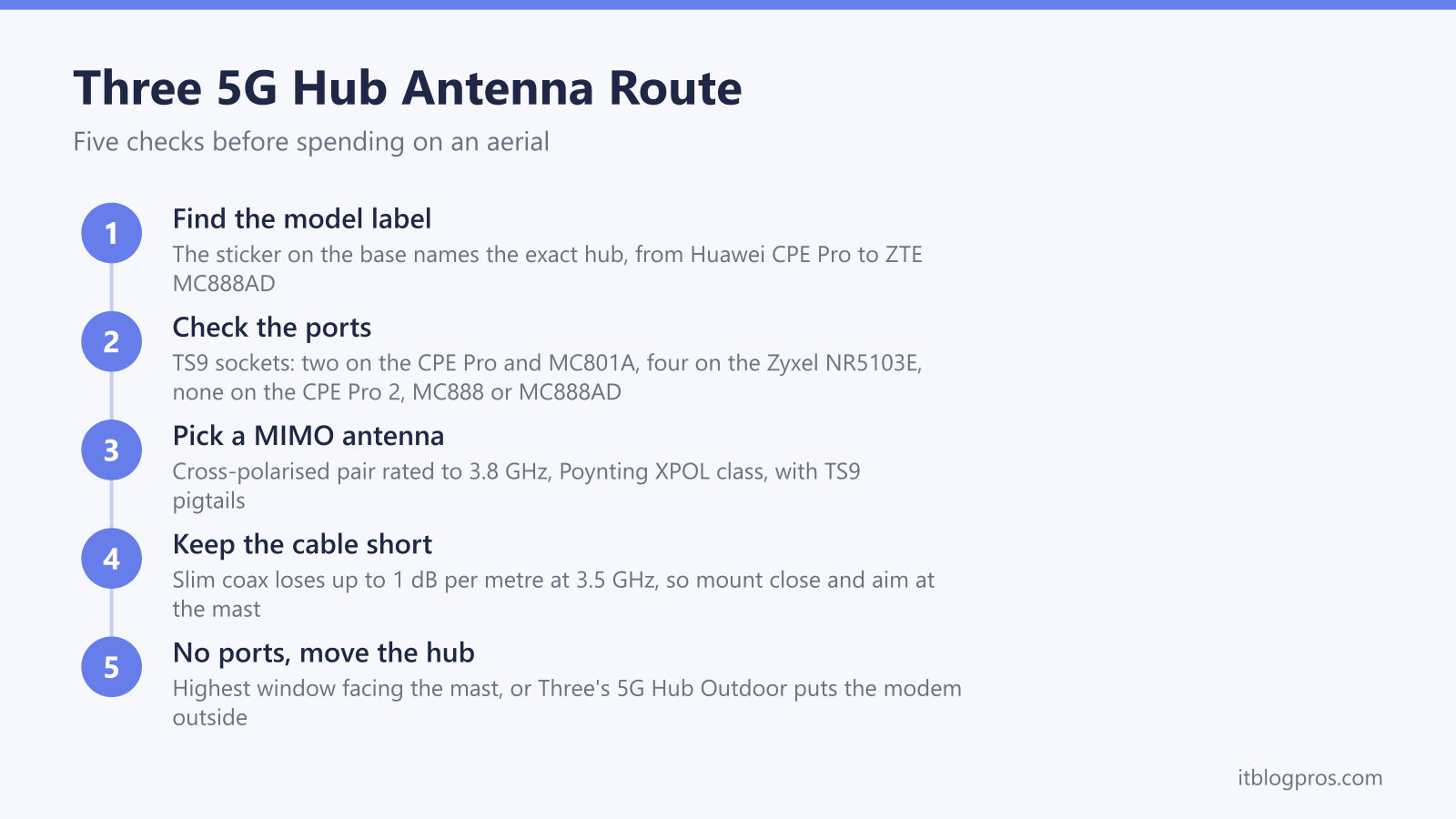
Three's hubs split cleanly: the Huawei 5G CPE Pro (H112-372) and ZTE MC801A carry two TS9 antenna sockets each, the Zyxel NR5103E and V2 carry four with an internal-external switch, and the Huawei CPE Pro 2, ZTE MC888 and MC888AD have none at all. For the port-less models, window placement, the Three 5G Hub Outdoor or a hub swap are the realistic fixes.
Key Takeaways
- The Huawei 5G CPE Pro (H112-372), ZTE MC801A and Zyxel NR5103E accept external antennas through TS9 sockets, while the Huawei CPE Pro 2, ZTE MC888 and MC888AD have no antenna ports at all.
- The Zyxel NR5103E is the pick of the range with four TS9 ports and an internal-external switch, while the MC801A's two sockets sit about 8 mm apart, have no strain relief and snap off the board if handled roughly.
- Any antenna for Three must cover band n78 between 3.4 and 3.8 GHz, so older 4G aerials that stop at 2.7 GHz add nothing to the 5G connection.
- Both ports always get connected, because 5G relies on MIMO: a cross-polarised 2x2 panel such as the Poynting XPOL-2-5G keeps both data streams alive, and a single antenna throws half the link away.
- Cable length quietly sets the ceiling, since slim coax loses up to 1 dB per metre at 3.5 GHz, and every 3 dB lost halves the signal power, so short runs beat long ones every time.
The Port Lottery Across Three's 5G Hubs
Three has shipped a long line of devices under the 5G Hub and 5G Home Broadband names, and the external antenna answer flips completely depending on which one is on the shelf. The sticker on the base of the unit settles it in seconds.
| Hub model | Sold as | External antenna ports | Antenna verdict |
|---|---|---|---|
| Huawei 5G CPE Pro (H112-372) | Three 5G Home Broadband, 2019 launch era | 2 x TS9 on the rear | Yes, 2x2 MIMO |
| Huawei 5G CPE Pro 2 (H122-373) | Three 5G Hub | None | No factory option |
| ZTE MC801A | Three 5G Hub | 2 x TS9, roughly 8 mm apart | Yes, with care |
| Zyxel NR5103E and NR5103E V2 | Three 5G Hub | 4 x TS9 plus INT/EXT switch | Yes, best of the range |
| ZTE MC888 | Three 5G Hub, current | None | No factory option |
| ZTE MC888AD | Three 5G Hub, current | None | No factory option |
Three's own device-support site lists the wider family too: the 4G Hubs (Huawei B535-333 and ZTE MF286D) and the newer 5G Hub Indoor and 5G Hub Outdoor pairing. The uncomfortable pattern is that the hardware has moved away from antenna ports over time. The launch-era Huawei and the mid-era ZTE MC801A and Zyxel NR5103E all accept external aerials, while the current MC888 family is sealed. Anyone choosing Three 5G broadband specifically because an antenna is part of the plan should know that Three does not guarantee which hub model arrives on sign-up.
Huawei CPE Pro and ZTE MC801A Ports Work but Demand Care
The original Huawei 5G CPE Pro (H112-372), the tall white unit from Three's 2019 5G launch, carries two TS9 sockets on the back for a 2x2 external antenna setup. TS9 is a tiny push-fit connector, chosen to save space rather than for strength, so the usual approach is a short TS9-to-SMA pigtail on each port and standard SMA antenna cable from there.
The ZTE MC801A also has two TS9 sockets, but they come with two serious catches that owner reports on the ISPreview forum spell out. First, the sockets sit only about 8 mm apart, so chunky right-angle or brass adapters physically cannot fit side by side; slim-bodied pigtails are the only workable option. Second, the sockets are soldered to the board with effectively no strain relief, and they are known to snap off if the adapters are wiggled or repeatedly removed. The sensible routine is to fit the pigtails once, tape or cable-tie them to the hub body, and never move them again.
Done properly, the gains are real but modest. One documented MC801A setup on the ISPreview forum saw RSRP improve from -109 dBm to -102 dBm and SINR climb from 1 dB to 8 dB after fitting external aerials, with downloads rising from around 50 Mbps to 85 Mbps. The same threads carry the honest caveat: an external antenna refines a marginal signal that exists outside the walls. It cannot conjure 5G in a location with no meaningful outdoor coverage.
The Zyxel NR5103E Stands Out as the Antenna-Friendly Hub
The Zyxel NR5103E, issued as the Three 5G Hub before the ZTE MC888 took over, is the most antenna-capable device Three has ever supplied. It carries four TS9 sockets on the back rather than two, which allows a full 4x4 MIMO external array, either as two cross-polarised twin panels or a single four-port antenna. Four receive paths on the 3.5 GHz band is exactly how the hub's internal antennas work, so a four-port external array replaces like for like instead of downgrading the link.
The NR5103E also has a small slide switch that selects between INTernal and EXTernal antennas. That switch must be set to EXT once the aerials are connected, otherwise the hub carries on using its built-in antennas and the new hardware does precisely nothing. A surprising number of disappointed reviews trace back to that one switch.
As with the other hubs, the sockets are TS9 and most consumer antennas terminate in SMA or N-type, so TS9-to-SMA pigtails are needed per port. Running just two external antennas on two of the four ports works, but it hands the modem a mixed diet of external and internal paths; filling all four ports is the configuration that gets the most from this hub. Three's device pages list an NR5103E V2 revision alongside the original, and the antenna arrangement is treated as equivalent by owners, but checking behind the rear flap before ordering parts costs nothing.
The CPE Pro 2, MC888 and MC888AD Offer No Antenna Path
Brutal honesty is owed on three models. The Huawei 5G CPE Pro 2 (H122-373) dropped the antenna sockets its predecessor had; the connectors simply are not there, a point confirmed repeatedly in owner discussions. The ZTE MC888, the current tower-style Three 5G Hub, has no external antenna ports, and reviewers at 5g.co.uk single that out as its main hardware weakness. The MC888AD revision is the same story. No adapter, splitter or clip-on gadget changes this, and anything marketed as a stick-on signal booster for a sealed hub is decoration.
Third-party modification services do exist in the UK that will open one of these hubs and solder proper SMA ports onto the board. The work is real and some users report good results, but it voids the warranty on hardware that Three may expect back at the end of the contract, so it only makes sense on an owned, unlocked unit, never on a rented hub.
Three's official answer for weak-signal homes is the 5G Hub Outdoor, an externally mounted unit that puts the entire modem outside where the signal is strongest, which sidesteps the port question completely. Enthusiasts achieve the same thing manually by housing a hub in a weatherproof enclosure high on a wall and running Ethernet back indoors. For everyone else, placement is the lever that remains, and it is covered below.
MIMO Explains Why Antennas Always Come in Pairs
Every 5G hub moves data over multiple radio streams at once, a technique called MIMO (multiple input, multiple output). Each antenna port on the hub feeds one receive chain, and the modem combines the streams into the headline speed. A 2x2 link runs two streams, a 4x4 link runs four, and Three's 5G hubs use these multi-stream links as standard on band n78.
This is why external antennas for these hubs come as pairs or four-packs, and why the panels are cross-polarised: the two elements inside a panel like a Poynting XPOL sit at opposing 45 degree angles, keeping the streams distinguishable from each other so the modem can separate them cleanly. Connect an aerial to only one port and the hub loses half its receive paths; the connection usually still works, but throughput drops hard, and in weak-signal homes that defeats the entire purpose of the exercise. Both ports on a two-port hub always get connected, ideally to the two elements of a single cross-polarised antenna rather than two random aerials.
On the four-port Zyxel NR5103E the same logic scales up: four ports means four streams, so the full benefit arrives with a 4x4 array. A 2x2 panel on a 4x4 hub is not wasted, but it is a partial upgrade rather than the full one.
Antenna Choice Starts With Band n78 and the Poynting XPOL Benchmark
Three's consumer 5G runs on band n78, between 3.4 and 3.8 GHz, with 4G fallback on 800, 1800 and 2100 MHz. That single fact filters the market instantly: a huge number of cheap aerials sold as 4G/LTE antennas stop at 2.7 GHz, and they contribute nothing at all to the 5G connection. The specification sheet must show coverage to at least 3.8 GHz.
The Poynting XPOL series is the sensible benchmark because it is widely available in the UK, honestly specified and built for exactly this job. The omnidirectional XPOL-1-5G Plus needs no aiming, which makes it forgiving to install, at the cost of lower gain: Poynting's product page lists it as a cross-polarised 2x2 antenna with a 6 dBi peak gain across 410 to 6000 MHz, including a 3300 to 3800 MHz band, so Three's n78 range is covered. The directional XPOL-2-5G is the serious option: Poynting's product page lists a cross-polarised 2x2 panel rated up to 11 dBi that covers 617 to 960 MHz, 1710 to 2170 MHz, 2300 to 2700 MHz and, crucially, 3400 to 4200 MHz, so Three's whole n78 range sits inside its sweet spot. A directional panel must be pointed at the serving mast, and its gain figure only materialises when the aim is right, so a few minutes with a coverage map or a signal-metering walk around the property is part of the installation, not an optional extra.
Whichever model is chosen, the connector chain matters: Poynting panels terminate in N-type or SMA fittings depending on version, and the hub end needs TS9, so the shopping list always includes the correct pigtails, slim-bodied ones for the MC801A. Poynting lists 5-metre HDF-195 cable ending in SMA male plugs on both the XPOL-1-5G Plus and the SMA version of the XPOL-2-5G, so each port on those two needs a TS9 pigtail with a female SMA end.
Check the Poynting XPOL-1-5G Plus antenna on Amazon UK →
Check the Poynting XPOL-2-5G antenna on Amazon UK →
Cable Length Quietly Sets the Ceiling
Coaxial cable eats signal, and it eats far more of it at 5G frequencies than the old 4G rules of thumb suggest. At 3.5 GHz, slim pigtail-grade coax in the RG58 or HDF-195 class loses somewhere between 0.5 and 1 dB per metre. Every 3 dB lost halves the signal power arriving at the modem, so a casual 10 metre run of thin cable can burn 5 to 10 dB, which is most or all of what an 11 dBi panel added in the first place. The antenna did its job; the cable threw the winnings away.
The practical rules follow directly. Keep total runs as short as possible, ideally 5 metres or less with slim cable. For longer runs, step up to low-loss LMR-400-class cable, which holds a 10 metre run to roughly 2 dB, then finish the last stretch to the hub with a short slim pigtail, because thick rigid cable hanging directly off a fragile TS9 socket is how MC801A owners end up with a snapped connector. Every adapter and joint in the chain adds a small extra loss of its own, so fewer, better-chosen parts beat a drawer full of couplers.
Often the smartest move is repositioning the hub rather than buying longer cable: sitting the hub near the window or wall where the antenna mounts, then letting Ethernet or mesh WiFi carry the connection through the house, keeps the lossy coax section down to a metre or two.
Window Placement Rescues the Port-Less Hubs
For the CPE Pro 2, MC888 and MC888AD, placement is the upgrade. The gains available from moving a hub are regularly bigger than owners expect, because signal at 3.5 GHz varies sharply from room to room and even shelf to shelf.
The method is simple and worth doing properly. First, establish the direction of the serving mast using Three's coverage checker or a cell-mapping app, since pointing the hub's window at the mast matters more than any other single decision. Second, go high: an upstairs window facing the mast routinely beats a ground-floor position hemmed in by neighbouring buildings. Third, mind the glass. Modern energy-efficient double glazing carries a metallic low-emissivity coating that attenuates mobile signal noticeably, so an older single-glazed window, or even a spot on an external wall beside the window, sometimes outperforms the glass itself.
Judge each position by numbers rather than speed tests alone. The hub's web interface reports live signal readings; as a rough guide, RSRP better than about -90 dBm is healthy, around -100 dBm is workable, and beyond -110 dBm the connection is surviving rather than performing. Give each candidate position a day of normal use before ruling on it, because 5G cells breathe with congestion. When no indoor position delivers, the Three 5G Hub Outdoor is the official escalation, and many owners on Three's forums run the SIM in an unlocked third-party 5G router with proper antenna ports instead, accepting that support only covers the supplied hub.
Mesh WiFi Finishes the Job Once the Hub Moves
Fixing the 5G side usually creates a WiFi problem, because the best signal position is almost never the centre of the home. A hub parked in an upstairs window at the front of the house, or wired to an antenna by a deliberately short cable, leaves the back bedrooms and the kitchen at the far edge of its WiFi range. Solving that with more 5G hardware is the wrong tool; it is a WiFi distribution job.
For a single weak room, a WiFi 6 extender such as the TP-Link RE705X is the proportionate fix, rebroadcasting the hub's network into the dead zone for a fraction of the cost of a mesh kit. When several rooms suffer at once, a mesh system is the cleaner answer: a TP-Link Deco X50 pack or an Amazon eero 6+ pair lets the hub live wherever the 5G signal is best while the mesh nodes carry fast WiFi through the rest of the house. The best budget mesh WiFi guide compares those two systems in detail, and homes with solid brick internals should read the mesh for thick walls guide before choosing node positions.
The order of operations matters: signal first, WiFi second. An antenna or window move sets the ceiling on what the property can receive from Three; the mesh only distributes whatever that ceiling allows. Spending on WiFi kit before the RSRP numbers are respectable polishes a connection that was never going to perform.