
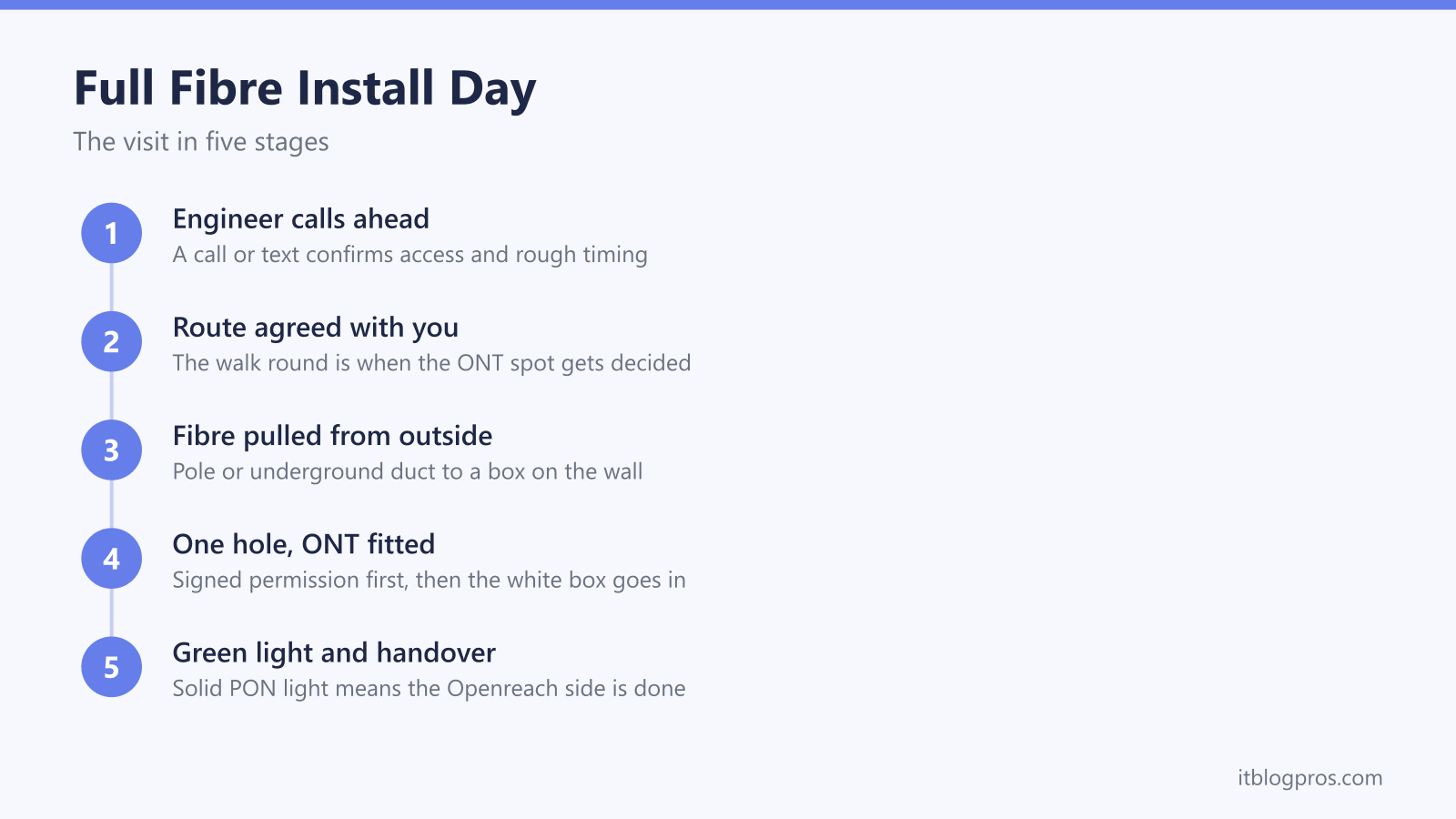
A full fibre installation is a two to four hour visit that permanently changes how broadband and the landline arrive in your home, and most of it is out of your hands. The Openreach engineer decides how to get the fibre from the street to your wall, does the drilling, fits the equipment and tests the light levels. What is in your hands is one decision that people consistently get wrong by not making it at all: where the ONT, the small white box the fibre terminates in, actually goes. The default is the hallway near the front door, and the router has to sit next to it. This guide walks through the visit stage by stage, the decisions to settle before the van arrives, and the honest small print about phone sockets and the copper switch off.
An Openreach full fibre install typically takes two to four hours. The engineer runs a fibre cable from a pole or underground duct to a small junction box on your wall, drills one entry hole, then fits and tests the ONT inside. Decide where the ONT should go before the visit, because the hallway default is hard to undo and your router has to sit next to it.
Key Takeaways
- A standard Openreach full fibre installation takes two to four hours, and a decision maker aged over 18 needs to be home for the whole visit.
- The engineer brings the fibre from a pole or underground duct to a small junction box on the outside wall, and asks you to sign a permission form before any drilling.
- The ONT position is agreed on the day and standard installs only cover a short internal cable run, so pick the spot before the engineer arrives rather than accepting the hallway default.
- Openreach fits and tests the ONT and will usually plug in the router your provider sent, but WiFi setup and any third party router configuration sit with you and your ISP.
- Full fibre carries no analogue phone signal, so the old wall sockets go dead and a landline only continues as a digital voice service plugged into the router.
The install visit runs in a fixed order
Openreach guidance sets out a predictable sequence. The engineer calls or texts before arriving to confirm someone is in and to flag anything unusual about the address. A decision maker aged over 18 has to be present for the whole appointment, because the engineer needs agreement on the cable route, the drilling point and where the equipment is fitted.
The visit itself starts with a walk round. The engineer looks at where the fibre feed comes from outside, discusses the best route into the property with you, and agrees where the entry hole will be drilled. Then comes the external work, the drilling, the internal cable run, fitting the ONT, and finally activation and testing. Most installations take between two and four hours according to BT's own guidance, though a blocked underground duct or an awkward cable route can stretch that, and genuinely complex jobs are sometimes split across a follow up appointment.
The walk round at the start is your window. Every decision that matters, above all where the ONT ends up, is settled in those first ten minutes, so have your answers ready before the doorbell rings.
Outside work links your wall to the fibre network
The fibre serving your home starts at a small distribution box that Openreach has already built in the street. On an overhead network that is a CBT, a connectorised block terminal mounted on a telegraph pole, and the engineer runs a fibre drop cable through the air from the pole to your house, much like the old copper dropwire. On an underground network the feed comes from a footway box in the pavement, and the engineer rods the drop cable through the existing duct that used to carry your copper line.
Either way the cable ends at a small junction box screwed to your outside wall, which Openreach calls the customer splice point or CSP. Inside it the external cable is joined to a thinner internal fibre. If any drilling or digging is needed, the engineer asks you to sign a permission form before starting, and tenants need their landlord's permission for holes inside or out, so sort that in advance.
This external stage is where delays live. A collapsed or blocked duct, a pole that needs replacing or a wayleave across a neighbour's land can all pause the job. The engineer fills any ladder safety holes, repairs the ground and leaves the area tidy before moving inside.
The ONT position is the decision that matters most
From the CSP on the outside wall, the engineer drills one hole and brings the fibre inside to the ONT, the optical network terminal. Left to routine, that hole goes through the nearest convenient wall, which is why so many ONTs end up in the hallway by the front door, at skirting board height, in the worst possible spot for WiFi. Your router has to sit next to the ONT, connected by an Ethernet cable and sharing the same double power socket, so wherever the ONT goes, your WiFi coverage is anchored there for years.
You do not have to accept the default. The engineer should ask where you want the unit, and within reason they will run the internal cable to a better room, along skirting or through conduit. The practical ceiling is cable length: a standard installation is generally understood to cover an internal fibre run of around 10 metres from the entry point, and anything beyond that, or routes needing serious lifting of floors, is outside the standard job. Asking for the living room wall behind the TV, or a central spot near where the router can breathe, usually costs nothing on the day.
Getting it moved afterwards is a different story. A relocation has to be arranged through your ISP as chargeable Openreach work, typically quoted in the region of £120 to £150, and providers handle the request badly because it is rare. The full picture is in our guide to whether you can move your Openreach ONT, but the short version is that thirty seconds of conversation on install day saves a three figure bill later.
Before the visit, check the chosen spot has a double power socket free, one outlet for the ONT and one for the router, and clear furniture away from the route the cable will take.
The engineer fits the ONT and proves the connection works
The ONT is a small mains powered white box that converts the light in the fibre into an Ethernet connection. It stays Openreach property and stays put when you switch providers. Which unit you get depends on when the area was built: older installs used ECI and Huawei units, current installs get Nokia or Adtran hardware, and the newer units fitted for speed tiers above 1Gbps carry a 2.5Gbps Ethernet port. All of them do the same job, a fibre input, a power lead and at least one LAN port for the router.
Once the fibre is spliced and plugged in, the engineer checks the optical light level at the ONT and confirms it can see the exchange equipment. On a healthy install the PON light settles solid green and the LOS light stays off. Those two lights remain your best diagnostic long after the engineer leaves, and our Openreach ONT lights guide decodes every state, but the thing to remember on the day is simple: a steady PON light means the Openreach side of the job is done, even if your broadband is not working yet.
Activation with your provider can lag the physical install by a few minutes to a few hours, which is normal and not a fault.
Router setup and WiFi are your side of the handover
Openreach's responsibility ends at the ONT's Ethernet port. That is the formal demarcation line, and it explains the most common install day misunderstanding. The engineer works for Openreach, not for your ISP, and cannot see your broadband package, your account or your WiFi settings.
In practice, if your provider's router has arrived and is sitting there, the engineer will normally plug it into the ONT, power it up, connect one device and confirm the service works before leaving, and Openreach's checklist says as much. What they will not do is configure anything: no WiFi network renaming, no mesh systems, no smart home devices reconnected one by one, and no third party hardware. If you plan to skip the ISP box entirely, that setup, including any PPPoE username or VLAN settings your provider requires, is entirely on you, and our guide to connecting your own router to an Openreach ONT covers the exact settings per ISP.
Two practical tips follow from this. Make sure the provider's router has been delivered before install day, because without it the engineer can only test with their own kit. And even if you intend to run your own router, keep the ISP one in the cupboard, since support lines ask you to reconnect it before they will investigate any fault.
Phone wall sockets stop working once full fibre goes live
Full fibre replaces the copper line rather than adding to it, and glass cannot carry the analogue electrical signal an old fashioned phone uses. Once your service migrates, the master socket and every extension socket wired around the house go permanently dead. This is not a fault and the engineer cannot wire them back up.
A landline number survives as a digital voice service, which means the handset plugs into a phone port on your provider's router instead of the wall, or connects wirelessly to it as a DECT handset. Providers offer adapters for homes with multiple wired phones. If the phone worked before the visit and not after, our guides on the phone socket not working after fibre and on digital voice not working walk through the fixes, and the first step is almost always moving the handset to the router.
This is all part of a national change: BT Group is retiring the analogue phone network, the PSTN, by 31 January 2027, so every full fibre install is also quietly a landline migration. The devices people forget are the ones wired to the copper in the background, so before install day list anything using the phone line, including burglar alarm diallers, telecare pendants, and lift or gate phones, and tell those providers the copper is going.
A short checklist covers the morning before the van arrives
Everything above condenses into a few minutes of preparation. Decide the ONT and router position and be ready to say it out loud during the walk round. Free up a double power socket at that spot. Clear access along the likely cable route inside, and outside make sure the engineer can reach the wall and, on overhead feeds, get a ladder to the eaves. Confirm the provider's router has arrived. If you rent, get the landlord's written blessing for drilling. List everything living on the old phone line. And keep the day loosely free, because two to four hours is typical rather than guaranteed.
Done right, install day is boring, and boring is the goal: one hole, one grey box outside, one white box exactly where you chose, and a green PON light before the van pulls away.