
Plug a games console or desktop PC into the router with an Ethernet cable and someone in the house will eventually ask whether that cable is stealing speed from everyone else's WiFi. The worry sounds reasonable, since the router only has so much to give. The engineering answer runs the other way: a wired device leaves the wireless airwaves altogether, and the WiFi left behind usually gets faster. There are real cases where a newly wired machine drags the whole house down, and they are worth understanding because each one has a different fix. This guide explains what actually changes when a device goes wired, when a slowdown is genuine, and why cabling the right devices is the cheapest WiFi upgrade available.
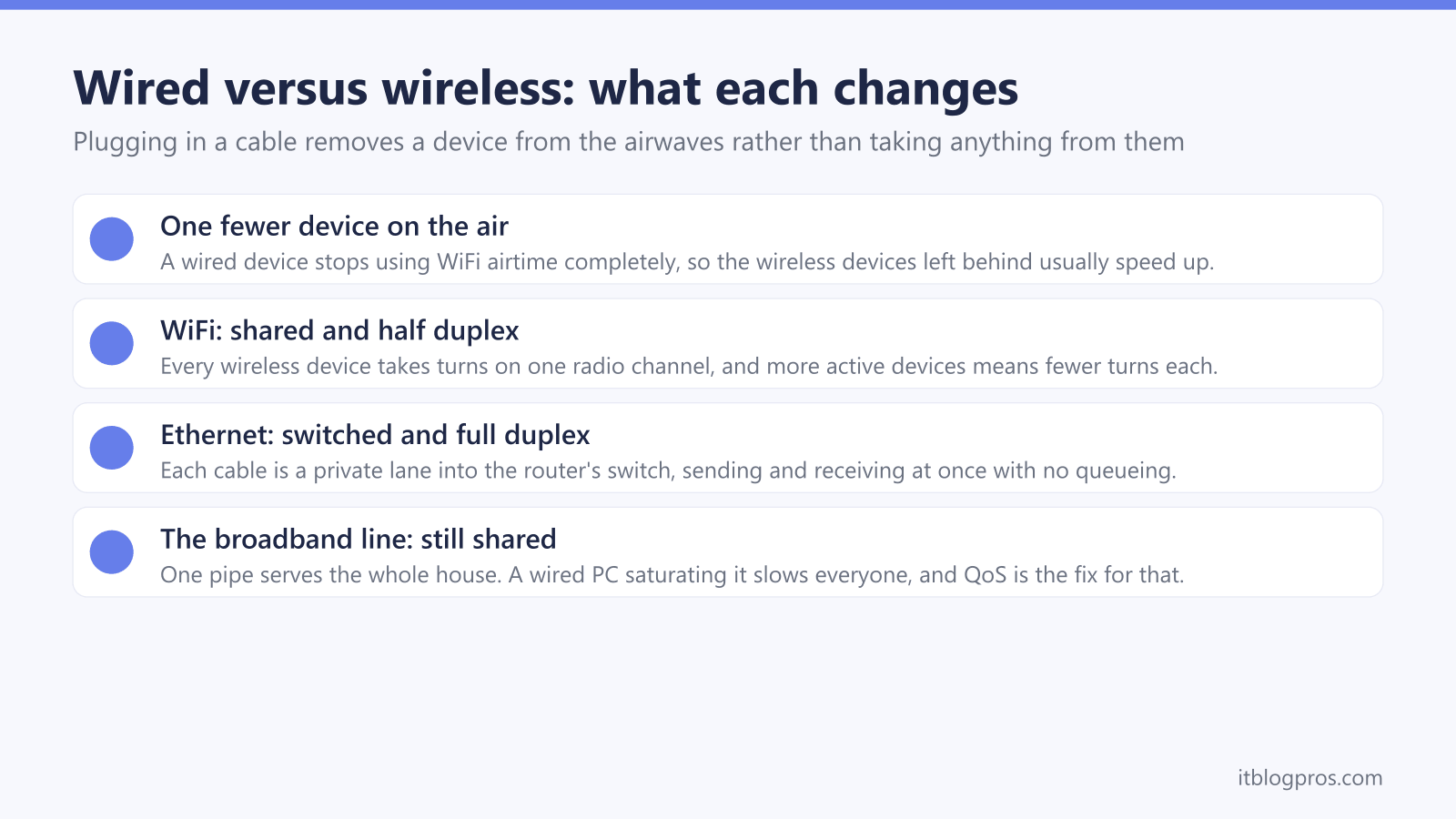
Using Ethernet does not slow down wireless devices. A wired device leaves the WiFi airwaves entirely, so the remaining phones and laptops usually get faster, not slower, because one fewer device competes for airtime. Speeds only appear to drop when the wired machine saturates the shared broadband line with downloads, when a budget router's processor maxes out, or when an old hub's 100Mbps ports bottleneck everything. QoS settings fix the first and most common of those.
Key Takeaways
- A device plugged into Ethernet stops using WiFi airtime altogether, which usually makes WiFi faster and more consistent for the phones and laptops left on the wireless network.
- WiFi is a shared half-duplex medium where every device takes turns transmitting on one channel; Ethernet gives each device its own full-duplex link through the router's switch, so wired and wireless traffic never collide.
- A wired PC can still starve the whole house by saturating the broadband line with big downloads or uploads; that is a bandwidth problem rather than a WiFi problem, and QoS traffic prioritisation is the fix.
- Budget routers can slow all traffic under heavy simultaneous load because one processor handles NAT for wired and wireless alike, and very old hubs with 100Mbps LAN ports bottleneck modern fibre connections.
- Wiring the stationary bandwidth-heavy devices such as the TV, console and desktop is the best free WiFi upgrade available, and powerline or MoCA adapters carry a wired connection to rooms far from the router.
Plugging into Ethernet takes a device off the WiFi entirely
The fear usually goes like this: the router has a fixed amount of speed to hand out, so a machine cabled straight into it must be grabbing more than its share and leaving the wireless devices with less. That intuition gets the architecture backwards. The moment a PC, console or TV connects over an Ethernet cable, it stops using the WiFi radio at all. It no longer transmits over the air, no longer competes with the phones and laptops for a turn on the channel, and no longer forces the router to spend radio time serving it. For the devices still on WiFi, the airwaves get quieter, and quieter airwaves almost always mean faster, steadier wireless.
There is a kernel of truth behind the myth, which is why it refuses to die. A wired machine genuinely can slow down every other device in the house, but it does so by consuming the shared broadband line or by overwhelming the router's hardware, never by interfering with the wireless signal itself. The distinction matters because the fixes are completely different. An airtime problem is solved by moving devices off the air; a bandwidth problem is solved by prioritisation. The sections below separate the two so the right fix gets applied to the right symptom.
WiFi is shared airtime while Ethernet is a private lane
WiFi is a half-duplex, shared medium. Every device on a given band and channel, plus the router itself, shares one set of airwaves, and only one of them can transmit at any moment. Devices listen for a gap, take turns, and back off and retry when two transmissions collide. That turn-taking is why WiFi slows down as more active devices join: the channel never gets wider, each device simply gets fewer turns. It is also why one slow or distant device drags everyone down. A weak signal forces lower data rates, so a laptop at the far end of the house occupies far more airtime to move the same megabyte, and every other device waits while it does.
Ethernet works on the opposite principle. Each cable is a private, point-to-point link between one device and one port on the router's built-in switch, and modern Ethernet runs full duplex: the device sends and receives simultaneously on separate wire pairs, with no turn-taking and no collisions. The switch moves traffic directly between ports without touching the radio at all.
Put the two together and the answer falls out naturally. Moving a device from WiFi to Ethernet removes a contender from the shared airwaves and hands it a private lane. The wireless devices that remain get more turns each, and the wired device gets a steadier connection than the air could ever give it. Both sides of the network win.
The broadband line is the bottleneck every device shares
The one pipe that every device shares, wired or wireless, is the broadband connection itself. If a wired desktop starts a huge game download or a cloud backup, it can fill the line's entire download or upload capacity. Every other device then crawls, not because the WiFi has degraded but because there is nothing left of the internet connection to hand out. This is the scenario that convinces people the Ethernet cable ruined their WiFi.
The tell-tale signs are easy to spot. Speed tests come back slow on every device, including other wired ones. WiFi signal bars stay full. Everything recovers the moment the big download finishes. Uploads deserve a special mention because home connections usually have far less upload capacity than download; a single machine saturating the upstream can make the whole connection feel broken, since even ordinary browsing depends on small upstream acknowledgements getting through promptly.
None of this is a wireless fault, and unplugging the Ethernet cable would not fix it; the same machine doing the same download over WiFi would starve the house just as thoroughly while also burning airtime. If devices go further and start reporting connection errors rather than mere slowness, that points to a different fault entirely, and the no internet troubleshooting guide walks through that separately.
Router processors and old 100Mbps ports set their own ceilings
Two pieces of hardware can make wired and wireless devices appear to slow each other down. The first is the router's own processor. Every packet from every device, cabled or wireless, passes through the router for NAT and firewall handling, and a budget router's modest CPU can max out under heavy simultaneous load from several directions at once. When that happens, latency rises and throughput sags for everyone regardless of how they connect. A router that recovers after a reboot, or that struggles mainly during evening peaks when the whole household is active, fits this pattern.
The second is port speed. Older routers, hubs and powerline kits shipped with 100Mbps Fast Ethernet LAN ports, and any device plugged into one is capped at 100Mbps no matter how fast the broadband package is. On a modern full-fibre line that is a hard bottleneck, and it produces the strange-sounding result of WiFi comfortably outrunning the cable. Devices also auto-negotiate downwards when a cable is damaged or poorly seated, so a gigabit port linking at 100Mbps is worth investigating. Modern routers carry gigabit ports as standard, which means this ceiling mostly affects elderly ISP hubs and old network kit still quietly in service. Checking the port specification takes a minute and saves a great deal of head-scratching.
QoS stops one device hogging the line
When the real problem is one machine flooding the broadband connection, the fix is traffic prioritisation rather than unplugging anything. Most modern routers include some form of QoS, often labelled device prioritisation, traffic control or bandwidth management in the router's app or admin pages. It works in one of two ways. Prioritisation tells the router which devices or traffic types go first when the line is congested, so a video call beats a background download without any manual juggling. Bandwidth limiting instead puts a per-device cap on the download-happy machine so it can never take the whole line. Either approach ends the starvation while letting the big download carry on underneath.
A useful property of QoS is that it only acts when the line is actually congested; with spare capacity available it does nothing at all, so there is no everyday penalty for leaving it enabled. Two honest caveats apply. QoS features vary enormously between routers, and many ISP-supplied hubs in the UK offer no QoS controls at all, in which case proper prioritisation needs a third-party router running behind the hub. And no QoS setting adds capacity; it only shares out what the line already delivers. The free alternative is behavioural: schedule the console updates and cloud backups for overnight hours when nobody is competing for the connection.
Wiring the heavy stationary devices frees the airwaves
The practical conclusion turns the original worry on its head. Far from protecting the WiFi by keeping devices off Ethernet, the best free upgrade for a busy household is to wire every stationary, bandwidth-hungry device precisely because it takes their traffic off the air. A 4K TV streaming for hours, a console pulling large updates and a desktop syncing to the cloud are heavy, predictable users that never move. Wired, they get the steadier connection they benefit from most, and the phones, tablets and laptops that genuinely need WiFi inherit the freed airtime.
Cable choice is simple: Cat5e or better carries gigabit speeds over normal home distances, and the Ethernet cable FAQ guide covers categories and lengths in detail. The honest obstacle is rarely the cable but the route it must take, especially in rented homes where drilling is off the table. For runs along skirting boards, under carpet edges and beneath doors, a flat cable makes the difference; the Jadaol flat Cat6 lies flat enough to disappear under trim where round cable will not, and costs little enough to try before considering anything more involved.
When a room is too far for any sensible cable run, two technologies carry a wired connection through the walls. Powerline adapters send the network over the home's mains wiring, one adapter beside the router and one in the far room; both must sit on the same electrical circuit, and real-world speed depends heavily on the state of the wiring, so results vary from home to home. MoCA adapters do the same over TV coax and suit homes already cabled for television, including many Virgin Media households, though they need a coax socket at each end. If no wired path is realistic at all, mesh is the wireless fallback, and the extender versus mesh guide explains which suits which house.