
A NOW app that refuses to load, keeps crashing or will not play anything almost always fails for one of six reasons, and every one has a fix that takes minutes. This guide starts with the fix order that works on every device, then covers the specific steps for smart TVs, the Fire TV Stick, games consoles, phones and tablets, and finishes with the faults on NOW's side that no restart can touch.
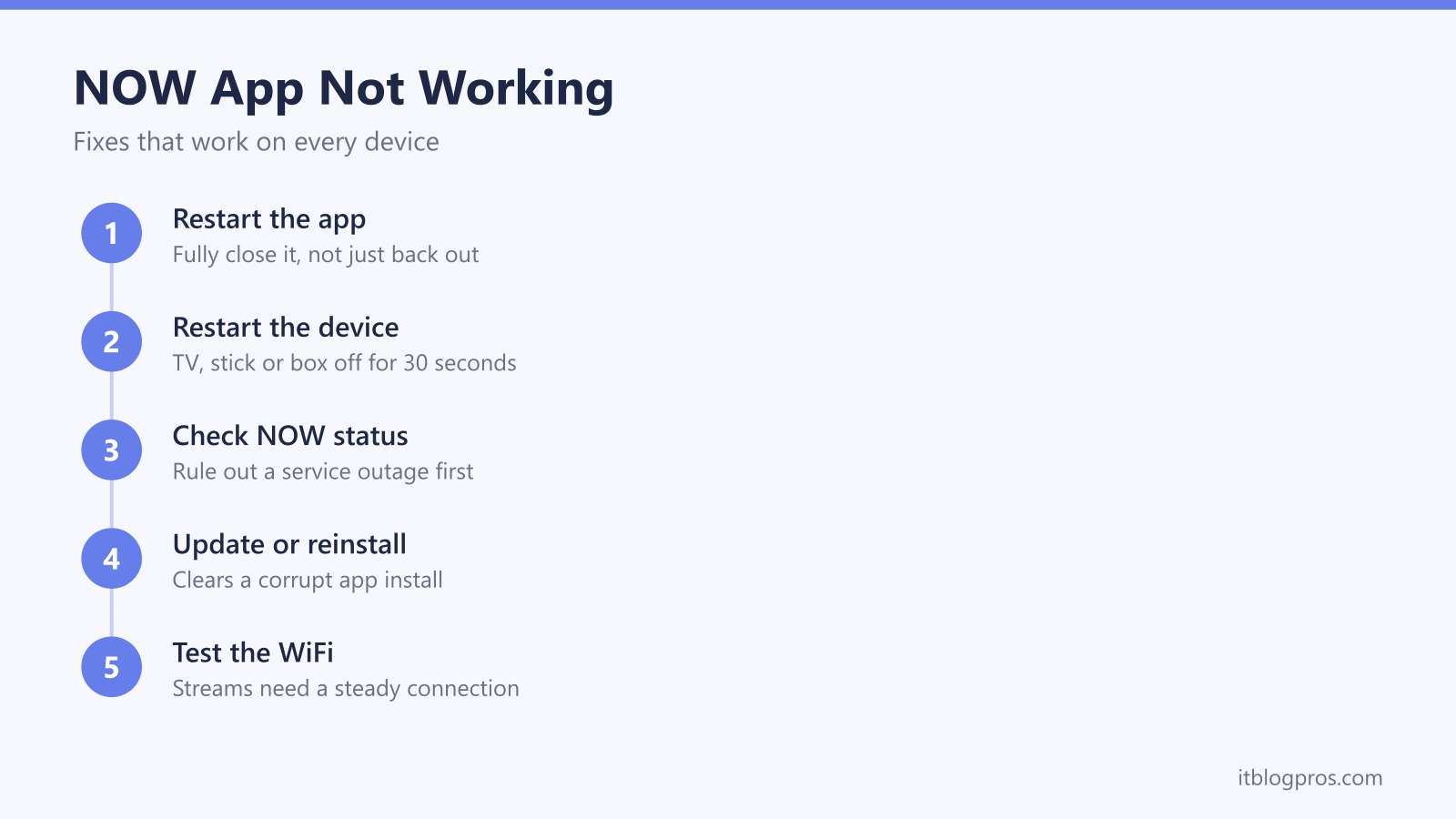
When the NOW TV app stops working, the same six fixes solve it on almost every device: fully close and reopen the app, power the TV or stick off at the mains for 30 seconds, check NOW's service status page for an outage, sign out and back in, update or reinstall the app, then test the WiFi. Work through them in that order before blaming the device.
Key Takeaways
- Fully closing the NOW app and powering the device off at the mains for 30 seconds clears the majority of faults on every device; standby does not count as a restart.
- NOW's service status page rules out an outage before any deeper troubleshooting, and a phone on mobile data is a quick second test of whether the problem is national or local.
- On a Fire TV Stick, clearing the NOW app's cache and data from the Applications settings fixes most crashing and freezing without a full reinstall.
- A lapsed membership or too many simultaneous streams stops playback with an error even when the app itself is perfectly healthy.
- The service is now branded NOW rather than NOW TV, and older smart TVs lose app support over time, so the supported devices list is worth checking before blaming the hardware.
The fix order that works on every device
Six steps sort out nearly every NOW app problem, and the order matters because the quick fixes at the top solve far more cases than the drastic ones at the bottom.
- Fully close and restart the app. Pressing Home on most TVs and sticks only suspends the app in memory, and a suspended app carries its fault straight back to the next session. Exit it completely from the device's app switcher, or move straight to step two, which forces the point.
- Restart the device at the mains. Switch the TV, stick or box off and unplug it for 30 seconds before powering it back on. This clears the device's memory and forces every app to start cold, which fixes stuck loading screens, frozen menus and sign-in loops more often than any other single step.
- Check the NOW service status. NOW's help site runs a service status page covering streaming, sign-in and account problems. A confirmed outage means every step below is a waste of an evening, so this check comes early.
- Sign out and sign back in. Signing out refreshes the session between the app and NOW's servers, which clears account-related playback errors and the loop where the app keeps bouncing back to the sign-in screen.
- Update or reinstall the app. Old builds crash on updated services. Check the device's app store for a NOW update, and if the app is already current, delete it and reinstall it fresh, because a reinstall also wipes any corrupted data the app has accumulated.
- Test the connection. Run a speed test on a phone standing next to the TV. NOW needs at least 2.5Mbps for its standard streams, and a big gap between the speed at the router and the speed in the TV room points at the WiFi rather than the app.
Most faults die at steps one and two. The device-specific sections below cover the cases that survive.
Smart TVs respond to a proper power cycle and a fresh install
LG and Samsung sets run the NOW app in a suspended state for days at a time, so the most effective smart TV fix is a genuine cold restart: unplug the set from the wall for 30 seconds. On a Samsung, holding the power button on the remote until the TV restarts does the same job without reaching behind the unit.
Firmware matters more on TVs than on any other device, because an outdated TV operating system breaks compatibility with updated apps. Install any pending update before reinstalling anything: Samsung keeps it under Settings, Support, then Software Update, and LG keeps it in the Support section of the settings menu (or under About This TV on older sets).
With the firmware current, delete the NOW app and reinstall it from the TV's own app store. Searching for "NOW" rather than "NOW TV" finds it faster since the rebrand. If the app is missing from the store altogether, jump to the section on older TVs below, because that usually means support for the model has ended rather than anything being broken. And if the TV will not join the network in the first place, that is a different fault with its own fix list, covered in our guide to a smart TV that will not connect to WiFi.
Fire TV Stick problems usually come down to cached data
The NOW app on a Fire TV Stick has a reputation for freezing on the splash screen, crashing back to the home screen and losing the picture mid-programme, and most of those cases trace back to corrupted cached data rather than the Stick itself.
Clear it in this order. Open Settings, then Applications, then Manage Installed Applications, and select NOW. Choose Clear cache first, which is harmless and keeps the sign-in. If the problems continue, go back and choose Clear data, which resets the app to a fresh install; the account gets signed out, so have the password ready. Restart the Stick afterwards from Settings under My Fire TV, or by unplugging it for 30 seconds.
If that does not settle it, uninstall NOW completely, restart the Stick, and reinstall the app from the Appstore. Storage is worth a glance too: older Sticks have only 8GB, and a nearly full Stick makes every app unstable. Very old Fire TV models also fall off NOW's supported devices list eventually, which the final section covers.
Consoles, phones and tablets each have a quirk worth knowing
On PlayStation, the NOW app often sits suspended through rest mode for days. Close it properly by highlighting it on the home screen, pressing Options and choosing Close, then relaunch. On Xbox, highlight the app tile, press the Menu button and choose Quit. Beyond that, both consoles follow the universal steps: install any pending system update, and reinstall the app if closing it fully did not help.
Phones and tablets are the simplest to fix. Update the app through the App Store or Google Play, since phone builds update far more often than TV builds. On Android, Settings, then Apps, then NOW, then Storage offers the same cache clear as a Fire TV Stick; iPhones and iPads have no cache control, so deleting and reinstalling the app is the equivalent step. A phone also doubles as a diagnostic tool, because switching between WiFi and mobile data shows in seconds whether the fault follows the network or the app.
Some faults sit on NOW's side and no restart fixes them
Three problems produce app errors on a perfectly healthy device.
A lapsed membership. NOW memberships roll monthly and stop the moment a payment fails or a cancellation takes effect. The app still opens and browsing still works; playback is what stops, usually with a message about needing a membership. Check the situation under Account & Billing on the NOW website in a browser rather than fighting the app.
Too many streams. A standard NOW membership plays on one device at a time, Boost allows two simultaneous streams and Ultra Boost three. Going over the limit stops playback with an error, which is why shared households often mistake a stream-limit clash for a broken app. If an old device somewhere is hogging a stream, NOW's supported fix is resetting the account password and then choosing Sign out all under Account & Billing, then Devices, which signs out everything except the device in use.
A service outage. The status page on NOW's help site confirms these, and a phone on mobile data is the quick cross-check. During a genuine outage the only fix is patience, and outages are normally measured in hours rather than days.
WiFi faults wear an app-fault disguise
Streams that stutter, drop or refuse to start on an app that otherwise opens and browses normally point at the network rather than NOW. Run a speed test on a phone next to the TV: NOW needs just 2.5Mbps for standard streams, so a UK broadband line that fails to deliver that in the TV room has a WiFi coverage problem, not a slow package.
Persistent stutter has its own dedicated walkthrough in our NOW TV buffering guide, including the correct router-first restart order and the hidden bitrate and update menus on the discontinued NOW Smart Stick. And when the connection cuts out across every device in the house rather than just the TV, the fault is upstream of NOW entirely; our guide to WiFi that keeps dropping works through the router, channel and interference causes in order.
NOW TV is now just NOW, and older TVs lose support over time
Sky rebranded NOW TV to simply NOW in 2021, so the app now appears in device app stores under the shorter name with a different logo. Plenty of "missing app" complaints are really just this: searching an app store for "NOW TV" and scrolling past the rebranded listing.
The harder truth is that NOW withdraws the app from older devices over time, as ageing smart TV platforms stop meeting the service's requirements. A set that streamed happily for years can lose the app for good, and no amount of reinstalling brings it back. Before assuming a fault, check the supported devices list on NOW's help site; when a TV has genuinely lost support, the realistic route back is running NOW through a current streaming stick or box from that list.
A plan for tonight while NOW sorts itself out
When the fixes are exhausted and the fault sits on NOW's side, the evening does not have to go down with it. Prime Video is a genuine substitute for a night's viewing: it runs on the same devices as NOW, including Fire TV, smart TVs, consoles and phones, and new members get a 30-day free trial that costs nothing if cancelled before it renews. It does nothing to fix the NOW app; it just rescues the film night while NOW recovers.
Start a 30-day Prime Video free trial →
Prime Video is an Amazon service and this is an affiliate link, so this site may earn a small fee when a trial is started through it, at no extra cost to you.