
A student laptop has to last a whole course, run whatever software that course demands and survive a daily trip across campus. A cheap Windows laptop, a Chromebook and a MacBook can look alike on a shop page and behave very differently once lectures start. This guide sets out what the IT services at York, Warwick, Derby, Edinburgh and Nottingham ask students to buy, what Google, Microsoft and Apple say about their own systems, and five laptops worth shortlisting.
For most degree courses, a Windows laptop with at least 8GB of RAM and a 256GB SSD meets the RAM and storage minimum York publishes, while Warwick recommends 16GB and 512GB. A MacBook Air suits courses that allow a Mac. Chromebooks suit browser-based sixth form or college work, but Derby and Edinburgh's School of Mathematics advise against them for degrees. Check the course's own software list before buying.
Key Takeaways
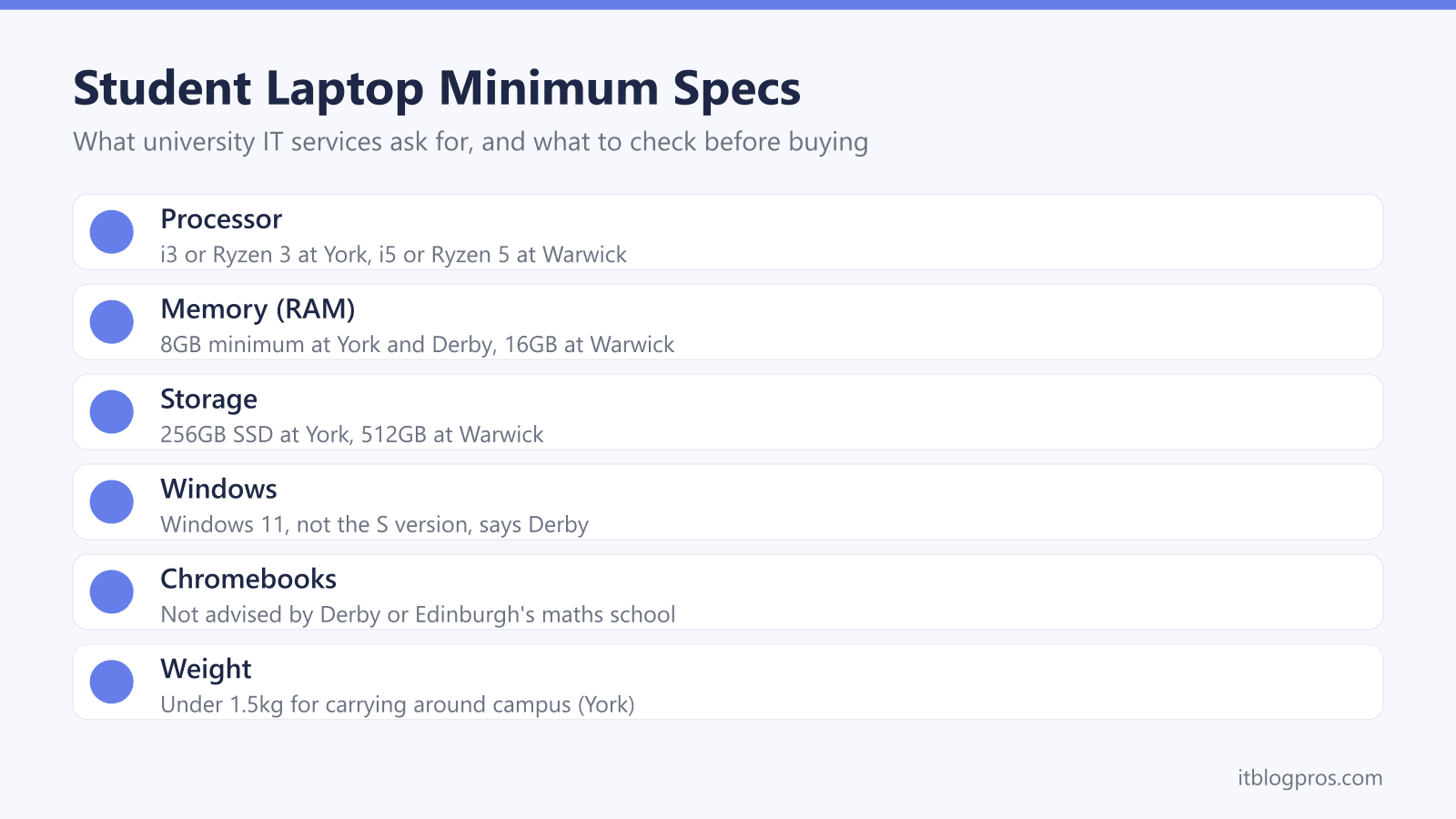
- York's minimum is an Intel i3 or AMD Ryzen 3, 8GB of RAM and a 256GB SSD, while Warwick recommends an i5 or Ryzen 5, 16GB of RAM and 512GB.
- Nottingham's engineering department says some engineering software does not run on a Mac or Chromebook, and Derby asks for Windows 11 that is not the S version.
- Google gives Chromebooks 10 years of updates from the platform's release date, not the purchase date, and shows the schedule under About ChromeOS.
- Microsoft offers Office 365 A1 web apps free with an eligible education email, and Warwick, Derby and Edinburgh's maths school offer Microsoft 365 or Office downloads free.
- Apple's UK pages say the power adapter is sold separately for the MacBook Air and MacBook Neo, and Lenovo lists no adapter for its UK Chromebook Plus 2-in-1.
University IT Pages Set the Real Minimum Specification
The most useful buying guide for a student laptop is the one the university's own IT service writes. The University of York's minimum specification lists an Intel i3 or AMD Ryzen 3 processor, 8GB of RAM, 256GB or more of SSD storage, AC WiFi, a 13 to 15.6-inch screen and Windows 11, and suggests under 1.5kg for carrying around campus. Warwick's recommended specification goes further: an Intel Core i5 or AMD Ryzen 5, 16GB of RAM and 512GB of storage. Derby's IT services publish tiers, from a minimum of 8GB and a 128GB SSD to a recommended 16GB and 250GB.
Newer chips use different names. Intel's June 2023 brand update moved its processors to 3, 5, 7 and 9 tiering and added Core Ultra for its most advanced chips, which is why current laptops say Core 3 or Core 5 where university pages say i3 or i5. Microsoft's Windows 11 minimum is just 4GB of RAM and 64GB of storage, so a laptop that runs Windows 11 can still miss a university's list.
The Course Decides Between Windows and macOS
Some subjects settle the question before the budget does. The University of Nottingham's mechanical, materials and manufacturing engineering department recommends the full version of Windows 11, 16GB to 32GB of RAM and a 512GB SSD, and highly recommends a dedicated graphics card. It says some engineering software does not run on a Mac or Chromebook, leaving a virtual Windows PC that needs a stable internet connection. Derby's specialist tier, for computing, gaming, programming, networking and engineering, asks for an i7 or Ryzen 7, 32GB of RAM and a graphics card similar to an Nvidia GeForce RTX 2060. Its Apple tier is aimed at music, photography, journalism and media.
For many other courses a Mac is fine. Warwick says students may use a Windows or Mac device, names a MacBook Air with an M processor as its Mac minimum, and says departmental guidance takes priority. York also asks students to check with their department.
Derby wants Windows 11 that is not the S version. Microsoft says S mode only runs Microsoft Store apps, and switching out is free but one-way.
Chromebooks Suit Web-Based Work, Not Installed Software
Lenovo's UK Chromebook FAQ describes a Chromebook as a laptop that runs Google's Chrome operating system, designed mainly around web apps and cloud storage. That design is the catch for degree courses. Derby says Chromebooks are not advised because of limited application support, Edinburgh's School of Mathematics says to avoid one because it may not run software a programme needs, and Warwick's central guidance does not recommend them.
Google's Chromebook Help says the Play Store, which adds Android apps, is available for only some Chromebooks, and a school-managed one may not allow it. Office files open in the Microsoft 365 app, but Google says OneDrive is required and Microsoft 365 files will not open offline beyond a basic offline editor. Derby adds that Microsoft 365 cannot be installed on a Chromebook and works online only.
Updates also end. Google's Auto Update policy gives ChromeOS devices 10 years of updates from the platform release date, not the purchase date, and Settings, About ChromeOS, Additional details shows a Chromebook's schedule.
Microsoft 365 and Apple Education Offers Have Conditions
Office is rarely worth buying separately. Microsoft says educators and students with an eligible education email address can get Office 365 A1 free, that A1 includes the web-based versions of core Office apps, and that its paid A3 and A5 plans add full access to the desktop apps. A footnote says Microsoft donates A1 to eligible institutions, so access comes through the school, college or university.
Universities spell out what they give. Warwick says students can download Microsoft 365 products free through their university IT account, so a personal licence is not needed. Derby lists free Microsoft 365 apps for Windows and Mac plus 1TB of OneDrive storage, and Edinburgh's School of Mathematics says students can download the latest Office free, even before they arrive.
Apple's offer is narrower. Apple's UK Education Store says its education pricing is for current and newly accepted higher education students, parents buying for them, and teachers and staff at all levels. On that wording, a sixth former without a university place does not qualify.
RAM and Storage Are Hard to Change Later
Edinburgh's School of Mathematics describes RAM as memory, different from hard-disk storage, and recommends 16GB. It is the number most worth getting right first time, because many laptops fix it at the factory. Lenovo's spec sheet for its Chromebook Plus 2-in-1 lists 8GB of soldered memory that is not upgradable. The IdeaPad Slim 3 15IRU10 pairs 8GB of soldered memory with one free slot, which Lenovo says allows up to 24GB, while the IdeaPad Slim 5 14IRH10 uses two 12GB modules. Apple lists 16GB as the 13-inch MacBook Air's base memory, configurable to 24GB or 32GB when ordering.
Storage is where files and apps live. York asks for 256GB or more of SSD storage, and Edinburgh's maths school asks for at least 256GB, using an SSD if possible. Chromebooks can come with less: Lenovo lists 128GB of UFS storage on its Chromebook Plus 2-in-1. Cloud space helps, such as the 1TB of OneDrive storage Derby gives its students, though Google notes that Microsoft 365 files stay out of reach offline on a Chromebook.
Battery Claims and Chargers Need a Closer Read
Battery figures are the maker's test results, not a promise. Lenovo's spec sheets say the claims are approximate maximums from benchmarks such as MobileMark or continuous 1080p video at 150 nits, that real-world life varies, and that capacity decreases with time and use. The spread shows on a single machine: Lenovo lists its Chromebook Plus 2-in-1 at 15.1 hours of browsing but 6.7 hours of video calls. Apple quotes the 13-inch MacBook Air at up to 18 hours of video streaming and 15 hours of wireless web. Edinburgh's maths school asks for ideally a whole day's use, and Nottingham's engineering department sets a six-hour minimum.
The box itself deserves a look. Apple's UK spec pages say the power adapter is sold separately for the 13-inch MacBook Air and MacBook Neo, with charging minimums of 30W and 20W, and 70W or more for MacBook Air fast charging. Lenovo lists no power adapter for its UK Chromebook Plus 2-in-1, which charges over USB-C at 45W to 65W. The replacement laptop charger guide covers choosing one.
The Laptops Worth Shortlisting
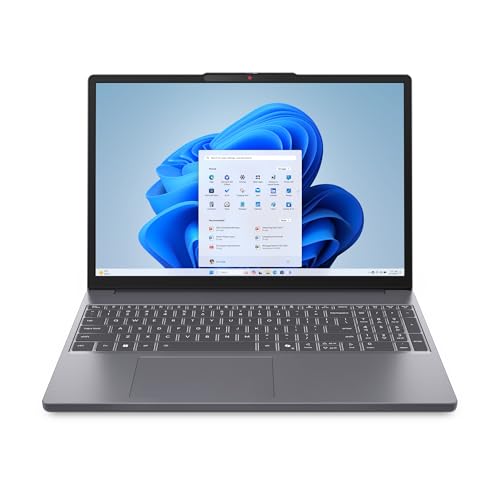
Each pick has a limit worth knowing. Lenovo lists the IdeaPad Slim 5 14IRH10 with a Core i7-13620H, 24GB of RAM, a 1TB SSD, a 65W USB-C charger and around 1.47kg, clearing Warwick's recommendation and York's weight suggestion. The IdeaPad Slim 3 15IRU10 matches York's 8GB and 256GB minimum on a Core 3 100U and includes a 65W charger, but weighs 1.59kg. Lenovo's Chromebook Plus 2-in-1 adds a touchscreen and runs to June 2035 in Google's update table, but its 8GB is fixed and the box has no charger. Apple's 13-inch MacBook Air with M5, 16GB and 512GB fits Warwick's Mac minimum, while the MacBook Neo's A18 Pro chip and 8GB suit lighter work.
Lenovo lists a one-year base warranty on its three, and Edinburgh's maths school suggests cover for the whole course. None of the five lists an Ethernet port, and Warwick says residence study bedrooms should use a wired connection, so a USB-C hub with one helps, as do fixes for WiFi that keeps dropping. A laptop bag, stand and monitor finish the desk.
| Product | Best for | Key specs | Price | |
|---|---|---|---|---|
 | Lenovo IdeaPad Slim 5 14-inch, Core i7, 24GB RAM, 1TB SSD Our pick | Windows coursework with room to grow | i7-13620H, 14in 1920x1200, 1.47kg, 65W USB-C charger | Check price → |
 | Lenovo IdeaPad Slim 3 15.3-inch, Core 3, 8GB RAM, 256GB SSD Budget | Essays, Office and browsing on a tighter budget | Core 3 100U, 15.3in, spare RAM slot, 65W charger, 1.59kg | Check price → |
 | Lenovo Chromebook Plus 2-in-1 14-inch, 8GB RAM, 128GB Chromebook | Browser-based sixth form and college work | Core 3 N355, 14in touch, 8GB fixed, 1.5kg, no charger | Check price → |
 | Apple MacBook Air 13-inch M5, 16GB, 512GB SSD Mac | Courses that allow a Mac and long days on battery | 13.6in, up to 18hr video, 1.23kg, adapter sold separately | Check price → |
 | Apple MacBook Neo 13-inch, 8GB, 512GB SSD Cheaper Mac | Writing and browsing on a Mac with a smaller budget | A18 Pro, 13in, up to 16hr video, 1.23kg, no adapter | Check price → |