
A laptop at a desk gets one thing wrong: the screen sits well below eye level, and Fellowes' guide to sitting with a laptop says that pushes the neck forward and the shoulders with it. The HSE, the NHS and Apple all publish guidance on screen height, and the stand makers themselves say a raised laptop needs a separate keyboard. This guide sets out that advice, explains adjustable, fixed and folding stands, and lists five stands from Kensington, Fellowes, Rain Design, Roost and UGREEN.
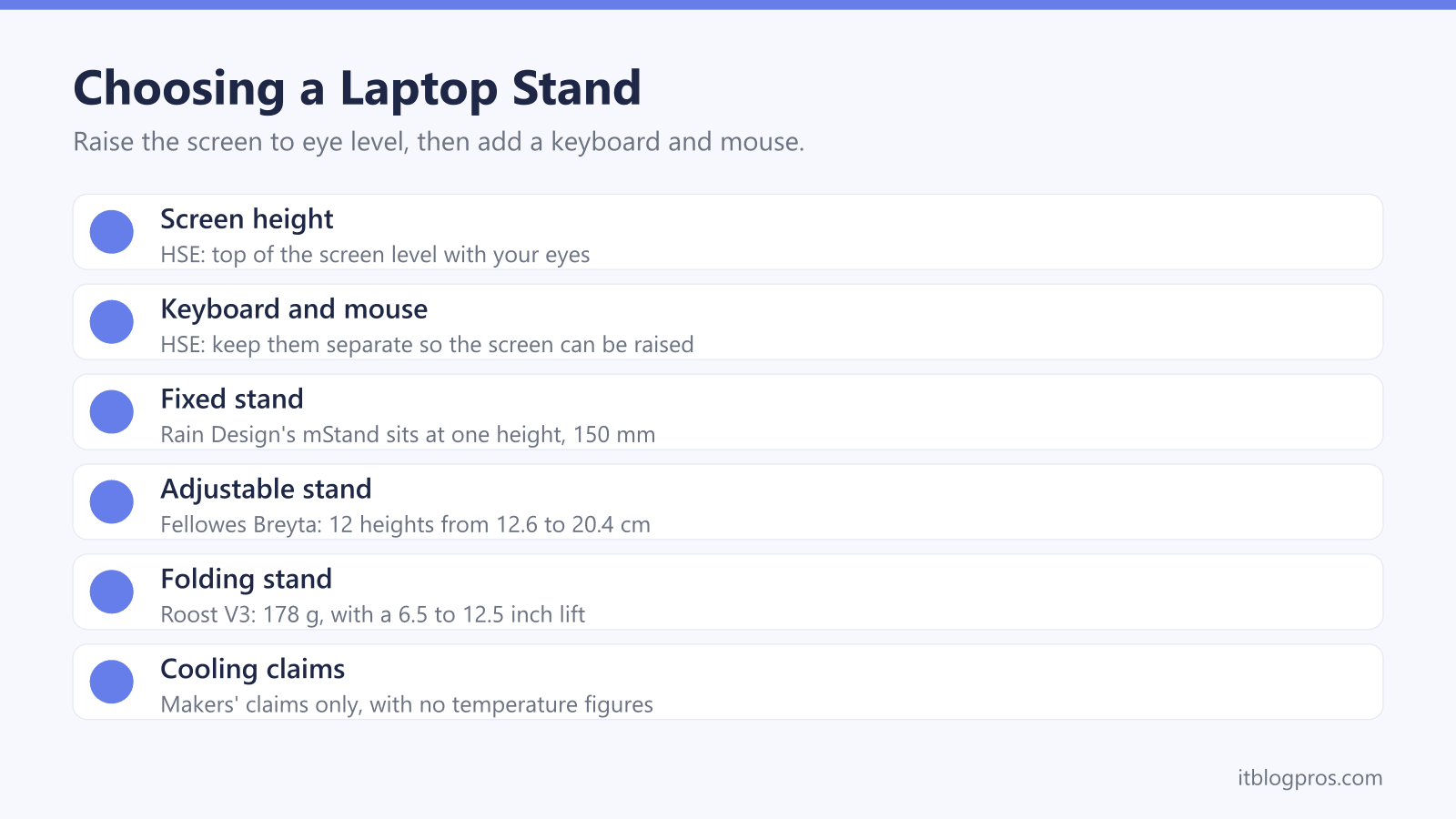
Raise the laptop until the top of the screen is level with your eyes, about an arm's length away, which is the HSE's guidance for screen work, and add a separate keyboard and mouse, as the HSE, Kensington and Fellowes all advise. An adjustable stand suits a shared desk or changing chairs, a fixed one such as Rain Design's mStand suits one MacBook at one desk, and a folding one suits travel.
Key Takeaways
- The HSE's display screen guidance puts the top of the screen level with your eyes, about an arm's length away, with the keyboard just below elbow height.
- The HSE advises a keyboard and mouse separate from the laptop so the screen can be raised on a riser, and Fellowes calls an external keyboard and mouse the only true fix.
- Rain Design's mStand sits at a fixed 150 mm, while Fellowes lists 12 heights from 12.6 to 20.4 cm for its adjustable Breyta stand.
- Cooling claims are the makers' own: Rain Design says aluminium acts as a heat sink and Kensington says its riser increases air circulation, but neither gives a temperature figure.
- Apple's ergonomics page says to raise a screen that sits too low with a stand, so the area you look at aligns with your brow or slightly below it.
The HSE Puts the Top of the Screen Level With Your Eyes
The Health and Safety Executive's guidance on display screen equipment sets out a good workstation in a few lines. Its good posture page puts the top of the screen level with your eyes, about an arm's length away, with the keyboard just below elbow height and the mouse in line with the elbow. The HSE's leaflet on working with display screen equipment says much the same: forearms roughly horizontal, and eyes at the same height as the top of the screen.
A laptop on a bare desk cannot meet that, because its screen is joined to the keyboard. NHS advice points the same way. Cambridge University Hospitals NHS Foundation Trust's seating leaflet says the screen should be at arm's length and at eye level in front of the user, and that no one should sit for more than one hour.
For employees working from home, the HSE's home working page adds a useful point: if a workstation assessment shows extra equipment is needed, the employer cannot charge for it.
A Raised Laptop Needs a Separate Keyboard and Mouse
Lifting the screen lifts the keyboard with it, and that is the catch with every stand. The HSE's good posture page deals with it directly. For prolonged laptop use, it advises a keyboard and mouse separate from the laptop so the screen can be elevated on a laptop riser or similar, and lists a display screen separate from the laptop as well. Its leaflet adds that portable users should, whenever possible, use a docking station or a firm surface with a full-sized keyboard and mouse, and notes that raiser blocks are commonly used to help with screen height.
The stand makers agree. Kensington's page for its SmartFit Easy Riser says the product should be used with an external keyboard and mouse, sold separately. Fellowes' guide to sitting with a laptop goes further, calling an external keyboard and mouse the only true fix for a keyboard that ends up too high. The wireless keyboard and mouse guide covers the options, and a USB-C hub or a docking station brings the cables back to one plug.
Adjustable Stands Fit the Person, Fixed Stands Fit One Desk
Because the HSE's target is your eye line, the right height depends on your chair, your desk and how tall you sit, not on the laptop. A fixed stand gives one answer. Rain Design's specs give the mStand a height of 150 mm, and its page describes a tilt that brings the screen closer rather than any height adjustment. If that height happens to suit you, a fixed stand is simple and has no joints to work loose.
Adjustable stands cover more people and more chairs. Fellowes' listing for its Breyta stand gives 12 height settings from 12.6 to 20.4 cm and a tilt of 17 to 50 degrees. Kensington says its SmartFit Easy Riser is height and angle adjustable, with a colour-coded fitting chart to suggest a setting, although its page does not list the height range. UGREEN's page for its 40289 folding stand lists five heights from 1.84 to 5.45 inches. On a desk shared by two people, or one used with different chairs, adjustable is the safer choice.
Aluminium and Cooling Claims Are the Makers' Own
Most stands are sold partly on cooling, and those claims come from the makers, not from any published test. Rain Design says the mStand's aluminium cools the notebook by acting as a heat sink. Kensington says its Easy Riser increases air circulation to keep the laptop cooler, easing strain on the components and battery. Fellowes' listing says the Breyta's open platform increases air circulation, and UGREEN's listing says the 40289 offers greater ventilation. None of these pages gives a temperature figure.
Apple's advice is plainer. Its safety guide for the MacBook Air says to place the laptop on a stable work surface that allows adequate air circulation under and around it, and never to place anything over the keyboard while it is running. A stand that keeps the base clear of a soft surface fits that advice. It will not clear a fan clogged with dust or cure a laptop that overheats for another reason, and the guide to a laptop that sounds like a tractor covers those causes.
Folding Stands Trade Some Height for a Lighter Bag
A portable stand earns its place for hot-desking, a garden office or travel. Roost's product page for the V3 lists a weight of 178 g, a screen lift of 6.5 to 12.5 inches, seven height settings and a folded size of 1 by 1.5 by 13 inches. Roost's own pages disagree on the details, though: its homepage gives 6 to 11 inches of lift, up to 11 height settings and a weight of 170 g. Roost's Amazon listing recommends an external keyboard and mouse with it.
UGREEN's 40289 is a simpler aluminium folding stand with less lift. UGREEN's page lists five heights from 1.84 to 5.45 inches, a weight of 0.52 lb and support for 8 to 17.3 inch laptops, and UGREEN's listing says it folds into a small carry bag. Fellowes says the Breyta folds flat as well.
The HSE's leaflet has a point for anyone carrying kit about. It asks employers to consider the manual handling risk of heavy equipment, and says more changes in activity may be needed when awkward postures cannot be avoided.
MacBook Stands Follow Apple's Own Advice
Apple's ergonomics page is short and practical. It says to raise or lower the screen so that the area you are looking at aligns with your brow or slightly below it, and, if the screen is too low, to raise it with a stand. Both that and the HSE's guidance point to lifting a MacBook off the desk.
Rain Design's mStand is built for the job. Rain Design says it fits all MacBooks and most notebooks, that the 16-inch MacBook Pro sits securely on it, and that a 2-inch hole at the back keeps cables tidy. Fellowes' listing for the Breyta mentions a front lift feature for laptops with restricted openings, naming MacBooks and Dell laptops.
Closing the lid is the other route. Apple's guide to dual monitors on M3 models lists an external keyboard and mouse or trackpad, power and macOS Sonoma 14.3 or later for a MacBook Air running two displays with the lid closed. The docking station guide covers that setup, and the USB-C to HDMI adapter guide covers a single screen.
The Stands Worth Shortlisting
Each pick has a limit worth knowing before buying. Kensington's SmartFit Easy Riser is the all-rounder for a home desk, taking 12 to 17 inch laptops by Kensington's spec, with height and angle adjustment, though its page gives no height range. Fellowes' Breyta lists 12 heights from 12.6 to 20.4 cm, but Fellowes' own pages disagree on size: its global page says it supports up to a 14-inch laptop, while its Australian page and its Amazon listing say 15.6 inches.
Rain Design's mStand suits a MacBook that stays on one desk, with no height adjustment at all. Roost's V3 gives the most lift of the stands here that publish a range, by its product page figures, and packs small for travel. UGREEN's 40289 is a light aluminium alternative with much less height.
A stand is one part of a comfortable home desk. The Dell WL7024 headset guide looks at a headset built for calls, and the best WiFi router for working from home guide covers the connection behind it.
| Product | Best for | Key specs | Price | |
|---|---|---|---|---|
 | Kensington SmartFit Easy Riser Laptop Cooling Stand Our pick | Home desks with a 12 to 17 inch laptop | 12 to 17 inch, height and angle adjust, SmartFit chart | Check price → |
 | Fellowes Breyta Adjustable Laptop Stand Budget | Fine height steps on laptops up to 14 inches | 12 heights, 12.6 to 20.4 cm, 17 to 50 degree tilt, 4kg | Check price → |
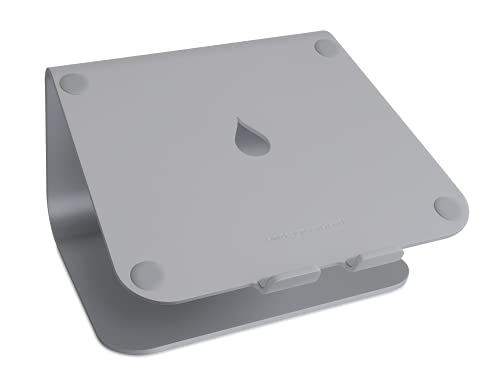 | Rain Design mStand Laptop Stand MacBook pick | A MacBook that stays on one desk | One-piece aluminium, fixed 150 mm height, cable hole | Check price → |
 | Roost V3 Laptop Stand Travel | Travel and hot-desking, with up to 12.5 inches of lift | 178 g, 6.5 to 12.5 inch screen lift, 7 heights | Check price → |
 | UGREEN Foldable Aluminium Laptop Stand (40289) Folding | A light folding stand that lives in a laptop bag | Aluminium, 5 heights, 8 to 17.3 inch laptops, carry bag | Check price → |