
A USB-C hub turns one port on a laptop, MacBook or iPad into HDMI, USB-A, Ethernet and a card reader, and it is the smaller, simpler cousin of a docking station. Hubs are not all alike, though. One runs a 4K screen at 30Hz and another at 60Hz, some pass more of the charger's power through than others, and the laptop itself decides whether video works at all. This guide sets out what to check, then lists four hubs worth shortlisting.
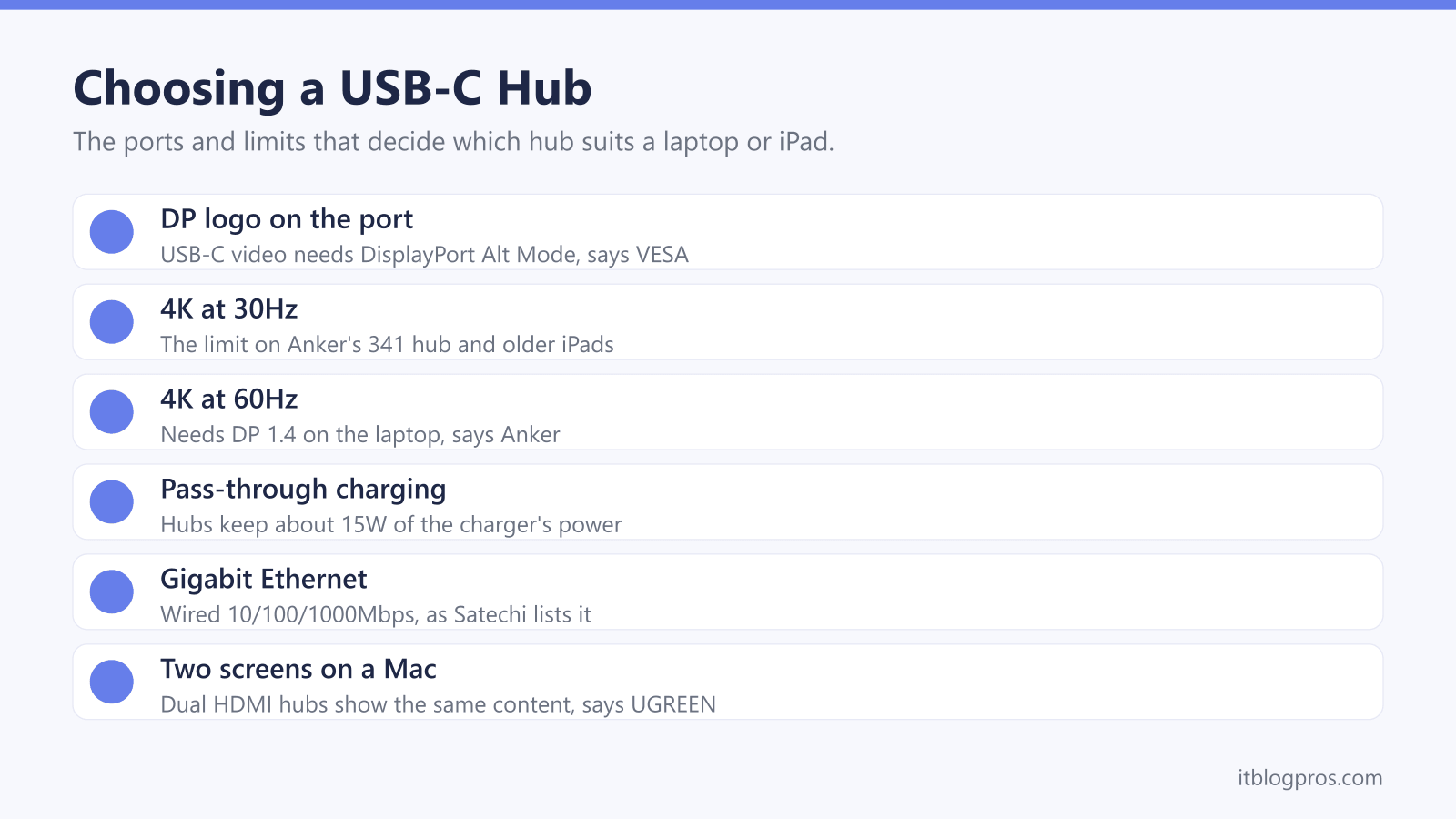
Start with the laptop: a hub's HDMI port only works if the USB-C port carries video, which VESA says is normally marked with a DP logo. For a 4K monitor, choose a hub listing 4K at 60Hz rather than 30Hz. Anker, UGREEN and Belkin say their hubs keep 15W of the charger's power, so use a charger stronger than the laptop's own. Two separate screens on a Mac point to a dock.
Key Takeaways
- VESA says USB-C ports that carry video normally show a DP logo near the connector, and Anker and UGREEN say only the HDMI port on their hubs outputs video.
- Anker's 341 hub lists HDMI at 4K at 30Hz, while Anker's 555 page says 4K at 60Hz also needs a laptop that supports DP 1.4.
- Anker, Belkin, UGREEN and Satechi all say their hubs keep about 15W for their own operation, and UGREEN advises a charger at least 15W stronger than the laptop's original.
- Apple says a hub does not raise the number of external displays a Mac supports, and UGREEN says its dual HDMI hub shows the same content on both screens with a MacBook.
- Apple lists hubs, USB to Ethernet adapters and its SD card reader among the accessories an iPad's USB-C port supports, with 4K at 60Hz over HDMI 2.0 on newer models and 4K at 30Hz on older ones.
A Hub Only Works if the USB-C Port Carries Video
Every USB-C hub with an HDMI port leans on a feature of the laptop, not the hub. VESA, the standards body behind DisplayPort, calls it DisplayPort Alt Mode, and its FAQ says USB-C ports that support it normally carry a DP logo near the connector. Its page on DisplayPort over USB-C adds that video, SuperSpeed USB data and power can share one connector, listing 4K at 60Hz alongside USB 3.1 data.
Not every laptop has it. Anker's page for its 341 hub lists models that do not support USB-C media display, among them the VivoBook L203MA, the ZenBook 13 Ultra-Slim and the Ideapad L340 Gaming laptop. On those, the hub's HDMI port has no picture to pass on.
The hub's own USB-C sockets are the second trap. Anker's 555 page says media display is only supported through the HDMI port, and UGREEN's notes for its 9-in-1 hub say the USB-C data port supports neither video nor charging. For a single screen and nothing else, the USB-C to HDMI adapter guide covers simpler adapters.
4K at 60Hz Needs the Right Port at Both Ends
The refresh rate is the figure that separates one 4K hub from another. A screen at 60Hz redraws the picture 60 times a second, twice as often as one at 30Hz, so scrolling and moving windows look smoother at the higher rate. Anker's 341 hub lists HDMI at up to 4K at 30Hz, and Anker's 5-in-1 hub page gives 4K at 30Hz in both mirror and extend modes. Belkin's 7-Port USB-C Hub, by contrast, has an HDMI 2.0 port rated at 4K at 60Hz, and VESA says DisplayPort over USB-C adapters support HDMI 2.0a and full 4K.
The laptop has to keep up as well. Anker's 555 page says 4K at 60Hz needs a device that supports DP 1.4, and UGREEN's notes for its 9-in-1 hub ask for DisplayPort 1.2 or 1.4 Alt Mode for full compatibility. Belkin adds that the actual resolution may depend on the laptop's graphics and display settings. A 4K at 60Hz label on the box is therefore the hub's ceiling, and the laptop decides whether it is reached.
Pass-Through Charging Always Keeps Some Watts Back
Most hubs have a USB-C charging input, and none hands over every watt. Anker's pages for its 341 and 555 hubs give pass-through charging as up to 100W minus 15W for operation. UGREEN's notes for its 9-in-1 hub say a 100W charger and cable give the laptop up to 85W, and advise a charger at least 15W more powerful than the laptop's original. Belkin's 7-Port hub page also deducts 15W, and says its recommended 60W charger delivers up to 45W while the other ports are in use. Satechi's FAQ puts its slim hub at up to 80W from a GaN charger and 74W from an Apple charger.
Anker, UGREEN, Belkin and Satechi all leave the charger out of the box, and Anker and UGREEN say the cable must support 100W too. USB-IF's certified cable logos show 60W or 240W. Apple's power adapter page says a Mac laptop charges from any USB Power Delivery adapter, even a lower-wattage one, but recommends at least Apple's listed minimum, 140W for the 16-inch MacBook Pro. The replacement laptop charger guide covers wattage.
USB-A Speeds, Ethernet and Card Readers Vary by Hub
Port counts hide port speeds. USB-IF, which looks after the USB standards, names three USB 3.2 transfer rates: 5Gbps, 10Gbps and 20Gbps. UGREEN's 9-in-1 hub mixes them, with two 10Gbps USB-C ports, one 10Gbps USB-A port and one 5Gbps USB-A port. Anker's 5-in-1 hub has one 5Gbps USB-A port and two USB 2.0 ports at 480Mbps, about a tenth of the speed. Satechi recommends only one external hard drive at a time on its slim hub, because two draw too much power, and the external hard drive not showing up guide helps when a drive goes missing.
On a desk, Ethernet often earns its place first, and a wired port is a quick workaround when WiFi keeps dropping on a laptop. Satechi lists Gigabit at 10/100/1000Mbps and UGREEN lists 1000Mbps, while Anker's 555 page names the port without giving a speed. The Cat6 versus Cat8 guide covers the cable. For cards, Satechi lists UHS-I at 104MB/s and UGREEN lists 170MB/s, and the SD card and card reader guide explains the speed classes.
iPads and Phones Can Use a Hub Too, Within Limits
Apple's page on the iPad's USB-C port lists hubs and docks, keyboards, external storage, USB to Ethernet adapters and its USB-C to SD Card Reader among supported accessories. Over HDMI 2.0, Apple says the iPad Pro, iPad Air (M2, M3 and M4), iPad Air (5th generation), iPad mini (A17 Pro) and iPad (A16) output 4K at 60Hz, while the iPad Air (4th generation), iPad mini (6th generation) and iPad (10th generation) stop at 4K at 30Hz. The screen mirrors the iPad or, on supported models, extends it.
Charging through a hub is less certain. Anker's 555 page says the hub cannot pass charging through to tablets, including the iPad Pro, or to phones when the device's original charger is used, and suggests at least 15V, or 45W, for full-speed iPad Pro charging. Belkin names the iPad Pro, iPad Air (M1/M2) and Samsung DeX phones as compatible with its 7-Port hub. Apple's iPhone page says iPhone 15 and later models with display support mirror the screen at up to 4K at 60Hz, and lists Ethernet adapters and external storage.
A Dock Is the Better Buy for Two Screens or a Fixed Desk
Anker's own explainer draws the line clearly. Most hubs are bus-powered, sipping whatever the laptop can spare, and may offer a single HDMI port for one external display. A docking station, Anker says, plugs into the wall, can push 60W to 100W or more back to the laptop and can run several high-resolution monitors.
Screens are where a hub runs out first. Apple's tech specs for the M2 MacBook Air list one external display, its support page allows two on the M4 MacBook Air, and Apple says a hub does not raise a Mac's maximum. UGREEN's page for its dual HDMI Revodok Pro 210 says that, because of macOS limitations, all extended monitors show the same content with a MacBook, and Satechi says its slim hub supports a single external display.
A laptop that lives on one desk with two monitors, a wired network and a permanent charger is dock territory, and the docking station guide covers DisplayLink and Thunderbolt models. A hub stays the better fit for a bag, and a laptop stand keeps either set-up tidy.
The USB-C Hubs Worth Shortlisting
Each pick comes with a limit worth knowing. UGREEN's Revodok Pro 109 9-in-1 is the all-rounder: UGREEN lists 4K at 60Hz HDMI, Gigabit Ethernet, SD and TF slots at 170MB/s, two 10Gbps USB-C data ports and up to 85W of pass-through charging, though its USB-C data ports carry neither video nor charging. Anker's 7-in-1 USB-C Hub (A83D2) is the budget choice, with 4K at 60Hz HDMI, three 5Gbps data ports, SD and TF slots and laptop charging up to 85W, but no Ethernet.
Belkin's 7-Port USB-C Hub suits a tablet or phone as well as a laptop. Belkin names the iPad Pro, iPad Air (M1/M2) and DeX phones, and lists HDMI 2.0 at 4K at 60Hz, SD and microSD slots and 5Gbps data, again without Ethernet. Satechi's 7-in-1 USB-C Slim Multiport Adapter with Ethernet adds Gigabit Ethernet and two 10Gbps USB-A ports in a slim case, with up to 80W reaching the laptop and one external display. For two separate screens on a Mac, none of these is the answer, and a dock is.
| Product | Best for | Key specs | Price | |
|---|---|---|---|---|
 | UGREEN Revodok Pro 109 9-in-1 USB-C Hub (75028) Our pick | Laptops needing Ethernet, SD cards and 4K at 60Hz | 4K 60Hz HDMI, Gigabit, SD/TF, 10Gbps, 85W pass-through | Check price → |
 | Anker 7-in-1 USB-C Hub (A83D2) Budget | One 4K screen and SD cards, without Ethernet | 4K 60Hz HDMI, 3x 5Gbps, SD/TF, up to 85W charging | Check price → |
 | Belkin 7-Port USB-C Hub (AVC023) iPad and phone | iPad Pro, iPad Air and DeX phones as well as laptops | HDMI 2.0 4K 60Hz, SD and microSD, 5Gbps, 100W input | Check price → |
 | Satechi 7-in-1 USB-C Slim Multiport Adapter with Ethernet (ST-P7SM) Slim | A MacBook or iPad needing Ethernet and fast USB-A | 4K 60Hz, Gigabit, 2x 10Gbps USB-A, 80W max to laptop | Check price → |