
Getting a laptop, phone or old DVD player onto a TV usually comes down to one adapter or cable, and the wrong one leaves a blank screen. The USB-C port has to carry video, the HDMI cable has to match the picture, and SCART kit needs a converter rather than a simple lead. This guide sets out what VESA, Intel, Apple, Samsung and HDMI Licensing Administrator say about each, how to connect a laptop to a TV, and five products worth shortlisting.
A USB-C to HDMI adapter only works if the laptop or phone's USB-C port carries video, through DisplayPort Alt Mode or Thunderbolt, and VESA says those ports normally show a DP logo. Plain USB-A ports need a DisplayLink adapter and its driver. HDMI.org rates cables by name, from High Speed to Ultra High Speed, with active or optical cables for long runs. SCART kit needs a powered converter.
Key Takeaways
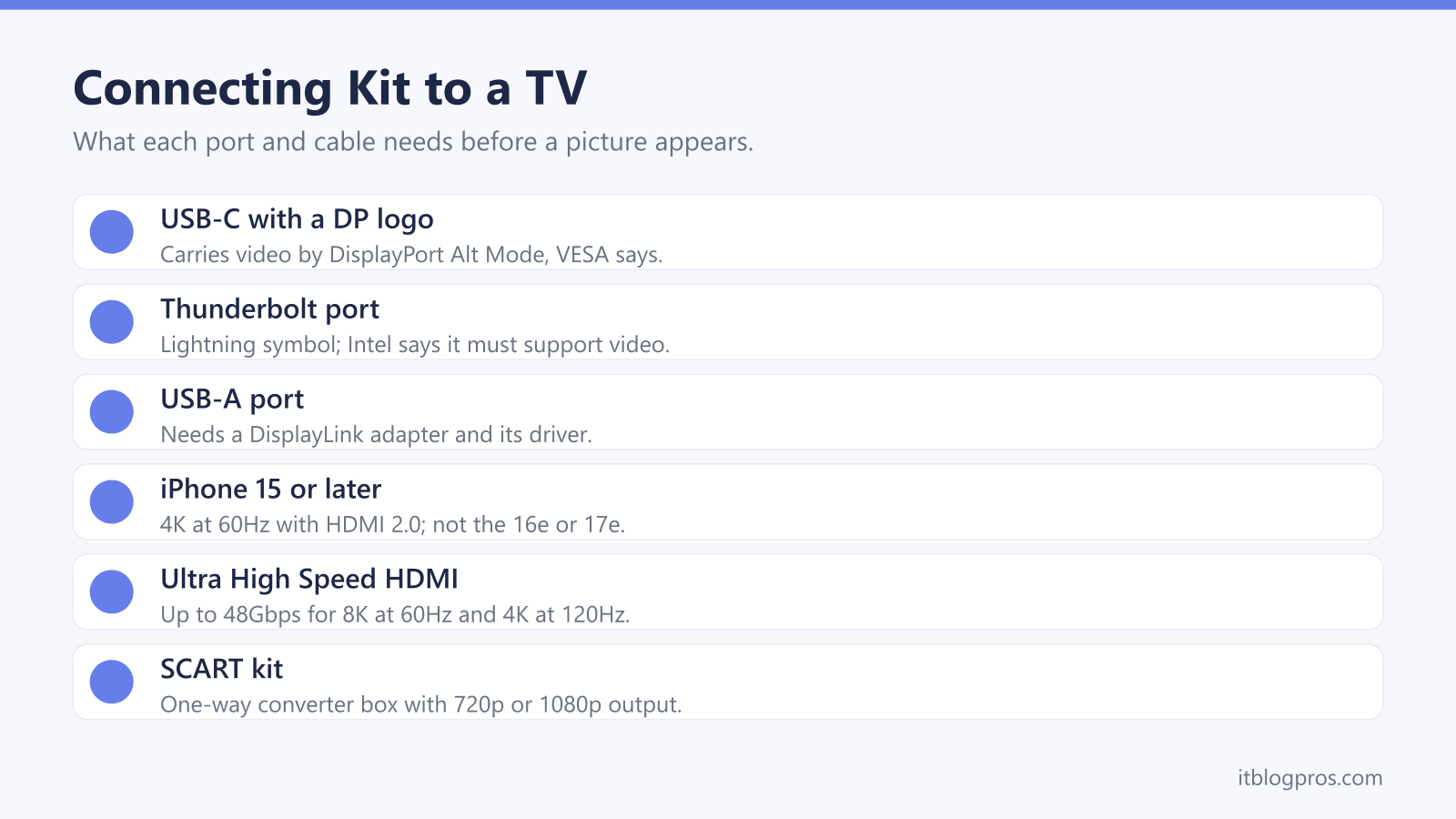
- VESA says USB-C ports that carry video normally show a DP logo near the connector, and Intel says Thunderbolt 4 ports carry a lightning symbol and must support video.
- Apple lists the iPhone 15 models, the iPhone 16 and 17 models apart from the 16e and 17e, and the iPhone 18 Pro models as able to drive a display over USB-C, at 4K and 60Hz with an HDMI 2.0 adapter.
- HDMI Licensing Administrator certifies the Premium High Speed HDMI Cable for 4K at 60Hz at up to 18Gbps, and rates the Ultra High Speed HDMI Cable at up to 48Gbps for 8K at 60Hz and 4K at 120Hz.
- HDMI.org says cables longer than a few metres are likely to need to be active to meet Ultra High Speed requirements, and that an active cable only works plugged in the right way round.
- The SCART to HDMI converters from QGECEN and uhddadi are one-way, USB-powered boxes with 720p or 1080p output, and uhddadi describes its converter as taking a composite SCART signal.
Only Some USB Ports Carry Video
A laptop's USB-C port looks the same whether it carries video or not, which is why a new adapter can leave the TV showing nothing. VESA, the body behind DisplayPort, says USB-C ports that support video normally carry a DP logo near the connector, and that the device documentation should confirm it. Its FAQ calls the feature DisplayPort Alt Mode and says most video source devices with USB-C already support it. Intel says Thunderbolt 4 uses the same oval connector with a lightning symbol, and that certification requires power, data and video. Plug into a port without video and Dell's guide says no video data reaches the display, although nothing is harmed.
Older rectangular USB-A ports are a different case, because VESA's standard is named DisplayPort Alt Mode for USB Type-C. A USB to HDMI adapter for those ports relies on a chip such as DisplayLink, which Synaptics describes as display expansion over a single USB connection, with a driver for Windows, macOS, ChromeOS, Ubuntu or Android. The docking station guide covers DisplayLink docks in more depth.
Phones and Tablets Follow Their Makers' Rules
Apple's USB-C support page says the iPhone 15 and later have a USB-C connector, but only some drive a display: the iPhone 15 models, the iPhone 16 and 17 models apart from the 16e and 17e, and the iPhone 18 Pro models. Apple says HDMI 2.0 adapters and cables output 4K at 60Hz from those iPhones, and the TV mirrors the phone's screen unless an app offers a second-screen view. For iPads, Apple lists 4K at 60Hz for the iPad Pro, the iPad Air from the 5th generation, the iPad mini (A17 Pro) and the iPad (A16), and 4K at 30Hz for older models such as the iPad (10th generation).
Samsung's DeX page lists the Galaxy S8 through S25 series, the Note8 to Note20 and the Z Fold range, and its support article says a standard USB-C to HDMI adapter can start DeX. Samsung says the Z Flip7 FE and earlier Z Flip models do not work with DeX over HDMI, and that the Tab S9 FE and Tab S10 FE series do not support HDMI output.
Connecting a Laptop to a TV Takes Two Settings
Once the adapter and cable are in, the TV and the laptop each need telling. Switch the TV to the HDMI input in use, then turn to the laptop. Microsoft's guide to multiple displays says pressing the Windows logo key and P brings up four choices: PC screen only, Duplicate, Extend and Second screen only. Duplicate shows the same content on every screen, which suits a presentation, while Second screen only sends everything to the TV. If the TV does not appear, Microsoft says to open Settings, then System, Display and Multiple displays, and select Detect.
Sound is the usual loose end. Microsoft's audio troubleshooter says a device connected over USB or HDMI may need setting as the default audio device, picked from the arrow beside the volume slider on the taskbar. A monitor without speakers, Microsoft adds, should not be left as the default output, or there is no sound. Casting over WiFi skips the cable, and the guide to a smart TV that will not connect to WiFi helps when the TV's connection fails.
HDMI Cable Names Set What a Cable Can Carry
HDMI Licensing Administrator, which licenses the HDMI standard, defines each cable type by what it is tested to carry, and requires the official name on the cable jacket. A Standard HDMI Cable is tested for 1080i or 720p video. A High Speed HDMI Cable handles 1080p and beyond at up to 10.2Gbps, including 4K at 30Hz. The Premium High Speed HDMI Cable is certified for 4K at up to 18Gbps, with 4K at 60Hz and HDR. The Ultra High Speed HDMI Cable, introduced with HDMI 2.1, carries up to 48Gbps for 8K at 60Hz and 4K at 120Hz, and HDMI.org lists the newer Ultra96 cable at up to 96Gbps for HDMI 2.2.
Certification can be checked rather than taken on trust. HDMI.org says Premium and Ultra High Speed labels carry a QR code, and that an Ultra High Speed label can be scanned with a standard QR code app to verify the cable. No cable fixes a picture that freezes because the broadband is struggling, which the Sky Glass freezing and buffering guide covers.
Long HDMI Runs Need Active or Optical Cables
Distance is where ordinary cables struggle. HDMI.org says passive cables have been getting shorter, or thicker, as HDMI speeds have risen, and that the only way to meet Ultra High Speed requirements in cables longer than a few metres is likely to be a powered, active cable. Many makers have turned to active optical cables, which HDMI.org describes as a hybrid of optical fibres for the high-speed lanes and copper for the rest, allowing much longer lengths in a relatively thin cable. Its cable pages set no single maximum length; every length of a certified model has to be tested, because electrical behaviour varies with length.
Active cables come with two rules. HDMI.org says one end is labelled for the source, such as a laptop, and the other for the TV, and that a cable fitted the wrong way round causes no damage but will not work. Some also need power: HDMI.org says cables built for its Cable Power feature include a separate power connector, typically USB, for source devices that cannot supply power through the HDMI port.
SCART to HDMI Converters Bring Old Kit Back
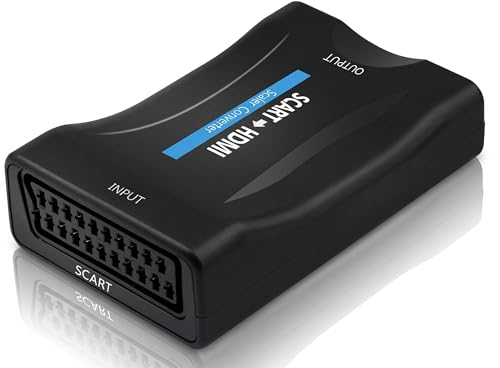
When the TV has no SCART socket, a converter box keeps a VCR, DVD player or older console in use by turning its analogue picture and sound into a digital HDMI signal. QGECEN's product listing names VCRs, DVD players, Sky boxes and consoles from the PS1 to the GameCube among compatible kit, and says its converter outputs 720p or 1080p at 60Hz from a switch and accepts PAL, NTSC and SECAM sources. It works one way only, and uhddadi says the same of its converter, so going from HDMI back to SCART needs a different box.
uhddadi describes its converter as taking a composite SCART signal, while QGECEN's listing says analogue video without naming the type. Both run on USB power: QGECEN says its box can draw it from the TV's USB port or a 5V 1A charger, and uhddadi says a USB power supply is not included. QGECEN's listing adds that the HDMI and SCART leads are extra. Scaling makes an old picture fit a modern screen; it does not add detail a VHS tape never held.
The Adapters, Cables and Switches Worth Shortlisting
Anker's 310 USB-C Adapter (4K HDMI) is the main choice for a laptop or phone: Anker's page lists 4K at 60Hz over HDMI 2.0 with HDCP 2.2, says the USB-C port must support DP Alt Mode, caps an iPad Pro at 2K and 60Hz, and names the Nintendo Switch among incompatible devices. It does not charge, Anker says, so a laptop with one USB-C port needs a hub for that. UGREEN's page gives its 50571 USB-C to HDMI cable up to 4K at 60Hz with no driver, in one 2 metre lead.
For HDMI to HDMI, UGREEN's spec page for its 3 metre HDMI 2.1 cable lists 48Gbps, 8K at 60Hz, 4K at 120Hz and eARC. QGECEN's converter covers SCART kit. Anker's HDMI Switch (4 in 1 Out) puts four sources on one TV input, with 4K at 60Hz over cables up to 5 metres, HDCP 2.2 and a remote, though Anker says the wall charger is not included. Anker lists TV sticks among its inputs, and the Virgin TV Go on Firestick guide covers one such set-up.
| Product | Best for | Key specs | Price | |
|---|---|---|---|---|
 | Anker 310 USB-C Adapter (4K HDMI) Our pick | Laptops and phones with a video-capable USB-C port | 4K at 60Hz, HDMI 2.0, HDCP 2.2, needs DP Alt Mode | Check price → |
 | UGREEN USB-C to HDMI Cable 4K@60Hz, 2m (50571) One cable | A single lead from USB-C straight to the TV | Up to 4K at 60Hz, 2 m, no driver needed | Check price → |
 | UGREEN HDMI 2.1 Cable 8K@60Hz, 3m (40181) Ultra High Speed | 4K 120Hz screens and eARC soundbars | 48Gbps, 8K at 60Hz, 4K at 120Hz, eARC, 3 m | Check price → |
 | QGECEN SCART to HDMI Converter SCART kit | VCRs, DVD players and older consoles | 720p or 1080p output, one-way, USB powered | Check price → |
 | Anker HDMI Switch (4 in 1 Out) Switch | Four HDMI sources sharing one TV input | 4 in, 1 out, 4K at 60Hz, HDCP 2.2, remote | Check price → |