
A gaming laptop squeezes a graphics chip, a fast screen and enough cooling for modern games into something that fits in a bag, and the sticker on the palm rest tells only part of the story. Two laptops sold with the same RTX 5060 can run it at very different wattages, and some cannot take more RAM later. This guide sets out what Nvidia, Intel, AMD, Lenovo, MSI, ASUS, HP and Acer say about each spec, then shortlists four UK models, from a budget LOQ to a 14-inch OMEN.
For most buyers, an RTX 5060 or RTX 5070 laptop with a screen of 144Hz or faster, 16GB or more of RAM in two slots and a 1TB SSD is the sensible target. Check the GPU wattage the maker lists, because Acer runs the same RTX 5060 at 75W in one model and 115W in another. A thin 14-inch model such as HP's OMEN Transcend 14 weighs under 1.7kg but gives up RAM upgrades.
Key Takeaways
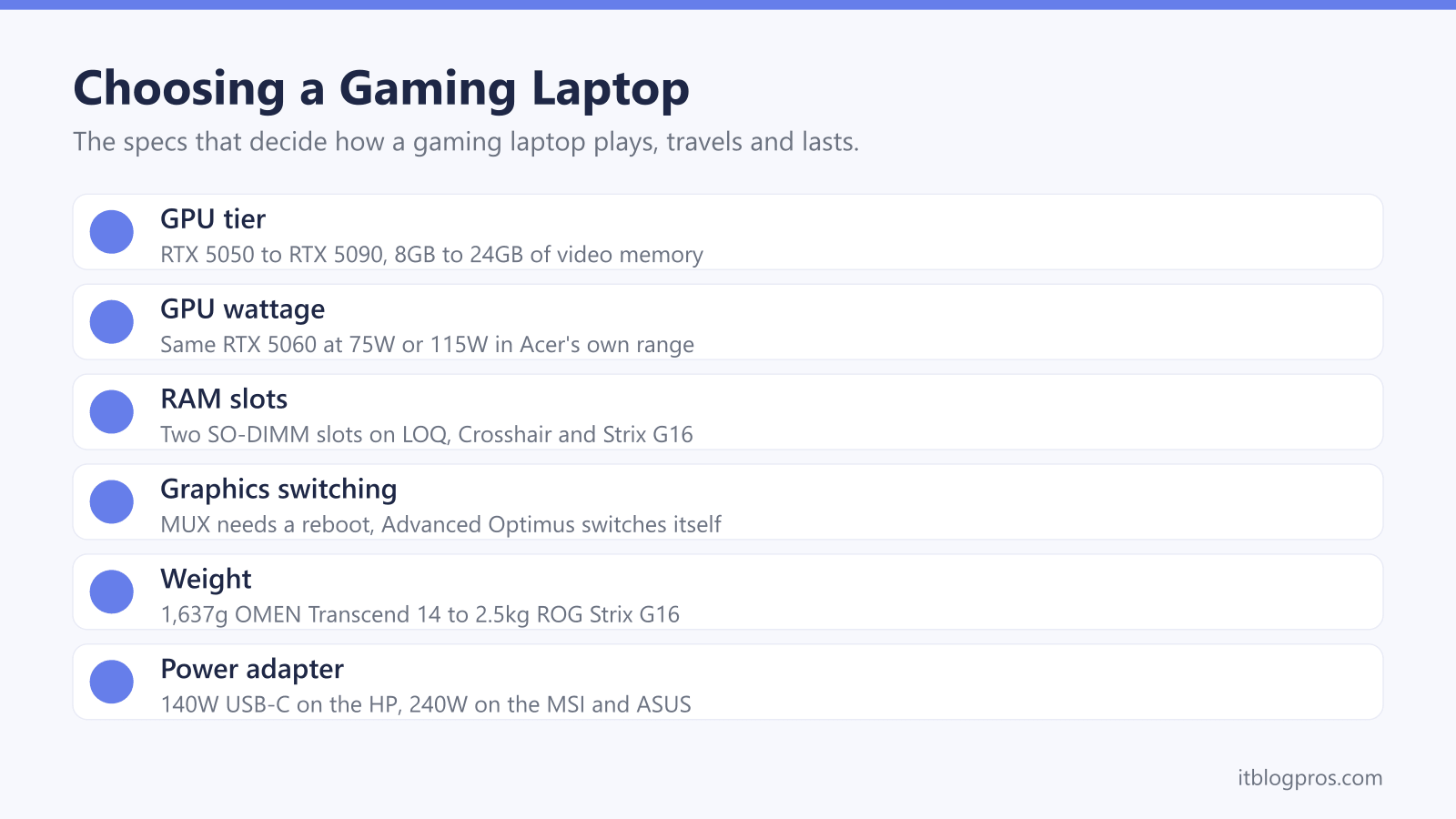
- Nvidia lists the RTX 5060 Laptop GPU at 45 to 100W, and Acer runs it at 75W in the Nitro V 15 and 115W in the Predator Helios Neo 16 AI, so the wattage matters as much as the name.
- Lenovo, MSI and ASUS fit two SO-DIMM RAM slots to the LOQ 15IRX10, Crosshair 16 HX and ROG Strix G16, while HP's service guide says the OMEN Transcend 14's memory cannot be upgraded.
- ASUS says a MUX switch sends frames straight from the GPU to the screen but needs a reboot, while Nvidia says Advanced Optimus switches automatically without one.
- Weights run from 1,637g for HP's OMEN Transcend 14 to 2.5kg for ASUS's ROG Strix G16, and HP lists a 140W USB-C charger against the 240W adapters MSI and ASUS list.
- Nvidia lists 16GB and 300W for the desktop RTX 5070 Ti against 12GB and 60 to 115W for the laptop chip of the same name.
The GPU and Its Wattage Decide How Games Run
The graphics chip, or GPU, does most of the work in a game. Nvidia's GeForce RTX 50 Series laptop range runs from the RTX 5050 to the RTX 5090, with 8GB of video memory on the RTX 5050 and RTX 5060, 8GB or 12GB on the RTX 5070, 12GB on the RTX 5070 Ti, 16GB on the RTX 5080 and 24GB on the RTX 5090.
Nvidia gives each chip a power range, such as 45 to 100W for the RTX 5060, and laptop makers pick the number. Acer's GPU power table shows the gap: the RTX 5060 gets 60W plus 15W of Dynamic Boost, 75W in all, in the Nitro V 15, but 115W in the Predator Helios Neo 16 AI. Nvidia says Dynamic Boost shares power between the GPU, its memory and the processor.
Makers word it differently. Lenovo quotes a 100W TGP, or total graphics power, for the LOQ 15IRX10's RTX 5060, MSI 115W with Dynamic Boost for the Crosshair 16 HX's RTX 5070, and ASUS 115W plus 25W for the ROG Strix G16's RTX 5070 Ti.
HX Processors Draw More Power and Need Bigger Cooling
In most games the GPU sets the pace, but the processor's suffix says a lot about the laptop around it. Intel's guide to processor numbers calls H chips highest performance and HX chips highest performance with all models unlocked. Intel lists the Core i5-13450HX in Lenovo's LOQ 15IRX10 at 55W base power and 157W maximum turbo power, against 28W and 115W for the 16-core Core Ultra 7 255H in HP's OMEN Transcend 14. AMD gives the Ryzen 9 8940HX in ASUS's ROG Strix G16 16 cores, 32 threads and a default TDP, or thermal design power, of 55W, configurable to 75W.
That heat has to go somewhere, and makers describe cooling in their own terms. MSI says the Crosshair 16 HX uses two fans and five copper heat pipes and stays below 50 dBA while gaming, in its own testing. ASUS says the Strix G16 adds a third fan, seven heat pipes and liquid metal on RTX 5070 Ti models, plus 0dB Technology for silence under light loads. The noisy laptop guide covers an older machine that roars.
Two RAM Slots and a Spare M.2 Slot Keep Upgrades Open
RAM is the laptop's working memory, and the question to ask is whether it sits in removable slots. Lenovo's spec sheet for the LOQ 15IRX10 lists two DDR5 SO-DIMM slots and a 32GB maximum, and the UK model 83JE000JUK ships with two 12GB modules, so reaching 32GB means replacing both. MSI fits two 8GB modules in the Crosshair 16 HX E14W and lists two slots with a 96GB maximum. ASUS lists two SO-DIMM slots and 64GB for the ROG Strix G16, and says its memory is limited to 5200MHz by the processor, which matches AMD's figure for the Ryzen 9 8940HX.
The thin HP works differently. HP's service guide for the OMEN Transcend 14 says its memory is integrated, not customer accessible or upgradeable, so the amount bought is the amount kept.
Storage is friendlier. Lenovo lists two M.2 2280 slots on the LOQ, MSI and ASUS each list two M.2 slots including the one in use, and HP's guide shows how to replace the single SSD. The SSD upgrade guide covers choosing a drive.
Match the Screen to the GPU and Look for a MUX Switch
Refresh rate is how many times a second the screen redraws, and Microsoft says a higher rate reduces motion blur and screen tearing in games. The shortlist runs from 120Hz to 240Hz: HP lists a 120Hz 2880 x 1800 OLED on the OMEN Transcend 14, Lenovo a 144Hz Full HD panel on the LOQ, ASUS a 165Hz 1920 x 1200 panel on the Strix G16 and MSI a 240Hz 2560 x 1600 panel on the Crosshair 16 HX. More pixels ask more of the GPU.
Then comes graphics switching. Nvidia says that with standard Optimus the processor's integrated graphics always drive the display. ASUS describes a MUX switch as a chip that lets the GPU push frames straight to the screen instead, and says this direct mode draws more power and needs a reboot. Nvidia's Advanced Optimus switches automatically without a restart, and Nvidia asks buyers to check support with the maker. ASUS lists MUX Switch plus Advanced Optimus on the Strix G16, Lenovo's spec sheet lists Advanced Optimus for the LOQ's screens, and HP's guide lists Optimus only.
Weight, Battery Life and the Power Brick Travel Together
Count the charger as well as the laptop. HP's service guide gives 1,637g for the OMEN Transcend 14, MSI lists 2.3kg for the Crosshair 16 HX, Lenovo a starting weight of 2.4kg for the LOQ 15IRX10 and ASUS 2.5kg for the ROG Strix G16. The adapters grow with the power: HP's is a 140W USB-C charger, Lenovo lists a 170W slim-tip adapter for the UK LOQ, and MSI and ASUS both list 240W. The laptop bag guide covers carrying it all.
Battery claims need reading closely. Lenovo quotes 3.36 hours in the MobileMark 30 test for LOQ models with the 60Wh battery, or 7.17 hours of local video, and says actual life varies with use and screen brightness. Acer lists up to 8 hours for a Nitro V 15 with a 76Wh battery, while ASUS fits 90Wh to the Strix G16 without giving hours. HP says a USB-C charger of 65W or more but below 140W suits light tasks only, and the guide to a laptop that switches to battery while gaming explains what happens when an adapter falls short.
A Desktop or Mini PC Suits Gaming That Stays at a Desk
Laptop and desktop GPUs share names but not power. Nvidia lists the desktop GeForce RTX 5070 Ti with 16GB of memory and 300W of total graphics power, against 12GB and 60 to 115W for the RTX 5070 Ti Laptop GPU. A desktop card can be replaced later, as the graphics card guide explains, whereas HP's service guide lists the OMEN Transcend 14's processor, memory and Nvidia graphics as one system board part.
A laptop earns its place when the games travel, because the screen, keyboard and battery come along. A mini PC sits in between: a small box for the desk, with no screen or battery. At home, MSI lists HDMI 2.1 at up to 4K and 120Hz on the Crosshair 16 HX, and the monitor for a laptop guide covers adding a bigger screen.
Check the keyboard before buying. Lenovo lists an English (UK) keyboard for the 83JE000JUK, and Microsoft says the Windows key and Spacebar switch between installed layouts, which changes what a US-layout import types but not its printed keys.
The Gaming Laptops Worth Shortlisting
Each pick has a limit worth knowing first. Lenovo's LOQ 15IRX10 (83JE000JUK) is the budget choice: Lenovo lists an RTX 5060 at 100W TGP, a 1TB SSD, a 144Hz Full HD screen and a UK keyboard, but its 24GB comes as two 12GB modules, so reaching the 32GB maximum means replacing both, and it has the smaller 60Wh battery. MSI's Crosshair 16 HX E14WGK is the mid-range step, with an RTX 5070 at 115W and a 240Hz 2560 x 1600 screen, though MSI fits the 8GB version of the RTX 5070.
ASUS's ROG Strix G16 G614PR brings the RTX 5070 Ti at 140W with a MUX switch, but its screen is 1920 x 1200 and it weighs 2.5kg. HP's OMEN Transcend 14 is the thin-and-light pick at 1,637g with a 120Hz OLED and 32GB of RAM, but its memory cannot be upgraded and HP's pages do not list its GPU wattage. HP's product page calls the screen 3K, while its service guide lists 2880 x 1800. A gaming headset, mouse and keyboard complete the set-up.
| Product | Best for | Key specs | Price | |
|---|---|---|---|---|
 | Lenovo LOQ 15IRX10, RTX 5060, 24GB RAM, 1TB SSD Budget | A first gaming laptop with room for more storage | 15.6in FHD 144Hz, RTX 5060 100W TGP, 2x SO-DIMM, 2.4kg | Check price → |
 | MSI Crosshair 16 HX E14WGK, RTX 5070, 16GB RAM, 1TB SSD Mid-range | Sharper 2560 x 1600 gaming on a 240Hz screen | 16in QHD+ 240Hz, RTX 5070 115W, 2x SO-DIMM, 2.3kg | Check price → |
 | ASUS ROG Strix G16 G614PR, RTX 5070 Ti, 16GB RAM, 1TB SSD Higher-end | The most GPU power here, with a MUX switch | 16in FHD+ 165Hz, RTX 5070 Ti 140W, 2x SO-DIMM, 2.5kg | Check price → |
 | HP OMEN Transcend 14, RTX 5060, 32GB RAM, 1TB SSD Thin and light | Gaming that travels light in a backpack | 14in 2880x1800 OLED 120Hz, 1,637g, 140W USB-C | Check price → |