
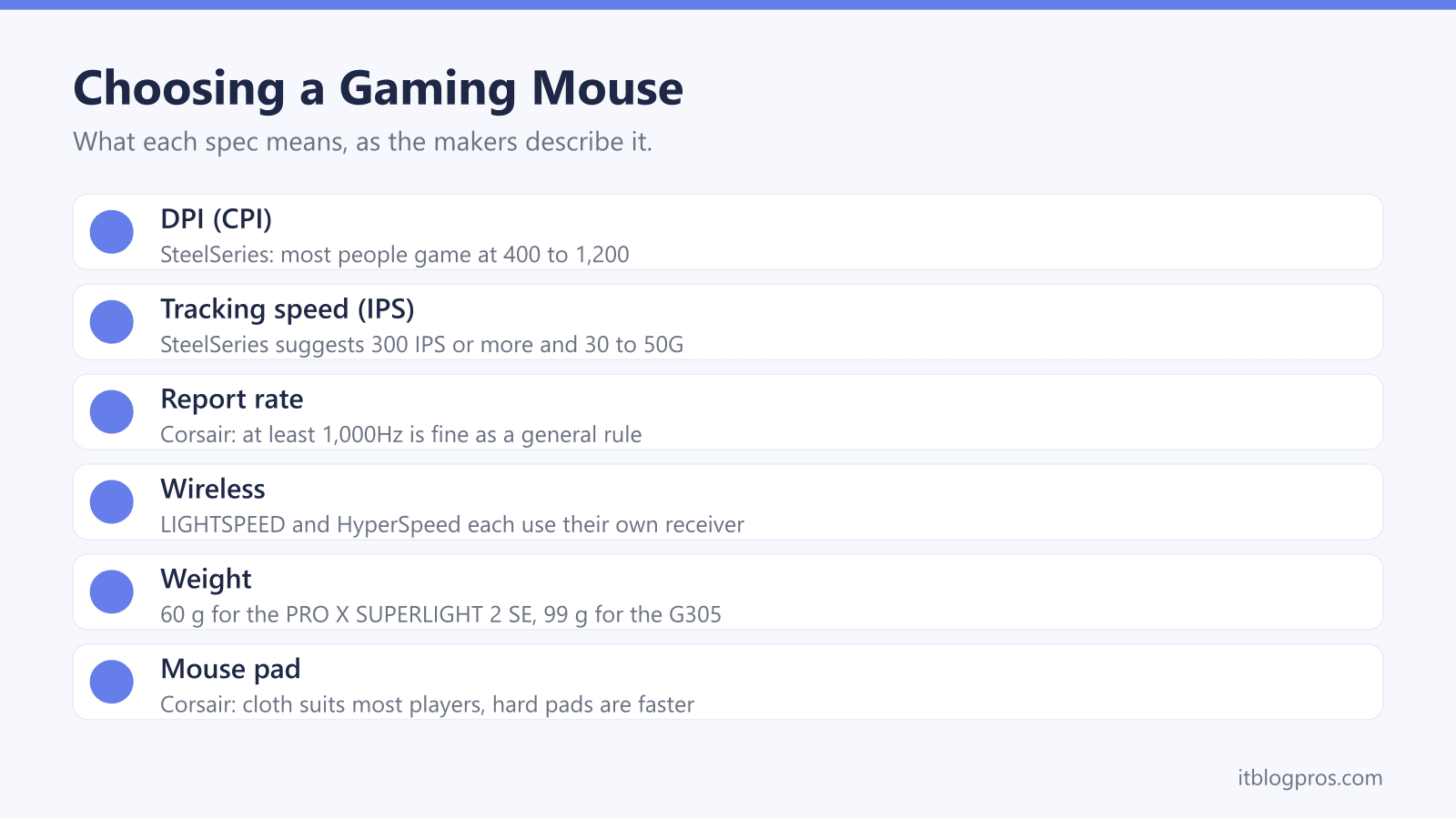
A gaming mouse is a mouse with a faster sensor, a higher report rate and buttons you can programme, and the spec sheets are full of big numbers that matter less than they look. Wired or wireless, light or heavy, palm or claw grip: those choices decide which one suits you. This guide takes each spec as Logitech G, Razer, SteelSeries and Corsair describe it, covers cloth and hard mouse pads, then lists four mice and a pad that suit the common setups.
For most players, a wireless mouse at a 1,000Hz report rate, with a shape and weight that suit the grip, covers everything. Logitech's G305 is the budget wireless choice at 99 g on one AA battery, and the PRO X SUPERLIGHT 2 SE drops to 60 g with a rechargeable battery. Corsair says a cloth pad suits the vast majority of players, and SteelSeries says most people game between 400 and 1,200 CPI.
Key Takeaways
- SteelSeries says most people game between 400 and 1,200 CPI, so tracking speed in IPS tells you more about a sensor than a 44,000 DPI ceiling.
- Corsair's polling rate guide says at least 1,000Hz is fine as a general rule, and its help article says 8,000Hz comes with a higher CPU usage cost.
- Logitech says LIGHTSPEED switches to a cleaner channel when it detects interference, and both Logitech and Razer let compatible mice and keyboards share one receiver.
- Weight runs from 60 g for Logitech's PRO X SUPERLIGHT 2 SE to 99 g for the G305, and Corsair says lighter mice favour fast movement while heavier ones feel more grounded.
- Corsair says a cloth pad suits the vast majority of gamers, while hard pads are faster but rarely come much larger than about 40cm x 40cm.
DPI Matters Less Than the Sensor's Tracking Speed
DPI, or CPI as SteelSeries prefers to call it, is sensitivity: how far the cursor moves for each inch the mouse travels. SteelSeries' explainer gives the example that at 800 CPI the cursor moves 800 pixels per inch, and it says most people game somewhere between 400 and 1,200. That puts the headline numbers in context. Logitech lists 200 to 12,000 DPI for the G305's HERO sensor and up to 44,000 for the HERO 2 sensor in the PRO X SUPERLIGHT 2 SE, while Razer gives 30,000 for the Viper V3 HyperSpeed.
The more useful figures sit further down the spec sheet. SteelSeries' article on CPI calls judging a mouse on CPI alone misleading, and points instead to IPS, the fastest movement the sensor can track accurately, and acceleration, measured in G. It suggests looking for 300 IPS or more and 30 to 50G. Every mouse in the table clears that bar: Logitech lists 400 IPS and 40 G for the G305, and Razer gives 750 IPS and 70 G for the Viper V3 HyperSpeed.
A 1,000Hz Report Rate Is Enough for Most Players
Polling rate, which Logitech calls report rate, is how often the mouse sends its movement to the computer. Corsair's guide to polling rate describes 1,000Hz as 1,000 times every second, says the lowest setting is usually 125Hz, and gives a plain rule: if it is at least 1,000Hz, you should be fine. Every mouse in the table runs at 1,000Hz with the receiver in the box.
Higher rates exist, with costs attached. Corsair's help article says 8,000Hz sends data eight times as often as 1,000Hz but comes with a higher CPU usage cost, and asks for at least an Intel i7 of the 9th generation or an AMD Ryzen 7 of the 2nd generation. It also says to plug into a USB port linked directly to the motherboard, since hubs and docks such as a laptop docking station may not be stable enough. Logitech's PRO X SUPERLIGHT 2 SE page says the PRO LIGHTSPEED receiver, sold separately, brings up to 8 kHz, and Razer's HyperPolling dongle does the same for the Viper V3 HyperSpeed.
LIGHTSPEED and HyperSpeed Each Need Their Own Receiver
Logitech's LIGHTSPEED page calls it a proprietary technology that needs a USB receiver, and says it gives faster response times and more stable connections than Bluetooth. It also says LIGHTSPEED keeps checking the current channel for interference and switches to a cleaner one when it finds some, with a range of up to 10 m. The G305's own page claims 1 ms wireless and wired-like performance.
Razer describes HyperSpeed Wireless on its Viper V3 HyperSpeed page as ultra-low-latency, and its HyperSpeed page calls the latest version, Gen-2, the industry's most advanced and fastest wireless platform yet. Both makers let one receiver serve more than one device: Logitech says certain combinations pair through G HUB, and Razer says select HyperSpeed mice and keyboards share a dongle, set up in Razer Synapse.
A cable still has its place, since a wired mouse never needs charging, and Logitech lists the PRO X SUPERLIGHT 2 SE at 1,000 Hz over its USB-C cable too. For office typing rather than games, the wireless keyboard and mouse guide covers Bluetooth sets.
Grip Style, Hand Size and Weight Decide the Fit
Corsair's grip guide describes three styles. A palm grip rests the palm and fingers on the mouse, for stability and precision at the cost of wrist mobility. A claw grip rests only the heel of the hand on the shell, with the fingertips curled over the buttons. A fingertip grip touches the mouse with the fingertips alone, trading some stability for quick micro-adjustments.
Corsair then matches shapes to grips: shorter, lower and lighter mice for fingertip, a higher rear hump for claw, and a shape that supports the whole hand for palm. Smaller hands usually start with shorter, narrower mice, it adds. Razer says the Viper V3 HyperSpeed suits claw and fingertip grips. Weight is the other half, and Corsair says lighter mice favour fast movement while heavier ones feel more grounded. Logitech lists 60 g for the PRO X SUPERLIGHT 2 SE and 99 g for the G305, Razer gives 82 g for the Viper V3 HyperSpeed with its AA battery, and Logitech's G502 X LIGHTSPEED page lists no weight.
Battery Life and Software Settings Differ by Maker
AA-powered mice go longest between changes. Logitech rates the G305 at 250 hours, and says its Endurance mode, set in G HUB, stretches that to up to nine months of typical use. Razer rates the Viper V3 HyperSpeed at up to 280 hours at 1,000 Hz, or 50 hours at 8,000 Hz with the HyperPolling dongle, and Corsair's guide notes that a lower polling rate lengthens battery life. Rechargeable mice need a cable now and then: Logitech gives up to 88 hours for the PRO X SUPERLIGHT 2 SE, charged over USB-C, and 140 hours for the G502 X LIGHTSPEED.
Logitech's G502 X LIGHTSPEED page says G HUB handles macros, DPI settings and per-game profile switching across its 13 programmable controls, and Razer uses Razer Synapse. Onboard memory keeps settings on the mouse itself. Logitech lists one onboard profile for the G305 and up to five for the G502 X LIGHTSPEED, two by default and five with G HUB, and Razer says the Viper V3 HyperSpeed stores the last Synapse profile used, including DPI, polling rate and lift-off distance.
Cloth Pads Suit Most Players, Hard Pads Glide Faster
Corsair's comparison of hard and soft mouse pads says hard pads are almost always faster, and best suited to players who want minimal friction and do not mind a smaller surface, since a hard pad much larger than about 40cm x 40cm is difficult to find. Cloth favours control and bigger sizes, and Corsair says a soft pad will be the most suitable choice for the vast majority of gamers. Hard pads clean more easily and cloth rolls up, Corsair adds.
Size matters as much as surface. Corsair points to cloth when there needs to be space for broad, low-DPI arm movements, and SteelSeries says its Medium and Large QcK pads are just for the mouse, so an XXL is needed to fit under the keyboard too. SteelSeries lists the QcK Large at 450 x 400 x 2 mm and the Medium at 320 x 270 x 2 mm, both cloth on a rubber base. Razer even says the Viper V3 HyperSpeed tracks on glass at least 4 mm thick.
Four Mice and a Cloth Pad Cover the Common Setups
A new mouse can sharpen aim and comfort, but it does nothing for lag in online games. Rubber-banding and high ping come from the connection, which is the router's job, covered in the best router for gaming guide. Sound is the other half of the setup, and the gaming headset guide covers that side.
With that settled, the table covers the common setups. The Logitech PRO X SUPERLIGHT 2 SE is the pick for fast competitive games, at 60 g with the HERO 2 sensor and a rechargeable battery. The G305 is the budget wireless choice, with 250 hours on one AA battery and nothing to charge. For macros and shortcuts, the G502 X LIGHTSPEED has 13 programmable controls and five onboard profiles. Razer's Viper V3 HyperSpeed suits claw and fingertip grips and runs up to 280 hours on an AA battery. The SteelSeries QcK Large gives a 450 x 400 mm cloth surface, with room for low-sensitivity sweeps.
| Product | Best for | Key specs | Price | |
|---|---|---|---|---|
 | Logitech G PRO X SUPERLIGHT 2 SE Our pick | A 60 g wireless mouse for fast competitive games | HERO 2, up to 44,000 DPI, 60 g, up to 88 h, USB-C | Check price → |
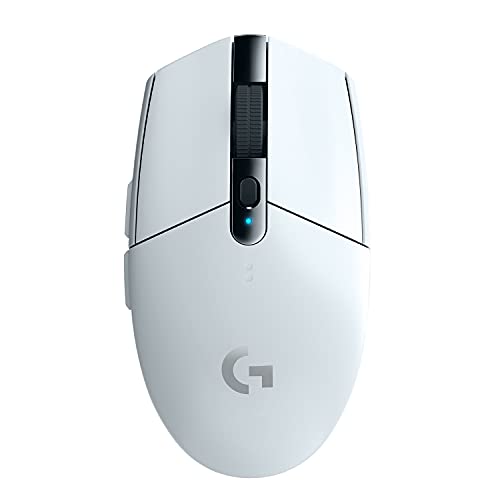 | Logitech G305 LIGHTSPEED (White) Budget | Budget wireless, with nothing to charge | HERO, 200 to 12,000 DPI, 99 g, 250 h on one AA | Check price → |
 | Logitech G502 X LIGHTSPEED Most buttons | Macros and shortcuts on 13 programmable controls | HERO 44K, 13 controls, 5 onboard profiles, 140 h | Check price → |
 | Razer Viper V3 HyperSpeed Claw grip | Claw or fingertip grip, with a long AA battery life | Focus Pro 30K, 82 g with AA, up to 280 h at 1,000 Hz | Check price → |
 | SteelSeries QcK Large (QcK+) Mouse pad | A cloth surface with room for low-sensitivity sweeps | 450 x 400 x 2 mm, micro-woven cloth, rubber base | Check price → |