
Valve says supporting PlayStation controllers on a PC is more complicated than supporting Xbox controllers, and that fewer games support them as a result. That is why an Xbox pad usually just works, while a PS5, PS4 or Switch Pro controller can lean on Steam. The connection itself is the easy part: a USB cable, Bluetooth or Microsoft's Xbox Wireless Adapter. This guide follows the makers' own instructions for each, covers what Bluetooth switches off, then lists controllers worth buying for a PC.
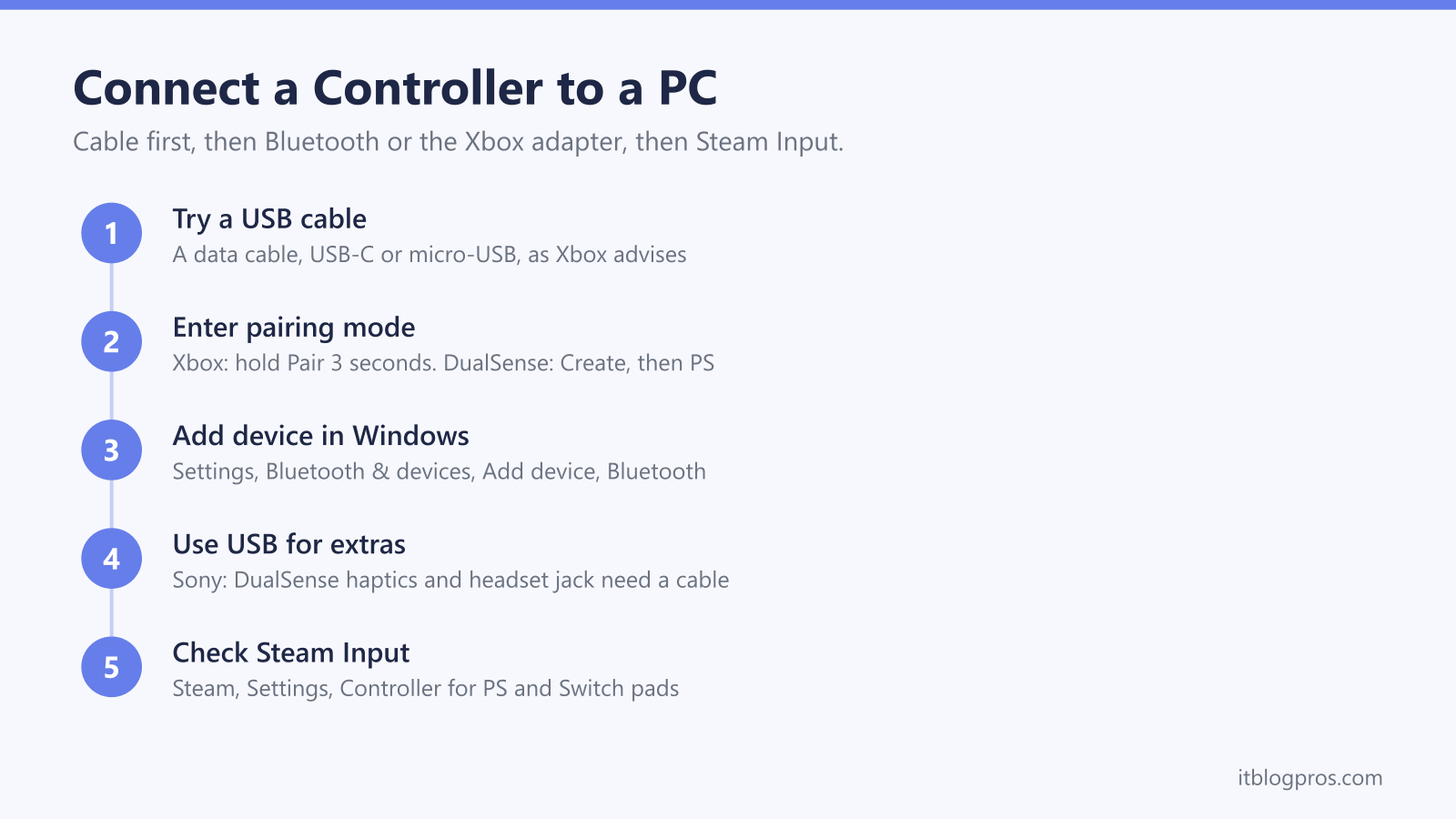
The quickest route is a USB cable: Xbox's steps are to plug the controller in with a cable that supports data transfer, and Sony's DualSense connects the same way over USB-C. For wireless play, put the controller in pairing mode and choose Settings, Bluetooth & devices, Add device. Xbox says Bluetooth drops headset audio, and Sony says DualSense haptics on a PC need USB. Steam Input covers PlayStation and Switch Pro pads.
Key Takeaways
- Xbox's PC guide lists three routes, a USB cable that supports data transfer, the Xbox Wireless Adapter for Windows and Bluetooth, and says up to eight controllers connect over USB or Xbox Wireless.
- Xbox says Bluetooth does not support headsets, chatpads or other controller attachments, recommends one controller at a time over Bluetooth, and says vibration works through the Xbox Wireless Adapter instead.
- Sony's DualSense page says haptic feedback on a PC needs a USB connection and the headset jack needs a wired connection, while adaptive triggers work only in games that support them.
- Valve says some games support PlayStation controllers only over USB, and Steam Input presents other controllers to a game as an emulated Xbox controller, with Switch Pro controllers on its supported list.
- For stick drift, Xbox's fixes are checking the game's calibration settings, cleaning the controller and updating its firmware, while Sony's DualSense page gives a reset button and its repair service, with no calibration tool.
A USB Cable Is the Quickest Way to Connect Any Controller
Wired is the fastest route, and there is nothing to pair. Xbox's guide says to plug the cable into the top of the controller and into the PC: micro-USB for Xbox One controllers, USB-C for Xbox Series X|S, Elite Series 2 and Adaptive controllers. It adds a detail that catches people out, which is to use a cable that supports data transfer, since some cheap leads only charge. Over USB, Xbox says up to eight controllers connect at once, or four with Xbox Chat Headsets attached and two with Xbox Stereo Headsets.
Sony's DualSense page says to use a USB cable with a Type-C connector, and lists Windows 10 (64-bit) and Windows 11. Its DualShock 4 page names a compatible micro USB cable instead. Nintendo's support pages refer to the USB cable included with the Pro Controller, and Valve's player guide to Steam Input says to keep the controller plugged in while setting it up.
If Windows loses the controller after sleep, Xbox says to press the Xbox button, or unplug it and plug it back in.
Xbox Controllers Pair Over Bluetooth or the Xbox Wireless Adapter
For Bluetooth, Xbox's steps are to turn the controller on, hold the Pair button on top for three seconds until the Xbox button flashes rapidly, then on Windows 11 choose Settings, Bluetooth & devices, Add device, Bluetooth and select Xbox Wireless Controller, the same screen the AirPods guide uses. Not every controller has Bluetooth: on models that do, Xbox says the plastic around the Xbox button is part of the face, while older pads have it joined to the top.
The Xbox Wireless Adapter for Windows uses Microsoft's own wireless link. Xbox says it plugs into a USB 2.0 or 3.0 port with drivers built into Windows, and to use the included USB extender if the port faces away. Press Pair on the adapter, then on the controller, and the Xbox button stays lit once connected. Some PCs, such as the Surface Studio, have Xbox Wireless built in, and Xbox says to choose Everything else in Add device for those. Xbox adds that a controller paired with a PC needs re-syncing to the console afterwards.
Bluetooth Switches Off Headsets and Rumble on an Xbox Controller
Bluetooth is convenient, but Xbox lists what it gives up. Its Bluetooth page says headsets, chatpads and the Xbox Stereo Headset Adapter are not supported, so a headset plugged into the controller goes silent. Xbox's fix is a USB cable, the Xbox Wireless Adapter, or plugging the headset into the PC, which the gaming headset guide covers.
Vibration is the second loss. Xbox says rumble is not supported on the Xbox Wireless Controller over Bluetooth, but is through the Xbox Wireless Adapter. It also recommends only one controller over Bluetooth, saying performance with more varies by device and reliability depends on the PC's Bluetooth card. The same page covers pairing with Meta Quest 2, Quest Pro, Quest 3 and Quest 3S headsets, which the VR headset guide compares.
The adapter avoids these limits. Microsoft's UK store page says it supports wireless stereo sound and connects up to eight controllers at once, though not Xbox 360 controllers. Xbox notes it may not be available in all markets, and Microsoft's UK store currently lists it as not available.
PlayStation Controllers Need USB for Haptics and the Headset Jack
To pair a DualSense over Bluetooth, Sony's steps are to check the player indicator is off, hold Create, then hold the PS button until the light bar blinks, and select the controller in the PC's Bluetooth list. A DualShock 4 uses SHARE in place of Create. Sony says a DualSense stores up to four pairings, and that reconnecting to a PS5 needs a USB cable and a press of the PS button.
The catch is features. Sony's DualSense page says haptic feedback on a PC works when the game supports it and needs USB, and the headset jack needs a wired connection. Adaptive triggers, the microphone and the speaker work only in supporting games. Sony's PlayStation gaming on PC page softens that to haptics that may require USB, so a cable is the safe choice.
Sony's DualShock 4 page says that on devices other than Sony Xperia phones, Bluetooth drops the touchpad, light bar colour, rumble, motion sensor and headphone jack audio. For firmware, Sony says a Windows PC can update a DualSense through the PlayStation Accessories app.
Steam Input Fills the Gaps for PlayStation and Switch Pro Controllers
Valve explains why PlayStation pads trail Xbox ones on a PC. Its November 2023 Steam announcement says supporting PlayStation controllers is more complicated than supporting Xbox controllers, a major reason fewer games support them, and that some games support them only over USB. Steam store pages list Xbox, DualSense and DualShock support separately, and Sony points players to the Controller Support section of a game's Steam page.
Steam Input covers the rest. Valve's developer documentation says it lets players use any controller-supported game with the device of their choice, handing the game an emulated Xbox controller on Windows. The same 2023 update switched Steam Input on for PlayStation controllers only in games without their own support for them. Valve's documentation also lists Nintendo Switch Pro controllers as supported.
Nintendo's pairing and troubleshooting pages for the Pro Controller cover Switch consoles only and do not mention Windows, so on a PC, Steam is the documented route. Valve's player guide puts the settings under Steam, Settings, Controller, with a configuration support option for each controller type.
A Controller That Will Not Connect or Drifts Needs the Maker's Fixes
Start with Xbox's basics: fresh batteries or a full charge, then a power cycle, holding the Xbox button for five to ten seconds. Xbox then suggests restarting the PC and testing with a cable, and trying another cable and port if that fails too. Update the firmware through the Xbox Accessories app from the Microsoft Store, and install the latest Windows update. When Windows cannot see a Bluetooth controller, Microsoft's pairing guide suggests setting Bluetooth devices discovery to Advanced, and a USB Bluetooth adapter for a PC without it. The USB WiFi adapter guide covers TP-Link cards that add Bluetooth.
Drift, where the stick registers movement nobody is making, has its own Xbox page, which says to check the game's controller configuration or calibration settings, clean the controller, update the firmware, and replace it if nothing works. Sony's DualSense troubleshooting page offers a reset button in the small hole beside the Sony logo on the back, held for at least five seconds with a pin, and sends stick problems to PlayStation Repairs. It does not describe a calibration tool.
The Controllers Worth Buying for a PC
An Xbox controller is the safe default, given Valve's point that fewer games support PlayStation pads. Xbox lists Bluetooth for Windows 10 and 11, a 3.5mm headset jack and AA batteries for up to 40 hours on its Wireless Controller, but says the Xbox Accessories app on Windows needs a USB-C cable, sold separately. The smaller Xbox Nano Controller, which Xbox Wire says reaches the UK from November, has Xbox Wireless and Bluetooth, and Xbox's UK page says it also needs a USB-C cable, sold separately.
For PlayStation games with haptics, Sony's DualSense bundle for PC adds a 1.5m cable with Type-C at both ends, so the PC needs a USB-C port. 8BitDo's Ultimate 2C Wireless connects to Windows through its 2.4G adapter or a cable, with Hall Effect sticks and triggers; 8BitDo lists Bluetooth for Android only. PowerA's officially licensed Wired Controller has a 3m USB-C cable, a headset jack and PowerA's Gamer HQ app to test and calibrate it. For keyboard and mouse games, the gaming mouse guide covers the rest of the desk.
| Product | Best for | Key specs | Price | |
|---|---|---|---|---|
 | Xbox Wireless Controller (Carbon Black) Our pick | PC games built for an Xbox pad, by cable or Bluetooth | Xbox Wireless and Bluetooth, 3.5mm jack, AA batteries | Check price → |
 | Sony DualSense Wireless Controller + USB Cable for PC PlayStation | PlayStation PC games with haptics and adaptive triggers | USB-C or Bluetooth, 1.5m Type-C to Type-C cable included | Check price → |
 | 8BitDo Ultimate 2C Wireless Controller (Peach) Budget | A low-cost wireless pad with its own 2.4G adapter | 2.4G adapter or wired on Windows, Hall Effect sticks | Check price → |
 | PowerA Wired Controller for Xbox Series X|S Wired | No batteries or pairing, with a long cable | 3m USB-C cable, 3.5mm headset jack, Windows 10/11 | Check price → |