
A gaming headset has two jobs: carrying the game's sound to your ears and your voice to the rest of the team. The catch is that the consoles disagree about how headsets connect. Xbox, PS5 and Switch each accept a different mix of wired, USB, 2.4GHz and Bluetooth connections, and a headset that works perfectly on one can lose its wireless link or its microphone on another. This guide sets out what each platform accepts, then covers microphones, surround sound, battery life and five headsets matched to each setup.
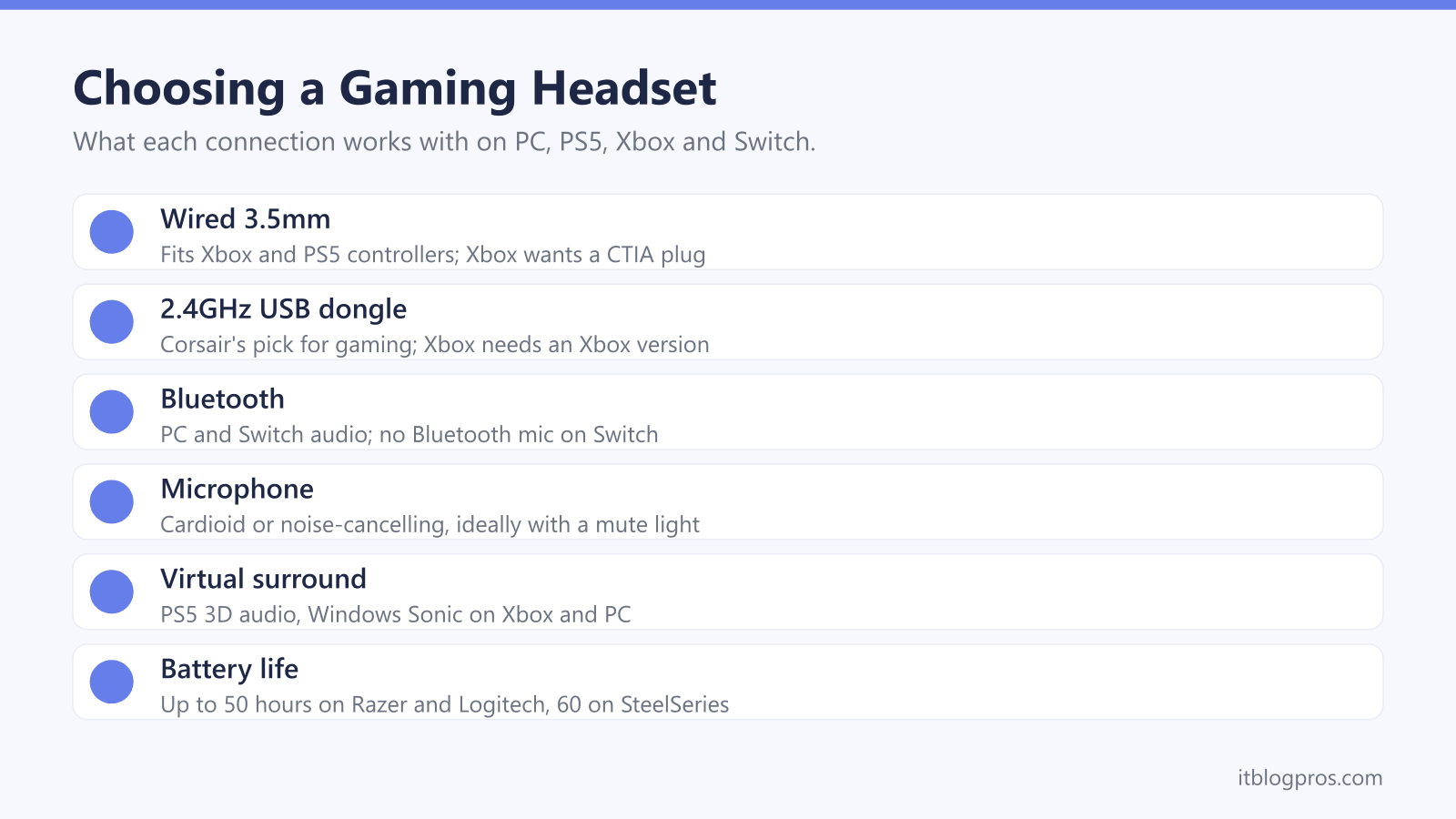
The right gaming headset is the one built for the console you play on most. Microsoft's support page connects Xbox headsets through Xbox Wireless or a wired 3.5mm jack, Turtle Beach says the PS5 does not support standard Bluetooth for game audio, and Nintendo says Bluetooth microphones cannot be used on Switch. A wired 3.5mm headset works on all three, and a 2.4GHz USB dongle suits wireless play.
Key Takeaways
- Microsoft's support page gives two ways to connect a headset to an Xbox: an Xbox Wireless headset paired like a controller, or a wired headset in the controller's 3.5mm jack or Stereo Headset Adapter.
- Turtle Beach says the PS5 does not support standard Bluetooth for game audio, and Sony's own PULSE Elite reaches the console through the PlayStation Link USB adapter.
- Nintendo says Bluetooth microphones cannot be used on Switch, and on Switch 2 a Bluetooth headset lets you hear other players but not talk to them.
- Corsair calls 2.4GHz the winner for gaming because Bluetooth has less bandwidth and needs more audio compression, while Bluetooth suits music and calls.
- Surround sound comes from the platform as much as the headset: the PS5 has 3D audio for headphones, and Microsoft says Windows Sonic works with any headset on Xbox.
Four Connection Types Decide Where a Headset Works
Every gaming headset connects in one of four ways, and that choice decides which machines it works with. A wired 3.5mm plug is the simplest, going straight into a controller or a PC with no battery to charge. A USB cable carries the audio digitally instead, and HyperX's Cloud III covers both, with 3.5mm, USB-C and USB-A connections in the box.
Wireless splits into two kinds. A 2.4GHz headset talks to its own USB dongle, while Bluetooth pairs directly with phones and laptops. Corsair's guide to the two calls 2.4GHz the winner for gaming, saying Bluetooth has less bandwidth and needs more audio compression, and Turtle Beach's connection guide warns of latency in fast-paced shooters over Bluetooth on a PC. Bluetooth still earns its place for music and calls, and Corsair says it drains the VOID Wireless v2 battery less than 2.4GHz mode. Bear in mind that a headset cannot cure lag caused by the internet connection itself, which is a job for the router, as the gaming router guide explains.
Xbox Takes Xbox Wireless or a Wired Headset
Xbox is the strictest of the three consoles. Microsoft's support page on compatible headsets names two routes: the Xbox Wireless Headset, which pairs with the console in the same manner as an Xbox Wireless Controller, and wired headsets plugged into the controller's 3.5mm jack or the Xbox One Stereo Headset Adapter. The same page says the Xbox One has no Bluetooth at all, and Microsoft's Bluetooth page describes Bluetooth headsets for playing Xbox games on Windows and mobile devices, not on the console. Turtle Beach puts it plainly: Xbox does not support Bluetooth audio natively.
Third-party wireless headsets get round this with an Xbox version of their dongle. SteelSeries sells the Arctis Nova 5 with a choice of primary platform, and the Nova 5X is the version whose spec list names Xbox Series X|S and Xbox One. Wired headsets have one detail to check. Microsoft says 3.5mm plugs follow two standards, CTIA and OMTP, and that an OMTP headset will probably have audio or chat problems unless an adapter converts it. HyperX lists the Cloud III plug as 4-pole CTIA.
PS5 Wireless Headsets Run Through a USB Dongle
Sony's own headsets show how the PS5 expects wireless audio to arrive. Its PlayStation Accessories support page says the PULSE Elite connects to a PS5 using the included PlayStation Link USB adapter, and Sony's PlayStation Link page describes a lossless wireless connection for the PS5, PC, Mac and PlayStation Portal. Ordinary Bluetooth headphones are a different matter: Turtle Beach's connection guide says the PS5 does not support standard Bluetooth for game audio.
Third-party dongles follow the same pattern. Sony's help guide for its INZONE H5 headset says to set the transceiver's switch to PS5, plug it into the USB port on the front of the console and avoid USB hubs. Wired headsets go into the headphone jack on the DualSense controller, which Turtle Beach says the PS5 detects automatically, and the PlayStation Blog said in 2020 that third-party headsets connecting by USB or audio jack would work on PS5. Sony's audio settings page adds a fair warning: not all devices work with the console, and compatibility questions belong with the headset's maker.
Switch Plays Bluetooth Audio but Not Bluetooth Microphones
Switch is the one console here that pairs with Bluetooth headphones directly, and Nintendo attaches a big limit. Its UK support page on Bluetooth audio says Bluetooth microphones cannot be used, so a Bluetooth headset plays the game but cannot carry your voice. The same page says only one Bluetooth audio device connects at a time, only two wireless controllers can stay connected alongside it, and Bluetooth audio drops during local wireless multiplayer. Nintendo also warns of audio latency depending on the device.
Switch 2 keeps the rule. Nintendo's GameChat troubleshooting page says microphone input via Bluetooth is not supported on Switch 2, so a Bluetooth headset lets you hear other players but not talk. For chat, that page covers headsets in the audio jack on the console or the Switch 2 Pro Controller, and USB headsets in the console's USB-C connector or a dock USB port. Bluetooth headphones like those in the noise-cancelling headphones guide suit solo play, and Razer lists the Switch for its Barracuda X, which uses a USB-C dongle.
Microphone Quality Comes Down to Pickup Pattern and Mute
Teammates hear the microphone, not the drivers, so it deserves as much attention as the sound. The pickup pattern matters most. Razer describes the HyperClear Cardioid mic on its BlackShark V2 X as reducing pickup from the back and sides, with a bendable arm that puts the sweet spot at your mouth. Logitech lists a 6mm cardioid microphone on a detachable boom arm for the PRO X 2 LIGHTSPEED, and SteelSeries gives the Arctis Nova 5X a bidirectional noise-cancelling ClearCast Gen 2.X mic that is fully retractable and supports 32kHz, 16-bit audio.
Small details make daily use easier. HyperX fits the Cloud III with a 10mm noise-cancelling mic, a built-in mesh filter and an LED mute indicator, which takes the guesswork out of whether the team can hear you. A detachable or retractable mic also makes a gaming headset easier to wear away from the desk. The connection still has the final say, though. On Switch, Nintendo says no Bluetooth microphone works, and on Xbox, Microsoft's CTIA standard decides whether a 3.5mm mic is heard properly.
Virtual Surround Comes From the Platform as Much as the Headset
A 7.1 badge on the box usually describes software, not extra speakers inside the earcups. Razer's product page for the BlackShark V2 X says its 7.1 surround is only available on Windows 11, while Razer's support page for the Barracuda X (2022) says surround is only available on Windows 10 64-bit. SteelSeries offers its Sonar virtual surround free for Windows, and HyperX describes the Cloud III's immersive audio as a PC feature.
The consoles bring their own. Sony's PS5 support page sets up 3D audio for headphones under Settings and Sound, using either a personalised profile or one of five presets. Microsoft's Xbox support page says you can use spatial sound with any headset, choosing Windows Sonic for Headphones, Dolby Atmos for Headphones or DTS Headphone:X under Headset audio. On a Windows PC, Microsoft's spatial sound page puts Windows Sonic for Headphones in the properties of the output device. A plain stereo headset can therefore get surround on all of these, so a 7.1 badge matters less than comfort, the connection and the microphone.
Battery Life and Five Picks for Each Platform
Battery life is the last check on a wireless headset. SteelSeries rates the Arctis Nova 5X at 60 hours, which it says covers eight hours a day for a full week, while Razer gives the Barracuda X (2022) and Logitech the PRO X 2 LIGHTSPEED up to 50 hours. SteelSeries adds that the Nova 5X can hold 2.4GHz and Bluetooth connections at once but plays one audio stream at a time.
In the table, the Nova 5X is the wireless pick for Xbox, and SteelSeries lists PS5 and PC for it too. HyperX's Cloud III is the wired option across PC, PS5, Xbox and Switch, and Razer's BlackShark V2 X is the budget choice over 3.5mm. Razer's list for the Barracuda X names PlayStation, Switch and PC but leaves out Xbox. Logitech contradicts itself on the PRO X 2: one guide says it connects to Xbox over LIGHTSPEED or Bluetooth, another says an Xbox Series X needs the 3.5mm cable, so treat it as a PC headset. The gaming mouse guide covers the rest of a PC setup.
| Product | Best for | Key specs | Price | |
|---|---|---|---|---|
 | SteelSeries Arctis Nova 5X Wireless Our pick | Xbox players who also game on PS5 or PC | 2.4GHz USB-C dongle, Bluetooth 5.3, 60h battery, 265g | Check price → |
 | HyperX Cloud III Wired pick | One wired headset for every console and PC | 3.5mm, USB-C and USB-A, 53mm drivers, 10mm mic | Check price → |
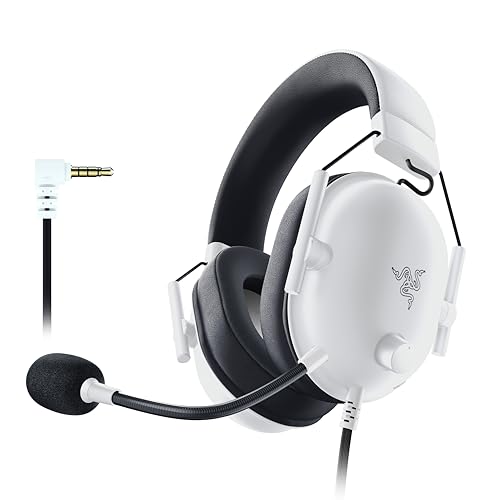 | Razer BlackShark V2 X Budget | A cheap wired headset with a cardioid mic | 3.5mm, TriForce 50mm drivers, cardioid mic, 240g | Check price → |
 | Razer Barracuda X (2022) PS5 and Switch | Wireless play on PS5, Switch and PC, not Xbox | USB-C dongle, Bluetooth 5.2, 50h battery, 250g | Check price → |
 | Logitech G PRO X 2 LIGHTSPEED PC premium | PC gaming with Bluetooth and a wired fallback | LIGHTSPEED, Bluetooth, 3.5mm, 50mm graphene, 50h | Check price → |