
The Nintendo Switch 2 plays most original Switch games, so choosing one is less about leaving an old library behind and more about the screen, the TV picture, storage and what comes in the box. This guide sets out what Nintendo UK says the Switch 2 adds over the Switch, the OLED Model and the Switch Lite, which older games run on it, how bundles and game-key cards differ, the microSD Express rule, Nintendo Switch Online, GameChat and the TV connection.
Buy the Switch 2 unless the budget only stretches to the original library. Nintendo UK lists a 7.9-inch 1080p screen, up to 4K output on a TV and 256GB of storage, against the original Switch's 6.2-inch 720p screen and 32GB. Nintendo says the Switch 2 plays compatible Switch games, only takes microSD Express cards for extra storage and needs a paid Nintendo Switch Online membership for GameChat.
Key Takeaways
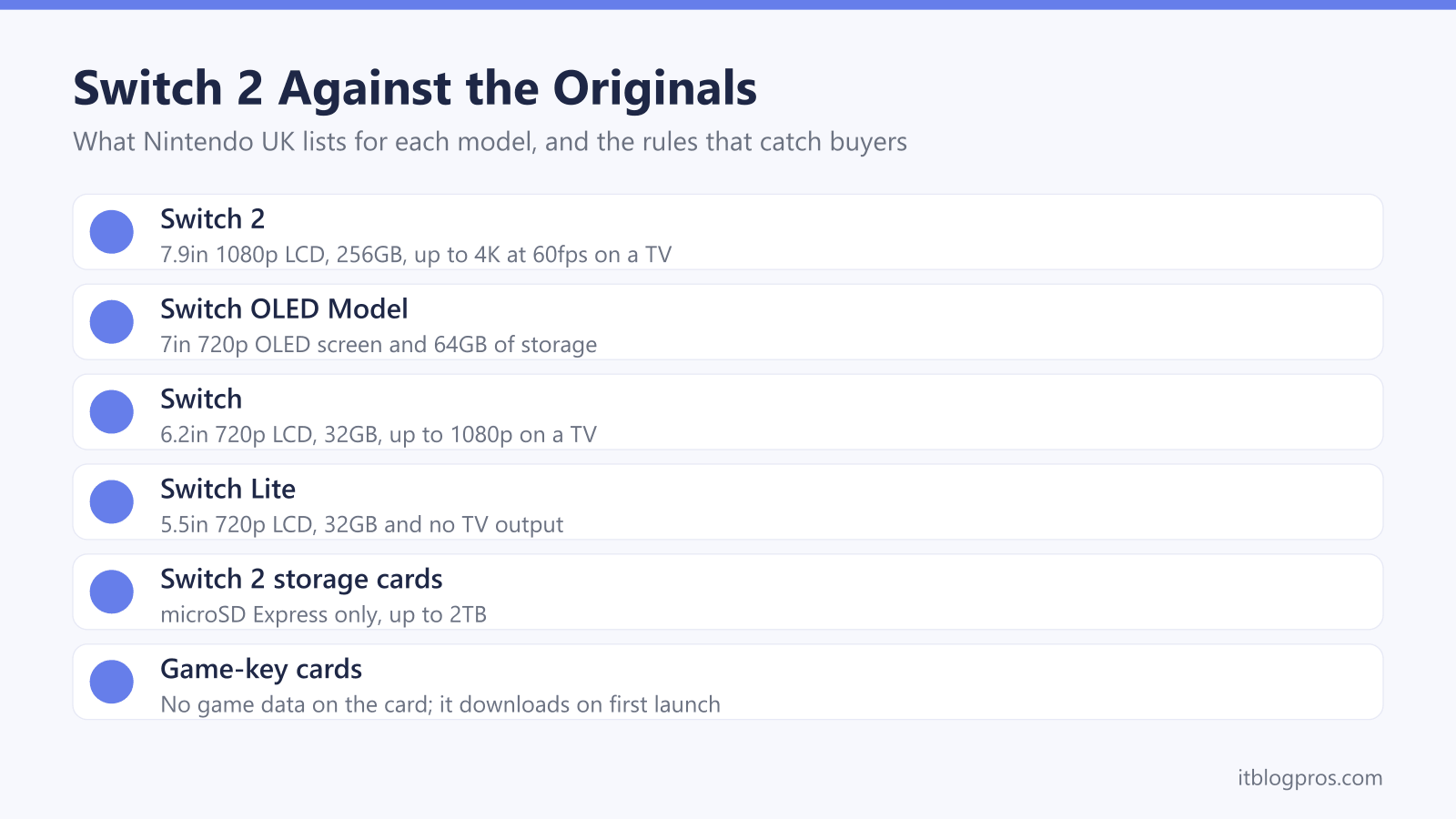
- Nintendo UK lists a 7.9-inch 1080p screen, up to 4K at 60fps on a TV and 256GB of storage for Switch 2, against 6.2 inches, 1080p on a TV and 32GB for the original Switch.
- Nintendo says Switch 2 plays compatible physical and digital Switch games, but Ring Fit Adventure, the Labo kits and some motion games still need original Joy-Con.
- A game-key card holds no game data, Nintendo says, so the game downloads on first launch and the card has to stay in the console to play.
- Nintendo says Switch 2 is only compatible with microSD Express cards, up to 2TB, and an older microSD card can only bring across screenshots and videos.
- Bluetooth headphones carry game sound, but Nintendo says Bluetooth microphones cannot be used, so GameChat needs the built-in mic, a wired headset or a USB headset.
Switch 2 Adds a Bigger Screen, 4K Output and Eight Times the Storage
Nintendo's UK specification page gives the Switch 2 a 7.9-inch LCD at 1920 by 1080, with HDR10 and variable refresh up to 120Hz. On a TV, the same page lists up to 3840 by 2160 at 60fps, with 120fps available at 1080p or 1440p. Storage is 256GB, which Nintendo's Switch 2 page describes as eight times the capacity of the Switch.
The older models look modest beside it. Nintendo UK's comparison page lists the original Switch with a 6.2-inch 720p LCD and 32GB, the OLED Model with a 7-inch 720p OLED screen and 64GB, and the Switch Lite with a 5.5-inch 720p LCD, 32GB and no TV output at all. The original Switch tops out at 1080p and 60fps on a TV, according to its own Nintendo page.
Battery life runs the other way. Nintendo quotes roughly 2 to 6.5 hours for Switch 2, against about 4.5 to 9 hours for the Switch and the OLED Model. The new Joy-Con 2 controllers attach with magnetic connectors, and Nintendo says each one works as a mouse in compatible games.
Most Switch Games Run on Switch 2, With a Few Joy-Con Exceptions
Nintendo's compatibility page says Switch 2 plays compatible physical and digital Switch games, while warning that some may take longer to become playable, work only partly or not be supported. The named exceptions are mostly about controllers. Joy-Con 2 cannot attach to the Ring-Con in Ring Fit Adventure or to the Labo Toy-Con kits, and they lack the IR Motion Camera used in games such as 1-2-Switch. Original Joy-Con still connect wirelessly for those games, although they cannot clip onto a Switch 2.
Some Switch games get more on the new console. Nintendo describes a Nintendo Switch 2 Edition as the original game plus an upgrade pack, and says owners of the original can buy the upgrade pack alone. Free updates improve resolution or frame rate in games such as Super Mario Odyssey. The traffic runs one way: Nintendo's FAQ says Switch 2 exclusives will not run on a Switch, and Joy-Con 2 and the Switch 2 Pro Controller cannot be used with one. The controller guide covers the original Switch Pro Controller on a PC.
Bundles, the Zelda Edition and Game-Key Cards Change What Is in the Box
Nintendo's UK bundles page lists the same hardware in every box: the console, Joy-Con 2 controllers and straps, the dock, the Joy-Con 2 grip, an AC adapter and an Ultra High Speed HDMI cable. Nintendo's own bundles mark their games, Nintendo Switch Sports Resort and Pokémon Pokopia, as a full game download. The Nintendo Switch 2 The Legend of Zelda 40th Anniversary Edition appears on the same page with a release date of 29 October 2026 and no game in its contents list.
Boxed games come in two kinds. Nintendo's game-key card page says these cards are different from regular game cards because they do not contain the full game data, acting instead as a key to download it, with an internet connection needed only for the first launch. The card must stay in the console to play, and a key icon sits on the top right of it. Nintendo's battery page adds that UK consoles move to a user-replaceable battery on a rolling basis from around October 2026, with no change in functionality.
The Switch 2 Only Stores Games on microSD Express Cards
Nintendo's Switch 2 specification page says storage can be expanded with microSD Express cards up to 2TB, that a system update over the internet is needed the first time one is used, and that microSD cards which are not of the Express standard can only be used to copy screenshots and videos from a Nintendo Switch. Nintendo's microSD Express page adds that a card used in an original Switch will not let you save or load digital games or save data on Switch 2.
So the card from an old Switch stays behind, and a new one has to be a microSD Express card. Samsung's page for its P9 Express card says it works with Nintendo Switch 2 and lists sequential reads of up to 800MB/s over SD Express, or 90MB/s in an ordinary UHS-I slot. Nintendo notes that part of the internal 256GB is reserved for the system, and game-key cards and digital games both download into what is left. The SD card and card reader guide explains the speed symbols and the cards an original Switch wants.
| Product | Best for | Key specs | Price | |
|---|---|---|---|---|
 | Nintendo Switch 2 Console Our pick | Most buyers, for TV and handheld play | 7.9in 1080p LCD, 256GB, up to 4K on a TV, Joy-Con 2 | Check price → |
 | Samsung P9 Express microSD 512GB Storage | Adding game storage to a Switch 2 | microSD Express, up to 800MB/s read, U3, V30, A1 | Check price → |
 | Nintendo Switch 2 Pro Controller Controller | Long TV sessions and a wired headset for GameChat | C Button, GL/GR buttons, 3.5mm jack, about 40 hrs | Check price → |
 | Nintendo Switch 2 Carrying Case and Screen Protector Travel | Carrying the console and a few game cards | Screen protector, cloth, holds 6 game cards and 2 straps | Check price → |
 | Nintendo Switch (Neon Red/Neon Blue) Original Switch | Playing only the original Switch library | 6.2in 720p LCD, 32GB, up to 1080p on a TV, microSDXC | Check price → |
Nintendo Switch Online Comes in Two Tiers
Nintendo's UK membership page sets out two tiers. The base Nintendo Switch Online membership covers online play in supported games, Save Data Cloud backups, classic NES, Super NES and Game Boy games, the Nintendo Music app and GameChat on Switch 2. Nintendo Switch Online + Expansion Pack adds Nintendo 64, Game Boy Advance, SEGA Mega Drive and Virtual Boy classics, GameCube games on Switch 2 only, some DLC and the Switch 2 Edition upgrade packs for Breath of the Wild and Tears of the Kingdom. Either tier comes as an individual plan for one Nintendo Account or a family plan covering up to eight accounts in a family group.
A family plan pairs with Nintendo's parental controls, which work in three places. Nintendo's support page says the console itself can restrict games by age rating and limit communication with others, while play time limits and viewing play activity need the Nintendo Switch Parental Controls app. Spending is the third place: Nintendo's support page says a parent or guardian account can restrict a child's Nintendo eShop purchases.
GameChat Needs the Built-In, Wired or USB Microphone
GameChat is the Switch 2's voice and video chat, started with the C Button on the right Joy-Con 2. Nintendo's GameChat page says it needs an internet connection, a paid Nintendo Switch Online membership and text message verification of a mobile number. Up to 12 people can join a voice chat, and up to four can share their screens or video chat with a USB-C camera, sold separately. Children aged 15 and under can only use it once a parent or guardian allows it in the Parental Controls app.
Beyond the built-in microphone, Nintendo's UK troubleshooting page covers headsets plugged into the audio jack on the console or the Pro Controller, and USB headsets in the console's USB-C port or a dock USB port. Bluetooth is for listening only. Nintendo's pairing guide says one Bluetooth audio device connects at a time and Bluetooth microphones cannot be used, and only two wireless controllers can connect alongside it. Earbuds from the wireless earbuds guide suit solo play, and the gaming headset guide covers wired and USB headsets with working mics.
The Dock and HDMI Cable Set the Picture on a TV
Every Switch 2 box on Nintendo's bundles page includes the dock, the AC adapter and an Ultra High Speed HDMI cable. Nintendo's specification page lists an HDMI port, a LAN port for wired internet and two USB 2.0 ports on the dock, and gives the TV output as up to 4K at 60fps, or 120fps at 1080p or 1440p. Nintendo's Switch 2 page adds that 4K and HDR need a compatible TV and supported games.
The settings sit under System Settings, then Display. Nintendo's UK guide lists TV Resolution options from 720p up to 2160p, a 120Hz Output option that works only at 1080p and 1440p when the TV and the game both support it, and HDR Output, which needs a TV that supports HDR. If the picture stops short of 4K, the TV's HDMI port and the cable are worth checking first, and the HDMI cable guide explains which cable category carries 4K at 120Hz. Nintendo's FAQ also says variable refresh rate works in handheld and tabletop modes only, not on a TV.