
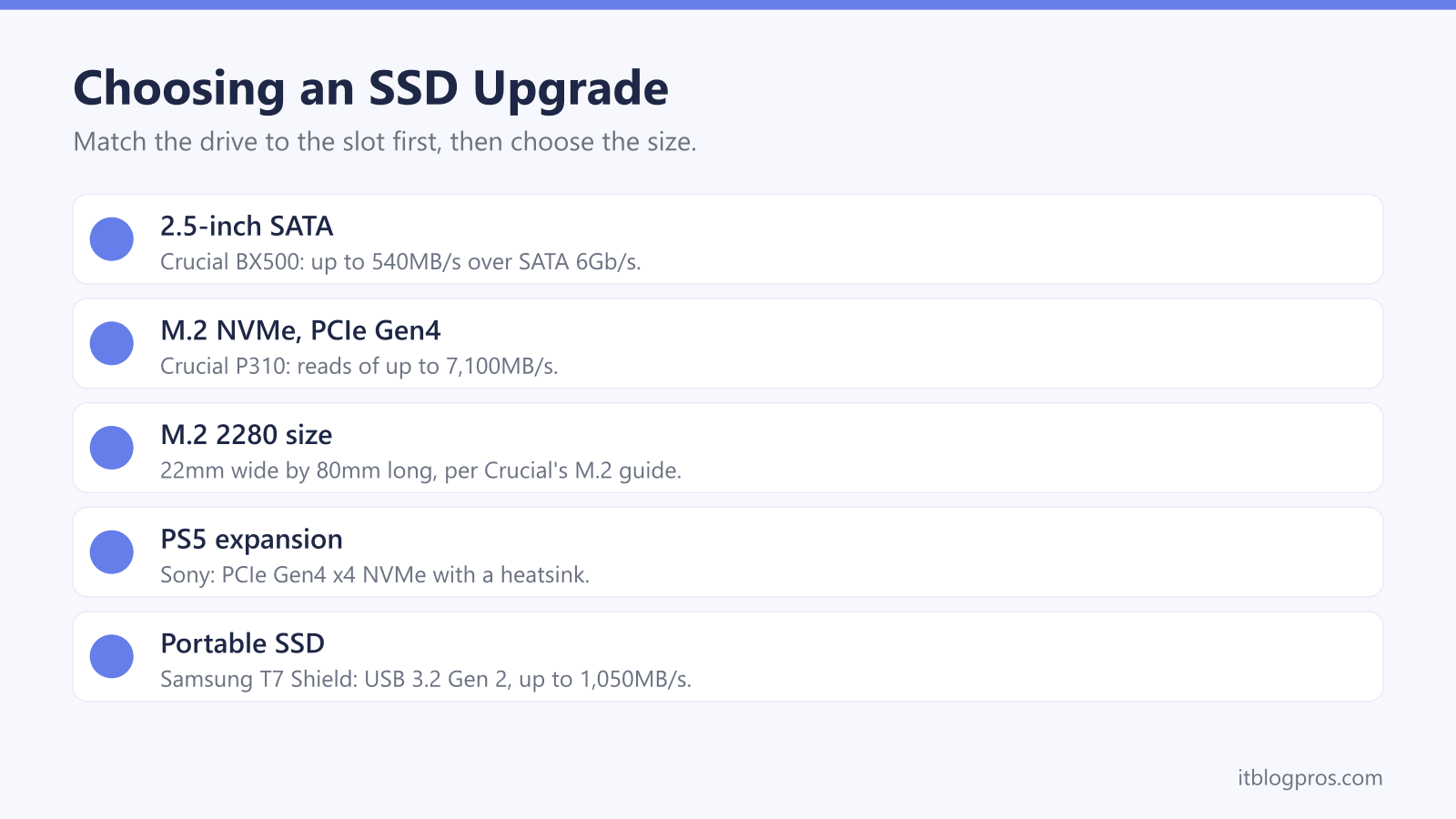
A new SSD gives an older laptop or PC more room and quicker loading, and choosing one starts with the slot it goes into. Some machines take a 2.5-inch SATA drive, many newer ones take a slim M.2 drive, and those M.2 slots do not all speak the same language. This guide covers how to tell which drive fits, the size and speed labels, how much space to buy, how to move Windows across and when a portable SSD makes more sense.
Check the slot before choosing the drive. Crucial says many M.2 slots take either SATA or PCIe NVMe drives but not all, and that its System Scanner or the computer's manual confirms which. For most machines with an M.2 slot, a PCIe 4.0 NVMe drive in the 2280 size is the sensible buy. Older laptops with a 2.5-inch bay need a SATA drive, and a PS5 needs a heatsink.
Key Takeaways
- Crucial says many M.2 slots accept either SATA or PCIe NVMe drives but not all, and points to its System Scanner or the computer's user manual to confirm which one a machine takes.
- Crucial's spec pages list its BX500 SATA drive at up to 540MB/s and its P310 PCIe Gen4 NVMe drive at up to 7,100MB/s.
- Sony's PS5 page asks for a PCIe Gen4 x4 M.2 NVMe drive of 250GB to 8TB with a heatsink or other cooling structure, and says M.2 SATA drives are not supported.
- Samsung says its Data Migration software supports only the Samsung SSDs it lists, and WD says its Acronis clone tool needs a WD drive, so the cloning software follows the brand of the new drive.
- Sony's support page and Microsoft's Xbox Wire storage guide say a USB drive can store PS5 or Xbox Series X|S games but not play them, while PS4 and Xbox One games run straight from it.
M.2 NVMe and 2.5-Inch SATA Drives Are Not Interchangeable
Two kinds of SSD cover nearly every laptop and desktop upgrade. The older is the 2.5-inch drive, a slim box the size of a laptop hard disk that connects over SATA. Crucial's spec page for its BX500 lists a SATA 6Gb/s interface, a 7mm-thick 2.5-inch case and reads of up to 540MB/s. The newer is the M.2 drive, a bare circuit board that Crucial describes as around the size of a stick of gum.
M.2 only describes the shape, though. Crucial's guide to M.2 and mSATA drives says an M.2 SSD can use either a SATA or a PCIe interface, and that the standards are not interoperable even when the slots look similar or identical. NVMe is the fast option that runs over PCIe. Crucial's NVMe explainer says SATA was developed for hard disk drives, while NVMe was created to use the parallel lanes of the PCIe bus, and its P310 NVMe drive lists reads of up to 7,100MB/s.
The Manual or Crucial's Scanner Confirms Which Drive Fits
Looking at the slot is not a reliable test. Crucial's NVMe explainer says PCIe looks very similar to SATA in the M.2 form factor, and that many computers have an M.2 slot that takes either kind, but not all. Its advice is to check the Crucial Advisor tool, the System Scanner or the computer's user manual before ordering. On Crucial's site the System Scanner is a small Windows download, CrucialScan.exe, which Crucial calls a safe and easy way to find compatible upgrades, and the Upgrade Selector offers a guided search by make and model instead.
Crucial's M.2 guide adds two warnings. Some machines need the slot set to SATA or PCIe mode in the UEFI or BIOS, and a protocol mismatch is the most frequent installation problem Crucial sees. The laptop maker's manual also shows where the drive sits, which Crucial's install guide says is typically under the bottom panel or the keyboard, and whether there is a second slot to keep the old drive as extra storage.
M.2 2280 and PCIe 4.0 Cover Most Upgrades
The four digits after M.2 give the size. Crucial's M.2 guide reads 2280 as 22mm wide by 80mm long and says its drives currently ship in that size, and the three M.2 drives in the table below are all 2280. Samsung gives the 990 EVO Plus maximum dimensions of 80.15 by 22.15 by 2.38mm. Shorter drives exist for slim laptops and handhelds: Crucial sells a 2230 version of the P310, and Sony's PS5 page lists 2230, 2242, 2260, 2280 and 22110 lengths. Match the length the manual gives rather than guessing.
The PCIe generation sets the speed ceiling. Crucial's P310 page puts the fastest published Gen3 NVMe speeds at 3,500MB/s, against the 7,100MB/s it lists for the Gen4 P310. A newer drive still works in an older slot: Samsung's datasheet says the 990 PRO is backward compatible with PCIe 3.0, though an older slot cannot carry its full speed. Samsung lists the 990 EVO Plus interface as PCIe 4.0 x4 or 5.0 x2, meaning four lanes of PCIe 4.0 or two of PCIe 5.0.
Capacity, Cache and Heat Separate Similar Drives
Capacity is the easy part to get wrong. Samsung and Crucial both count a gigabyte as a billion bytes, and Crucial adds that some space goes on formatting, so Windows shows a little less than the box. Larger drives carry larger write ratings too. Samsung's datasheet for the 990 PRO with Heatsink gives 600TB written for the 1TB model and 1,200TB for the 2TB, and the 990 EVO Plus 2TB matches that 1,200TB alongside a five-year warranty.
Headline write speeds lean on a cache. Samsung says its write figures are measured with Intelligent TurboWrite active, and that TurboWrite operates only within a specific data transfer size. The 990 EVO Plus lists Host Memory Buffer, which borrows some of the computer's own memory, while Samsung's datasheet gives the 1TB 990 PRO with Heatsink 1GB of LPDDR4 cache.
Heat comes with speed. Crucial's NVMe explainer says faster NVMe drives can generate more heat and that PC builders should gauge the airflow, and its install guide notes that some computers have a heatsink over the slot to remove and refit.
Moving Windows Across Uses the Drive Maker's Software
There are two ways onto a new drive: copy the old one across, or install Windows fresh. Copying, known as cloning, uses the drive maker's software. Samsung's Magician page says Data Migration transfers the operating system, apps and files to a Samsung drive. Crucial's NVMe install guide sends owners to crucial.com/clone for Acronis software it says comes free with Crucial SSDs, and WD's support pages cover Acronis True Image for Western Digital. Each tool expects its own brand: Samsung's guide says Data Migration supports only the Samsung SSDs it lists, and WD says its clone utility is available only with a WD or HGST drive.
Samsung's guide also says Data Migration cannot clone an encrypted drive until its password is removed, which matters on laptops using BitLocker, and the BitLocker key guide explains the recovery key. WD says cloning fails if the old drive has bad sectors, and tells owners to back up first.
For a fresh start, Microsoft's reinstall page says the Media Creation Tool makes a bootable USB drive, and activation usually happens automatically once online.
Portable SSDs and Consoles Follow Their Own Rules
A portable SSD needs no screwdriver and suits backups and console storage. Samsung's T7 Shield page lists USB 3.2 Gen 2 at 10Gbps, reads of up to 1,050MB/s, an IP65 rating and a 3 metre drop rating, and says the top speed needs a host and cable supporting USB 3.2 Gen 2 with UASP enabled. If a drive does not appear when plugged in, the external hard drive not showing up guide works through the fixes.
Consoles treat USB drives as storage first. Sony's PS5 extended storage page asks for SuperSpeed USB 5Gbps or faster and 250GB to 8TB, and says PS5 games cannot be played from USB extended storage, though PS4 games can. Microsoft's Xbox Wire storage guide says USB 3.1 drives store Series X|S games and play Xbox One, Xbox 360 and original Xbox games directly, but do not play games optimised for Series X|S.
To play PS5 games from extra space, the drive goes inside. Sony requires a PCIe Gen4 x4 M.2 NVMe drive with a heatsink, recommends 5,500MB/s or faster and does not support M.2 SATA.
Five Drives Cover Most Laptops, PCs and the PS5
First, the limits. A new SSD adds space and speeds up loading, but it will not change how Windows manages power on battery, which the guide to laptops running slow when unplugged covers, and no drive helps if the computer does not support its interface.
Samsung's 990 EVO Plus 2TB is the main pick for an M.2 slot, with PCIe 4.0 x4 or 5.0 x2, a five-year warranty and Data Migration for the move. Crucial's P310 1TB is the cheaper PCIe Gen4 choice with a five-year warranty, and the BX500 1TB is the 2.5-inch SATA drive for older laptops. One caveat covers both: Micron, which owns Crucial, announced in December 2025 that it was leaving the Crucial consumer business and shipping until the end of February 2026, and says it will continue warranty service and support. Samsung lists the PlayStation 5 as a use for the 990 PRO with Heatsink 1TB, and its datasheet warns that removing the heatsink voids the warranty. The T7 Shield 1TB is the portable option.
| Product | Best for | Key specs | Price | |
|---|---|---|---|---|
 | Samsung 990 EVO Plus 2TB Our pick | Laptops and desktops with an M.2 NVMe slot | M.2 2280, PCIe 4.0 x4 / 5.0 x2, 7,250MB/s read, 5-year | Check price → |
 | Crucial P310 1TB Budget | A cheaper 1TB NVMe upgrade for a laptop or PC | M.2 2280, PCIe Gen4 x4, 7,100MB/s read, 5-year | Check price → |
 | Crucial BX500 1TB SATA | Older laptops and PCs with a 2.5-inch drive bay | 2.5-inch 7mm, SATA 6Gb/s, 540MB/s read, 3-year | Check price → |
 | Samsung 990 PRO with Heatsink 1TB PS5 pick | PS5 storage and desktops with room for a heatsink | PCIe 4.0 x4, 7,450MB/s read, 80 x 24.3 x 8.2mm | Check price → |
 | Samsung T7 Shield 1TB Portable | Backups, laptops and console game storage | USB 3.2 Gen 2, up to 1,050MB/s, IP65, 98g | Check price → |