
A mini PC is a Windows desktop small enough to sit behind a monitor or on a shelf under the TV. The right one depends on the job: quiet office work, media, light gaming or a home server that runs all day. Model names give little away, so the choice comes down to the processor, the memory slots, the ports and the Windows edition. This guide sets out what Beelink, GEEKOM, GMKtec, Lenovo, HP, Dell, Intel, AMD and Microsoft say about each, then lists four to shortlist.
For office work, media and a home server, an Intel N150 model is enough: Beelink lists light office work, multimedia playback and NAS duty for its EQ14. A Ryzen 7 adds cores and more screens, and Radeon 780M graphics, as in GMKtec's K8 Plus, suit light gaming. Check the memory slots, the video ports and the Windows edition, because Microsoft says a PC must run Pro to accept Remote Desktop connections.
Key Takeaways
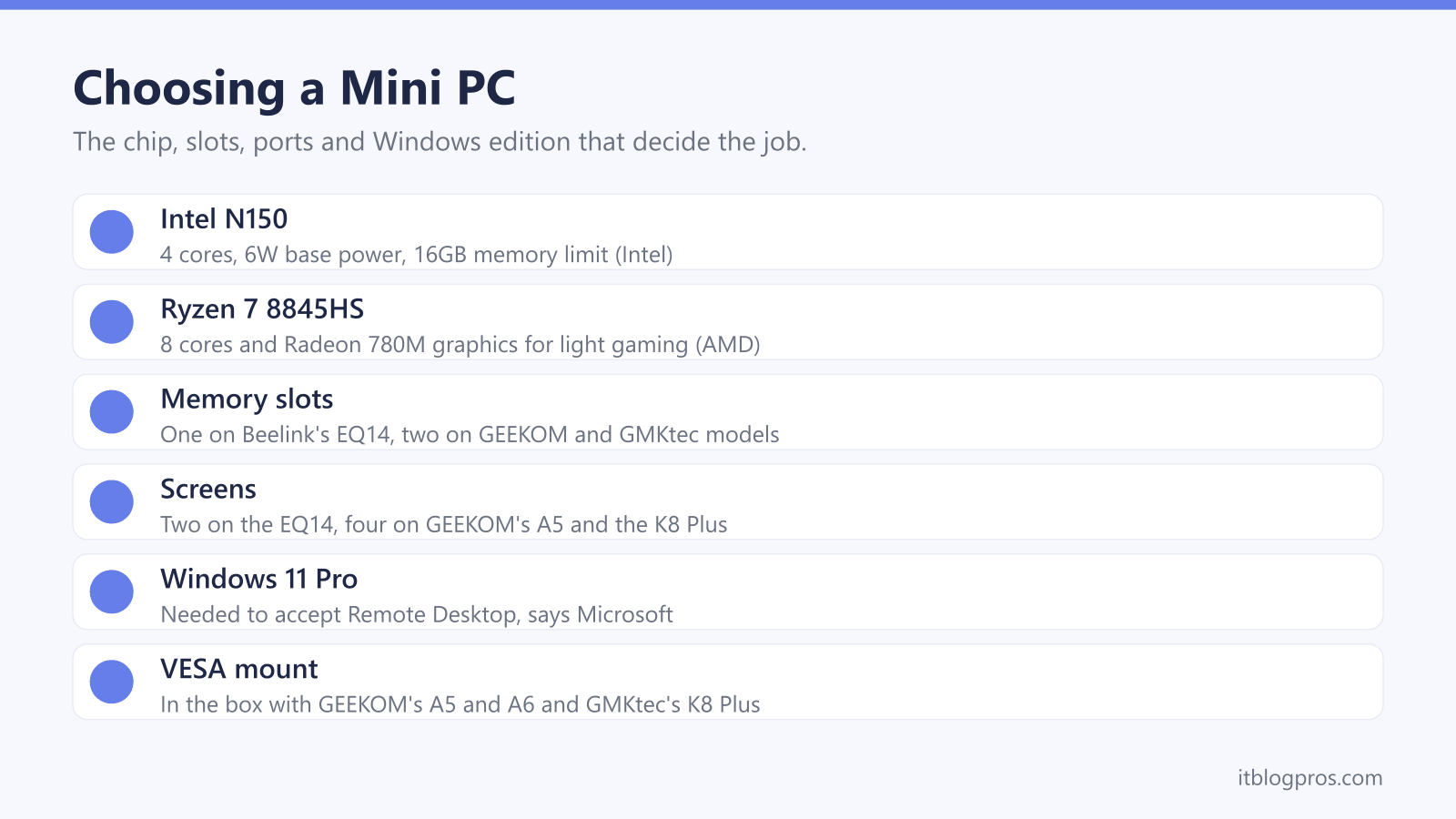
- Intel lists the N150 with four cores, a 6W base power and a 16GB memory limit, while AMD lists eight cores and Radeon 780M graphics on the Ryzen 7 8845HS.
- Beelink's EQ14 has a single memory slot that stops at 16GB, while GEEKOM's A5 and A6 and GMKtec's K8 Plus have two slots for larger upgrades.
- Screen count follows the ports: two HDMI on the EQ14, four 4K displays on GEEKOM's A5, and HDMI 2.1, DisplayPort 2.1 and two USB4 ports on the K8 Plus.
- Beelink supplies Windows 11 Home, while GEEKOM, GMKtec, Dell and HP list Windows 11 Pro, which Microsoft says a PC needs to accept Remote Desktop connections.
- GEEKOM and GMKtec put a VESA mount in the box for fitting the PC behind a monitor, and Lenovo lists 100mm VESA support on the ThinkCentre M70q Gen 5.
The Processor Sets the Ceiling for Office, Media and Games
The processor name says far more than the model name. Intel's spec page for the N150, the chip in many budget mini PCs, lists four cores, four threads, up to 3.6GHz and a base power of just 6W. Beelink lists light office work, multimedia playback, virtual machines and NAS duty as uses for its N150-based EQ14.
AMD's Ryzen chips step up. AMD lists the Ryzen 7 7730U with eight cores, 16 threads and a 15W default TDP, its design power. The Ryzen 7 8845HS also has eight cores, but a 45W default TDP and Radeon 780M graphics with 12 graphics cores, and GMKtec sells its K8 Plus with that chip as a gaming mini PC. GEEKOM says the Radeon 680M in its Ryzen 7 6800H A6 runs light to medium titles such as Fortnite and Valorant.
Business models from Dell, HP and Lenovo use Intel Core and Core Ultra chips. Intel lists the Core Ultra 5 235T, offered in Dell's Pro Micro, with 14 cores, a 35W base power and an NPU, a dedicated AI engine, rated at 13 TOPS.
Memory and Storage Upgrades Depend on the Slots Inside
Memory, or RAM, holds the apps that are open, and 16GB is the starting point on most of the picks below. Whether it can grow depends on the slots. Beelink's EQ14 has a single DDR4 slot with a 16GB maximum, which matches the 16GB limit and single memory channel Intel lists for the N150. That is plenty for office work and a home server, but it is the ceiling.
GEEKOM's A5 has two DDR4 slots for up to 64GB, and its A6 has two DDR5 SO-DIMM slots, which GEEKOM pitches as a way past soldered-memory limits. GMKtec's page lists two SO-DIMM slots and up to 128GB on the K8 Plus, while Lenovo lists two DDR5 slots and 64GB on the ThinkCentre M70q Gen 5.
Storage varies just as much. Beelink gives the EQ14 two PCIe 3.0 M.2 slots for up to 8TB, yet says it ships with a SATA III SSD. GEEKOM's A5 adds a 2.5-inch drive bay for up to 2TB, while GMKtec says the K8 Plus does not support SATA SSDs at all, only NVMe drives.
Ports Decide How Many Screens and How Fast the Network Runs
Video outputs set the screen count. Beelink's EQ14 has two HDMI ports, each up to 4K at 60Hz, so it runs two screens, though Intel lists three for the N150 itself. GEEKOM says its A5 drives four 4K displays from two HDMI 2.0 and two USB-C ports. GMKtec's K8 Plus has HDMI 2.1, DisplayPort 2.1 and two USB4 ports, which GMKtec lists with 40Gbps data, power delivery and DisplayPort 1.4 video, for up to four displays.
Business boxes lean on DisplayPort. HP lists two DisplayPort 1.4 ports, one HDMI 2.1 and a VGA port on the Pro Mini 400 G9, and Dell lists DisplayPort 1.4a and HDMI 2.1 on the Pro Micro.
The EQ14 and K8 Plus each have two 2.5GbE network ports and the A5 has one, while Dell's Pro Micro has gigabit Ethernet. The faster port only pays off when the router or switch at the other end matches it; the Cat6 vs Cat8 guide covers the cable. Wireless runs from WiFi 6 and Bluetooth 5.2 on the EQ14 to WiFi 6E and Bluetooth 5.4 on GEEKOM's A6.
Windows 11 Home or Pro Comes Down to the Maker
Every mini PC here ships with Windows 11, but not the same edition. Beelink lists Windows 11 Home on the EQ14. GEEKOM says its mini PCs come with Windows 11 Pro, though the spec table on its A5 page just says Windows 11. GMKtec lists Windows 11 Pro on the K8 Plus, HP and Dell list Pro on their business models, and Lenovo offers the ThinkCentre M70q Gen 5 with either Home or Pro.
The edition matters most for a home server. Microsoft's Remote Desktop guide says the PC being connected to must run Windows Pro, while the device doing the connecting can run any edition. Microsoft's Windows 11 specifications page also lists BitLocker to Go and Hyper-V, its virtual machine software, as features of Pro and above.
Setup is much the same either way. Microsoft says Windows 11 Home needs an internet connection and a Microsoft account during first setup, and that Pro for personal use has the same requirement. Its minimum specification is 4GB of memory and 64GB of storage, well below every model here.
Power Use, Noise and a VESA Mount Suit a Small Desk
Makers list power in different ways, so compare like with like. Beelink says the EQ14 has a built-in power supply with a 12V, 4A output, so only a mains cable runs to it, though its box list still mentions a power adapter. GEEKOM ships a 65W adapter with the A5 and a 120W one with the A6. GMKtec lists 120W for the K8 Plus, whose processor runs at 35W to 54W with peaks up to 70W. GEEKOM's own figures do not line up: its A5 page describes a 15W sustained profile, yet claims about 2kWh a day running around the clock, which averages more than 80W.
Noise figures are rarer. Beelink quotes 32dB for the EQ14, and GEEKOM quotes 28dB at idle and 32dB under load from its own acoustic testing. GMKtec's K8 Plus page gives no noise figure.
GEEKOM includes a VESA mount with the A5 and A6, and GMKtec includes one with the K8 Plus, so the PC can hang behind a screen with VESA holes, which the monitor guide lists. Beelink's EQ14 page does not mention one.
A Mini PC, a Laptop and a NAS Do Different Jobs
A laptop carries its own screen, keyboard and battery. A mini PC needs all three supplied, so budget for a monitor and a wireless keyboard and mouse. In return it stays put on the desk, offers more ports and, on the models here, opens up for memory and storage upgrades. For gaming on the move, the gaming laptop guide is the better fit, and for higher settings in demanding games a desktop graphics card is the usual route, which the graphics card guide covers.
As a home server, a mini PC runs apps such as a media server or home automation around the clock, and Beelink lists NAS duty and virtual machines among the EQ14's uses. A NAS is built around drive bays for large hard disks and RAID, which a standard mini PC lacks. Beelink's ME Pro sits between the two: an N95 or N150 mini PC with two bays for 2.5-inch or 3.5-inch drives, a 5GbE port and a 2.5GbE port, and Windows 11 Home.
The Mini PCs Worth Shortlisting
Each pick comes with a limit worth knowing. GEEKOM's A5 is the all-round office choice: Ryzen 7 7730U, 16GB of DDR4, a 512GB SSD, four-screen support, a VESA mount and Windows 11 Pro. Its limit is graphics, where AMD lists eight graphics cores on the 7730U against 12 on the Radeon 780M.
Beelink's EQ14 is the budget and home-server pick: Intel N150, 16GB of DDR4, a 500GB SSD, two 2.5GbE ports and a built-in power supply. Its single memory slot stops at 16GB, it drives two screens, and Windows 11 Home means an upgrade to Pro for Remote Desktop hosting.
GEEKOM's A6 moves to a Ryzen 7 6800H with Radeon 680M graphics, 16GB of DDR5, a 1TB SSD and USB4 for media and lighter games, on a 120W adapter. GMKtec's K8 Plus is the most powerful: Ryzen 7 8845HS, Radeon 780M, 32GB of DDR5, a 1TB SSD, two USB4 ports and OCuLink, a PCIe port that GMKtec says to plug or unplug only with the PC switched off.
| Product | Best for | Key specs | Price | |
|---|---|---|---|---|
 | GEEKOM A5 Mini PC (Ryzen 7 7730U, 16GB, 512GB) Our pick | Quiet office work across up to four 4K screens | Ryzen 7 7730U, 16GB DDR4, 512GB SSD, Windows 11 Pro | Check price → |
 | Beelink EQ14 Mini PC (Intel N150, 16GB, 500GB) Budget | Office, media and an always-on home server | Intel N150, 16GB DDR4, 500GB SSD, 2x 2.5GbE, Win 11 Home | Check price → |
 | GEEKOM A6 Mini PC (Ryzen 7 6800H, 16GB, 1TB) Media and games | Media, a USB4 dock and light to medium games | Ryzen 7 6800H, Radeon 680M, 16GB DDR5, 1TB SSD, USB4 | Check price → |
 | GMKtec NucBox K8 Plus (Ryzen 7 8845HS, 32GB, 1TB) Light gaming | Light gaming and creative work with room to upgrade | Ryzen 7 8845HS, Radeon 780M, 32GB DDR5, 1TB, 2x USB4 | Check price → |