
A graphics card draws everything a PC puts on screen, and for games it sets the limit on resolution and frame rate. Before buying a new one, it pays to know what is fitted now and whether the PC can take something bigger. This guide shows where Windows names the current card, then sets out what Nvidia, AMD and Intel say about their desktop ranges, VRAM, power supplies, card sizes and older motherboards, and ends with five cards worth shortlisting.
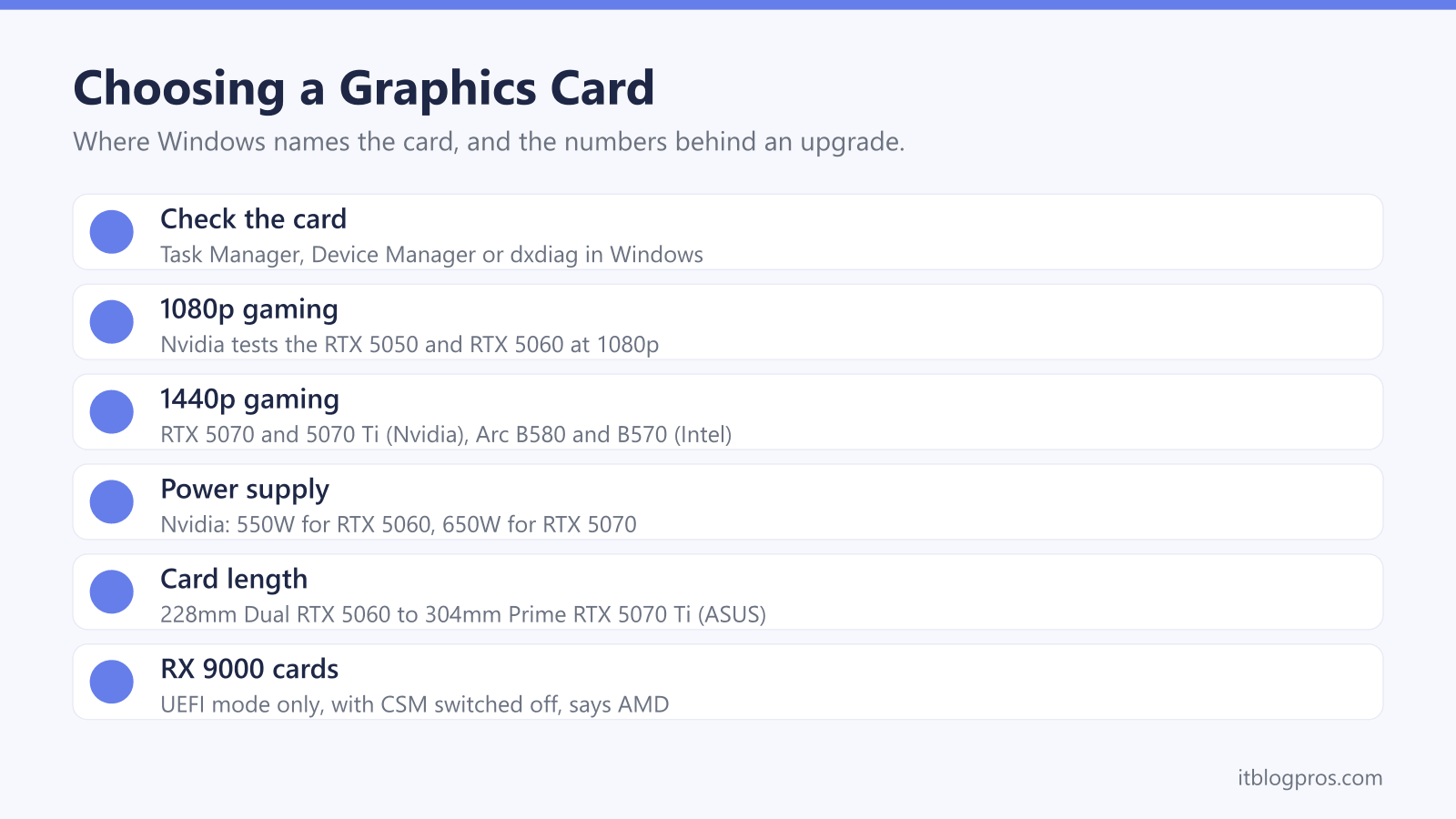
To see which graphics card a PC has, open Task Manager's Performance tab, Device Manager's Display adapters list or the Display tab in dxdiag. For an upgrade, start with the monitor: Nvidia's charts test the RTX 5060 at 1080p and the RTX 5070 at 1440p, and AMD shows the RX 9060 XT at 1440p. Then check the maker's power supply figure, the power connector and the card's length against the case.
Key Takeaways
- Microsoft's support pages point to Task Manager, Device Manager and dxdiag to name the card, and say Microsoft Basic Display Adapter means the maker's driver is missing.
- Nvidia's own charts test the RTX 5060 at 1080p, the RTX 5070 and RTX 5070 Ti at 1440p and the RTX 5080 at 4K, while Intel pitches its Arc B580 and B570 at 1440p.
- VRAM runs from 8GB on Nvidia's RTX 5050 and RTX 5060 to 12GB on the RTX 5070 and 16GB on the RTX 5070 Ti, AMD's RX 9070 XT and the 16GB RX 9060 XT.
- Nvidia lists 550W of system power for the RTX 5060 and 650W for the RTX 5070, AMD recommends 450W for the RX 9060 XT, and ASUS asks 750W for its Dual RTX 5070.
- Card length depends on the board maker, from 228mm for ASUS's Dual RTX 5060 to 304mm for its Prime RTX 5070 Ti, and AMD supports RX 9000 cards in UEFI mode only.
Windows Names the Graphics Card in Three Places
Windows already knows which card is fitted, and Microsoft's support pages point to three places to look. Press Ctrl, Shift and Esc to open Task Manager: Microsoft says its Performance tab gives a real-time overview that includes the GPU, and its DirectX team says the left-hand panel lists every GPU in the system. Right-click Start for Device Manager, where the card sits under Display adapters. Or type dxdiag into the search box, and Microsoft says the Display tab of the DirectX Diagnostic Tool shows the display adapter in use next to Name.
One result needs action. If Windows shows Microsoft Basic Display Adapter, Microsoft says a generic driver is running because the manufacturer's own is not installed, and it recommends fitting the maker's driver. Nvidia's Control Panel help points to System Information, under Help or at the bottom left, for details of the installed card and driver. AMD's support article finds the model under Graphics Chipset in Radeon Software, and calls the retail box or the sticker on the card the quickest check.
A Graphics Card Is a Separate Processor for the Picture
Intel describes a GPU, or graphics processing unit, as a specialised processor originally designed to speed up graphics rendering, and a graphics card as the add-in board that carries one, much as a motherboard carries a CPU. GPUs are built for parallel processing, which Intel says suits games, video rendering and AI, and better graphics performance lets games run at a higher resolution, at faster frame rates, or both.
Not every PC has a card. Intel says an integrated GPU sits alongside the CPU, while a discrete GPU is mounted on its own circuit board, typically in a PCI Express slot. Many everyday programs run well on integrated graphics, according to Intel.
Upgrading depends on the machine. Microsoft's advice treats a new video card as an option only where the device can take one, and Intel's and Nvidia's install guides both put the card in a PCI Express x16 slot. For laptops, the gaming laptop guide is the better route, and the mini PC guide covers compact desktops.
Nvidia, AMD and Intel Aim Each Card at a Resolution
Each maker frames its range by screen resolution, so start with the monitor. Nvidia's RTX 50 Series runs from the RTX 5050 to the RTX 5090, and its own performance charts test the RTX 5050 and RTX 5060 at 1080p, the RTX 5060 Ti, RTX 5070 and RTX 5070 Ti at 1440p, and the RTX 5080 and RTX 5090 at 4K. AMD's Radeon page lists the RX 9060 XT, RX 9070 GRE, RX 9070 and RX 9070 XT, and shows RX 9060 XT results at 1440p and RX 9070 XT results at 4K. Intel's page for its Arc B580 and B570 promises many recent games at 60 frames per second or more at 1440p.
Refresh rate matters too. Microsoft says the Advanced display page in Settings shows the current resolution and refresh rate, and that a higher rate reduces motion blur and screen tearing in games. A fast 1440p screen asks more of a card than a 60Hz 1080p one. The monitor guide explains those numbers, and the gaming mouse guide covers the rest of the desk.
VRAM Holds the Textures, and More Helps at Higher Resolutions
VRAM is the card's own memory. AMD describes it as fast on-board memory that holds textures, shaders and other graphics assets, and says enough of it reduces problems such as texture pop-in. Microsoft's DirectX team says the dedicated GPU memory Task Manager shows for a separate card is that VRAM.
Nvidia lists 8GB on the RTX 5050 and RTX 5060, 8GB or 16GB on the RTX 5060 Ti, 12GB on the RTX 5070 and 16GB on the RTX 5070 Ti and RTX 5080. AMD offers the RX 9060 XT in 8GB and 16GB versions and gives the RX 9070 XT 16GB, while Intel lists 12GB on the Arc B580 and 10GB on the B570.
The makers differ on how much is enough. AMD's VRAM page, written for its older RX 6000 and RX 7000 cards, puts its 8GB models at 1080p, 12GB models at 1440p and 20GB and 24GB models at 4K. Nvidia agrees that higher resolutions generally need more VRAM, but says its 8GB and 16GB RTX 4060 Ti deliver the same performance at max settings in most games.
The Power Supply Has to Cover the Whole PC
Makers quote a power supply unit (PSU) wattage for the whole PC, not the card alone. Nvidia lists 550W for the RTX 5050 and RTX 5060, 600W for the RTX 5060 Ti, 650W for the RTX 5070, 750W for the RTX 5070 Ti and 850W for the RTX 5080, based on a PC with a Ryzen 9 9950X processor. AMD recommends at least 450W for the RX 9060 XT and 750W for the RX 9070 XT, and Intel asks for 600W for the Arc B580.
Board makers can ask for more. ASUS recommends 750W for its Dual RTX 5070, 100W above Nvidia's figure, and says its numbers assume a fully overclocked GPU and CPU.
The plug matters as much as the wattage. Nvidia lists one 8-pin PCIe cable for the RTX 5060 and two for the RTX 5070, or a single PCIe Gen 5 cable, with an adapter in the box. Its RTX 5080 guide says to push the plug fully into the card, seated flush, before the card goes into the motherboard.
Card Length, Slot Width and Firmware Decide the Fit
Size depends on the board maker rather than the chip. Nvidia's spec pages say length, width and slot count vary by manufacturer, and the spread is wide: ASUS lists its Dual RTX 5060 at 228mm long and 2.5 slots thick, Gigabyte's RX 9060 XT Gaming OC is 281mm, and ASUS's Prime RTX 5070 Ti is 304mm. Measure the case from the rear bracket to the nearest fan or drive cage, and count the free slots below the top one. Nvidia's RTX 5080 guide also recommends one extra slot of clearance in front of the fans.
Older motherboards need a closer look. Intel's quick start guide asks for a full-size PCI Express 3.0 or newer x16 slot with Resizable BAR turned on, and lists 10th Gen Intel Core and most Ryzen 3000 processors as the oldest it supports. AMD says its RX 9000 cards are officially supported only in UEFI mode, so the CSM option in the firmware has to be off. Nvidia's guide fits the card in the primary x16 slot, the one closest to the processor.
The Graphics Cards Worth Shortlisting
Each pick has a limit. ASUS's Dual RTX 5060 is the budget 1080p card, with 8GB of GDDR7, one 8-pin plug and a 550W recommendation, though 8GB is the least memory of the RTX 50 cards here. ASUS's Dual RTX 5070 is the 1440p pick with 12GB, but ASUS asks for 750W. The ASUS Prime RTX 5070 Ti steps up to 16GB for demanding 1440p games, and at 304mm it needs a roomy case.
Gigabyte's RX 9060 XT Gaming OC 16G is the AMD alternative, with 16GB and a 450W recommendation, provided the PC runs in UEFI mode. For a slim office PC, MSI's RTX 3050 LP E 6G OC is a low-profile card drawing 70W, and Nvidia lists no extra power connector for the 6GB RTX 3050, though it is an older RTX 30 Series chip.
Once fitted, Nvidia's guide connects the monitor to the card itself and finishes with the NVIDIA App for drivers. AMD's auto-detect tool finds the matching Radeon driver, and Intel's Driver & Support Assistant checks a PC is ready for Arc.
| Product | Best for | Key specs | Price | |
|---|---|---|---|---|
 | ASUS Dual GeForce RTX 5060 8GB OC Edition Budget 1080p | 1080p gaming on a 550W power supply | RTX 5060, 8GB GDDR7, 228mm, 2.5-slot, 1x 8-pin, 550W | Check price → |
 | ASUS Dual GeForce RTX 5070 12GB OC Our pick | 1440p gaming with 12GB of VRAM | RTX 5070, 12GB GDDR7, 249mm, 2.53-slot, 16-pin, 750W | Check price → |
 | ASUS Prime GeForce RTX 5070 Ti 16GB OC Higher-end | Demanding 1440p games in a roomy case | RTX 5070 Ti, 16GB GDDR7, 304mm, 2.5-slot, 16-pin, 750W | Check price → |
 | Gigabyte Radeon RX 9060 XT Gaming OC 16G AMD pick | 16GB of VRAM on a 450W power supply | RX 9060 XT, 16GB GDDR6, 281mm, 1x 8-pin, 450W PSU | Check price → |
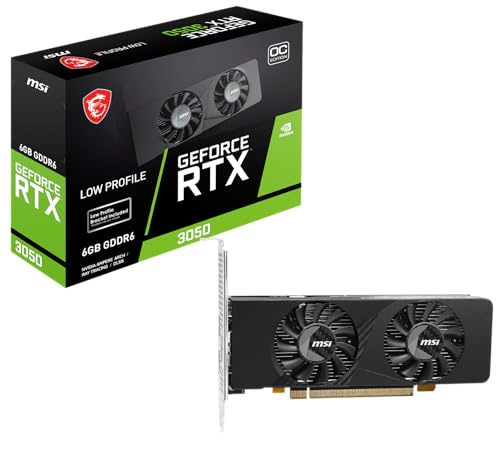 | MSI GeForce RTX 3050 LP E 6G OC Slim PCs | Low-profile office PCs with a small power supply | RTX 3050, 6GB GDDR6, low profile, 174mm, 70W, 300W PSU | Check price → |