
Apple sells three MacBook lines in the UK, and the chip names make the choice look harder than it is. The MacBook Neo, MacBook Air and MacBook Pro differ on chip, memory, screen, ports, how many monitors they run, battery life and weight. This guide takes each difference from Apple's own UK pages, explains why memory and storage have to be chosen on day one, covers the missing charger, and sets out where the M1, M2 and M4 models people still search for now stand.
For most people the MacBook Air 13-inch (M5) is the one to buy: Apple lists 16GB of memory, a 13.6-inch Liquid Retina display, two Thunderbolt 4 ports, two external displays and a fanless design. The MacBook Neo (A18 Pro) costs less but has 8GB and runs one external display. The MacBook Pro adds a Liquid Retina XDR screen, HDMI, an SD card slot and longer battery life.
Key Takeaways
- Apple's UK compare page lists eight current MacBooks: the MacBook Neo (A18 Pro), the MacBook Air (M5) in 13-inch and 15-inch sizes, and the MacBook Pro in 14-inch and 16-inch sizes with M5, M5 Pro or M5 Max chips.
- Apple's UK store says unified memory is not user accessible and storage can't be upgraded later, so both have to be chosen when buying.
- Apple's UK tech specs pages list the power adapter as sold separately for the MacBook Neo, MacBook Air and MacBook Pro, with only a charging cable in the box.
- Apple's specs pages list one external display for the MacBook Neo, two for the MacBook Air (M5) and MacBook Pro (M5), three for the M5 Pro and four for the M5 Max.
- Apple's UK store sells the MacBook Air only with the M5 chip, while its compare page moves the M1, M2 and M4 models to a list of older laptops.
Apple UK Sells the MacBook Neo, MacBook Air and MacBook Pro
Apple's UK compare page groups eight models under Current Laptops. The MacBook Neo (A18 Pro) has a 13.0-inch screen, the MacBook Air (M5) comes in 13-inch and 15-inch sizes, and the MacBook Pro comes as a 14-inch with an M5, M5 Pro or M5 Max chip, or a 16-inch with an M5 Pro or M5 Max. Everything older, from the M1 MacBook Air to the M4 MacBook Pro, sits in the compare page's More Laptops list instead.
Screens split two ways. Apple's specs pages describe a Liquid Retina display, an LED-backlit panel with IPS technology and 500 nits of brightness, on the Neo and the Air, with sRGB colour on the Neo and wide colour (P3) on the Air. The MacBook Pro gets a Liquid Retina XDR display, which the compare page calls mini-LED backlit, rated at 1,000 nits sustained full-screen and 1,600 nits peak for HDR, with ProMotion up to 120Hz. Apple lists Silver, Blush, Citrus and Indigo for the Neo, Sky Blue, Silver, Starlight and Midnight for the Air, and Space Black or Silver for the Pro.
Memory and Storage Cannot Be Added Later
Apple's UK store is plain about this. Its buying help for the MacBook Air and MacBook Pro says unified memory is not user accessible, and the store pages for all three lines say storage can't be upgraded later, with Apple advising buyers to upgrade at purchase if they think they will need more.
The ranges differ widely. Apple's MacBook Neo specs page lists 8GB of unified memory with no other option, and 256GB or 512GB of storage. The MacBook Air (M5) starts at 16GB and 512GB and goes up to 32GB and 4TB. On the MacBook Pro, Apple lists 16GB to 32GB for the M5, 24GB to 64GB for the M5 Pro and 36GB to 128GB for the M5 Max, with storage from 1TB to 8TB, the top figure on the M5 Max only.
Apple's store video on memory says the base amount suits streaming, homework and presentations, and suggests more for content creation, data analysis, graphics-heavy games or lots of apps at once. For storage, Apple suggests checking current use under System Settings, General, Storage before choosing.
Ports Decide How Many Monitors Each MacBook Runs
Apple's MacBook Neo specs page lists two different USB-C ports: a USB 3 port at up to 10Gb/s with charging and DisplayPort, and a USB 2 port at up to 480Mb/s with charging only. It supports one external display at up to 4K and 60Hz, from the left USB 3 port only, according to Apple's newsroom.
The MacBook Air (M5) has MagSafe 3 charging and two Thunderbolt 4 ports at up to 40Gb/s, and Apple's specs page lists up to two external displays, even from one Thunderbolt port. The MacBook Pro has three Thunderbolt ports, Thunderbolt 4 on the M5 and Thunderbolt 5 at up to 120Gb/s on the M5 Pro and M5 Max, plus HDMI, an SDXC card slot and MagSafe 3. Apple lists two external displays for the Pro (M5), three for the M5 Pro and four for the M5 Max.
Only the Pro lists HDMI, so a Neo or Air needs an adapter, a USB-C hub or a docking station for an HDMI screen. The monitor for laptop guide covers screens that take USB-C directly.
Battery Life, Weight and Fans Vary by Model
Apple's specs pages quote battery life for video streaming and wireless web. The MacBook Neo is listed at up to 16 hours of video and 11 of web browsing, and the MacBook Air (M5) at up to 18 and 15 hours. The 14-inch MacBook Pro (M5) reaches up to 24 hours of video and 16 of web, while the 14-inch M5 Pro and M5 Max drop to 22 and 20 hours of video. The 16-inch Pro (M5 Pro) is listed at up to 24 and 17 hours. Apple notes that battery life varies by use and configuration.
Weight follows screen size. Apple lists 1.23 kg for both the MacBook Neo and the 13-inch Air, 1.51 kg for the 15-inch Air, 1.55 kg to 1.62 kg for the 14-inch Pro and 2.14 kg to 2.15 kg for the 16-inch Pro. The laptop bag guide explains why body size matters more than screen size.
On cooling, Apple's MacBook Air page describes a silent, fanless design, and Apple's newsroom says the MacBook Neo is fanless. Apple's MacBook Pro pages make no fanless claim.
The Power Adapter Is Sold Separately in the UK
Apple's UK specs pages list the same line in the box for every current MacBook: power adapter sold separately. The MacBook Neo comes with a 1.5-metre USB-C Charge Cable, and the MacBook Air and MacBook Pro with a 2-metre USB-C to MagSafe 3 Cable. Older models were different: Apple's tech specs page for the 13-inch MacBook Air (M4, 2025) lists a 30W or 35W adapter in the box.
Apple's specs pages say each model charges from a USB-C power adapter or other USB PD power source, and give a minimum: 20W for the Neo, 30W for the 13-inch Air, 35W for the 15-inch Air, 60W for the 14-inch Pro (M5), 70W for the 14-inch M5 Pro and M5 Max, and 140W for the 16-inch Pro. Fast charging needs 70W on the Air and 96W on the 14-inch Pro. The replacement laptop charger guide explains USB-C Power Delivery, and a 20W charger from the USB-C charger guide meets the Neo's minimum.
M1, M2 and M4 MacBooks Have Left Apple's UK Store
Apple's UK store now lists only M5 configurations of the MacBook Air, and only M5, M5 Pro and M5 Max configurations of the MacBook Pro. Apple's compare page keeps the older chips in its More Laptops list for comparison rather than among its current models.
They are not left behind on software. Apple's macOS 27 compatibility page lists every MacBook Air from the MacBook Air (M1, 2020) onwards, and Apple's Apple Intelligence page lists the MacBook Air and MacBook Pro with M1 and later. Screens are the bigger gap: Apple's tech specs pages for the MacBook Air (M1, 2020) and MacBook Air (M2, 2022) list one external display, while the 13-inch MacBook Air (M4, 2025) lists up to two.
Apple's Certified Refurbished store is the official route to an older chip, and its Mac page has included a 13-inch MacBook Air with M2, though stock changes. Apple says every refurbished product gets full functional testing, genuine Apple replacement parts as needed, all accessories and cables, a brand-new white box and the standard one-year limited warranty.
Five MacBooks for Different Buyers
Two caveats come first. Apple's specs page gives the MacBook Neo 8GB of memory and one external display, and Apple's UK store says the 256GB Neo has a Lock Key rather than Touch ID, which the 512GB model has. And no current MacBook has a charger in the UK box.
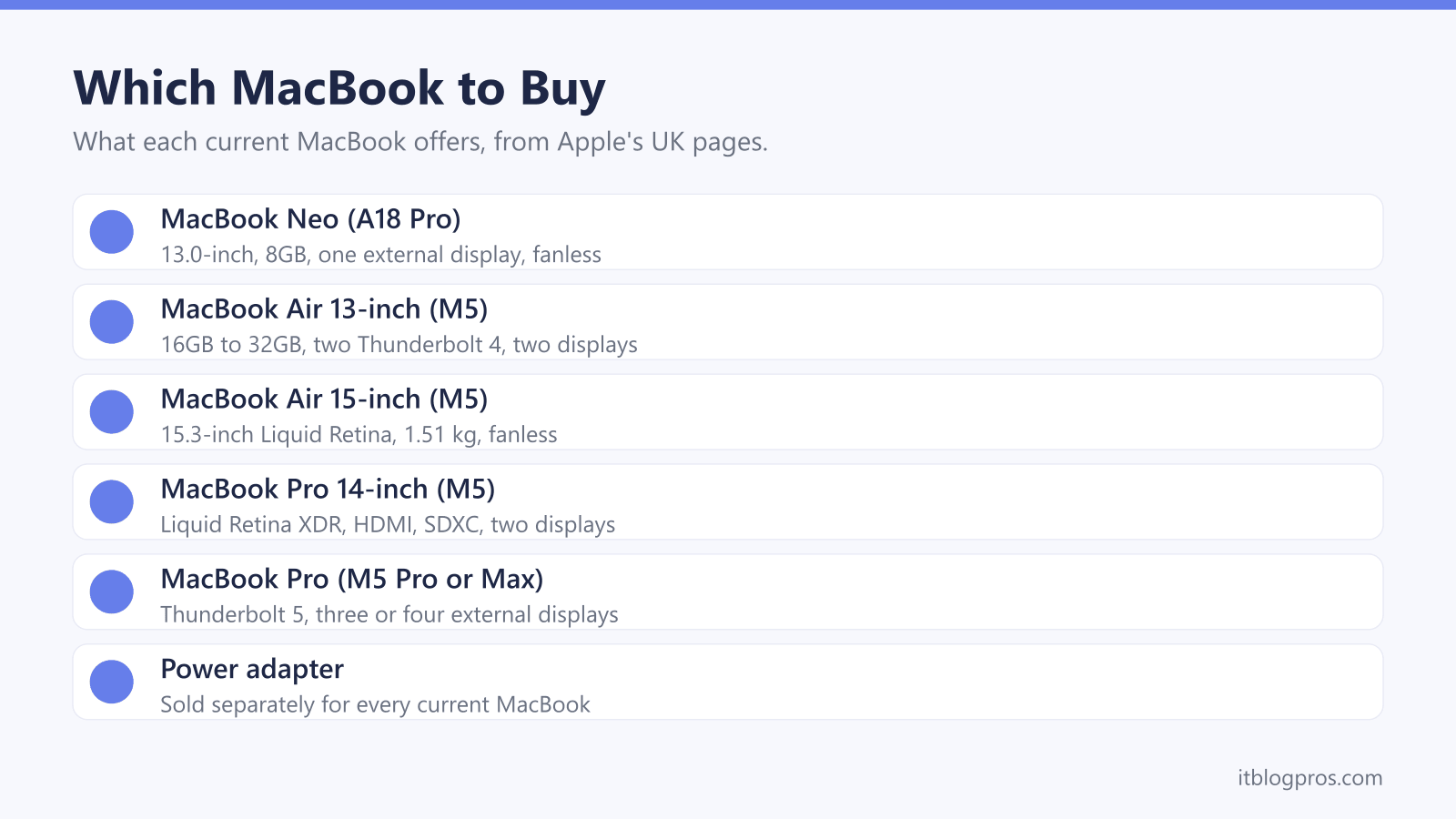
The MacBook Air 13-inch (M5) is the all-round pick, with 16GB and two external displays. The MacBook Neo (A18 Pro) is the budget choice, and the laptop for students guide covers what universities ask for. The 15-inch Air suits a bigger screen at 1.51 kg. The 14-inch MacBook Pro (M5) brings the XDR display, HDMI and SD slot, and the 16-inch Pro (M5 Pro) adds a third external display.
Apple's UK education pricing covers current and newly accepted higher education students, parents buying for them, and teachers and staff at all levels, and Apple says eligibility may need verifying at checkout. Apple Trade In gives credit or an Apple Gift Card for eligible devices and recycles the rest free. For a tablet, see which iPad to buy.
| Product | Best for | Key specs | Price | |
|---|---|---|---|---|
 | MacBook Air 13-inch (M5) 16GB, 512GB, Midnight Our pick | Most people: light, fanless, two external displays | M5 10-core CPU, 8-core GPU, 13.6-inch, 1.23 kg | Check price → |
 | MacBook Neo (A18 Pro) 8GB, 512GB, Silver Budget | Study, email and browsing on a tighter budget | A18 Pro, 13.0-inch Liquid Retina, Touch ID, 1.23 kg | Check price → |
 | MacBook Air 15-inch (M5) 16GB, 512GB, Sky Blue Big screen | A bigger screen without the Pro's weight | M5 10-core CPU, 10-core GPU, 15.3-inch, 1.51 kg | Check price → |
 | MacBook Pro 14-inch (M5) 16GB, 1TB, Space Black Pro screen | Photo and video work, with HDMI and an SD slot | M5, 14.2-inch Liquid Retina XDR, 1.55 kg | Check price → |
 | MacBook Pro 16-inch (M5 Pro) 24GB, 1TB, Space Black Top end | Heavy video and code work across three monitors | M5 Pro 18-core CPU, 20-core GPU, Thunderbolt 5 | Check price → |