
The digital landline switchover moves the home phone from the wall socket to a port on the broadband hub, and plenty of households take it as the moment to replace a tired old handset. Most phones carry on working, so a new set is about features rather than survival: more handsets, a built-in answering machine, proper call blocking or bigger buttons. This guide covers what changes at the switch, how to choose, and four cordless sets that suit a digital line.
The BT Premium Phone twin pack is the strongest all-rounder for a digital landline: BT's spec sheet lists a 60-minute answer machine, a call block button and room for six handsets. The Gigaset A694 Duo is the simpler two-handset set, the Gigaset A170 is the budget single, and Panasonic's KX-TGE820EB suits older users. Every cordless base needs mains power, so keep a corded phone or mobile for power cuts.
Key Takeaways
- BT's and EE's setup pages say a cordless phone's base unit plugs into the phone port on the back of the hub, and Virgin Media says only the base station needs connecting.
- BT says any tone-dialling phone can be used with Digital Voice, and Virgin Media says customers can keep their existing handset, so a new phone is optional.
- A cordless base runs on mains power, and Gigaset's user guide says its phone cannot be used in a power failure, so keep a corded phone or mobile as a backup.
- Vodafone says its voicemail does not work with Digital Voice, which makes a built-in answering machine the way to take messages on that service.
- Handset call blockers need Caller Display on the line, which BT says is free for all its Digital Voice and Home Phone Standard customers.
The Phone Plugs Into the Hub After the Switchover
Once a line goes digital, the wall sockets stop carrying calls and the phone connects to the broadband hub instead. BT's Digital Voice setup page says to plug a cordless phone's main base unit into the phone port on the back of the hub, and EE's Digital Home Phone setup page gives the same instruction. Virgin Media's switchover page says it sends an adaptor to plug the landline into its WiFi Hub, and Vodafone's Digital Voice page says the phone cable plugs into the router instead of the wall. The guide to connecting a phone to a router covers each provider's port.
Most existing phones survive the move. BT's adapter page says any tone-dialling phone can be used with Digital Voice, and Virgin Media says customers can keep using the same handset they have always used. BT does flag one snag: phones bought before 2015 may not ring on its Digital Voice Adapter, and BT supplies a free microfilter that enables them to ring. A new phone is therefore a choice, not a requirement of the landline switch-off.
A Cordless Base Needs Mains Power and Stops in a Power Cut
This is the honest caveat with every phone in this guide. A cordless set has two power needs: the hub that carries the call, and the base unit that talks to the handsets. BT's and EE's setup pages both say to plug the base unit into a mains socket, and BT's power cut page says the Smart Hub must have power for Digital Voice calls. Gigaset's user guide for the A694 is blunter, saying the device cannot be used in the event of a power failure.
Even on the old copper service, BT's power cut page says cordless handsets won't work in a power cut, and it recommends a corded phone as a backup or a mobile. Virgin Media's switchover page says that in a power cut customers won't be able to make or receive calls on the home phone. Anyone who relies on the landline should read the digital landline power cut rules. A battery backup for the router and ONT can keep the hub running, as long as the cordless base sits on the battery too.
One Base Unit With Extra Handsets Covers the House
Count the rooms that need a phone before choosing a pack. On a digital line only the hub's port carries calls, so one base unit with several handsets is the tidy answer. Virgin Media's switchover page says that where one base station wirelessly controls several handsets, only the base station needs connecting to the Hub, while cordless phones on separate base stations wired back to phone sockets need an engineer appointment. Vodafone's Digital Voice page says any extra telephone sockets in the home stop working after the switch.
Packs can grow later. BT's spec sheet for the Premium Phone lists a maximum of six handsets on one base, and Gigaset's user guide says up to four handsets can be registered with the A694 base. Treat range figures as best-case numbers: BT gives 50 metres indoors and 300 metres outdoors in ideal conditions, and Gigaset quotes the same figures for the A694. For a room far from the hub, BT's setup page offers its Digital Voice Adapter to connect the base unit wirelessly.
A Built-In Answering Machine Matters Most on Vodafone
Network voicemail and a built-in answering machine do the same job in different places. BT says voicemail is included for all Home Phone customers, Digital Voice and Home Phone Standard, and that an interrupted dial tone signals a new message, which you hear by dialling 1571. EE's Digital Home Phone setup page says voicemail is included as standard.
Vodafone is the exception. Its Digital Voice page says Digital Voice doesn't work with Vodafone voicemail, though customers can still use voicemail on phones that come with built-in answer machines. On Vodafone, a phone with an answering machine is the way to take messages at all.
For everyone else it comes down to preference. A machine on the base shows messages at a glance without dialling in: BT's spec sheet lists up to 60 minutes of recording on the Premium Phone, and Panasonic's store page describes a 40-minute answering machine on the KX-TGE820EB. BT also lets customers change how many rings pass before its voicemail answers, so the answering machine can pick up first.
Handset Call Blocking Relies on Caller Display
A handset's nuisance call blocker works by reading the caller's number, so it needs Caller Display on the line. BT's Premium Phone spec sheet says so in its small print, and Panasonic's store page says the KX-TGE820EB's automated call block requires a Caller ID service subscription. BT's Caller Display page says the service is free for all its Digital Voice and Home Phone Standard customers. Other providers set their own terms, so check the account.
The blockers differ a lot. BT's spec sheet says the Premium Phone asks unknown callers to say their name and lets you accept or block the call without speaking to them, with a dedicated block button and up to 1000 blocked numbers. Gigaset's user guide says calls from numbers on the A694's black list, which holds up to 32 numbers, are not signalled acoustically, so the phone stays silent. Network blocking works alongside both: BT's Call Protect page says it comes with Digital Voice at no extra cost, diverts scam calls to junk voicemail, and is managed by dialling 1572.
Big Buttons and Hearing Aid Support Suit Older Users
For an older relative, the keypad and the earpiece matter more than the feature list. Panasonic's store page for the KX-TGE820EB describes a big illuminated keypad with large characters, and says its maximum receiver volume is around twice as loud as Panasonic's standard DECT telephone, the KX-TG6821, with a side key to adjust the volume during calls. The same page says the handset is designed to work well with a hearing aid, and that Talking Caller ID announces callers whose name and number are saved in the phonebook.
Hearing aid support is not universal. BT's spec sheet for the Premium Phone lists its inductive coupler as No, and Gigaset's A694 user guide warns that the phone may cause interference in analogue hearing aids, such as humming or whistling. For someone who wears one, pick a set whose maker states hearing aid compatibility plainly. Screen size helps too: Gigaset gives the A170 an illuminated 1.5 inch graphic display, and BT lists a 1.8 inch colour screen on the Premium Phone.
Four Cordless Sets That Suit a Digital Landline
Each set below connects its base to the hub's phone port, and none keeps working in a power cut without backup power for both hub and base.
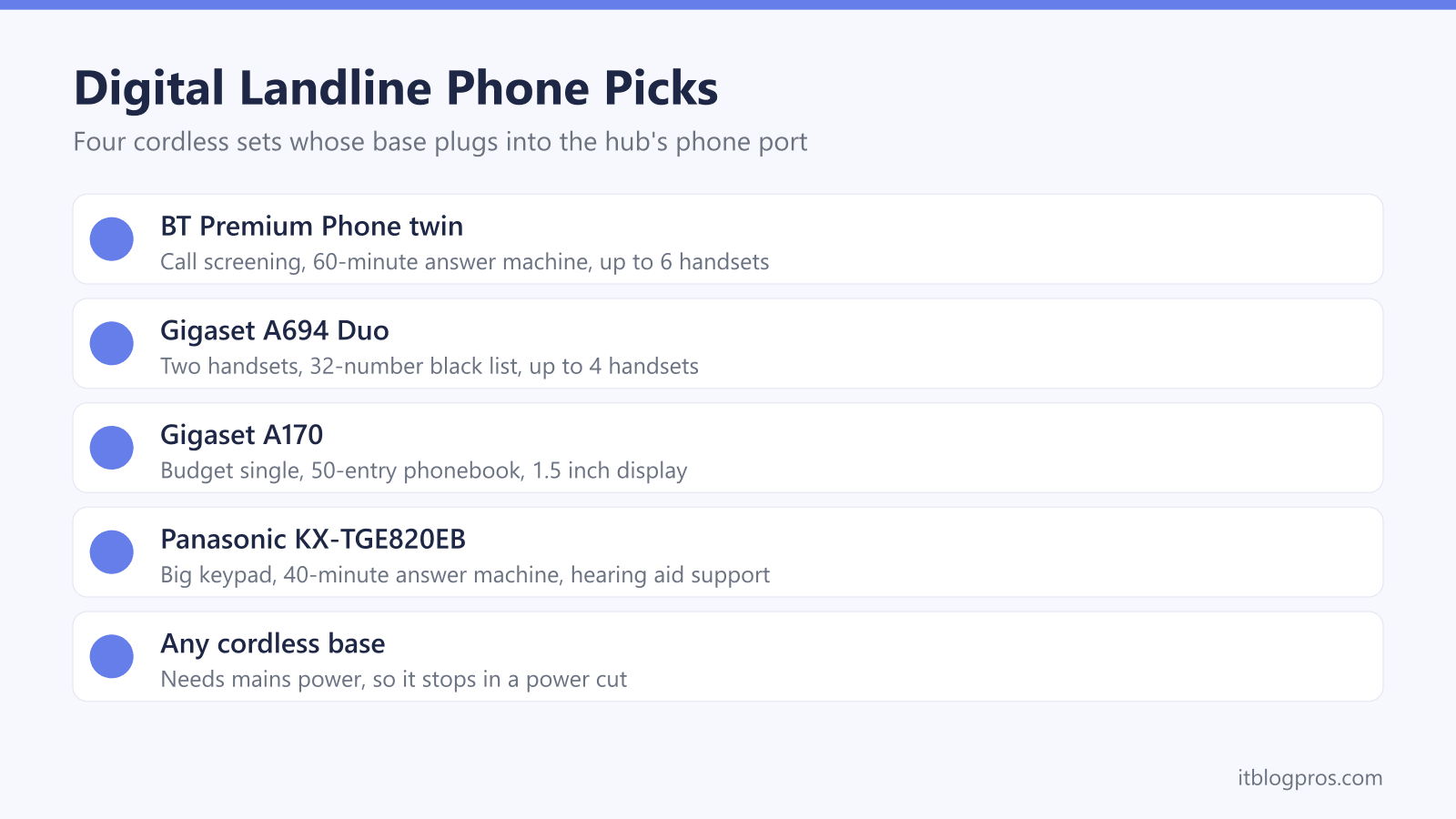
The BT Premium Phone twin pack is the all-rounder, pairing the call screening and 60-minute answer machine from BT's spec sheet with room for six handsets. The Gigaset A694 Duo puts two handsets around the home, with a 100-entry directory on each handset and the 32-number black list from Gigaset's user guide. Gigaset's guide covers versions with and without an answer machine, and this Duo is the one without, so messages go to the provider's voicemail. The Gigaset A170 is the budget single to sit beside the hub, with the 50-entry phonebook and up to 18 hours of talk time Gigaset lists. The single-handset Panasonic KX-TGE820EB is the set for big buttons, a louder earpiece and hearing aid support.
Before replacing a phone that went silent at the switch, work through the Digital Voice not working guide, or the BT and EE versions, since a dead line is not always a dead phone.
| Product | Best for | Key specs | Price | |
|---|---|---|---|---|
 | BT Premium Phone, twin pack Our pick | Call screening and an answer machine in two rooms | 2 handsets, 60-min answer machine, call block button | Check price → |
 | Gigaset A694 Duo Two handsets | Two rooms with simple call blocking | 2 handsets, 100-entry directory, 32-number black list | Check price → |
 | Gigaset A170 Budget | One simple phone beside the hub | 1 handset, 50-entry phonebook, 1.5 inch lit display | Check price → |
 | Panasonic KX-TGE820EB Big buttons | Older users and hearing aid wearers | Big keypad, 40-min answer machine, hearing aid compatible | Check price → |