
A full fibre installation quietly kills every phone socket in the house. The engineer fits a small white ONT box on the wall, broadband arrives over glass instead of copper, and the sockets that carried the landline for decades are left connected to nothing. The phone itself is usually fine, and so is the number: the landline has simply moved onto the broadband connection, and the router is now the master socket. This guide explains exactly why the sockets go dead, how to get a dial tone back in under a minute, and every realistic option for phones in other rooms, from multi-handset DECT systems and provider adapters through to professional rewiring, with an honest view of which options are worth the money.
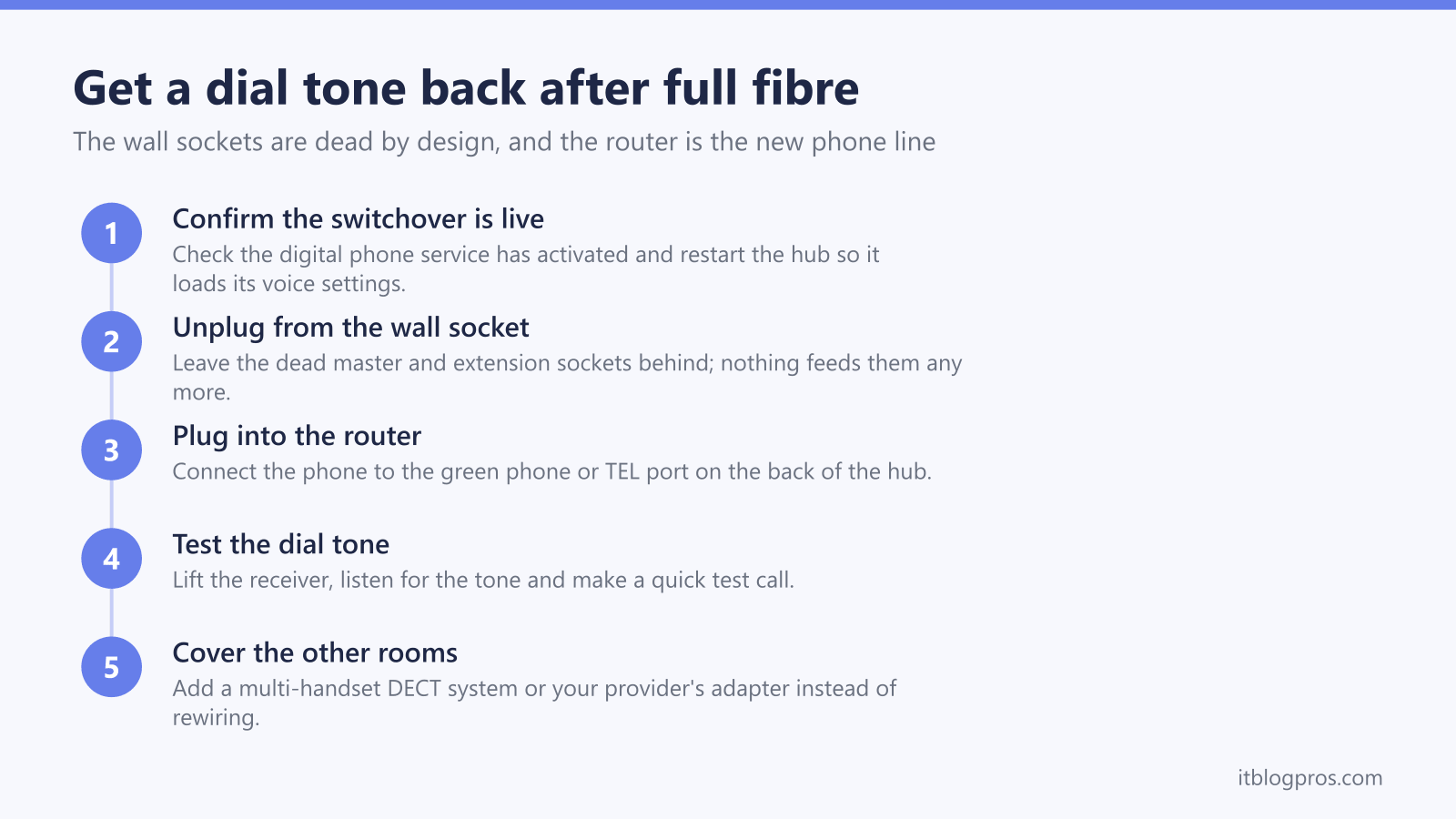
Full fibre delivers broadband and calls through the fibre and your router, bypassing the copper pair that fed your phone wall sockets, so every socket in the house goes dead by design. Plug a phone into the phone port on the back of the router to get a dial tone back. For phones in other rooms, a multi-handset DECT cordless system or your provider's adapter beats rewiring in almost every home.
Key Takeaways
- Full fibre ends the copper connection into the house, so the master socket and every extension wall socket stop working by design rather than through a fault.
- The landline now runs through the router, and plugging a phone into the phone port on the back of the hub restores the dial tone.
- A multi-handset DECT cordless system is the modern fix for phones in several rooms, with one base at the router and satellite handsets that only need a mains socket.
- BT and EE supply a free Digital Voice Adapter that acts as a wireless extension socket, Virgin Media sends an adapter for the hub, and TalkTalk pairs a separate Digital Voice Adapter box with its eero routers.
- Rewiring the old extension sockets from the router is possible but unsupported by providers and rarely worth the cost, and a digital landline needs battery backup to keep working in a power cut.
Full fibre bypasses the copper pair, so wall sockets go dead by design
On the old network, a copper pair ran from the street into your master socket, and any extension sockets were chained off it. The same pair carried both the analogue phone line and, on ADSL or FTTC broadband, the internet signal. Full fibre (FTTP) replaces all of that. Openreach runs a fibre optic cable to a small box called an ONT, the router connects to the ONT, and calls become a digital service delivered through the router rather than down the copper.
Once that happens, nothing feeds the copper wiring any more. The incoming pair is disconnected or simply left dead, which means the master socket and every extension socket wired from it stop working at the same moment. The engineer has not broken anything and there is no fault to report; the sockets are orphaned by design.
This is not optional and it is coming to every home. The UK's analogue phone network (the PSTN) is being switched off: Openreach's big switch off page says all traditional phone lines go digital on 31 January 2027, and providers have been moving customers to digital landlines for several years. BT calls its service Digital Voice, EE calls it Digital Home Phone, Sky calls it Internet Calls, and Virgin Media, TalkTalk and Vodafone run their own equivalents, but they all work the same way: the router is the new phone line.
The switchover needs to be live before any phone will work
Before judging any socket or cable, confirm the digital phone service has actually activated. The landline usually switches over on a named day, and the changeover can happen at any point during that day. A hub restart is the providers' own first step: BT's Digital Voice common fixes page says to turn the hub off, wait 2 minutes and turn it back on, and that this refreshes the connection and updates the Digital Voice service.
So the first test is simple: plug a phone directly into the router's phone port, restart the router, wait for it to settle and listen for a dial tone. A dial tone there proves the service is fine and the only issue is the dead wall sockets, which the rest of this guide solves. No dial tone at the router either points to a service or settings problem rather than a wiring one, and our complete guide to Digital Voice not working covers those fixes for every provider.
The router phone port replaces the master socket
Every major provider now expects the phone to plug into the hub, and the providers' own setup instructions below say where it goes.
BT's and EE's setup pages say to plug a corded phone into the green phone port on the back of the hub. Sky's Internet Calls setup guides for the Sky Broadband Hub and the Sky Max Hub say to plug the home phone into the UK port, using the cable that came with the phone. Vodafone's Digital Voice page says the phone cable plugs into the router, and that Vodafone sends an adapter to plug the phone into it. Virgin Media's setup page says to plug the adaptor it sends before the switchover into the top grey port, labelled 1, on the back of the Hub, then plug the phone's cable from the wall socket into the adaptor.
TalkTalk is the odd one out: its Future Fibre packages ship with Amazon eero routers, and TalkTalk instead supplies a separate Digital Voice Adapter for the phone. TalkTalk's Digital Voice Adapter page says to connect the power cable, run an Ethernet cable from the adapter to an available Ethernet port on the TalkTalk router or eero, and connect the phone or cordless base station to the phone port on the adapter. That page names no colours and no manufacturer, so go by the port labels on the unit TalkTalk sends. If yours never arrived, ask TalkTalk for one.
Check the plug before switchover day. BT's, EE's, Virgin Media's and Vodafone's help pages do not name the socket type on their hubs' phone ports, so make sure the phone's plug fits and ask the provider if it does not. BT's and EE's setup pages offer their free adapters for a handset away from the hub, describing them as connecting wirelessly and working like an extension socket, and do not describe them as a fix for a plug that does not fit. The full walkthrough for each provider, port by port, is in our guide to connecting a phone to your router.
Multi-handset DECT phones are the modern answer for other rooms
The reason wall sockets existed was to put phones in different rooms. A multi-handset DECT cordless system does the same job with no wiring at all, and it is the option that suits almost every home.
One base station plugs into the router's phone port and handles the line. The additional handsets pair wirelessly with that base and only need a mains socket for their charging cradles, so a bedroom, kitchen or office phone goes wherever there is a plug. Twin, trio and quad packs from the mainstream cordless brands cover most house sizes, and every handset shares the same number, phonebook and answering machine, often with intercom between rooms thrown in.
Compatibility is simpler than the marketing suggests: BT's adapter help page says any tone-dialling phone can be used with Digital Voice, whether connected to the hub or an adapter, EE's adapter page says the same for a tone-dialling phone of any age, and Virgin Media's switchover page says customers can keep using the same handset. The one honest caveat runs the other way. BT's and EE's own kit is documented for their own hubs: BT's adapter help page says the EE Digital Voice Adapter is compatible with both BT and EE Smart Hubs, and neither BT nor EE describes its handsets or adapters working on another provider's hub. A standard DECT multi-handset pack works with any provider's phone port.
Provider adapters act as extension sockets without wiring
If you want to keep a favourite corded phone in a room away from the router, the providers have their own answers.
BT's Digital Voice Adapter is the best known. It plugs into any mains socket, pairs wirelessly with the Smart Hub 2 at the press of the WPS buttons on both, and presents a phone socket on top, effectively a cordless extension socket for an ordinary phone, although BT's adapter help page says older bell-wire phones do not work with the BT adapter but do with the EE Digital Voice Adapter it also offers, and BT's setup page says phones bought before 2015 may not ring on the adapter and that BT supplies a free microfilter that enables them to ring. BT supplies the adapter free when needed, and EE offers the equivalent Digital Home Phone Adapter for its hubs. BT's adapter help page describes the adapter as syncing to the hub as a wireless extension and gives no range, so make a test call from the room the adapter is meant to serve before relying on it.
These adapters only work with their own provider's service, so a BT adapter is useless on Sky or Vodafone. Virgin Media's adapter is a different thing entirely, a simple connector that lets the phone plug into the Hub, and TalkTalk's Digital Voice Adapter is the box that gives its eero routers a phone socket in the first place. Vodafone's Digital Voice page says to plug all phones into the back of the router or use wireless phones that work with Digital Voice, and Sky's hub setup guides mention no extension adapter, which makes a multi-handset DECT system the practical route for their customers.
Rewiring the extensions from the router is possible but rarely worth it
The old extension wiring can be brought back to life. The trick is reversing the direction of flow: instead of the street feeding the master socket, a lead runs from the router's phone port back into the home's internal wiring, so every extension socket carries the digital line.
The safety-critical step is disconnecting the incoming copper pair at the old master socket first, so the router never feeds back towards the network, and any wiring still carrying a broadband signal must be kept isolated. This is exactly the kind of job a local telephone engineer does quickly, but providers do not document or support it; BT's answer to a phone away from the hub is the Digital Voice Adapter, and its adapter help page says up to a combination of 5 adapters and Digital Voice handsets can be used. None of the provider pages says how many wired phones a hub's phone port will drive, so ask the engineer before committing to a houseful of old ringers.
For most homes the honest advice is not to bother. A professional call-out can cost more than a complete multi-handset cordless pack, and the wiring serves phones that DECT replaces anyway. Rewiring earns its keep in narrower cases: a hardwired telecare or stairlift unit that must see a phone socket, a listed home where corded phones stay put, or a user who cannot get on with cordless handsets.
A digital landline stops in a power cut without battery backup
The old copper network powered the phone from the exchange, which is why a basic corded phone worked through a blackout. A digital landline does not: when the power goes off, the router and ONT go down and the phone goes silent with them, whichever of the options above you choose.
Ofcom's guidance says providers should have at least one solution that keeps customers who rely on their landline able to reach the emergency services for at least an hour in a power cut, offered free to customers who depend on their landline, with a mobile phone as the assumed fallback for everyone else. If anyone in the house relies on a telecare pendant or has no mobile signal, sort this before it matters. The full detail on who qualifies, what the providers supply and which backup units fit a router and ONT is in our guide to the digital landline power cut rules.