
A BT Digital Voice landline that stops working looks alarming because the phone goes completely silent, but the fault list is short and the fixes are quick. Digital Voice carries calls over broadband through the BT hub, so dial tone now depends on three things: the hub being online, the phone sitting in the right port, and the handset staying registered. This guide works through the checks in the order BT support uses, covering the green phone port on the Smart Hub 2, the correct restart sequence, the switchover-day steps from BT's letter, the on-screen handset messages, the Digital Voice Adapter for extension phones, and the two honest limits of Hybrid Connect and power cuts.
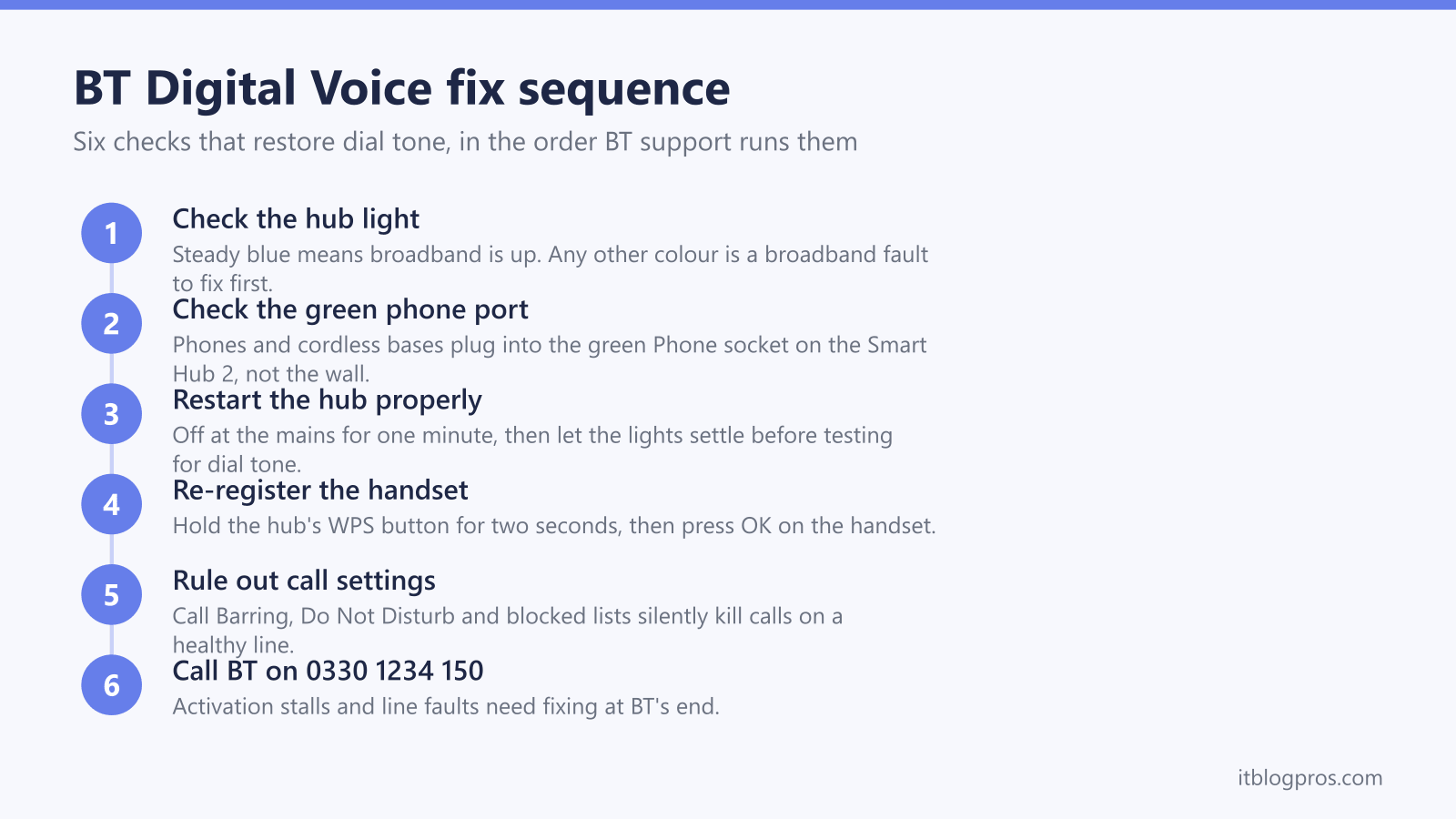
BT Digital Voice fails in three common ways: the hub has no broadband, the phone is not in the green phone port, or the handset has lost its registration. Check for a steady blue hub light, plug the phone into the green Phone socket on the Smart Hub 2, restart the hub off at the mains for one minute, then re-register the handset with the WPS button. Persistent faults need BT on 0330 1234 150.
Key Takeaways
- Digital Voice depends entirely on the hub, so a steady blue light on the Smart Hub 2 and a phone plugged into the green phone port are the first two checks for any dead line.
- The restart that works is off at the mains for at least one minute, then two more minutes after the lights settle, because the phone service re-registers after broadband comes back.
- A handset showing Register this handset or unregistered re-pairs by holding the hub's WPS button for two seconds and pressing OK on the phone.
- Extension phones need the BT Digital Voice Adapter because wall sockets stop carrying the phone service after the switchover, and up to five adapters and handsets can share the line.
- Hybrid Connect keeps the internet running on EE's 4G network during a broadband fault, but BT confirms Digital Voice calls stop while the hub light is purple, and power cuts stop calls entirely.
Digital Voice runs through the hub, so the hub gets checked first
BT Digital Voice is a phone service carried over broadband rather than the old copper phone network, and that changes where faults live. The handset talks to the BT hub, the hub talks to BT over the broadband line, and there is no dial tone anywhere in the house if that chain is broken. The practical consequence is that every Digital Voice fault starts with one look at the front of the hub. A steady blue light on the Smart Hub 2 means broadband is up and the fault sits with the handset, the port or the settings. Any other colour means the broadband itself is the problem, and the BT Smart Hub lights guide decodes exactly what the hub is reporting. Fixing the broadband brings the phone back with it. Households on other providers with the same dead-landline symptom can work through the provider-by-provider checks in the wider digital voice not working guide.
The green phone port on the Smart Hub 2 is the only socket that matters
Digital Voice runs on the Smart Hub 2, and a corded phone or a cordless base station plugs into the green port marked Phone on the back of the hub. The old master socket and any extension sockets stop carrying the phone service once the switchover completes, so a phone left plugged into the wall goes silent even though nothing is broken. Older BT hubs, including the original Smart Hub and the Home Hub range, have no Digital Voice support, which is why BT posts a compatible hub before the switch date if the current one cannot carry the service. With the phone in the green port, push the plug in until it clicks, and test a second phone in the same port if dial tone is still missing, which separates a dead handset from a dead service. The general walkthrough for wiring a handset into a router, including adapters and older phones, is in the connect a phone to your router guide.
One correct restart clears most no dial tone faults
BT's fix for most Digital Voice announcements and dead-line states is a clean restart, done in the right order. Turn the hub off at the mains and leave it off for at least one minute. Switch it back on and let the lights settle to steady blue, which can take a few minutes. Then give the phone service another two minutes to come back, because voice re-registers after broadband. Only then test for dial tone. If a BT Digital Home Phone handset still shows an error afterwards, take its batteries out for a minute and let it restart too. BT's own guidance for the announcement "Sorry, you may not make calls from this line" is exactly this restart, and the same applies to on-screen messages such as "No service on Line 1". What the restart does not fix is an activation stall: if the hub's phone status still shows as not configured in Hub Manager at 192.168.1.254 after a full restart, the service needs activating at BT's end, which means a call to 0330 1234 150.
Switchover day has three steps and one legitimate delay
BT writes ahead of the move, and the first letter lands around four weeks before the switch date. On the day itself the steps from that letter are short: unplug the phone from the wall socket, plug it into the green phone port on the hub, and make a test call. Incoming calls normally start working within about 15 minutes of the number moving across. There is one delay that is not a fault: where the number was originally allocated by another company, BT says the service can take until 8am on the next working day after the hub is set up. A silent line inside that window is normal, so resist the urge to factory reset anything. A silent line beyond that window, or a hub that never shows the phone service as active, is worth a call to BT on 0330 1234 150 rather than another round of restarts.
The handset messages decode the fault for you
BT's Digital Home Phone handsets state the problem on screen, and each documented message maps to a specific fix.
- Register this handset to the Hub means the handset has lost its pairing. Press and hold the WPS button on the side of the hub for about two seconds until it flashes, then press OK on the handset and wait while it re-registers. The same routine fixes a handset that shows as unregistered.
- No voice service on the Hub means Digital Voice has not been activated on the hub in use. Restart the hub for at least a minute, and if the message survives, the activation has not completed and BT needs to finish it.
- Unable to make or receive calls means the hub has no broadband, which puts the fault back at the broadband layer rather than the phone.
- No link to the Hub means the handset cannot reach the hub at all, so confirm the hub is powered on and move the handset closer to rule out range.
If registration keeps failing, restart the hub, wait for a steady blue light and try the pairing again, which clears the majority of stubborn handset faults.
The Digital Voice Adapter puts dial tone back on extension phones
Phones that used to live on extension sockets need the BT Digital Voice Adapter, a plug-in unit that pairs wirelessly with the hub and works like an extension socket. Setup follows BT's sequence: confirm a steady blue light on the hub, plug the adapter into a mains socket near the hub for pairing, press the WPS button on the hub, then within a minute press and hold the WPS button on the side of the adapter. Its light flashes during registration and turns solid green once paired. Plug the phone's line cord into the socket on top of the adapter and the phone gets the same dial tone as one plugged into the hub itself. Once paired, the adapter remembers the hub, so it can be moved to any mains socket in the house. Up to five adapters and Digital Voice handsets can share one line in combination. One honest caveat from BT: some phones bought before 2015 may not ring while connected to the adapter, and BT supplies a free microfilter to fix that on request.
Calls that fail while broadband works point at settings
A working hub, a registered handset and still no calls usually means a setting is silently blocking them, and BT's own checklist covers five. Call Barring can be checked and switched off from the handset menu or by dialling *#34#. Call Protect can divert unknown or listed numbers, and its blocked list is managed in the My BT app. Do Not Disturb quietly routes incoming calls to voicemail. A ringer switched off on the handset looks identical to a dead line for incoming calls. And corded phones must be set to tone dialling, known as DTMF, because pulse dialling does not work on Digital Voice. The symptom pattern is diagnostic here: outgoing calls failing with an announcement while incoming calls ring fine points at barring, while incoming silence with working outgoing calls points at Do Not Disturb, the blocked list or the ringer.
Hybrid Connect and power cuts are the two limits BT confirms
Two situations kill Digital Voice while the internet seems fine, and both are by design. Hybrid Connect, BT's backup unit that switches the hub to EE's 4G network when the broadband line fails, keeps devices online but does not carry the landline. BT's wording is direct: the Smart Hub 2 light turns purple when broadband is down and connected via Hybrid Connect, and when this happens the Digital Voice service won't work. A purple hub light with working WiFi and a dead phone is therefore expected behaviour, and the phone returns when the broadband fault is repaired. A power cut is the second limit: the hub has no power, so there are no calls at all, including 999, and BT's advice is to keep a charged mobile available. The protections that exist for vulnerable households, including battery back-up units and the rules on emergency access, are set out in the digital landline power cut rules guide.
Replacing the hub removes Digital Voice, so plan around it
When a hub keeps failing, replacing it looks tempting, but Digital Voice changes the maths. The phone service is tied to BT's own hub: there is no supported way to run Digital Voice through a third-party router, BT documents no bridge mode for the residential Smart Hub 2, and the green phone port and paired handsets exist only on BT's kit. Swap the Smart Hub 2 for an aftermarket router and the broadband can be made to work, but the landline goes silent. A hub that is genuinely faulty on an active contract should be replaced by BT itself through 0330 1234 150, at no cost. Households that want stronger WiFi and still need the landline usually run better hardware alongside the BT hub rather than instead of it, and the honest trade-offs, including exactly how Digital Voice constrains the options, are covered in the best router for BT broadband guide.