
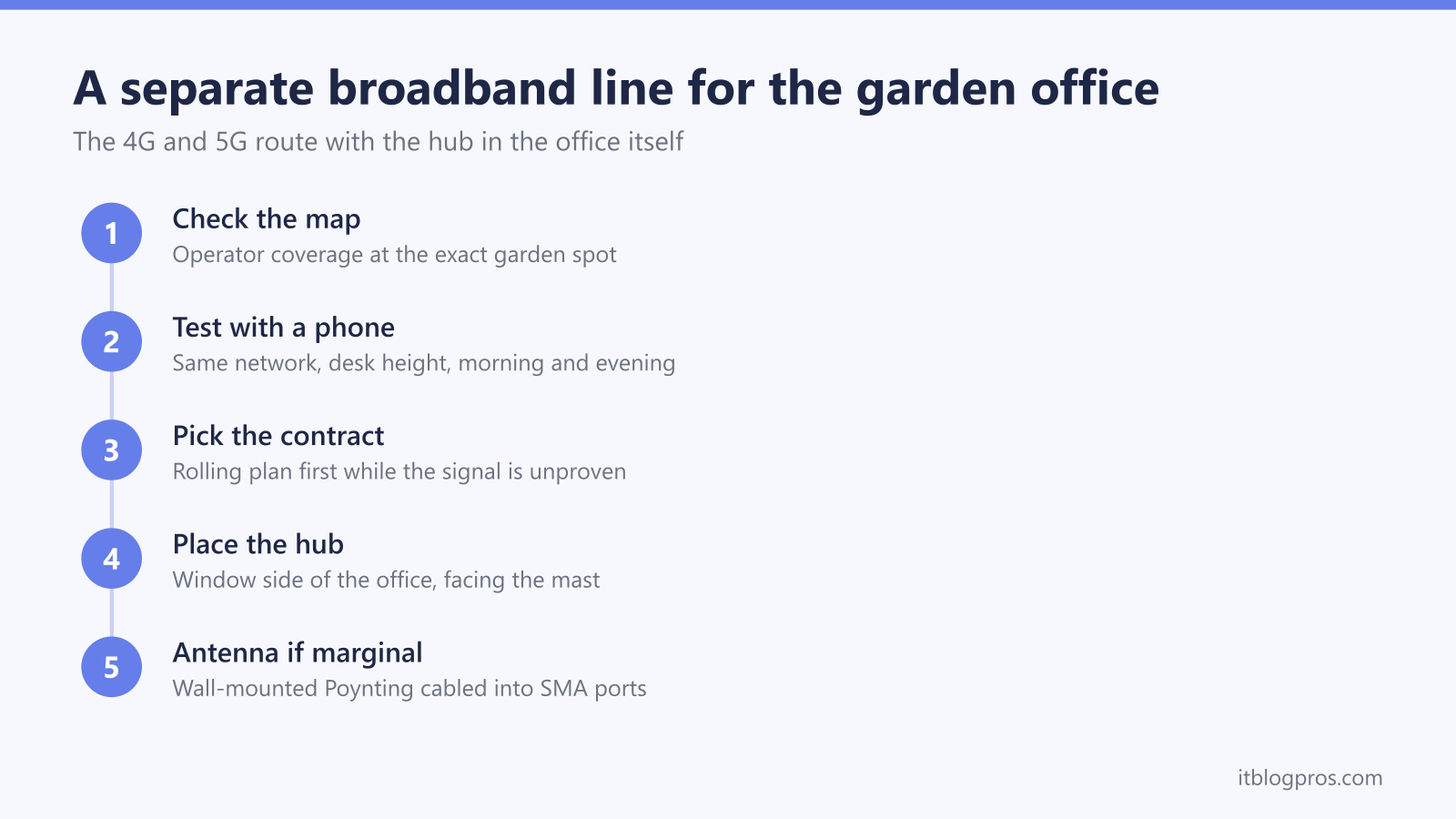
Extending the house WiFi down the garden is the default answer for a garden office, and it is not always the right one. When the house connection is slow, saturated, or simply too far away, giving the office its own 4G or 5G broadband line turns it into a self-contained workplace: a hub inside the room, its own contract, and no dependence on whatever is happening in the house. This guide covers when the separate line genuinely wins, the caveats that catch people out, what Three, EE and Vodafone actually sell, and the external antenna trick that rescues a marginal signal.
A garden office gets its own broadband fastest through 4G or 5G fixed wireless: a Three, EE or Vodafone hub sitting inside the office on its own contract, from roughly £11 to £30 a month. Check the operator coverage map at the exact spot first, test with a phone at desk height, and plan a wall-mounted external antenna if the foil insulation crushes indoor signal.
Key Takeaways
- A separate 4G or 5G line wins when the house broadband is slow or saturated, the office needs its own business bill, or the building sits beyond practical WiFi range.
- Foil-backed insulation makes signal inside a garden office worse than in the garden itself, so a phone test on the same network at desk height comes before any contract.
- Three 5G Broadband is the cheapest route at roughly £11 to £28 a month depending on contract shape, with EE and Vodafone costing more; prices change constantly, so current deals need checking.
- CGNAT on UK mobile broadband blocks inbound connections, breaking port forwarding, remote CCTV viewing and some VPN setups unless a tunnelling workaround is used.
- A wall-mounted Poynting antenna cabled into SMA or TS9 ports rescues a marginal signal, but Three's current ZTE MC888 hub has no external antenna ports at all.
When a separate line beats extending the house WiFi
Most garden offices get online by stretching the house network down the garden, and for many that remains the cheaper answer; the full set of options is compared in the guide to the best way to get WiFi in a garden office. A separate 4G or 5G line earns its monthly fee in five situations:
- The house WiFi is already saturated. A household of streamers and gamers competing with work video calls leaves nothing spare. A second line takes the office off that connection entirely, which also cures the dropping video calls that a congested shared connection causes.
- Business expense separation. A contract in the business name, billed to the business, keeps the accountant happy and the paperwork clean in a way a share of the household bill never quite does.
- A tenant, lodger or granny annexe. Separate billing, separate network, separate responsibility; nobody argues about fair use of the house connection, and the house network stays private.
- The house broadband is too slow to share. A house limping along on 35Mbps FTTC has nothing spare to give away. Where 5G coverage is decent, a 5G hub in the office will often outrun the house line several times over.
- The office sits beyond practical WiFi range. Long gardens, intervening outbuildings and rendered walls can make extending more expensive and more fragile than a modest monthly contract.
The plan itself is simple: a 4G or 5G home broadband router lives inside the garden office on its own contract, with nothing cabled back to the house.
The honest caveats come before any contract
Three problems catch garden office owners out, and all three are cheaper to discover before signing.
Foil insulation kills indoor signal. Modern garden rooms are typically insulated with foil-faced PIR boards and wrapped in foil-backed membranes. That construction behaves like a partial Faraday cage, so mobile signal inside the finished room is routinely worse than in the open garden a metre outside the door. A strong signal reading on the patio proves nothing about the desk.
Coverage maps are predictions, not measurements. The operator checkers are the right starting point, but they model outdoor signal. Check the map at the exact postcode and position of the office, then treat any indoor estimate for a foil-lined room with suspicion.
The running cost never stops. Extending the house network is a one-off hardware spend. A separate line costs £15 to £30 every month for as long as the office is in use, plus mid-contract price rises. The maths on that trade appears later in this guide.
There is a fourth caveat for anyone planning to fix a weak signal with an external antenna: not every hub can take one. Three's current 5G Hub, a rebranded ZTE MC888, has no external antenna ports at all, a point covered in detail further down.
Signal testing at the actual desk beats any coverage map
The test that matters costs nothing but an hour:
- Check all three coverage maps. Three, EE and Vodafone each publish a checker; enter the full postcode and read the prediction for the office's exact spot in the garden, not the house.
- Test with a phone on the same network. Coverage checkers cannot see the foil insulation. Borrow a phone on the target network, or buy a cheap PAYG SIM, then run speed tests at desk height inside the closed office. Signal at head height by the window and signal at the desk in the corner can differ dramatically.
- Test at both ends of the day. Mobile broadband is a shared medium; a cell that flies at 10am can crawl at 8pm when the neighbourhood comes home. The evening test is the one that predicts real working life.
- Watch upload, not just download. Video calls lean on upload speed and stability. A steady 10 to 15Mbps up is worth more than a spiky 40.
A marginal result is fixable with an external antenna, covered below. A hopeless result on all three networks means extending from the house is the better path after all.
Three, EE and Vodafone all sell the same basic product
All three big mobile networks sell home broadband in the same shape: a plug-in router with a SIM inside, unlimited data on most plans, and no engineer visit.
Three 5G Broadband is consistently the cheapest. As of mid-2026 the 24-month plan works out at roughly £11 a month during an introductory half-price period and around £22 after it, with fixed price steps each April; a 12-month plan sits around £24 and a 1-month rolling plan around £28. Prices and offers change constantly, so check the current deal rather than relying on these snapshots. The current hub is a rebranded ZTE MC888; common connection problems and their fixes are covered in the Three 5G Hub no-internet guide.
EE mobile broadband with the Smart 5G Hub costs more, typically £30 upwards, but rides the network that usually tops UK coverage and consistency rankings. Plans come on an 18-month term or a 30-day option, and the 30-day option is genuinely useful for proving the signal before committing.
Vodafone 5G home broadband also exists, with plans starting at around £30 a month. The old GigaCube is no longer sold to new customers, though existing units remain supported; new sign-ups get Vodafone's current 5G broadband hubs.
Where 5G has not reached, all three networks fall back to 4G home broadband plans with the same shape: slower, but often still faster than a poor fixed line.
CGNAT blocks inbound connections on mobile broadband
UK consumer mobile broadband generally sits behind carrier-grade NAT, meaning the connection shares a public IPv4 address with many other customers. Outbound traffic works normally: browsing, video calls, cloud services and ordinary client VPNs are unaffected. Unsolicited inbound connections are not.
In practice that breaks:
- Port forwarding of any kind; there is no dedicated public port range to forward.
- Remote viewing of CCTV or NVR systems that rely on a direct inbound connection to the office.
- Hosting anything in the office: a game server, a NAS reachable from outside, any self-hosted service.
- Some VPN setups, specifically site-to-site tunnels or VPN servers that must accept inbound connections. Outbound client VPNs to an employer work fine.
Three's network is well documented as behaving this way; even when the hub shows what looks like a public IPv4 address, unsolicited inbound traffic is typically blocked upstream, and none of the big networks offers a static public IP on consumer home broadband plans.
The workarounds are mature. Tailscale or ZeroTier give private remote access to office devices, and Cloudflare Tunnel publishes a self-hosted web service, all by making outbound connections that CGNAT never blocks. Anyone whose work genuinely requires direct inbound connectivity should treat CGNAT as a reason to extend the house's fixed line instead.
Monthly cost versus one-off hardware decides the close calls
A 24-month Three contract adds up to roughly £400 to £530 over the term once the introductory discount ends and the April rises land; EE and Vodafone cost more again. Extending the house network with an outdoor access point or a point-to-point wireless bridge is a £100 to £300 one-off that rides the existing bill.
On raw numbers, extending wins inside the first year in most cases. The separate line wins where the numbers are not the point: the business pays and the expense needs to be clean, a tenant needs their own service, or the house line is too slow for the office to borrow from in the first place. It also wins where drilling and cabling for an extension is impractical and WiFi cannot reliably bridge the gap.
A wall-mounted external antenna rescues a marginal signal
When the desk-height phone test shows weak but present signal, an outdoor antenna on the office wall usually turns a marginal connection into a solid one. The antenna sits outside the foil cage, and short cables carry the signal in to the router.
Two things must line up first.
The router needs external antenna ports. Three's current ZTE MC888 hub has none, so an antenna cannot be attached to it at all; the earlier Zyxel NR5103E hub has four TS9 sockets that accept TS9-to-SMA pigtail adapters. The options for each generation are covered in the Three 5G Hub external antenna guide, and the cleaner long-term answer is often using your own router with Three 5G Broadband and picking a model with proper SMA sockets.
Connectors and cable count must match. Poynting's product pages list SMA male plugs on both antennas below, and a 2x2 MIMO antenna means two cables into two ports. Counting the sockets on the back of the router before ordering saves a return.
Poynting XPOL-2-5G for a known mast direction
Poynting lists the XPOL-2-5G as a directional, cross-polarised 2x2 MIMO panel with an 11dBi peak gain across 617 to 4200 MHz for 4G and 5G connections. The version linked below ships with two 5-metre cables terminated in SMA male plugs and an IP65-rated housing for wall or pole mounting. Directional means it must be aimed; tools like Mastdata or CellMapper identify the serving mast, and the reward for careful aiming is the strongest possible signal from a weak cell.
Poynting XPOL-1-5G Plus when aiming is not practical
The XPOL-1-5G Plus is the omnidirectional sibling. Poynting's product page lists the same IP65 rating and 5-metre cable ending in SMA male plugs for its two ports, with a 6dBi peak gain spread across all directions and coverage from 410 to 6000 MHz. Poynting presents it as the third generation of the XPOL-1-5G, with nearly double the peak gain of the previous version. It gathers less signal than the 11dBi panel but needs no aiming, which makes it the better pick where the mast direction is unknown, several masts serve the area, or a future network switch is likely.
Getting the antenna outside the foil-insulated room, even with the lower-gain omni, routinely beats any amount of repositioning a bare router inside it.
Hub placement inside the office still matters
With or without an antenna, placement decides the last few megabits:
- Window side, facing the mast. Glass attenuates signal far less than a foil-lined wall. A hub on the windowsill nearest the mast is the best antenna-free position.
- Off the floor. Shelf or desk height beats skirting-board level.
- Away from metal. Steel cabinets, radiators and monitor arms all shadow the hub.
Once the service is running, the hub's status LEDs report signal quality day to day; the Three 5G Hub lights guide decodes each colour and flash pattern. A week of speed tests at working hours confirms whether the contract is a keeper or whether the 30-day escape route gets used.