
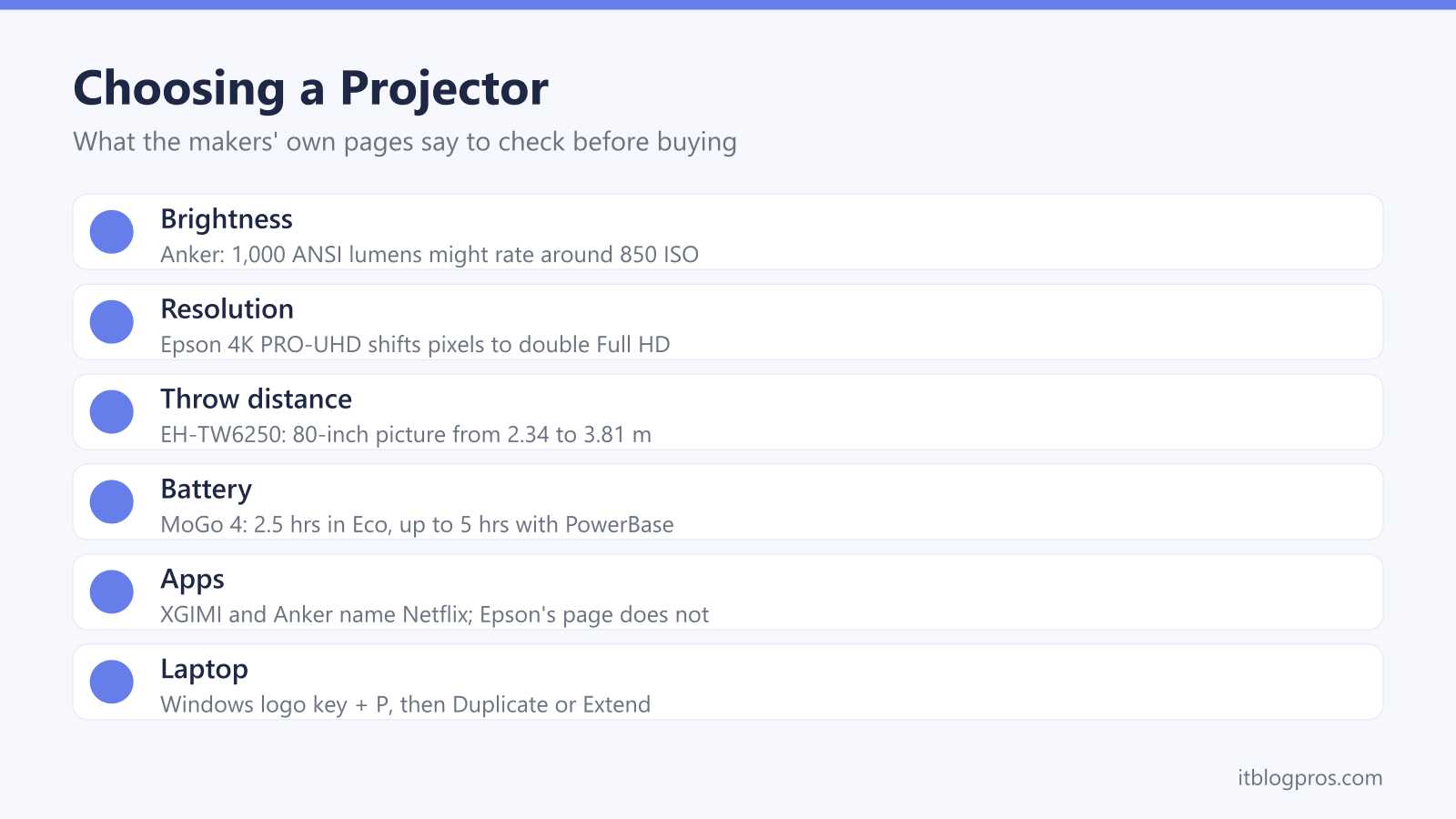
A projector can turn a bedroom wall into a cinema, put the football on a 100-inch picture or take a film out into the garden on battery. The spec sheets are where it gets confusing, with lumens that name no standard, "4K supported" on 1080p models and battery times that assume a dimmed picture. This guide takes each choice in turn as the makers describe it, from brightness and throw distance to apps, sound and connecting a laptop or Fire TV Stick, then sets out five picks.
Choose on brightness first, measured in ANSI or ISO lumens, then native resolution, then where the projector will sit. Battery models suit the garden but dim on battery: XGIMI gives the MoGo 4 up to 2.5 hours of video in Eco mode, or 5 hours with its PowerBase Stand. For a living room with some light, or a match, BenQ's 3,800 ANSI lumen TH575i is the stronger choice.
Key Takeaways
- Compare brightness only in ANSI or ISO lumens: Anker says a 1,000 ANSI lumen projector might rate around 850 ISO lumens, and warns against figures that name no standard.
- Native resolution decides the picture: Anker's Nebula guide says 4K support shows a projector can accept 4K content, while the native figure sets the quality.
- Epson says its 4K PRO-UHD projectors shift each pixel diagonally to double Full HD resolution, which is 4K enhancement rather than a native 4K panel.
- Battery mode dims the picture: Anker lists the Capsule 3 at 100 lumens for 2.5 hours in Eco mode, and XGIMI gives the Vibe One 1.2 hours of video.
- On Windows, Microsoft's shortcut is the Windows logo key and P, then PC screen only, Duplicate, Extend or Second screen only.
Brightness Is Only Comparable in ANSI or ISO Lumens
Brightness decides whether a projector copes with a room that is not pitch black. Anker's Nebula support page calls a plain lumen a general measure of all the light a source gives off, while ANSI lumens average several readings taken across the picture. Anker's UK guide to ISO lumens adds that ISO 21118 testing tends to be slightly stricter, with the example of a 1,000 ANSI lumen projector rating around 850 ISO lumens, and warns against figures such as LED lumens that name no standard.
XGIMI rates its projectors in ISO lumens, and its help centre says the figure complies with ISO/IEC 21118:2020 and that each brightness mode changes the real output. Epson lists the EH-TW6250 at 2,800 lumens for both white and colour light output, measured to ISO 21118:2020. For sport with the lights on, BenQ rates its TH575i at 3,800 ANSI lumens and adds a Sports picture mode. Samsung's UK page for The Freestyle 2nd Gen gives no lumens figure at all, and a huge number on an unbranded listing with no standard tells you very little.
Native Resolution Matters More Than a 4K Supported Label
Resolution needs the same care. Anker's Nebula guide to projector resolution defines native resolution as the projector's physical display resolution. It says a projector may advertise 4K support to show it can accept 4K content, while the native resolution is what decides the picture. Most portable models are native 1080p: XGIMI lists 1920 x 1080 for the MoGo 4 and the Vibe One, and Anker lists the same for the Capsule 3. BenQ's TH575i is native 1080p too, and its spec page lists signals up to 1920 x 1200 and no 4K input.
Epson's EH-TW6250 sits in between. Epson sells it as 4K PRO-UHD, and its footnote explains that the 4K enhancement technology shifts each pixel diagonally to double Full HD resolution. Its spec page gives the pixel count as 1920 x 1080, times three. BenQ, a rival, puts it bluntly: PRO-UHD shows just over 4 million pixels at a time, against more than 8 million for a native 4K UHD projector. Neither is a bad buy, as long as the label matches what you expect.
Throw Ratio Sets the Picture Size at a Given Distance
Throw ratio tells you how far back a projector has to sit. BenQ's guide defines it as the throw distance against the width of the picture, so a ratio of 2.0 needs the projector 2 metres back for every metre of picture width. XGIMI lists 1.2:1 for the MoGo 4 and 1.3:1 for the Vibe One, and recommends 60 to 120 inches for both, while Anker lists 1.2:1 for the Capsule 3.
Epson gives the clearest worked figure: the EH-TW6250 has a 1.62x zoom and a throw ratio of 1.32 to 2.15:1, and Epson lists an 80-inch picture from 2.34 to 3.81 metres away. BenQ's TH575i has a 1.1x zoom, at 1.49 to 1.64:1. XGIMI lists auto focus and auto keystone on the Vibe One and MoGo 4, as Anker does on the Capsule 3. XGIMI's spec page allows the Vibe One a side angle of up to 25 degrees, yet its help centre says 15, so square on is the safer habit. Epson lists auto vertical keystone of up to 30 degrees, and BenQ up to 40.
Battery Projectors Dim the Picture to Last Longer
Battery figures need close reading, because the picture dims to stretch them. Anker's battery guide lists the Capsule 3 at 140 lumens for 2 hours in Standard mode and 100 lumens for 2 hours 30 minutes in Eco mode, against the 200 ANSI lumens on its spec sheet. XGIMI says the Vibe One switches itself to Eco mode when unplugged, limiting brightness, and gives it up to 1.2 hours of video from its 38.48Wh battery. That is not a full film.
The MoGo 4 manages up to 2.5 hours of video in Eco mode, says XGIMI, and up to 5 hours with its PowerBase Stand, enough for a film or a football match. The Freestyle 2nd Gen relies on add-ons: Samsung lists a Battery Base accessory for up to 3 hours, or a USB-PD power bank rated at 50W and 20V or above. Anker says a PD 2.0 power bank of at least 45W can charge the Capsule 3, and the power bank guide explains those ratings. For a long evening outdoors, see the portable power station guide.
Built-In Apps Vary, So Check the Maker Names Netflix
Most of the projectors in this guide run Google TV, but the app list depends on licensing. XGIMI says Google TV with licensed Netflix for the MoGo 4 and licensed Netflix for the Vibe One, and Anker calls the Capsule 3 a Google TV projector with built-in Netflix. BenQ says the Google TV dongle in the TH575i box gives access to Netflix, YouTube and Disney+. Samsung's Freestyle 2nd Gen runs Tizen and lists Netflix, Disney+, Apple TV and NOW TV among its apps.
Epson's UK page for the EH-TW6250 says Android TV is built in but does not name Netflix, so check with Epson before relying on it. A streaming stick in the HDMI port fills any gap, and the Fire TV Stick guide compares the range. Power is the catch. Amazon's Fire TV Stick HD (2nd Generation) runs from a USB-A port, with a 5V 1A adaptor suggested if power runs short, while XGIMI says the Vibe One's USB port supplies 5V at 500mA. An Apple TV 4K is the equivalent for homes built around an iPhone.
Speakers and a Screen Finish the Garden Cinema
Projector speakers are small. XGIMI fits 2 x 3W JBL speakers to the Vibe One and 2 x 6W Harman/Kardon speakers to the MoGo 4, Anker fits an 8W speaker to the Capsule 3, and Samsung rates The Freestyle 2nd Gen at 5W. Epson and BenQ list a 10W speaker on their living-room models. XGIMI says the Vibe One pairs with Bluetooth speakers and headphones but has no 3.5mm AUX socket, and Samsung says The Freestyle can send sound to two sets of Bluetooth earbuds at once. The Bluetooth speaker guide covers the garden, and the soundbar guide suits a projector that stays in the lounge.
Outdoors there is rarely a pale wall in the right place, which is where a portable screen comes in. XGIMI's Portable Outdoor Screen gives a 70-inch picture area of 1550 x 872 mm, weighs 1.5 kg and comes with a stand and four ground stakes. XGIMI says it suits long throw projectors only and should not be used outdoors when the wind is above 3 m/s, so a sheltered corner matters.
| Product | Best for | Key specs | Price | |
|---|---|---|---|---|
 | XGIMI MoGo 4 with PowerBase Stand Garden cinema | A whole film or match in the garden on battery | 450 ISO lumens, 1080p, up to 5 hrs with stand, 1.2:1 | Check price → |
 | XGIMI Vibe One (Battery Powered) Budget | Bedroom films and short outdoor shows on a budget | 250 ISO lumens, 1080p, 1.2 hrs video in Eco, 2 x 3W JBL | Check price → |
 | BenQ TH575i Sport | Sport and films in a living room with some light | 3,800 ANSI lumens, 1080p, 16.7ms lag, Google TV dongle | Check price → |
 | Epson EH-TW6250 4K enhanced | Big-screen films with 4K PRO-UHD and a 1.62x zoom | 4K PRO-UHD, 2,800 lumens (ISO 21118), Android TV, 10W | Check price → |
 | XGIMI Portable Outdoor Screen (70-inch) Screen | Garden showings with a long throw projector | 70-inch, 1550 x 872 mm, 1.5 kg, stand and 4 stakes | Check price → |
Connecting a Laptop Starts With the Windows Key and P
Every projector in this guide has an HDMI port, so a laptop with HDMI connects with one cable. Once it is plugged in, Microsoft's support page says to press the Windows logo key and P, then choose from four modes: PC screen only, Duplicate for the same picture on both screens, Extend to spread the desktop across both, and Second screen only, the one for a film. A laptop with only USB-C needs a port that carries video and an adapter, covered in the USB-C to HDMI adapter guide, and the HDMI cable guide covers longer runs across a room.
Wireless is possible but less certain. Microsoft says the Windows logo key and K casts to a projector only if it supports Miracast or has a Miracast adapter plugged in. XGIMI's route for the Vibe One is different: join the laptop and projector to the same WiFi and cast from the Chrome browser. Samsung lists the Freestyle's HDMI port as micro HDMI, so a laptop cable or a Fire TV Stick needs a micro HDMI adapter there.