
A full-fibre install leaves two boxes where the old setup had one, and the names get muddled immediately: the white Openreach unit gets called a modem, the ISP hub gets called a modem-router, and forum advice written for cable lines gets applied to fibre. This page untangles the three terms properly. The short version is that the ONT converts light into Ethernet, the router builds your home network out of that Ethernet, and the modem is a copper-era device that full fibre quietly made redundant. Knowing which box does which job tells you exactly what you can upgrade and what you must leave alone.
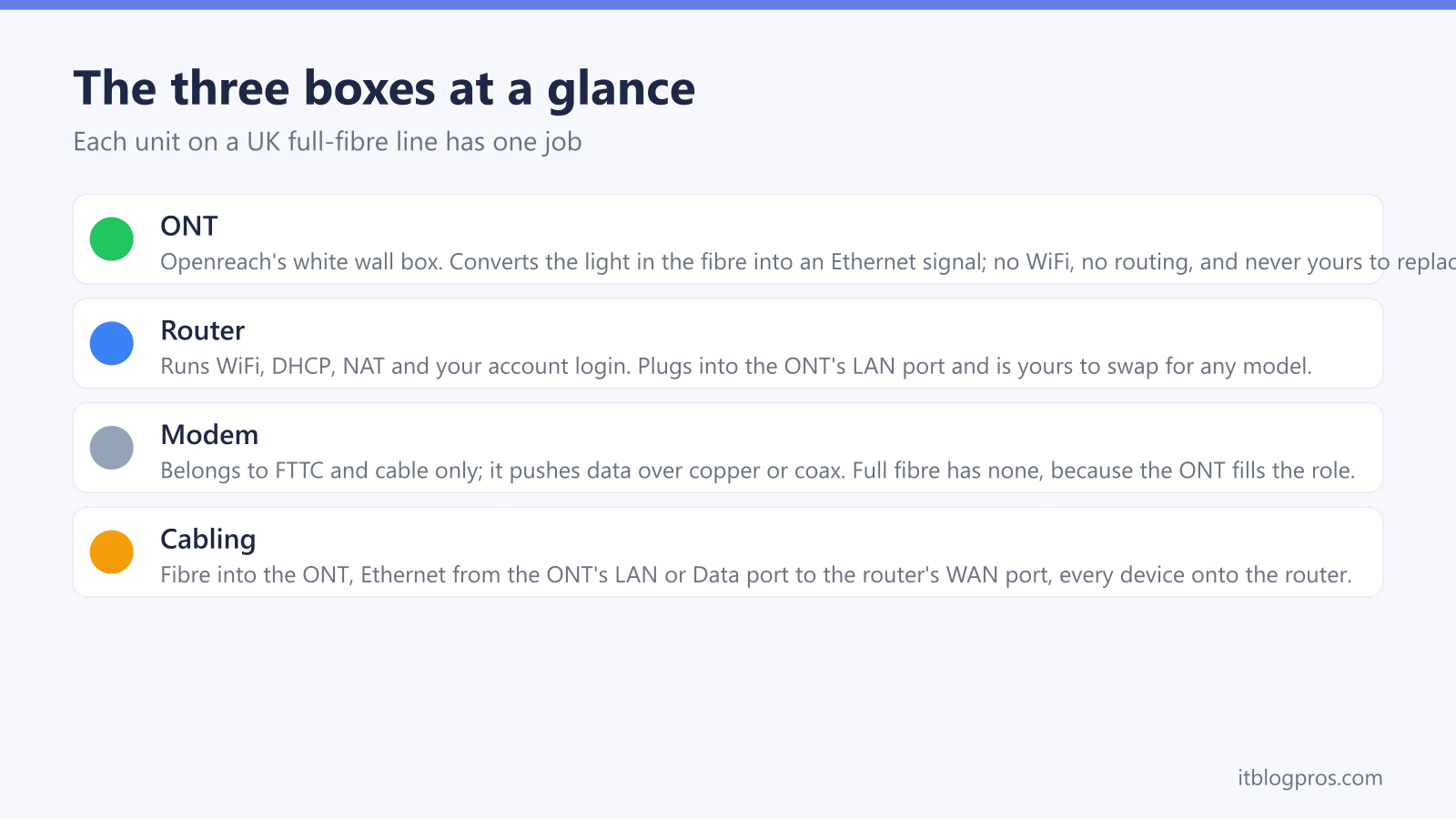
On full fibre the ONT converts the light signal in the fibre into ordinary Ethernet, and the router turns that Ethernet into your home network with WiFi, DHCP and NAT. There is no modem in the DOCSIS or DSL sense; the ONT plays that role. You can swap the router for any model you like, but the ONT belongs to Openreach and can never be replaced by you.
Key Takeaways
- The ONT is a media converter that turns the light in the fibre into Ethernet; it does no routing, no WiFi and no NAT.
- The router handles everything you actually notice: WiFi, DHCP, NAT, the firewall and the login that identifies your account.
- Full fibre has no modem in the strict sense; the ONT fills the equivalent role that a DOCSIS or VDSL modem fills on cable and FTTC.
- FTTC squeezed data down copper phone wire, so it needed a VDSL modem in the home; FTTP delivers light all the way, so the jobs split cleanly into two boxes.
- The router is yours to replace freely, but the ONT belongs to Openreach, stays with the property and cannot be swapped by the customer.
The ONT converts light into Ethernet and does nothing else
ONT stands for Optical Network Terminal, and it is the small white box an Openreach engineer fixes to the wall during a full-fibre install. A thin fibre lead feeds it through a green-tipped optical connector, and its whole job is to convert the pulses of light arriving down that fibre into an ordinary Ethernet signal on its LAN or Data port. Nothing more.
Behind the scenes the fibre is part of a GPON, a passive optical network in which one fibre from the exchange is split across up to 32 premises. The ONT picks out the traffic meant for your line and transmits upstream in its allotted slots, which is why every ONT is registered to a specific line and cannot simply be swapped like a router.
Openreach has fitted several generations of the box: ECI and Huawei units on early lines, then Nokia models such as the G-010G-T and the ADTRAN SDX 611q, with Zyxel and Sercomm units joining more recently. Most carry a single gigabit Ethernet port, while the newer units fitted for beyond-gigabit tiers, such as the Nokia XS-010X-Q and ADTRAN SDX-631, carry a faster port. The old four-port multiport ONT was withdrawn for new orders in June 2026, so a modern install gets a single-port unit.
What the ONT never does is routing, WiFi, DHCP or NAT. It stores no WiFi password and has no settings page you ever need to visit. The only interface it offers you is its row of status lights, which we decode in the Openreach ONT lights guide.
The router does everything you actually notice
The router is the second box, and it is where your home network actually lives. It takes the single Ethernet feed from the ONT and turns it into a network: the WiFi you connect to, the private IP addresses handed out by DHCP, the NAT that lets every device share one public address, plus the firewall, port forwarding, parental controls and guest networks.
The router is also where your account login lives on most Openreach ISPs. BT, EE, Zen, Plusnet and most others authenticate with a PPPoE username and password entered into the router, and EE states outright that a router must support PPPoE to work on its network. Sky UK home broadband is the exception and uses DHCP instead. The ONT plays no part in that login.
The hub your ISP posts you, whether a BT Smart Hub 2, an EE Smart Hub Plus or a Sky Max Hub, is simply a router with the provider's settings baked in. On full fibre it does nothing a good third-party router could not do, which is exactly why the own-router conversation exists on FTTP. Slow WiFi upstairs, dead zones, clashing smart-home gadgets, thin parental controls: all of that is router territory, and all of it is fixable by changing the router while the ONT stays exactly where it is.
A modem translates data for copper and coax, and full fibre has neither
Modem is short for modulator-demodulator. It exists to push digital data over a medium that was never designed for it: the analogue copper phone line in the case of ADSL and VDSL, or the coaxial TV cable in the case of Virgin Media's DOCSIS network. The modem modulates your data into signals the copper or coax can carry, and demodulates what comes back.
Full fibre removes that problem entirely. The fibre carries light end to end, and the ONT's conversion of light into Ethernet is media conversion rather than modulation over a legacy wire. Strictly speaking there is no modem anywhere on an FTTP line.
That said, the word refuses to die, and even BT's own help pages describe the ONT as the Openreach modem. As shorthand it is harmless: the ONT occupies exactly the position in the chain that the modem occupied on cable and FTTC, the box that turns the street signal into Ethernet. Just do not carry the old assumptions across with the word. A cable modem can sometimes be bought and swapped; an ONT cannot. A modem-router can sometimes be put into bridge mode; an ONT has nothing to bridge, because there is no router inside it in the first place.
FTTC combined the two jobs in one box; FTTP splits them
The reason full fibre feels different is the history. FTTC, fibre to the cabinet, runs fibre only as far as the green street cabinet and covers the last few hundred metres over the existing copper phone line using VDSL2. Copper needs a modem, so the home end needed one.
Early FTTC installs made that explicit: an engineer fitted a separate Openreach VDSL modem, the Huawei EchoLife HG612 or the ECI B-Focus, and your router plugged into its LAN1 port. Openreach later withdrew those modems and ended their firmware updates in 2019, and the market moved to self-install with a combined modem-router. That is why an FTTC hub such as the BT Smart Hub 2 has a grey DSL port for the phone socket: the VDSL2 modem is built into the hub, and one box quietly does both jobs.
FTTP re-separates the jobs along the ownership line. The conversion job moves into the ONT, which Openreach owns, manages and authenticates on its network; the routing job stays in a box you control. Two boxes is not clutter, it is a cleaner division of labour, and it is the reason running your own router is easier on full fibre than it ever was on FTTC. Some alt-nets integrate the ONT into their own router as a single box, but on the Openreach network the two-box split is universal.
What plugs into what on a full-fibre line
The chain runs in one direction and every connection has a home:
- The fibre enters the ONT through its optical connector. That side is engineer-only territory; the fibre is fragile and sharp bends kill it.
- The power supply feeds the ONT from a normal mains socket. No power to the ONT means no broadband, whatever the router's lights claim.
- An Ethernet cable runs from the ONT's port, labelled LAN, Data or Port 1, to the router's WAN or Internet port. Any Cat5e or better cable is fine at gigabit speeds.
- Your devices connect to the router, over WiFi or its LAN ports. Nothing else ever plugs into the ONT.
- A Digital Voice phone, if you have one, plugs into the phone port on the ISP hub, not into the ONT. On BT's Smart Hub 2 that is the green port.
The master phone socket retires completely; on FTTP nothing plugs into it. If the chain fails, the ONT's lights tell you which side is at fault: steady Power, steady PON and no LOS light means the fibre side is healthy and any remaining problem sits with the router. The full breakdown of every light state lives in the Openreach ONT lights guide.
The router is yours to change; the ONT never is
The practical payoff of the split is simple: everything on the router side is yours to improve, once the caveats are understood.
Caveats first. The ONT belongs to Openreach, is registered against your line, stays with the property if you move, and cannot be bought, swapped or upgraded by you; a faster ONT arrives only when an engineer fits one for a faster package. If your home phone runs on Digital Voice through the ISP hub, retiring that hub takes the phone with it unless you keep the hub in service for voice. And if you add your own router while leaving the hub routing in front of it, you create double NAT rather than an upgrade.
With that understood, replacing the router is genuinely free of drama: run the cable from the ONT to the new router's WAN port, then enter PPPoE credentials for most Openreach ISPs or set plain DHCP for Sky UK home broadband. The exact per-ISP settings are in our guide to connecting your own router to an Openreach ONT. For picks matched to a specific provider, start with the best routers for BT broadband or the best routers for EE broadband; both assume exactly the ONT-plus-own-router setup this page describes.