
Openreach engineers run the fibre into the house by the shortest sensible route, which is why the ONT so often ends up in the porch, the hallway, the garage or a corner of the front room. Park the router next to it and the WiFi radiates from the worst possible spot, while the kitchen extension and the back bedrooms limp along on one bar. The instinct is to move the little white box, but that is the one part of the setup you cannot touch. The good news is that everything after the ONT is ordinary Ethernet, so the router does not have to live beside it at all. This guide walks through the four honest ways to get the WiFi where the household actually needs it, from the clean zero-loss cable run to the paid Openreach visit, with the trade-offs of each spelled out.
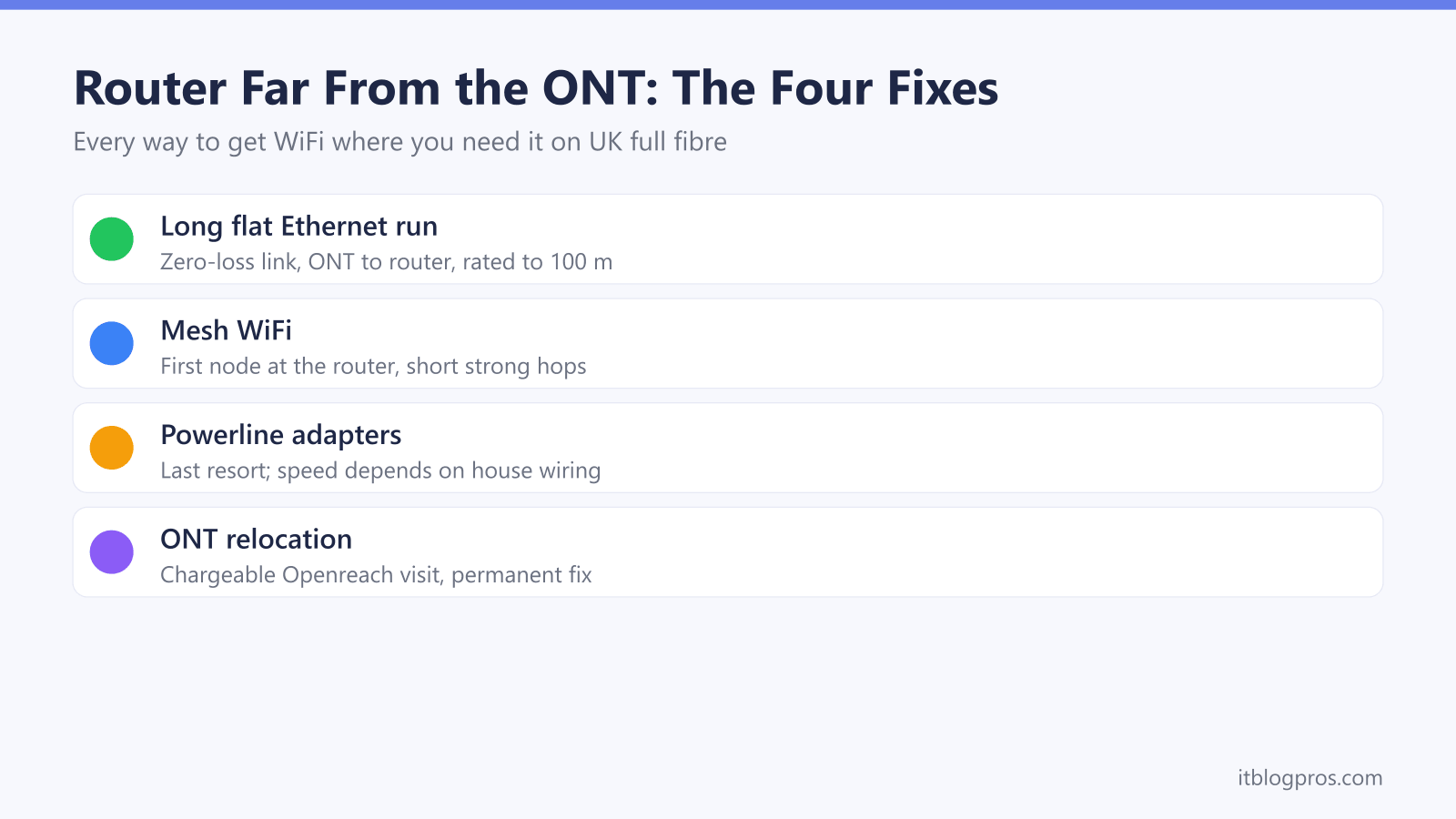
Run a long flat Cat6 cable from the ONT to wherever the router should live; gigabit Ethernet is rated to 100 metres, so a 30-metre run loses nothing. Where a cable cannot run, mesh WiFi with the first node at the router spreads coverage, powerline adapters are the compromise over mains wiring, and a chargeable Openreach relocation moves the ONT itself.
Key Takeaways
- Everything after the ONT is ordinary Ethernet, so the router can live anywhere a cable, a mesh backhaul or a powerline link can reach.
- A long flat Cat6 run is the zero-loss fix, since gigabit Ethernet is rated to 100 metres and a 30-metre flat cable hides along skirting boards and under carpet edges.
- Mesh WiFi with the first node at the router, or plugged straight into the ONT, spreads coverage without moving any boxes and suits rented homes well.
- Powerline adapters are the last resort where no cable can run, because real speeds depend heavily on the age and layout of the house wiring.
- The ONT itself must only be moved by Openreach; your ISP books the relocation and the charge typically lands in the £100 to £150 region.
The ONT position is fixed, but the router position is not
The ONT, short for Optical Network Terminal, is the small white Openreach box where the fibre enters the property. The fibre side of it is delicate and it is Openreach property: the thin cable feeding it has a strict minimum bend radius and a connector that does not tolerate dust or casual reseating. That is why the box stays where the engineer fitted it unless another engineer moves it, and why every DIY forum thread about unclipping the fibre ends badly.
The output side is a different story entirely. The ONT is a media converter, not a router. It turns light into ordinary gigabit Ethernet at its LAN port and does nothing else: no WiFi, no routing, no login. Everything downstream of that single socket is standard network cabling, which means the router, the ISP hub and the WiFi can live anywhere the Ethernet can reach. Our guide to connecting your own router to an Openreach ONT covers what that socket carries and the per-ISP settings in detail.
That one fact drives every fix on this page. The question is never how to move the ONT; it is how to bridge the gap between the ONT and the place the router should have been all along. There are four honest answers, and they are ranked below from cleanest to most compromised.
Option 1: a long flat Ethernet run is the clean zero-loss fix
Gigabit Ethernet is rated to 100 metres over Cat5e or Cat6 cable, so a 20 or 30 metre run across a normal UK house sits laughably far inside spec. A cable that long drops nothing: no speed loss, no latency worth measuring, and it carries a 900Mbps-plus full fibre tier at full rate. Plug one end into the ONT's LAN port, run the cable to the room the router should live in, and plug the other end into the router's WAN port. The connection behaves exactly as if the two boxes were side by side.
The practical objection is the cable itself, and this is where flat cable changes the maths. A flat Cat6 cable is a few millimetres thick, so it tucks along the top of skirting boards, follows door frames, slips under carpet edges and hides beneath rugs in a way round cable never manages. A few caveats first: avoid sharp folds, do not trap it where a door will grind across it every day, and treat under-carpet routes as edge-of-room paths rather than walkways, because repeated crushing eventually damages any cable. Rented homes are the strongest case of all, since adhesive clips need no drilling and the whole run peels away on moving day.
The approved pick here is the Jadaol flat Cat6 in the 30-metre (100 ft) length, which ships with cable clips, uses bare copper rather than cheaper copper-clad aluminium, and has low-profile snagless connectors that survive being fed around frames. Shorter lengths exist if the run is modest. One tidy bonus: on a BT or EE line the Digital Voice phone follows the hub, not the ONT, so the landline keeps working wherever the cable takes the hub.
Option 2: mesh WiFi with the first node at the router
When no tidy cable route exists, the next best move is to stop asking one distant router to cover the whole house. A mesh system puts its first node next to the router, or replaces the router entirely, and places satellite nodes deeper into the home, so the signal hops across the house in short, strong links instead of one long weak one. If you are still weighing this against a cheap repeater, the extender versus mesh comparison draws that line clearly.
Both approved systems can plug straight into the ONT and act as the only router on the line. The TP-Link Deco X50 dials the PPPoE login most Openreach ISPs use, and eero's own setup guides cover PPPoE for BT and similar providers, while Sky lines use DHCP instead. Check support for your exact ISP before retiring the hub, and keep the hub if a Digital Voice landline matters.
Honest limits first: both are dual-band systems, so the node-to-node backhaul shares the 5GHz band with your devices, and thick stone or brick walls degrade that link. Wiring even one node, including with the same flat cable from option one, transforms the result; the best mesh for thick walls guide goes deep on that.
The TP-Link Deco X50 3-pack is the all-round pick: AX3000 WiFi 6, three gigabit ports on every node for easy wired backhaul, coverage rated up to 6,500 square feet across the three units, and a UK price that undercuts most rivals, though some app features sit behind a paid tier. The Amazon eero 6+ 2-pack is the simpler alternative: the easiest app in the category, coverage up to 280 square metres from the pair, and a built-in Zigbee and Thread smart-home hub, but only two ports per node and two nodes in the box, so larger or heavily divided houses fit the Deco better.
Option 3: powerline is the last resort where cables cannot run
Powerline adapters send network traffic over the house mains wiring: one adapter plugs in near the ONT or router, the other in the far room, and the pair behaves like a very long invisible Ethernet cable. The honesty has to come before the recommendation, because the number on the box is a lab figure. An AV1000 kit does not deliver 1,000Mbps in a real house. Real pairs commonly land anywhere from a few tens of megabits to around 300Mbps, and two socket pairs in the same home can differ wildly. Speed depends on the age of the wiring, whether both sockets sit on the same circuit, the distance the signal travels through the consumer unit, and electrical noise from appliances. Plug adapters straight into wall sockets, never into extension leads or surge-protected strips, which crush performance. Test the link within the return window before treating it as permanent.
With that said, powerline earns its place where a cable genuinely cannot run and mesh backhaul cannot cross the walls: a far bedroom through three solid walls, a garage office, a stone-built extension. It can also carry the backhaul for a single stranded mesh node.
The approved kit is the TP-Link TL-PA7017P KIT, an AV1000 pair with a gigabit Ethernet port on each adapter and a passthrough socket, so the wall socket it occupies is not lost. Setup is plug, pair, done. On a 150Mbps tier a decent powerline link feels fine; on a 500Mbps or 900Mbps tier it will be the bottleneck, which is exactly why it sits third on this list rather than first.
Option 4: requesting an ONT relocation fixes the root cause
When the ONT sits somewhere genuinely useless, a damp porch, a garage, a hallway cupboard with no sockets, the permanent fix is to have the box itself moved. This is engineer work, and the route to it runs through your ISP, not Openreach. You cannot book Openreach directly; the ISP raises the job, Openreach bills the ISP, and the ISP bills you. Expect a charge in the region of £100 to £150 depending on the provider, and expect to be patient, because it is an uncommon request and front-line agents often need a supervisor to find the right order type.
The engineer either re-routes the incoming fibre to a better wall or extends the internal fibre to a new ONT position, and the work is tidy and permanent. It makes most sense for owners planning to stay, during renovations when walls are already open, or where every other option on this page has an obstacle. Renters need the landlord's written permission before anything is drilled.
The full walkthrough, including what the engineer can and cannot do on the day and how the request tends to go with each major ISP, is in our guide to whether you can move your Openreach ONT. The short version stands on its own: never unclip the fibre yourself, since a snapped or contaminated connector means a repair visit that costs more than the relocation would have.
The decision framework matches the fix to the house
Four workable options need a tiebreaker, and three questions settle it: do you rent or own, what are the walls made of, and what speed tier are you paying for.
| Your situation | The fix to reach for |
|---|---|
| Renting, no drilling allowed | Flat Ethernet run with adhesive clips; mesh if no route exists |
| Own the home, staying long term | ONT relocation, or a proper in-wall Cat6 run |
| Thick stone or brick walls | Cable first; mesh only with wired backhaul between nodes |
| Plasterboard walls, open layout | Mesh works well even on wireless backhaul |
| 500Mbps tier or faster | Cable or mesh; powerline will bottleneck the line |
| 150Mbps tier or slower | Any option works, powerline included |
| ONT in a garage or porch | Relocation, or one long flat cable back into the house |
The sensible order of attack follows from the table. Try the flat cable first, because it is the cheapest option and the only one with zero performance cost. Where no cable can run, mesh with the first node at the router covers most homes, and wiring even one hop fixes the stubborn ones. Powerline is the fallback for a single unreachable room, tested honestly against its return window. The paid relocation is the endgame for owners who want the problem gone rather than worked around. None of these choices are wrong; they are just suited to different houses, and the WiFi ends up where the household needs it either way.
Check the TP-Link Deco X50 mesh on Amazon UK →