
The Virgin Media Stream box lives or dies by its network connection. Every channel, app and On Demand programme reaches it over broadband, so a wobbly WiFi link in a far bedroom turns straight into buffering, and a household running several boxes at once can drag the whole network down by mid-evening. The fix splits neatly in two. Where the box sits near the Hub, one Ethernet cable into the socket on its power supply unit gives it a rock-steady wired feed for nothing. Where it sits two floors away, or where a TV bundle household runs multiroom boxes in several rooms, the network itself needs help: a powerline kit for a single far room, or a mesh system for the whole house. This guide covers the slightly odd wired setup, the situations where wired genuinely beats WiFi, and the verified kit that fixes multiroom for good.
The Virgin Media Stream box connects by Ethernet through the socket on its power supply unit, not the box itself. Run a cable from any spare Hub port to that socket, restart the box, and it uses the wired link automatically. Wired wins for 4K streams and rooms far from the Hub. For multiroom households, a powerline kit fixes one distant room and a mesh system fixes the whole house.
Key Takeaways
- The Stream box has no Ethernet port on the box itself; the socket sits on the power supply unit, and data reaches the box along the same lead that powers it.
- A wired connection beats WiFi wherever the box streams 4K or sits more than a room or two from the Hub, because a steady 15 to 25Mbps matters more than headline speed.
- Virgin TV bundle customers can add up to five extra Stream boxes, and every one of them streams over the home network, so multiroom buffering is almost always a WiFi problem.
- A powerline kit such as the TP-Link TL-WPA7617 carries a wired-grade link to one far room through the mains, without running cables through walls.
- A mesh system such as the TP-Link Deco X50 or X60 is the whole-home fix for multiroom households, and its gigabit ports let each Stream box go fully wired to the nearest node.
The Stream box hides its Ethernet socket on the power supply unit
The Stream box is Virgin Media's smallest TV box and its only fully internet-fed one. There is no aerial lead and no coax cable from the wall: the box requires Virgin Media broadband on the account and pulls everything, live channels included, over the home network. Look at the back of the box and there is HDMI and power, nothing else, which convinces plenty of owners that a wired connection is impossible.
It is not. The Ethernet socket is built into the power supply unit, the mains block, rather than into the box. Plug an Ethernet cable into the socket on the PSU and the data travels along the same lead that carries power into the box, so the box ends up wired even though no network cable ever touches it. Virgin Media's own setup guidance describes exactly this arrangement, and broadband customers are supplied an Ethernet cable for the job.
Two practical points follow. First, the power supply is where the network arrives, so the PSU has to sit within cable reach of the Hub, a mesh node or a powerline adapter. Second, if the power supply ever needs replacing, the replacement must be the Stream version with the Ethernet socket built in. A generic block of the right rating will power the box, but it permanently removes the wired option.
One cable and a restart puts the Stream box on a wired connection
The wiring job takes minutes. Every recent Virgin Media hub, the Hub 3, Hub 4 and Hub 5, carries four Ethernet ports on the back. On the Hub 5 one of the four runs at 2.5Gbps and the other three at gigabit speed; the Stream box needs only a small fraction of any of them, so use whichever port is free and save the fast one for a PC or NAS if anything in the house can use it.
Run the cable from the spare Hub port to the socket on the Stream box power supply, then restart the box by pulling its power for ten seconds. Booting with the cable already connected puts the box straight onto the wired link, and no menu digging is needed.
One configuration catches people out. With the Hub in modem mode, your own router or mesh system runs the home network, and Virgin's modem mode help page does not say which of the Hub's Ethernet ports carries the connection. In that setup, wire the Stream box into a spare port on the replacement router or the nearest mesh node rather than the Hub. Virgin's help page also says modem mode is not currently available for the Hub 5x. The Hub 5 modem mode guide covers that arrangement in full.
Wired beats WiFi for 4K streams and rooms far from the Hub
A 4K stream typically pulls a sustained 15 to 25Mbps, and Virgin Media requires at least a 50Mbps broadband package before it will supply a Stream box, so the broadband line itself is almost never the bottleneck. The last few metres of WiFi are. At range, through brick walls and floors, a WiFi link drops packets and retransmits them, and its speed swings minute by minute as neighbouring networks, microwaves and other devices interfere. On-demand apps can buffer ahead to ride out the dips; live channels give the box far less room to hide them, which is why live sport stutters first.
An Ethernet link removes every one of those variables. The speed is constant, the latency is flat, and the box receives the same clean feed at midnight or mid-evening. That is why wired is the default answer for two situations: any box that regularly streams 4K, and any box more than a room or two from the Hub.
WiFi remains perfectly adequate in the easy case: a box in the same room as the Hub, or in the next room with a clear signal. If a nearby box still buffers on WiFi, the problem usually lies elsewhere, and the Stream box buffering guide works through those causes step by step.
Multiroom on Stream means several boxes sharing one home network
Virgin Media's multiroom has moved to the Stream platform. TV bundle customers can add up to five extra Stream boxes, six in total, and Virgin Media is phasing out the old TV 360 Mini box in Stream's favour. Households on Flex, the broadband-only streaming add-on, are limited to a single box. Each additional multiroom box carries its own monthly charge, so check current pricing on Virgin Media's multiroom page before adding boxes.
The multiroom experience is genuinely good: pause a programme in the lounge and pick it up in the bedroom, with separate profiles per room. The catch is architectural. Unlike the old coax-fed boxes, every Stream box is an independent streamer, so three boxes running on a weekday evening means three simultaneous streams riding the home network at once, on top of phones, laptops and consoles.
That is why multiroom households hit buffering that single-box households never see, and why the far bedroom always suffers first: it combines the weakest WiFi signal with the busiest network hours. Households still running a 360 Mini alongside newer kit face the same physics, covered in the TV 360 Mini buffering and multiroom fix.
The honest checks come before any purchase
Money spent on the wrong fix is the most common mistake in multiroom households, so run these checks first.
- Occasional buffering needs troubleshooting, not hardware. A box that stutters once a week wants the free fixes first: restart the box and Hub, and work through the buffering guide before spending anything.
- A box near the Hub needs a cable, not a gadget. One Ethernet cable into the PSU socket costs a few pounds and beats every product on this page for that room.
- Powerline depends on your house wiring. Adapters need sockets on the same consumer unit, plugged straight into the wall rather than an extension lead or surge strip. The 1,000Mbps headline figure is a lab number; real homes see far less, though still comfortably more than 4K streaming needs. Very old or noisy wiring can disappoint.
- Mesh is overkill for a single struggling room. A three-node mesh system earns its price when several rooms and several devices struggle, not when one bedroom box buffers.
- Mesh works best with the Hub in modem mode. Leaving the Hub in router mode and adding mesh on top means running the mesh in access point mode to avoid a double NAT. The cleanest setup puts a Hub 5 in modem mode and lets the mesh run the network, as covered in the modem mode guide. Virgin's help page says modem mode is not currently available for the Hub 5x, so on that Hub run the mesh in access point mode.
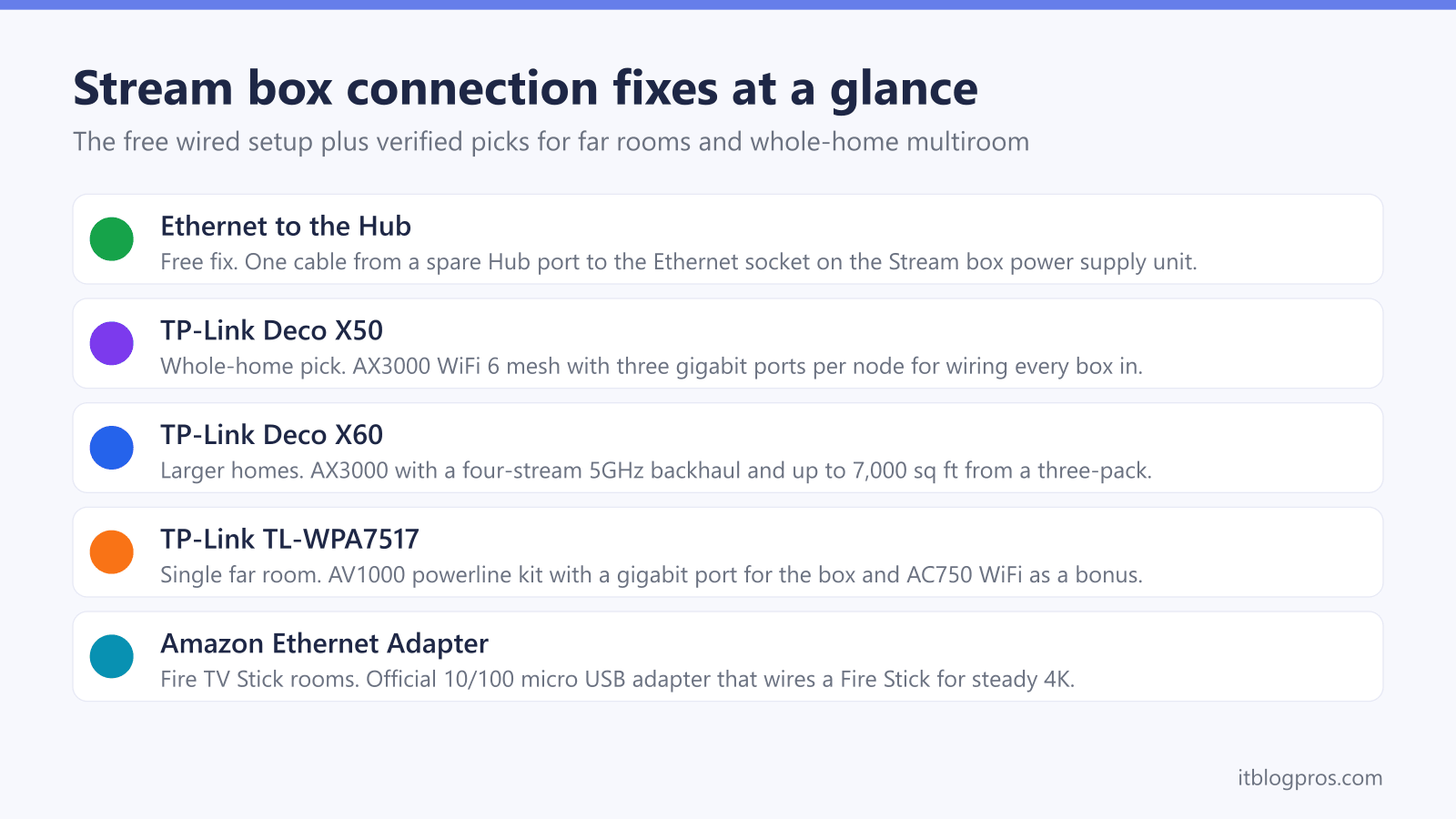
The picks at a glance
| Product | Best for | Key specs | Price | |
|---|---|---|---|---|
 | TP-Link Deco X50 Whole-home pick | Multiroom households with Stream boxes in several rooms | WiFi 6 (AX3000), three gigabit ports per node | Check price → |
 | TP-Link Deco X60 Larger homes | Larger or awkwardly shaped houses where nodes sit far apart | WiFi 6 (AX5400), two gigabit ports per node | Check price → |
 | TP-Link TL-WPA7617 Single room fix | One distant room, without running cables through walls | AV1000 powerline, gigabit port, AC1200 dual-band WiFi | Check price → |
 | Amazon Ethernet Adapter Cheapest upgrade | Adding a wired connection to a Fire TV Stick | 10/100 Ethernet (100Mbps), fits Stick Lite, 4K and 4K Max | Check price → |
TP-Link Deco X50: the whole-home pick for multiroom households
The TP-Link Deco X50 is the whole-home answer for a Stream multiroom household, and one specification makes it unusually well suited to the job: every node carries three gigabit Ethernet ports. Place a node near each TV and the Stream box in that room goes fully wired into the node, with ports to spare for the TV itself or a console. The boxes get cable-grade stability while the mesh handles the distance wirelessly.
The X50 is an AX3000 WiFi 6 system, running up to 2,402Mbps on 5GHz and 574Mbps on 2.4GHz, and a three-pack covers homes up to roughly 6,500 square feet, which comfortably wraps a typical UK three or four-bed house. TP-Link's AI-driven mesh steers devices to the best node automatically, and everything is managed from the Deco app.
It fits Virgin Media setups both ways: as a full router replacement with the Hub in modem mode, the cleaner option where the Hub offers it (Virgin's help page says modem mode is not currently available for the Hub 5x), or in access point mode with the Hub left as the router. The X50 is also the value pick in the wider best mesh for the Virgin Media Hub 5 round-up, so a multiroom household buying it fixes phones, laptops and cameras in the same purchase.
TP-Link Deco X60: the same idea stretched over larger homes
The TP-Link Deco X60 takes the same Deco platform and gives it more reach. It is an AX5400 WiFi 6 system, a step up from the X50's AX3000, and its 5GHz radio runs four streams rather than two, which gives it a stronger wireless backhaul between nodes when they sit far apart, exactly the weakness that shows up in larger or awkwardly shaped houses. TP-Link rates each unit at up to 2,900 square feet, or 5,300 for a two-pack, so the three-pack has the reach for detached houses, extensions and loft conversions.
Each X60 node carries two gigabit Ethernet ports rather than the X50's three. For a Stream multiroom household that is still enough: one port wires the Stream box's power supply, the other takes the TV or a console. Setup, app control and Virgin Media compatibility are identical to the X50, including modem mode and access point mode.
The choice between the two comes down to floor area and wall count. A standard semi with boxes in three rooms is X50 territory; a large detached home where the far node would sit two floors and several brick walls from the centre justifies the X60's stronger backhaul.
TP-Link TL-WPA7617: the single far room fix
Where only one distant room struggles, a full mesh system is the wrong purchase, and the TP-Link TL-WPA7617 KIT is the right one. It is an AV1000 powerline kit using HomePlug AV2, which carries the network over the house's existing mains wiring for up to 300 metres of cable run. The small base adapter plugs into a wall socket near the Hub and connects to a spare Hub port with the supplied Ethernet cable; the WPA7617 unit plugs into a socket in the far room.
The far-end unit delivers exactly what a Stream box needs: a gigabit Ethernet port that wires straight into the socket on the box's power supply. As a bonus it also broadcasts AC1200 dual-band WiFi, which TP-Link rates at 300Mbps on 2.4GHz plus 867Mbps on 5GHz, and its Wi-Fi Clone button copies the Hub's network name and password so phones in that room roam onto it without any reconfiguring.
The honest caveats from earlier apply in full. Both adapters want wall sockets on the same consumer unit, never an extension lead, and real-world throughput lands well below the 1,000Mbps headline. Even a conservative real-world result leaves several times the bandwidth a 4K stream draws, which is why powerline remains the best value fix for one far bedroom or a garden-facing snug.
Fire TV Stick rooms get the same wired win for a few pounds
Plenty of Virgin Media households mix a Stream box in the lounge with Fire TV Sticks in the bedrooms, and the same wired-beats-WiFi logic applies to those rooms too. Amazon's official Ethernet Adapter for Fire TV devices adds a wired connection to a Fire TV Stick through its micro USB power connection, no drivers or setup required, and it works with the Fire TV Stick range including the Lite, 4K and 4K Max models.
It is a 10/100 adapter, so it tops out at 100Mbps rather than gigabit speed. That ceiling sounds mean but is roughly four times what a single 4K stream draws, so for a streaming stick it gives away nothing that matters. What it buys is the same thing the Stream box gets from its PSU socket: a flat, interference-free feed that holds 4K steady on a stick that kept dropping to a soft picture over WiFi.
It pairs naturally with the other fixes on this page. A Deco node near the bedroom TV has spare gigabit ports for it, and a bedroom already served by the powerline kit can hang the Fire TV Stick off the WPA7617's WiFi while the gigabit port feeds the Stream box. For pure Fire TV Stick households, the adapter alone is the cheapest wired upgrade in this guide.
Related Virgin Media guides
The wired-versus-WiFi decision is one piece of a healthy Virgin Media setup, and three companion guides cover the rest. A box that still stutters after going wired points to a deeper cause, worked through in the Stream box buffering guide. Households running the older multiroom hardware should read the TV 360 Mini buffering and multiroom fix, because the Mini fails in different ways. Anyone leaning towards mesh should compare the full field in the best mesh for the Virgin Media Hub 5 guide, and then set it up properly with the Hub 5 modem mode walkthrough, which turns the Hub into a simple modem and hands the network to the new kit.