
Most home printers fall into three camps: an inkjet that takes cartridges, an ink tank refilled from bottles, or a laser that uses toner. Each suits a different amount of printing, and the running cost depends far more on the ink or toner than on the price of the machine. This guide sets out how HP, Canon, Epson and Brother describe each type, the page yields they publish, what HP Instant Ink involves, and the features worth checking, from scanning to AirPrint. Five printers follow.
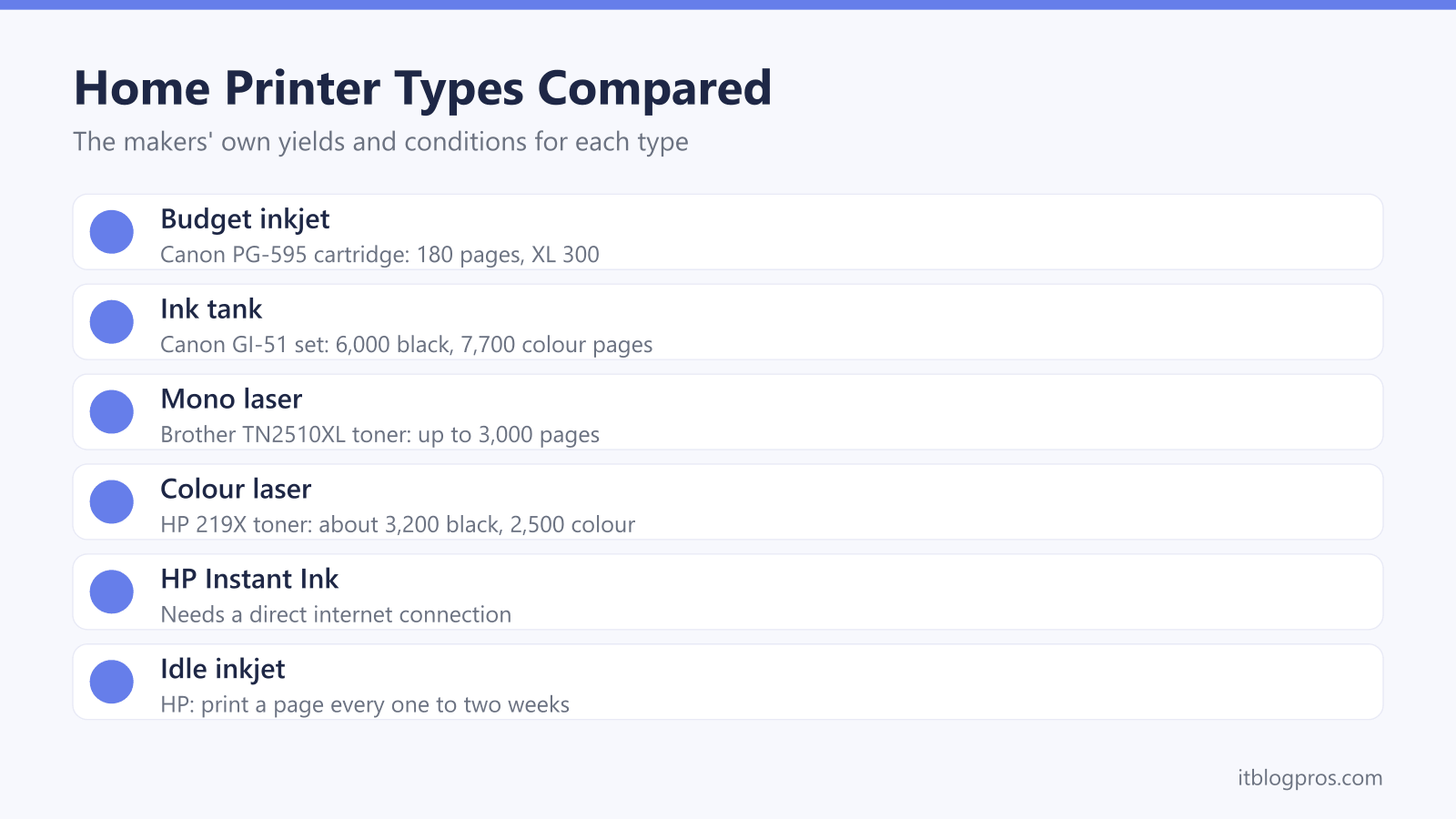
For occasional colour printing on a budget, an inkjet all-in-one does the job, though Canon rates its TS4150i cartridges at 180 pages each. For lots of colour pages, an ink tank such as Epson's EcoTank costs more upfront but holds thousands of pages of ink. For mostly black text, or a printer that sits idle for weeks, a mono laser uses toner instead of liquid ink; Brother rates its TN2510XL toner at 3,000 pages.
Key Takeaways
- Brother describes inkjets as cheaper to buy and better at colour, and lasers as faster and better value for volume, while inkjet ink can dry out if the printer is not used regularly.
- Canon rates the TS4150i's cartridges at 180 pages each, Brother rates its TN2510XL toner at 3,000 pages, and Canon rates a set of G3590 ink bottles at 6,000 black and 7,700 colour pages.
- Epson's ET-2950 page gives three different yields for its ink, and HP's Smart Tank page gives two, so tank yields are best read as the makers' own estimates.
- HP Instant Ink needs a direct internet connection, its cartridges stop working after the billing cycle in which you cancel, and HP's dynamic security blocks non-HP chips.
- All five printers in the table list automatic two-sided printing, AirPrint and Mopria on their makers' spec pages, and three of them also scan and copy.
Inkjet, Ink Tank and Laser Printers Work in Different Ways
Brother's guide to inkjet and laser printers sets out the split. An inkjet prints with liquid ink, so it is compact, handles full-colour photos and costs less upfront, for the printer and its cartridges. A laser fuses toner dust to the paper with heat, which Brother says gives crisp black text, prints that are fully set as they leave the machine, and cartridges that last longer between changes.
An ink tank printer is still an inkjet. Instead of cartridges, it has refillable tanks topped up from bottles: Epson calls its range EcoTank, Canon calls its MegaTank and HP calls its Smart Tank. The printer costs more, but the bottles hold far more ink than a cartridge.
Lasers come in mono and colour. A mono laser prints black only, from one toner cartridge. A colour laser such as HP's LaserJet Pro 3202dw takes four, one each for black, cyan, magenta and yellow, by HP's spec page. Brother's rule of thumb is that a small budget and the occasional colour document suit an inkjet, while bigger volumes suit a laser.
Running Costs Come Down to the Makers' Page Yields
What counts is how many pages each cartridge, bottle or toner lasts, and every maker publishes a rated yield. Canon rates the PG-595 black and CL-586 colour cartridges in its PIXMA TS4150i at 180 pages each, or 300 for the XL versions. Brother rates its TN2510 toner at 1,200 pages and the TN2510XL at 3,000, with a separate drum rated at 15,000 pages.
On the makers' figures, ink tanks go much further. Canon rates a set of GI-51 bottles for the PIXMA G3590 at 6,000 black and 7,700 colour pages, and says running costs are low compared with cartridge printers. Epson claims its EcoTank saves up to 95% on printing costs, yet its ET-2950 page gives three yields: 8,500 black pages per set in the headline, 7,500 for a replacement black bottle and 6,600 for the bottle in the box. HP's Smart Tank page quotes 12,000 black pages from the ink in the box, while its own FAQ gives 6,000 to 6,300, depending on the model.
The printer ink cartridges guide compares packs by rated pages.
HP Instant Ink and Dynamic Security Come With Conditions
HP Instant Ink swaps buying cartridges for a monthly plan based on pages printed. HP's UK page says the printer tracks its ink levels and HP sends more before it runs out, that plans run from 10 to 700 pages a month, and that unused pages roll over up to three times the plan. HP claims savings of up to 70% on ink, a figure based on its 700-page plan. The printer needs a direct internet connection, and if you cancel, HP says Instant Ink cartridges stop working at the end of that billing cycle.
HP's support page on dynamic security explains the other condition. Printers with it are intended to work only with cartridges that carry a new or reused HP chip, and they block cartridges with non-HP chips or circuitry. HP says firmware updates can block cartridges that work today, and that enrolling in Instant Ink means accepting automatic updates. HP adds that a non-HP cartridge does not void the warranty, but damage caused by one is not covered.
All-in-One Scanning and Two-Sided Printing Are Worth Checking
An all-in-one, often sold as a printer and scanner, also scans and copies. Canon's TS4150i has an A4 flatbed scanner with 1,200 x 2,400 dpi optical resolution and makes up to 99 copies at a time, and Epson lists the same optical resolution for the ET-2950's flatbed. A flatbed takes one page at a time. For multi-page letters and forms, Brother's DCP-L2660DW adds a 50-sheet automatic document feeder. A print-only model is smaller: Brother lists the HL-L2400DW at 356 x 360 x 183 mm, against 410 x 399 x 319 mm for the DCP-L2660DW.
Two-sided printing, or duplex, saves paper, and the wording matters. Automatic duplex turns the sheet inside the printer, while manual duplex leaves you to turn the pages over and feed them back. HP's Smart Tank page lists manual two-sided printing on the 5100 series and automatic on the 7000 series. All five printers in the table list automatic two-sided printing on their makers' spec pages. For parcels and address labels, the label printer guide covers machines that print labels without ink.
WiFi, AirPrint and Mopria Handle Printing From Phones
Every printer here connects over WiFi, and the details differ. Canon lists 2.4GHz and 5GHz WiFi for the TS4150i, Brother lists 5GHz WiFi for the HL-L2400DW, and Epson says the ET-2950 supports dual-band and mesh networks. HP's LaserJet Pro 3202dw adds a wired Ethernet port to its dual-band WiFi.
Phones and tablets need no maker's app for basic printing. Apple's support page says AirPrint prints from an iPhone, iPad or Mac without drivers, as long as the device is on the same WiFi network as the printer. For Android, the Mopria Alliance says its print technology is built into the Android Default Print Service, is supported natively on Windows too, and works with over 10,000 printer models from brands including Brother, Canon, Epson and HP. All five printers in the table list both AirPrint and Mopria on their makers' spec pages.
If a new printer will not join the network, or keeps dropping off it, the printer won't connect to WiFi guide walks through the fixes.
An Idle Inkjet Needs Regular Printing
Brother's guide says inkjet cartridges can dry out if the printer is not in regular use, and HP's guide to ink life advises printing at least one page every one to two weeks. Canon's manual for its PIXMA MG5500 series recommends using the machine at least once a month.
The off switch matters too. Epson's ET-2850 user guide says to always use the power button, so the print head is capped like a fountain pen, and warns that pulling the plug while the printer is working can leave the head to dry out and clog. Canon's TS5300 manual gives the same warning. Epson adds that head cleaning uses ink, so run it only when needed.
Tank printers are inkjets, so the same habits apply, although HP claims its updated Smart Tank black ink still prints crisp text after 12 weeks idle. Brother puts the drying risk down to liquid ink, which a laser does not use. That makes a mono laser a good fit for a student's coursework, alongside a machine from the laptop for students guide.
Five Home Printers From Canon, Epson, Brother and HP
Each pick covers one type, and each has a limit. Canon's PIXMA TS4150i is the budget all-in-one, with automatic duplex and pigment black ink, but its cartridges are rated at 180 pages, so it suits light printing. Its spec page also lists a security support end date of 28 April 2027. Epson's EcoTank ET-2950 costs more upfront for bottled ink, automatic duplex and a 3.7cm screen, and Epson says it will provide security updates for 7 years from purchase.
For black text, Brother's HL-L2400DW prints only, at up to 30 pages per minute, with a 250-sheet tray and 700 pages of toner in the box. Brother's DCP-L2660DW adds scanning, copying, a 50-sheet document feeder and a 6.8cm touchscreen, with 1,200 pages of toner in the box.
HP's Color LaserJet Pro 3202dw prints only, at up to 25 pages per minute on A4. HP rates its 219A toner at about 1,300 black and 1,200 colour pages, and the 219X at about 3,200 and 2,500. HP recommends 150 to 2,500 pages a month, and the printer weighs 13.8 kg.
| Product | Best for | Key specs | Price | |
|---|---|---|---|---|
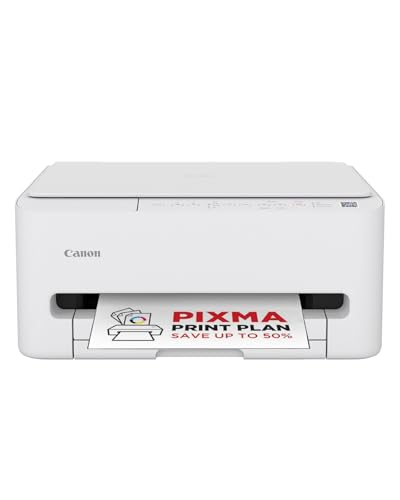 | Canon PIXMA TS4150i Wireless All-in-One Inkjet Printer Budget | Light colour printing, scanning and copying | Print, scan, copy, auto 2-sided, 180-page cartridges | Check price → |
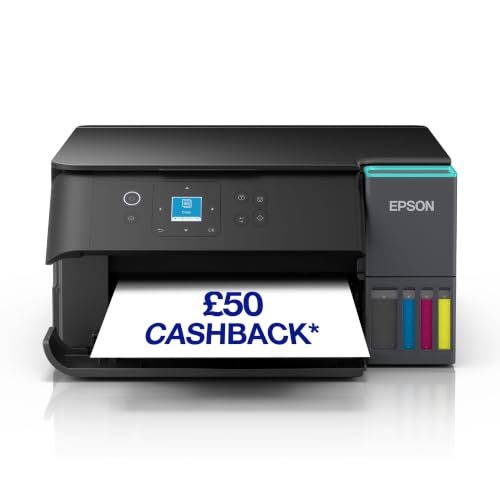 | Epson EcoTank ET-2950 Ink Tank All-in-One Printer Ink tank | Regular colour printing from refillable bottles | Print, scan, copy, auto 2-sided, Wi-Fi 5, 3.7cm LCD | Check price → |
 | Brother HL-L2400DW Mono Laser Printer Mono laser | Black text from a print-only printer | 30 ppm, auto 2-sided, 250 sheets, 5GHz WiFi | Check price → |
 | Brother DCP-L2660DW 3-in-1 Mono Laser Printer Laser all-in-one | Black pages plus scanning and copying with an ADF | 34 ppm, 50-sheet ADF, auto 2-sided, Ethernet and WiFi | Check price → |
 | HP Color LaserJet Pro 3202dw Colour laser | Colour documents from toner rather than ink | 25 ppm A4, auto 2-sided, dual-band WiFi, Ethernet | Check price → |