
Buying printer ink tends to go wrong in one of two ways: the cartridge does not fit, or it fits and the printer refuses to use it. Both are avoidable. This guide covers where HP, Canon, Epson and Brother put the cartridge number, how each maker says to check ink levels on the printer screen, in its app and in Windows, what their own pages say about compatible and refilled cartridges, and when an XL cartridge or an ink subscription is worth it.
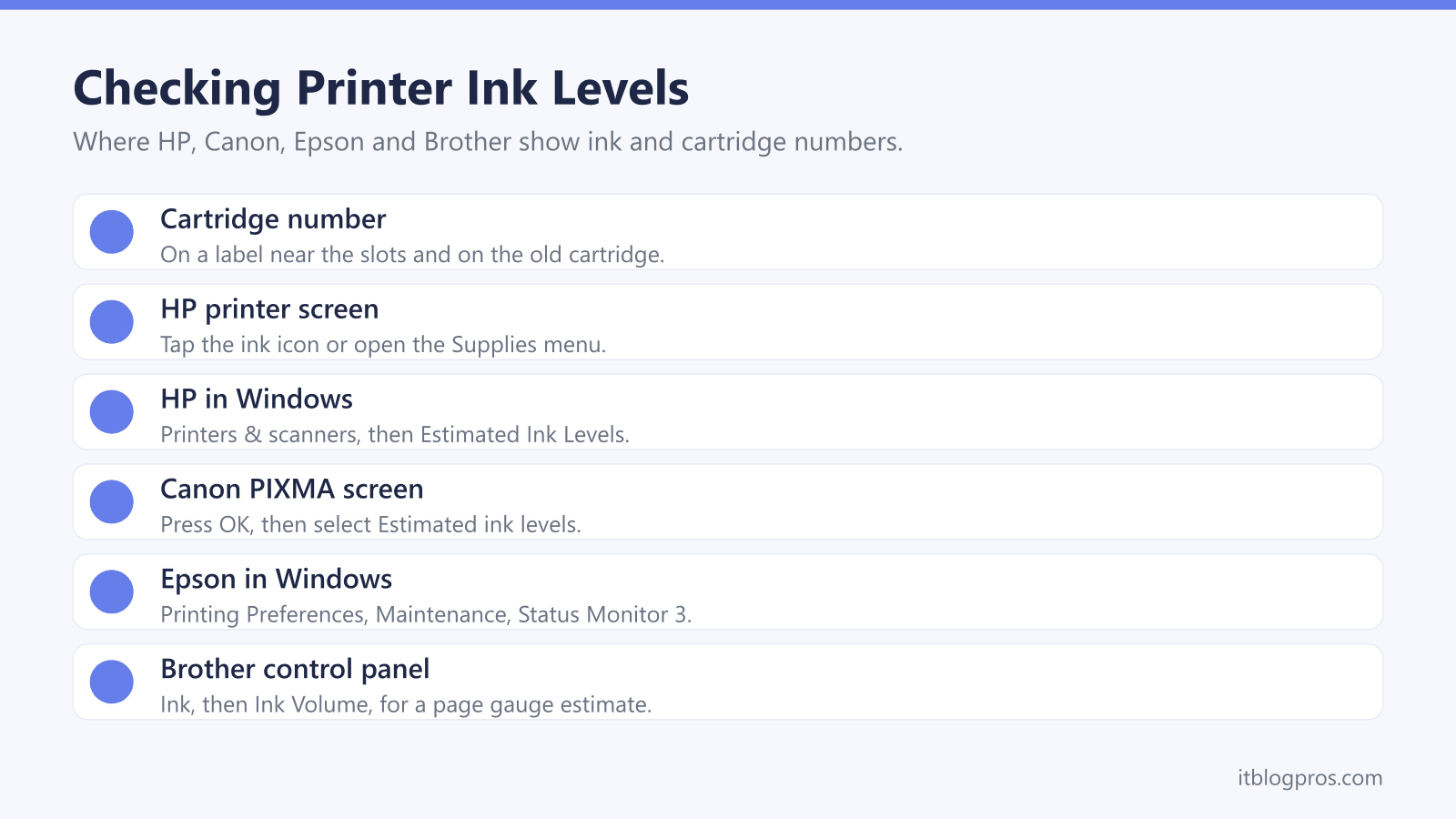
The right cartridge is the one whose number matches the printer, and HP says that number sits on a label near the cartridge slots and on the old cartridge itself. Ink levels show on the printer screen, in the maker's app or in Windows, and HP, Canon and Brother all describe the figures as estimates. HP+ printers need Original HP Ink for the printer's lifetime, according to HP.
Key Takeaways
- HP says the cartridge number is printed on a label near the cartridge slots and on the top or front of the old cartridge, and its Find Supplies tool lists standard and XL versions by printer model.
- Ink levels show on the printer screen, in apps such as HP Smart and Epson Smart Panel, and in Windows through Canon's IJ Status Monitor or Epson's Status Monitor 3.
- HP says its standard printers use dynamic security to block cartridges with a non-HP chip, and that firmware updates can block cartridges that previously worked.
- HP rates the 305XL black at about 300 pages against about 120 for the standard 305, and Brother rates each LC421XL cartridge at 500 pages against 200 for the LC421.
- HP Instant Ink and Epson ReadyPrint Flex both need the printer connected to the internet, and HP says Instant Ink cartridges stop working after the billing cycle in which you cancel.
Find the Cartridge Number on the Printer First
A brand name alone is not enough to buy ink, because each maker sells many cartridge families and a printer takes only one of them. HP's guide to finding cartridges gives three places to look: an information label near the cartridge slots, inside the access door; the model number on the old cartridge's label, usually on the top or front; and the ink or supplies section of the printer's control panel. Canon's manual for its TS5300 series adds an Ink model number option on the printer's screen, which shows the FINE cartridge model.
Every maker also offers a lookup by printer model. HP says its Find Supplies for Your Printer tool gives the full compatibility list, including standard and XL versions. Epson's Ink Finder, on its UK genuine inks page, asks for the printer model and shows the cartridges or bottles that fit, and Epson pairs each number with a name, so the 603 range appears as 603 Starfish. Brother's UK site lists supplies by printer model, and the DCP-J1050DW page lists the LC421 and LC421XL cartridges.
HP and Canon Show Ink Levels on the Screen and in Windows
On an HP printer with a display, HP's UK troubleshooting guide says to tap the ink or toner icon or open the Supplies menu. The free HP Smart app shows the same estimates once you select the printer. In Windows, HP's route is Settings, Bluetooth & devices, Printers & scanners, then your HP printer, where an Estimated Ink Levels or Supply Levels tab appears. Smart Tank models work differently: HP says the ink should sit between the minimum and maximum lines on the tank.
Canon's manual for the TS5300 series gives the screen route as pressing OK and selecting Estimated ink levels, with a symbol appearing over any cartridge that has a notification. From a Windows PC, Canon's steps are to open the printer driver setup window, go to the Maintenance tab and click View Printer Status, which opens the Canon IJ Status Monitor. According to Canon's driver guide, a warning mark beside the ink icon means the ink is running low, and the advice is to get a new cartridge ready.
Epson and Brother Show Ink Levels in Their Own Software
Epson's UK help page for Windows 11 starts at the printer icon: select Printing Preferences, open the Maintenance or Utility tab and click Status Monitor 3, which shows the printer's status and the ink remaining. Epson's user guide adds that the free Epson Smart Panel app for Apple and Android lets you check ink levels and product status, with the phone on the same wireless network as the printer.
Two of Epson's notes matter when buying. Status Monitor 3 may not calculate ink accurately if a cartridge is broken, incompatible or incorrectly installed. And once it reports Ink Out or Replace Cartridge, Epson says nothing prints until that cartridge is replaced, even a black-only job, because all cartridges need some ink to print.
Brother's guide for the DCP-J1050DW and MFC-J1010DW uses the Ink button, then Ink Volume and OK, while the DCP-J1140DW touchscreen uses Ink, then Ink Volume. Brother calls the resulting page gauge an estimate for information only, and says its iPrint&Scan software shows the machine's ink status on a Windows PC or Mac.
Compatible and Refilled Cartridges Carry the Makers' Warnings
Each maker recommends, and sells, its own cartridges, so their pages read as terms rather than independent verdicts. HP's HP+ FAQ says HP standard printers are intended to work only with cartridges that have a new or reused HP chip or circuitry, and use dynamic security to block cartridges with a non-HP chip. HP adds that periodic firmware updates block cartridges that previously worked, while a reused HP chip enables reused, remanufactured and refilled cartridges.
Canon's error guide for the TS5300 series says that when a non-genuine cartridge is detected, you must replace it or turn off remaining ink detection, by holding Stop for at least 5 seconds, and the cartridge then shows grey on the ink levels screen. Canon says it is not liable for faults caused by a non-genuine cartridge. Epson's genuine inks page says compatible ink may void the warranty and may cause clogs or damage. Brother's UK support page says its limited warranty does not apply to problems caused by third party supplies, while accepting that not all non-genuine supplies cause quality issues.
XL Cartridges Print More Pages From the Same Slot
XL is the maker's high-yield version of the same cartridge, and it fits the same slot. HP's cartridge guide says standard and XL cartridges from the same series are fully interchangeable. What changes is the ink inside: HP lists the 305 black at 2 ml and about 120 pages, and the 305XL black at 4 ml and about 300 pages, both tested in an HP ENVY 6000 series printer.
Other makers show a similar step. Epson's UK page rates the 603 Starfish multipack at 150 black and 130 colour pages from 10.6 ml, and the 603XL multipack at 500 black and 350 colour pages from 20.9 ml, although the same page lists the EasyMail version of that XL pack at 550 black pages. Brother's UK store rates each LC421 cartridge at 200 pages and each LC421XL at 500, measured to ISO/IEC 24711.
HP bases its figures on ISO/IEC 24711 or its own testing method, and warns that actual yield varies considerably with what is printed. To compare packs fairly, divide each price by its rated pages.
HP+ and Ink Subscriptions Change the Rules for Cartridges
HP Instant Ink swaps buying cartridges for a plan based on pages printed. HP's UK page says the printer tracks its ink and more is sent before it runs out, that the printer needs a direct internet connection, and that unused pages roll over up to three times the monthly plan. Leaving is the catch: HP says Instant Ink cartridges will not work after the billing cycle in which you cancel, so have standard cartridges ready.
Epson's ReadyPrint Flex is similar, for a range of Expression and WorkForce printers. Epson says the printer triggers deliveries itself, the service needs an internet connection and a valid credit or debit card, unused pages roll over for up to 2 months and the plan can be cancelled anytime.
HP+ is separate and permanent. HP says it requires an HP account, an internet connection and Original HP Ink for the printer's lifetime, and eligible models end in an e. Both subscriptions need the printer online, so for one in a weak WiFi corner the extender versus mesh guide compares the fixes.
Five Genuine Cartridge Packs for Common UK Printers
A new cartridge only helps when ink is the problem. A printer that has dropped off the network or shows as offline needs the printer won't connect to WiFi guide instead, and a cartridge from another family is the wrong buy however similar it looks. Match the number from the printer or the old cartridge first, then use the table.
Each pack below is the maker's own cartridge. HP lists the HP 305 two-pack for the DeskJet 2300, 2700 and 4100 and the ENVY 6000 and 6400 families, including the e models that HP+ ties to Original HP Ink. HP lists the HP 303 two-pack for the HP ENVY 6200, 7134 and 7800. Canon's PG-545XL and CL-546XL pack is the XL set for PIXMA printers that take those cartridges, with photo paper included. Epson lists the 603 Starfish multipack for the Expression Home XP-2100, XP-3100 and XP-4100 families and the WorkForce WF-2810DWF to WF-2870DWF. Brother's store lists the LC421 four-pack for the DCP-J1050DW, DCP-J1140DW, MFC-J1010DW and DCP-J1800DW.
| Product | Best for | Key specs | Price | |
|---|---|---|---|---|
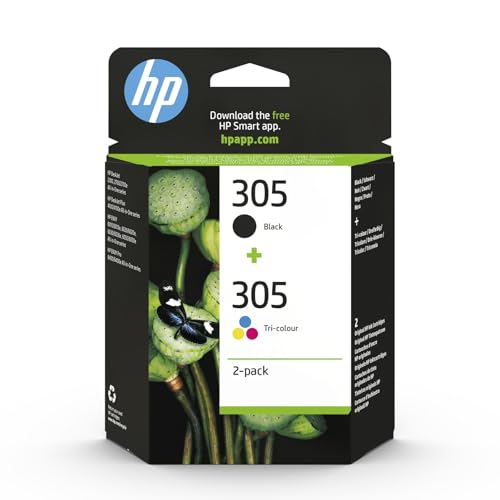 | HP 305 Black and Tri-colour 2-Pack HP DeskJet | HP DeskJet 2700 and 4100, ENVY 6000 and 6400 | Black + tri-colour, standard, black ~120 pages | Check price → |
 | HP 303 Black and Tri-colour 2-Pack HP ENVY | HP ENVY 6200, 7134 and 7800 printers | Black ~200 pages + tri-colour ~165 pages, standard | Check price → |
 | Canon PG-545XL + CL-546XL Photo Value Pack Canon PIXMA | PIXMA printers that take PG-545 and CL-546 | PG-545XL black + CL-546XL colour, XL, photo paper | Check price → |
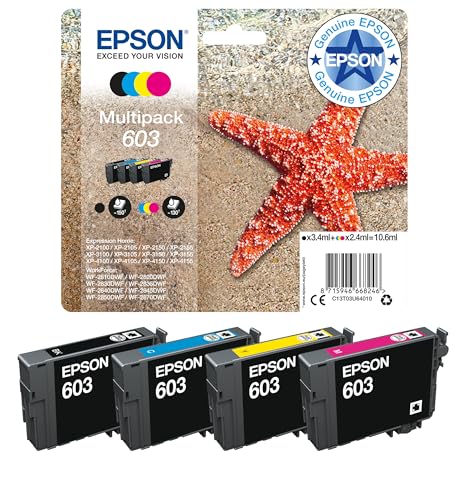 | Epson 603 Starfish 4-Colour Multipack Epson | Expression Home XP-2100 to XP-4155, WF-2810 range | 4 colours, standard, 150 black / 130 colour pages | Check price → |
 | Brother LC421VAL 4-Pack Brother | Brother DCP-J1050DW, DCP-J1140DW and MFC-J1010DW | Black, cyan, magenta, yellow, standard, 200 pages each | Check price → |