
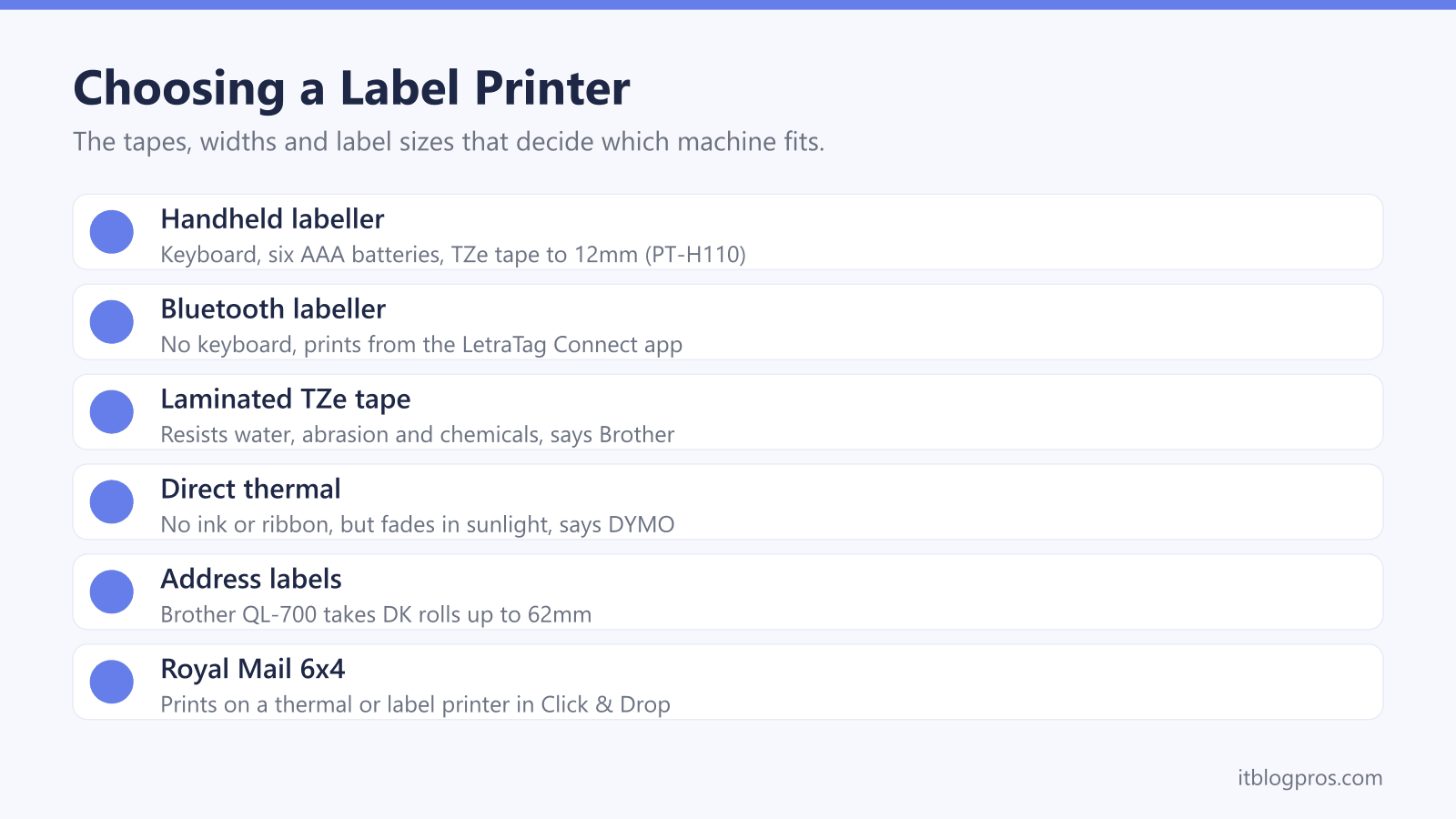
Label makers and label printers sound like the same thing, but they suit different jobs. A handheld labeller with its own keyboard tidies cables, jars and folders, while a desktop printer wired to a computer turns out address labels or 6x4 inch postage labels for eBay, Vinted and Royal Mail parcels. This guide sets out what Brother, DYMO, Royal Mail, Evri, eBay and Vinted say about tapes, label sizes, connections and consumables, then lists five machines worth shortlisting.
For home labelling, a handheld P-touch or LetraTag labeller with 12mm tape covers most jobs, and Brother's laminated TZe tape is the tougher choice. For parcels, Royal Mail's Click & Drop prints 6x4 labels on a thermal or label printer, which needs a wide model such as DYMO's LabelWriter 5XL. Direct thermal printers use no ink at all, but DYMO says their labels fade in sunlight and heat.
Key Takeaways
- Brother's PT-H110 is a handheld labeller with a keyboard and six AAA batteries, while DYMO's LetraTag 200B has no keyboard and prints from the LetraTag Connect app over Bluetooth.
- Brother says its laminated TZe tapes resist water, abrasion, chemicals and temperature extremes, while DYMO says direct thermal labels fade in sunlight, extreme heat or against plastic ring binders.
- Royal Mail's Click & Drop offers A4, 6x4 and 4x3 label formats, and Royal Mail says the 6x4 and 4x3 sizes print on a thermal or label printer.
- Royal Mail warns that resizing Click & Drop labels or using custom contrast settings may make them incompatible with its barcode scanners and disrupt tracking.
- DYMO's guide for the LabelWriter 550, 550 Turbo and 5XL says they work only with authentic DYMO LW labels, and its warranty excludes damage caused by third-party labels.
Handheld Label Makers and Desktop Label Printers Do Different Jobs
A handheld label maker is a self-contained gadget: type on its keyboard, print and cut the strip. Brother's PT-H110 page lists a 16-character LCD, a manual cutter and six AAA batteries, with a mains adapter offered as a separate accessory. DYMO's guide for its LabelManager 160 describes the same format, running on six AAA batteries or an optional adapter. Machines like these suit shelves, cables, storage boxes and school bags.
App labellers drop the keyboard. DYMO's guide says the LetraTag 200B prints from the LetraTag Connect app on the Apple App Store or Google Play, over Bluetooth with Location Services switched on, within about 10 metres of the phone.
A desktop label printer works from a computer and prints in batches. Brother's QL-700 connects over USB, and Brother says its P-touch Editor Lite software is pre-loaded on the printer, so a PC or Mac needs no installation. DYMO's LabelWriter guide says DYMO Connect for Desktop must be installed before the printer is plugged in. Brother's PT-D610BT sits between the two, with a QWERTY keyboard plus USB and Bluetooth.
Laminated Tape Outlasts Direct Thermal Labels
Tape cassettes and thermal rolls work differently. Brother's spec pages list the PT-H110 and PT-D610BT as thermal transfer machines, and Brother describes its TZe tapes as laminated and tested to resist water, abrasion, chemicals and temperature extremes. DYMO's LabelManager 160 guide shows its D1 cassettes carrying a ribbon alongside the label. For cables, tools or garden kit, tape is the sturdier route.
Direct thermal printers have no ribbon at all. DYMO's LabelWriter guide says the printer uses heat on specially treated labels and never needs toner, ink cartridges or a ribbon, so labels are the only supplies. The trade-off is fading. DYMO says direct sunlight, long spells under fluorescent light, extreme heat and contact with plastic ring binders all fade the print, and it gives rolls in their original packaging a shelf life of 18 months.
On envelopes and parcels, DYMO says fading is not a problem. Brother's thermal supplies page agrees, saying direct thermal labels suit short label lifespans such as eCommerce address labels, while thermal transfer paper labels are much less likely to fade.
Tape and Label Widths Set the Size Limit
Width is the number to check first, because every machine has a hard ceiling. Brother's PT-H110 page lists TZe tapes in 3.5mm, 6mm, 9mm and 12mm, with 12mm the maximum. The desktop PT-D610BT reaches 24mm, and Brother lists 18mm alongside the narrower sizes, which suits bolder signs and two-line labels. DYMO's quick start guide says the LetraTag 200B takes 12mm LT cassettes, and its LabelManager 160 guide lists D1 cassettes up to half an inch, or 12mm.
Desktop printers use rolls instead of cassettes. Brother's QL-700 ships with 100 die-cut 29mm x 90mm address labels and 8.1m of 62mm continuous tape, which its built-in cutter trims to any length up to one metre. Brother's DK page says DK labels come up to 103mm wide for large shipping labels, but Brother lists the QL-700's maximum print height, the measurement across the roll, as 59mm.
DYMO's guide gives the LabelWriter 550 a maximum print width of 56mm and the 5XL 105.73mm. A 6x4 inch postage label is about 102mm across, so the 5XL fits one and the 550 does not.
Royal Mail Click & Drop Prints 6x4 Labels on a Label Printer
Royal Mail's help page on choosing a label format lists three sizes in Click & Drop: A4, 6x4 and 4x3. It says A4 prints on a regular home or office printer, while 6x4 and 4x3 print on a thermal or label printer. Royal Mail adds that the combined label and despatch note prints only on A4. Online Business Account customers with a 6x4 thermal printer can order labels through Royal Mail's Online Mail Supplies page.
Royal Mail's printing guide says Click & Drop is compatible with both Zebra and standard home and office printers, but that Royal Mail cannot provide technical support for printers. It also warns that resizing labels or using custom contrast settings may make them incompatible with its barcode scanners and disrupt tracking. A wrong-sized label is easy to fix, Royal Mail says, because a reprint follows the current settings.
Evri works along similar lines. Its FAQs say it provides both A4 labels and thermal printer-sized labels, with four printer options in the account settings.
Connections and Software Decide Where Labels Come From
How a machine connects matters as much as what it prints. DYMO's LabelWriter guide says the 550, 550 Turbo and 5XL all connect over USB, with a USB Type B socket on the printer, and that the 550 Turbo and 5XL can also join a wired network through an Ethernet port. Every computer that prints over the network needs DYMO Connect for Desktop. DYMO lists Windows 8.1 or later and macOS Mojave or later, and the guide lists only USB and wired network connections, so sellers who work from a phone should look elsewhere.
Brother's QL-700 connects by USB, and Brother lists Microsoft Excel and Access among its compatible database files for address runs. Brother's PT-D610BT pairs with a phone over Bluetooth or a PC over USB, using Brother's iPrint&Label app or P-touch Editor software.
Laptops with only USB-C ports need an adapter for a USB printer cable, which the USB-C hub guide covers. For an ordinary printer that keeps dropping off the network before an A4 label run, see printer won't connect to WiFi.
Each Machine Needs Its Own Labels and Tapes
Consumables rarely swap between brands. Brother says its TZe tapes fit P-touch printers that show the TZ or TZe logo on the cassette cover, and its tapes page says Btag tapes are exclusive to the PT-N10, PT-N20 and PT-N25BT. DYMO's guides say the LetraTag 200B uses LT cassettes, the LabelManager 160 uses D1 cassettes and the LabelWriter printers use LW labels. Brother's QL printers take DK rolls, and Brother says red and black printing needs a DK-22251 roll and a QL-800 series printer, so the QL-700 prints in black.
Genuine versus compatible is where the brands differ. DYMO's user guide for the LabelWriter 550, 550 Turbo and 5XL says the printers work only with authentic DYMO LW labels and will not recognise non-authentic ones, and that the warranty does not cover damage caused by third-party labels. Brother's tapes page says Brother Original supplies offer quality, compatibility and reliability, but it does not say other tapes will fail. Ink for A4 label sheets is a separate cost, covered in the printer ink cartridges guide.
The Label Printers Worth Shortlisting
First, check whether a shipping printer is needed. eBay's help page says QR code options mean a seller does not need a printer to drop off an item, although QR codes are unavailable for UPS and InPost services. Vinted's help centre suggests seeing whether the drop-off point can provide the label. Royal Mail also accepts a label printed on plain paper and fixed with glue or clear tape, as long as the barcodes stay readable.
For home labelling, Brother's PT-H110 is the keyboard pick, limited to 12mm TZe tape, and Brother lists it as handheld rather than PC connectable. DYMO's LetraTag 200B suits anyone happier designing on a phone, since DYMO's guide says labels print from a mobile device. Brother's PT-D610BT adds 24mm tape, an auto cutter, Bluetooth and USB.
For address labels, Brother's QL-700 prints direct thermal DK rolls up to 62mm, so it cannot print 6x4 labels. DYMO's LabelWriter 5XL is the 6x4 shipping pick, listed here with labels, but it takes only authentic DYMO labels and connects by USB or wired network, not Bluetooth.
| Product | Best for | Key specs | Price | |
|---|---|---|---|---|
 | Brother PT-H110 Handheld Label Maker Home pick | Quick labels for shelves, cables and storage boxes | TZe tape 3.5mm to 12mm, 6 x AAA, 20mm per second | Check price → |
 | DYMO LetraTag 200B Bluetooth Label Maker Phone app | Designing labels on a phone instead of a keyboard | 12mm LT cassettes, Bluetooth app, 4 x AA batteries | Check price → |
 | Brother PT-D610BT Desktop Label Printer 24mm tape | Bolder labels from a keyboard, PC or phone | TZe tape up to 24mm, USB and Bluetooth, auto cutter | Check price → |
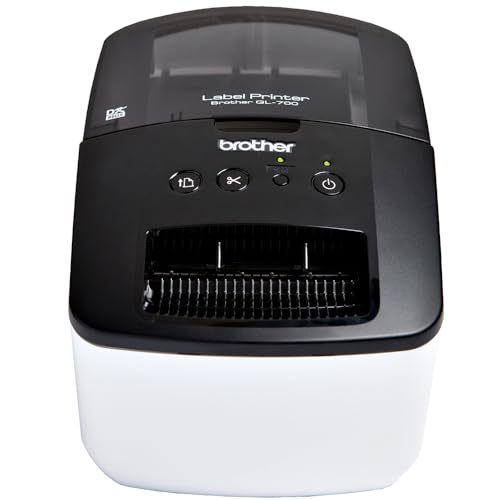 | Brother QL-700 Address Label Printer Address labels | Batches of address labels from a PC or Mac | Direct thermal, DK rolls up to 62mm, USB, built-in cutter | Check price → |
 | DYMO LabelWriter 5XL Label Printer with Shipping Labels 6x4 shipping | 6x4 postage labels from Royal Mail Click & Drop | Direct thermal 300dpi, 105.73mm print width, USB and LAN | Check price → |