
Memory stick, USB stick, pen drive or USB flash drive: the names change, but the packet rarely says the things that decide whether one suits the job. The big speed figure is often a read speed, USB 3.2 covers three different speeds, and a TV, car stereo or Windows installer each needs the stick set up its own way. This guide works through what SanDisk, Samsung, Kingston, PNY, Microsoft and the USB standards body publish, so the right stick goes in the basket.
For everyday files, a USB 3.2 Gen 1 stick from a known brand is plenty, and a USB 3.2 Gen 2 drive with a stated write speed earns its keep for big video files. Match the plug, USB-A, USB-C or both, to the ports. Format it exFAT for large files and newer TVs, FAT32 for older car stereos, and use a blank stick of at least 8GB for a Windows 11 installer.
Key Takeaways
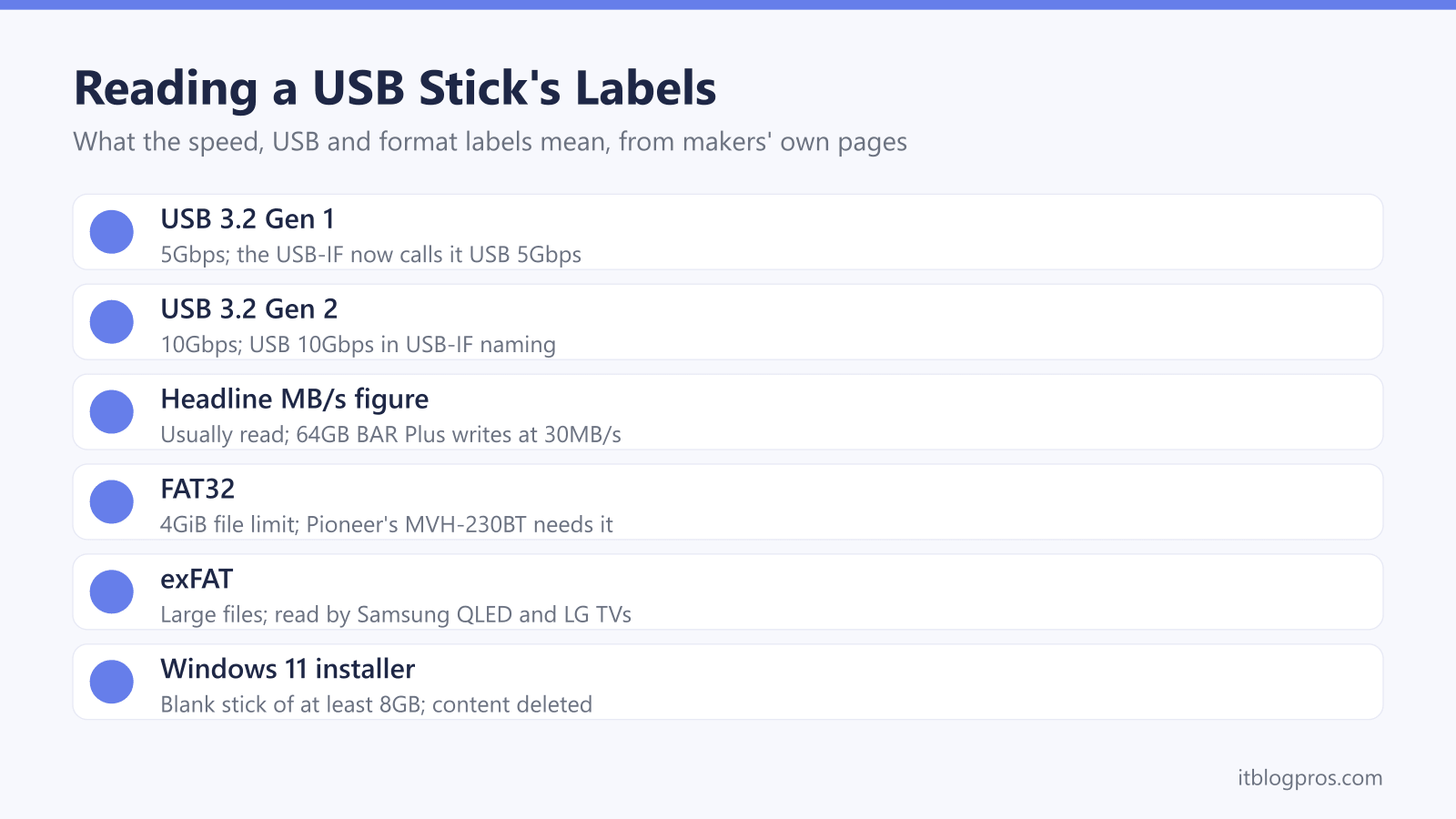
- SanDisk's footnotes say its speeds are based on read speed unless otherwise stated, and Samsung's datasheet lists the 64GB BAR Plus at up to 300MB/s read but 30MB/s write.
- The USB-IF defines USB 3.2 Gen 1 as 5Gbps, Gen 2 as 10Gbps and Gen 2x2 as 20Gbps, and now recommends plain names such as USB 5Gbps on packaging.
- Microsoft lists a 4GiB maximum file size for FAT32, so a film larger than that needs a stick formatted exFAT or NTFS.
- Pioneer's manual for the MVH-230BT car stereo lists FAT12, FAT16 and FAT32 only, while Samsung's support pages say its QLED and SUHD TVs read FAT, exFAT and NTFS.
- Microsoft's Windows 11 download page asks for a blank USB flash drive with at least 8GB of space and warns that anything on it will be deleted.
Makers Often Quote the Read Speed and Skip the Write
The big number on a USB stick usually says how fast it reads, not how fast it saves. SanDisk's footnotes say its figures are based on read speed unless otherwise stated, and its Ultra Fit page lists only read speeds: up to 400MB/s on the 128GB and larger models, 300MB/s at 64GB and 130MB/s at 32GB.
Copying files onto a stick is a write, and that is where cheaper drives slow down. Samsung's UK page for the BAR Plus says write speed is lower than read speed, and its datasheet lists 300MB/s read but 30MB/s write for the 64GB model, and 400MB/s read with 110MB/s write at 256GB. PNY gives its Attaché X up to 130MB/s read, and describes writes only as up to 10x faster than a 3MB/s USB 2.0 drive.
Some makers give no figure at all: Kingston's datasheet for the DataTraveler Exodia M names only the USB 3.2 Gen 1 standard. For big video files, pick one that states both, such as SanDisk's Extreme PRO USB-A at up to 1000MB/s read and 900MB/s write.
USB 3.2 Gen 1, Gen 2 and Gen 2x2 Are Speeds, Not Plugs
The USB Implementers Forum (USB-IF), which sets the USB standards, says USB 3.2 absorbed all the earlier 3.x versions and defines three rates: USB 3.2 Gen 1 at 5Gbps, Gen 2 at 10Gbps and Gen 2x2 at 20Gbps. Its earlier guidelines say USB 3.1 Gen 1 and USB 3.0 are synonymous, so all three labels describe the same 5Gbps stick. The USB-IF also stresses that USB 3.2 defines only the transfer rate, not the USB-C or USB-A connector.
Its 2024 naming guidelines go further, recommending plain names such as USB 5Gbps and USB 10Gbps and saying USB 3.2 is not intended for consumer-facing packaging. Makers carry on regardless, and Samsung's own BAR Plus page calls the drive USB 3.1 Gen 1 in its specifications and USB 3.2 Gen 1 in its features.
The port matters as much as the stick. Kingston's Flash Memory Guide puts USB 2.0, or Hi-Speed USB, at 480Mb/s, or 60MB/s, and says the achievable speed is the lower of what the computer and the drive support.
USB-A, USB-C and Dual-Connector Sticks Fit Different Ports
USB-A is the larger rectangular plug and USB-C the smaller oval one, and the stick has to match the port. A dual-connector stick covers both. SanDisk's Ultra Dual Drive Go has both a USB-C and a USB-A plug, protected by a swivel design, and SanDisk lists compatibility with USB-C phones, laptops and tablets, Android 10 or later, macOS 12 or later and Windows 10 or later.
iPhones with USB-C can take a USB-C stick too. Apple's support page lists external storage devices among the things its USB-C connector works with, but says the cable in the box supports USB 2 speeds. It lists USB 3 data transfer at up to 10Gbit/s for models including the iPhone 15 Pro, 16 Pro, 17 Pro and 18 Pro.
For a stick that stays in a laptop or TV, size matters more than speed. SanDisk's Ultra Fit measures 29.8 x 14.3 x 5mm and is designed for plug-and-stay storage. Several USB-A devices on a USB-C laptop is a job for a hub, which the USB-C hub guide covers.
FAT32 Cannot Hold a File Bigger Than 4GB
Every stick is formatted with a file system, the filing scheme that decides which devices can read it. Microsoft's comparison of Windows file systems gives FAT32 a maximum file size of 4GiB, while exFAT and NTFS allow files of up to 2^64 minus 1 bytes. NTFS adds file permissions and encryption that neither FAT32 nor exFAT has, but not every TV or car stereo reads it.
Capacity brings a second ceiling. Apple's Disk Utility guide recommends MS-DOS (FAT) for Windows volumes of 32GB or less and ExFAT for anything larger. Microsoft's Windows Insider blog said in April 2026 that the limit for formatting FAT32 from the command line was 32GB, and that a test build raises it to 2TB. For a FAT32-only car stereo, a 32GB stick is the easy choice, and SanDisk rates its 32GB Ultra Fit at up to 130MB/s read.
To format in Windows, Microsoft's guide says to right-click the Start button, choose Disk Management, right-click the volume and choose Format. It warns that formatting a volume destroys any data on it.
TVs, Car Stereos and Windows Installers Want Different Things
Check the manual first, because the lists differ. Samsung's support pages say its QLED and SUHD TVs read FAT, exFAT and NTFS, while older Full HD sets read FAT16, FAT32 and NTFS as read only. LG says its TVs need FAT32, exFAT or NTFS as formatted by Windows, and warns that a USB extension cable can cause faults.
Car stereos can be fussier. Pioneer's manual for the MVH-230BT lists FAT12, FAT16 and FAT32 only, and its ERROR-23 message means the stick needs reformatting in one of them. Ford's manual for cars with SYNC 2.5 is broader, listing ext2, exFAT, FAT, FAT32, NTFS and HFS+.
A Windows installer is simpler, as Microsoft's Media Creation Tool sets the stick up. Microsoft's Windows 11 download page says to attach a blank USB flash drive with at least 8GB of space and warns that any content on it will be deleted. A fresh install on a new SSD needs one, as the SSD upgrade guide explains. If Windows does not see the stick, the external hard drive not showing up guide has the checks.
Hardware-Encrypted Sticks Lock Themselves Without Software
A lost stick is an open book unless it is encrypted. The UK's National Cyber Security Centre (NCSC) warns that data on removable devices may not be encrypted, and a lost one leaves no way to restrict access or wipe it. Its 10 Steps guidance calls for disk encryption where removable media could be stolen, and it advises antivirus scanning of new files on a USB stick.
Makers mean different things by encryption. SanDisk's Extreme PRO offers password protection with 128-bit AES, but its footnotes say this needs the SanDisk Memory Zone app installed. Kingston's Flash Memory Guide describes hardware encryption as a dedicated cryptographic processor inside the drive, taking the work off the computer.
iStorage's datAshur PRO2 takes the hardware route with a keypad. A 7 to 15 digit PIN unlocks it, it needs no software and works on any device with a USB port, iStorage says, and it locks when unplugged. Ten wrong admin PINs wipe it for good. Its spec table says USB 3.2 Gen 1 and its feature list Gen 2, so the page contradicts itself.
Fake-Capacity Sticks Are Why the Seller Matters
A genuine stick always shows a little less than its label. SanDisk counts 1GB as 1,000,000,000 bytes and says actual user storage is less, and Kingston says some listed capacity goes on formatting and other functions. A fake is another matter. SD-3C, the SD card licensing body, describes counterfeit cards with software that masks the real capacity so a computer reads them as 256GB, and says shopping sites often do not police their sellers. The SD card guide covers memory cards.
The stick makers answer through their warranties. SanDisk's covers only original SanDisk consumer flash products, and PNY's covers only items bought from authorised sellers, even if a second-hand one looks sealed. Samsung offers an authentication utility for its BAR Plus drives.
So each stick below is sold by Amazon itself, and the encrypted drive by iStorage's own store. Kingston quotes no speed for the budget Exodia M. The Extreme PRO suits big files, the Dual Drive Go phones, and the Ultra Fit TVs. None is a backup plan; the NAS drive guide covers that.
| Product | Best for | Key specs | Price | |
|---|---|---|---|---|
 | Kingston DataTraveler Exodia M 128GB (DTXM/128GB) Budget | Everyday documents, photos and music | USB 3.2 Gen 1, USB-A, moving cap, 5-year warranty | Check price → |
 | SanDisk Extreme PRO USB-A 256GB (SDCZ820) Fastest | Copying large video files and backups quickly | USB 3.2 Gen 2, up to 1000MB/s read, 900MB/s write | Check price → |
 | SanDisk Ultra Dual Drive Go 64GB (SDDDC3) USB-C and USB-A | Moving files between a USB-C phone and a laptop | USB-C and USB-A, USB 3.2 Gen 1, up to 300MB/s read | Check price → |
 | SanDisk Ultra Fit 256GB (SDCZ430) Low profile | Leaving plugged into a laptop, TV or console | 29.8 x 14.3 x 5mm, USB 3.2 Gen 1, up to 400MB/s read | Check price → |
 | iStorage datAshur PRO2 16GB Encrypted | Work files that must stay private if the stick is lost | PIN keypad, AES-XTS 256-bit hardware, FIPS 140-2 Level 3 | Check price → |